Layer 2 Discovery Protocols: CDP and LLDP
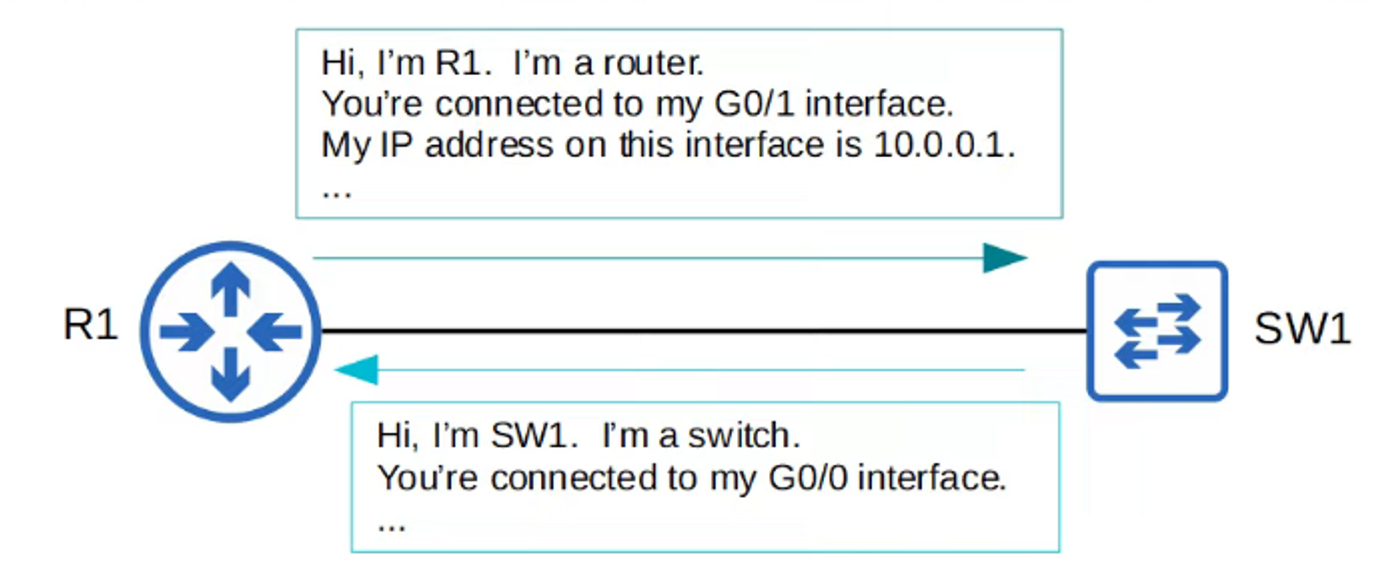
Layer 2 Discovery Protocols, such as CDP and LLDP, are used to share and discover information about neighboring (connected) devices in a network.
Overview
-
Shared Information:
- Hostname
- IP Address
- Device Type
- And more
-
CDP (Cisco Discovery Protocol):
- A Cisco proprietary protocol
- Enabled by default on Cisco devices
-
LLDP (Link Layer Discovery Protocol):
- An industry standard protocol (IEEE 802.1AB)
- Usually disabled by default on Cisco devices
Because they share device information, these protocols can pose security risks and are often disabled depending on network security policies.
Cisco Discovery Protocol (CDP)
CDP is a Cisco proprietary protocol used for discovering neighboring Cisco devices.
Key Features
- Default Behavior:
- Enabled by default on Cisco devices, including routers, switches, firewalls, and IP phones.
- CDP messages are sent periodically to the multicast MAC address
0100.0CCC.CCCC. - Messages are sent every 60 seconds by default.
- The hold-time for CDP is 180 seconds. If a message isn’t received from a neighbor within this time, the neighbor is removed from the CDP Neighbor Table.
- CDPv2 is enabled by default.
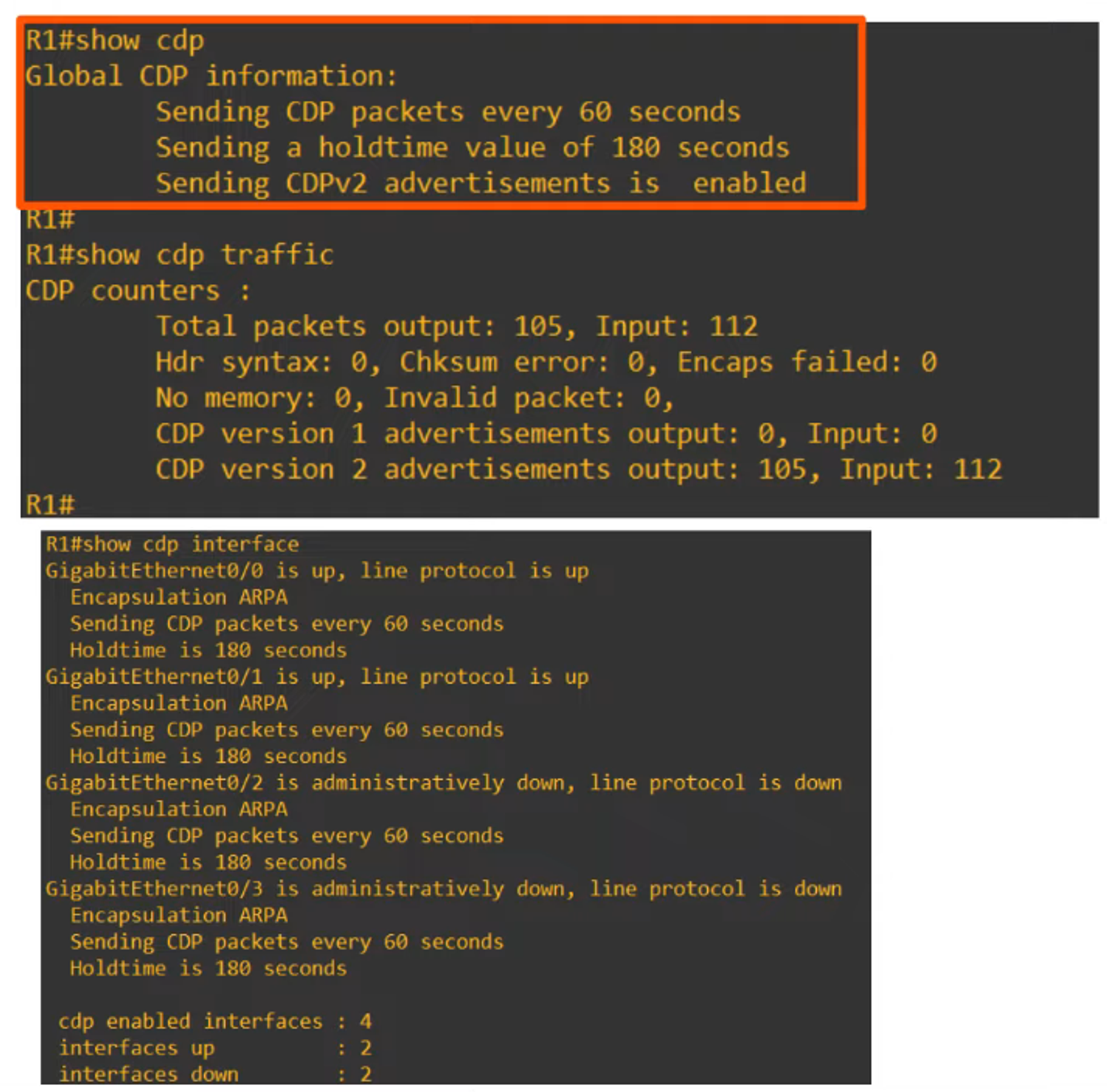
CDP Neighbor Table
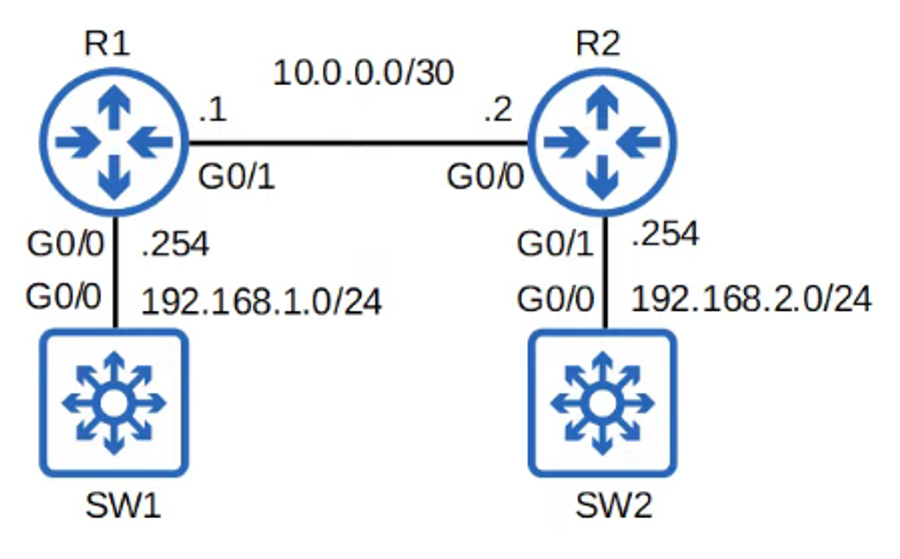
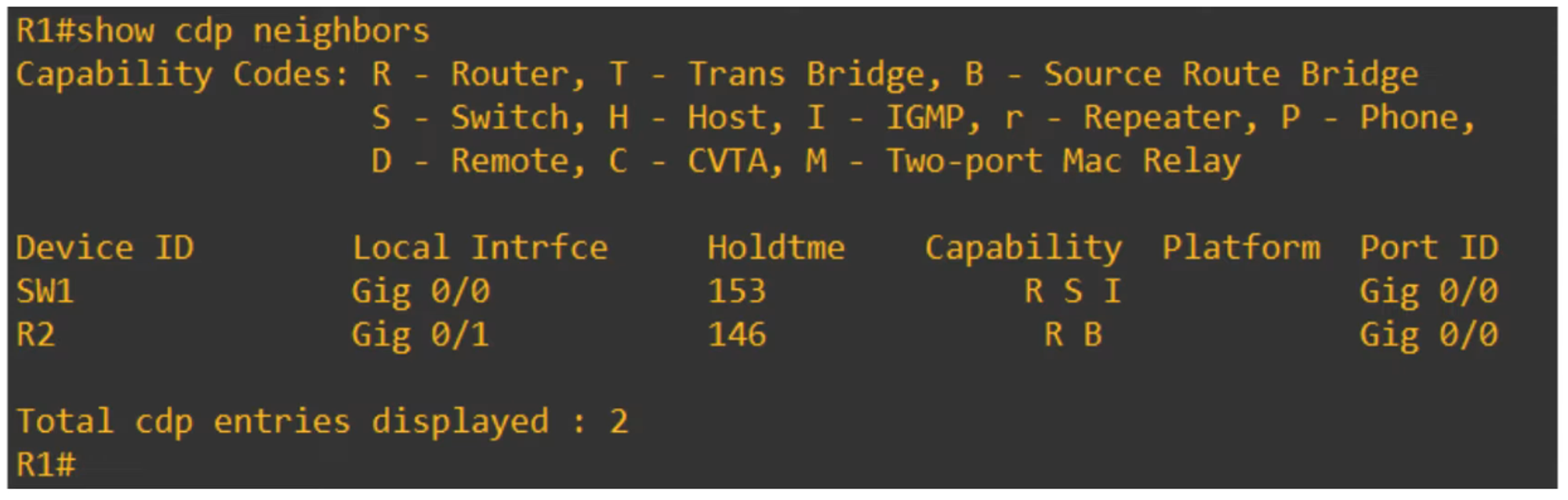
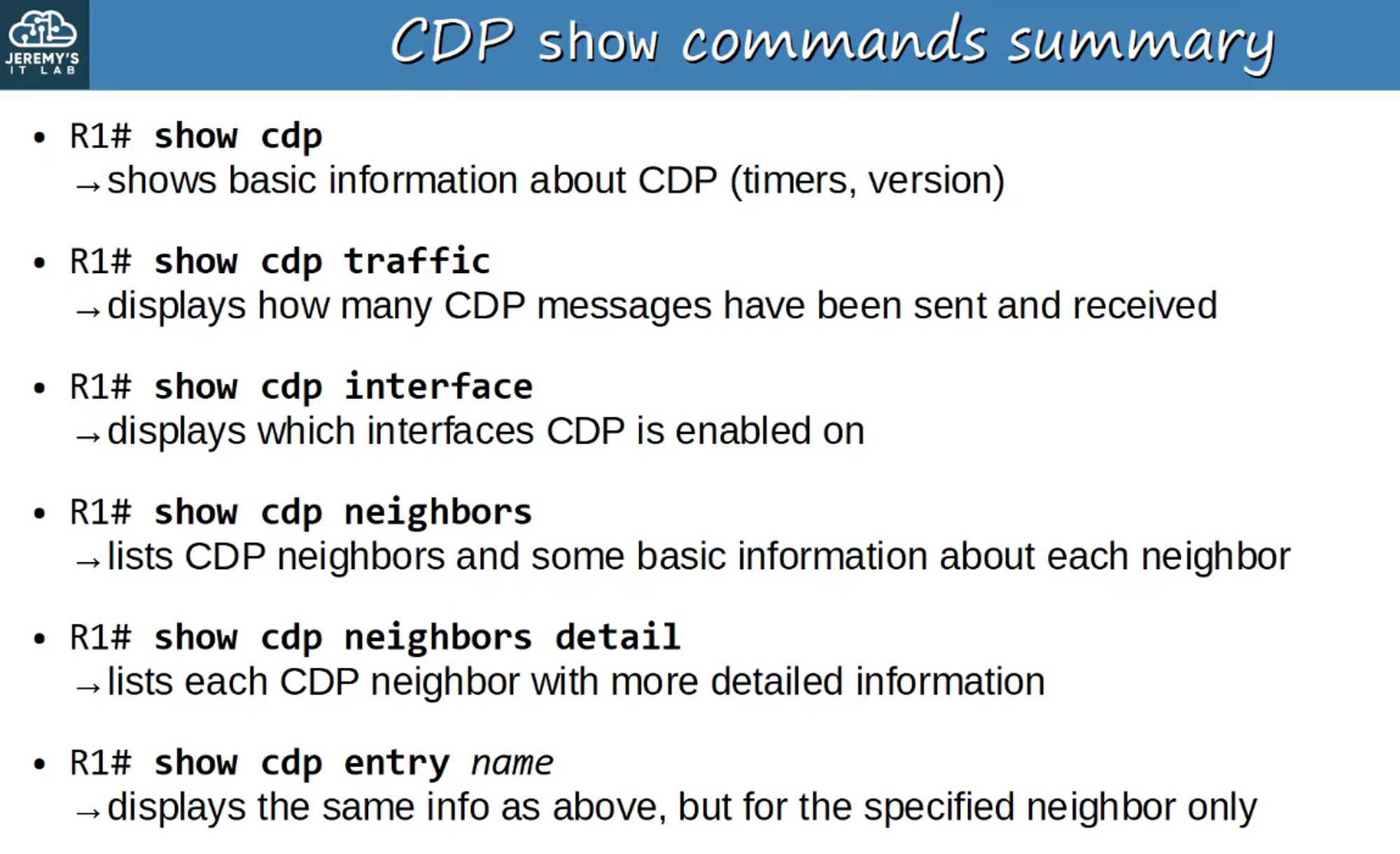
The CDP Neighbor Table provides information about discovered devices.
- Device ID: The identifier of discovered devices.
- Local Interface: The local interface connected to the neighbor.
- Holdtime: The countdown in seconds (0 means the device is removed from the table).
- Capabilities: The capabilities of the neighbor device.
- Platform: The model of the neighbor device.
- Port ID: The port on the neighbor device connected to the local device.
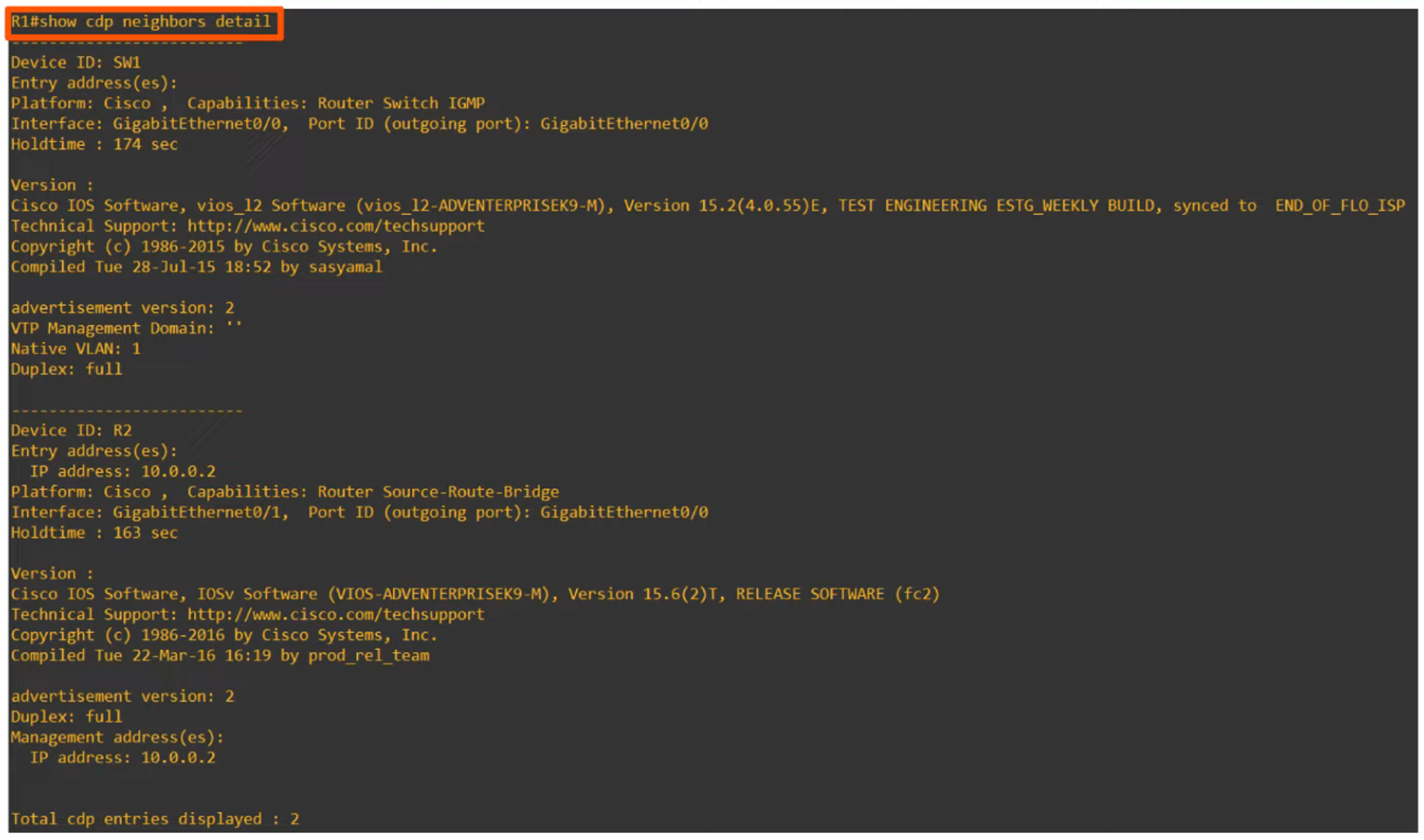
Detailed CDP Output
For more detailed information, including the Cisco IOS version running on the device:
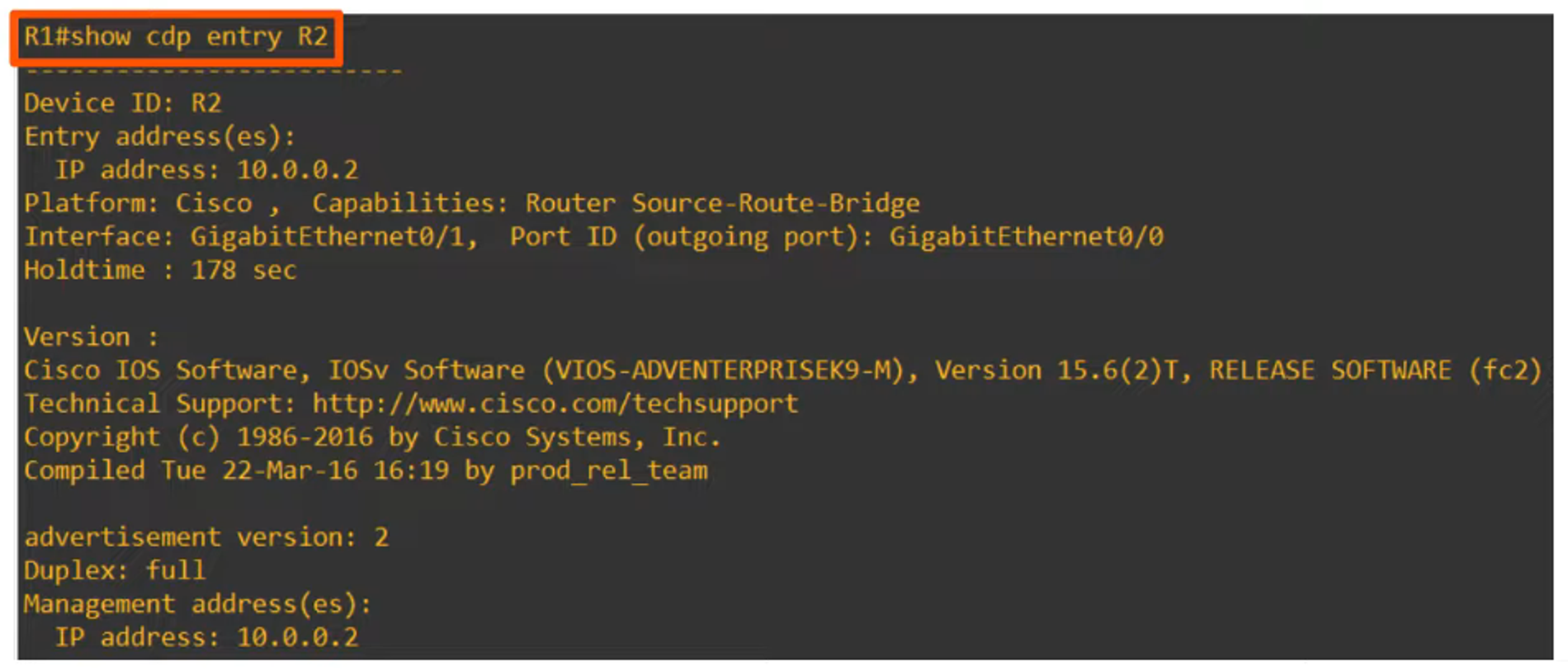
Show Specific CDP Neighbor Entry
To display specific information about a CDP neighbor:
CDP Configuration Commands
-
Enable/Disable CDP Globally:
R1(config)# [no] cdp run -
Enable/Disable CDP on Specific Interfaces:
R1(config-if)# [no] cdp enable -
Configure CDP Timer:
R1(config)# cdp timer <seconds> -
Configure CDP Holdtime:
R1(config)# cdp holdtime <seconds> -
Enable/Disable CDPv2:
R1(config)# [no] cdp advertise-v2
Link Layer Discovery Protocol (LLDP)
LLDP is an industry-standard protocol used for discovering neighboring devices, similar to CDP.
Key Features
- Default Behavior:
- LLDP is usually disabled by default on Cisco devices and must be manually enabled.
- Devices can run both CDP and LLDP simultaneously.
- LLDP messages are sent periodically to the multicast MAC address
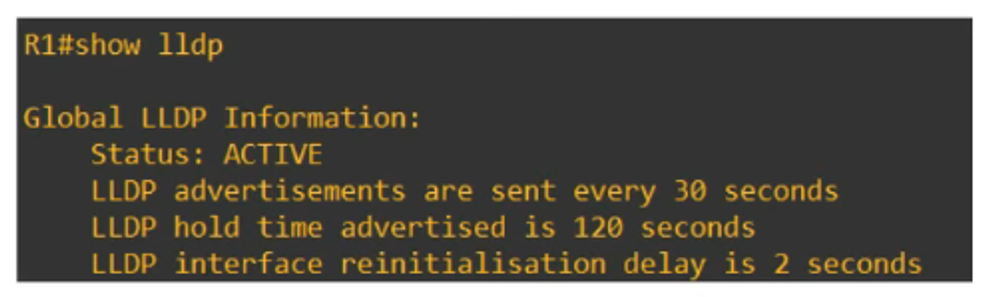
0180.c200.000E. - Messages are sent every 30 seconds by default.
- LLDP Holdtime is 120 seconds.
- An additional timer, the reinitialization delay, defaults to 2 seconds and delays the initialization of LLDP.
LLDP Configuration Commands
-
Enable LLDP Globally:
R1(config)# lldp run -
Enable LLDP on Specific Interfaces:
- To enable transmission:
R1(config-if)# lldp transmit - To enable reception:
R1(config-if)# lldp receive
- To enable transmission:
-
Configure LLDP Timer:
R1(config)# lldp timer <seconds> -
Configure LLDP Holdtime:
R1(config)# lldp holdtime <seconds> -
Configure LLDP Reinit Timer:
R1(config)# lldp reinit <seconds>
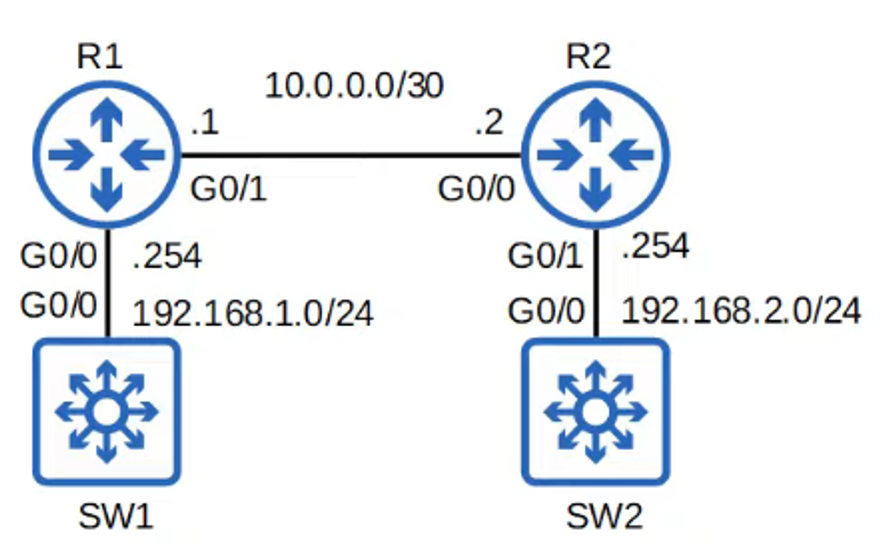
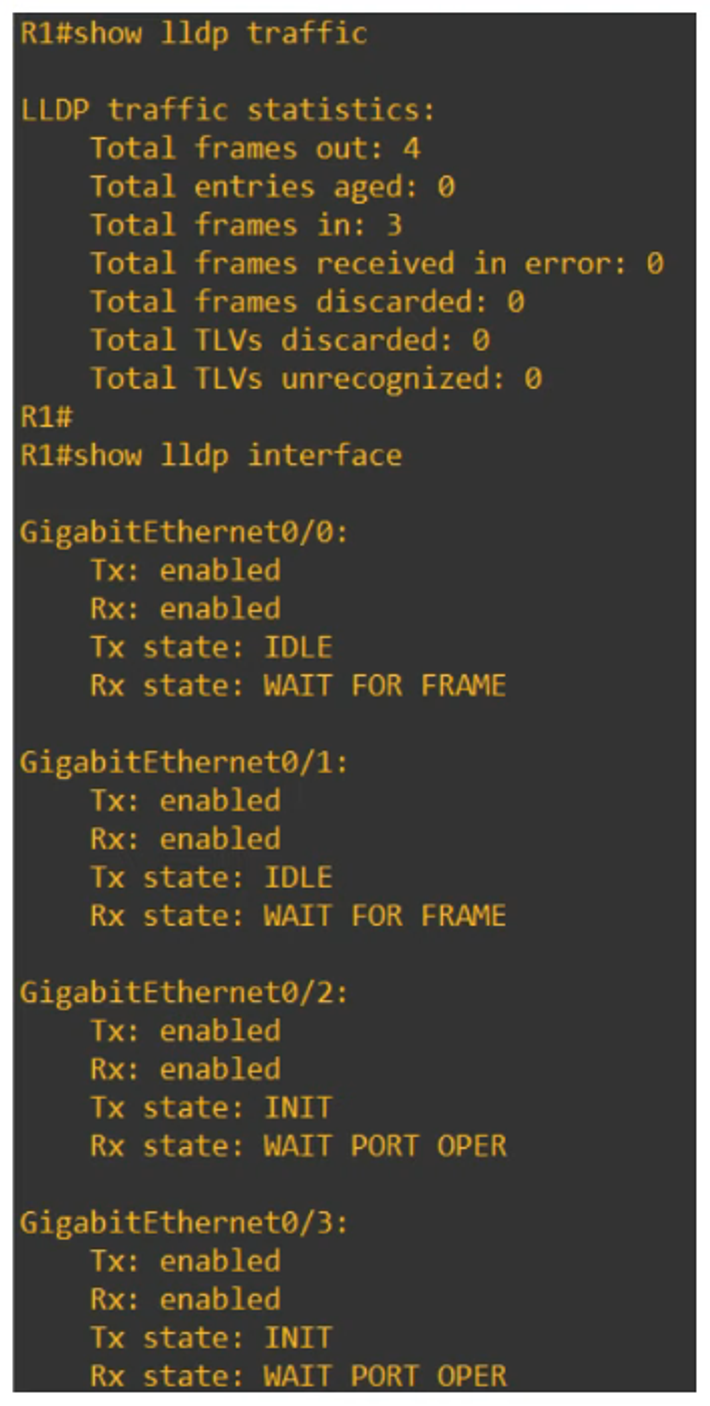
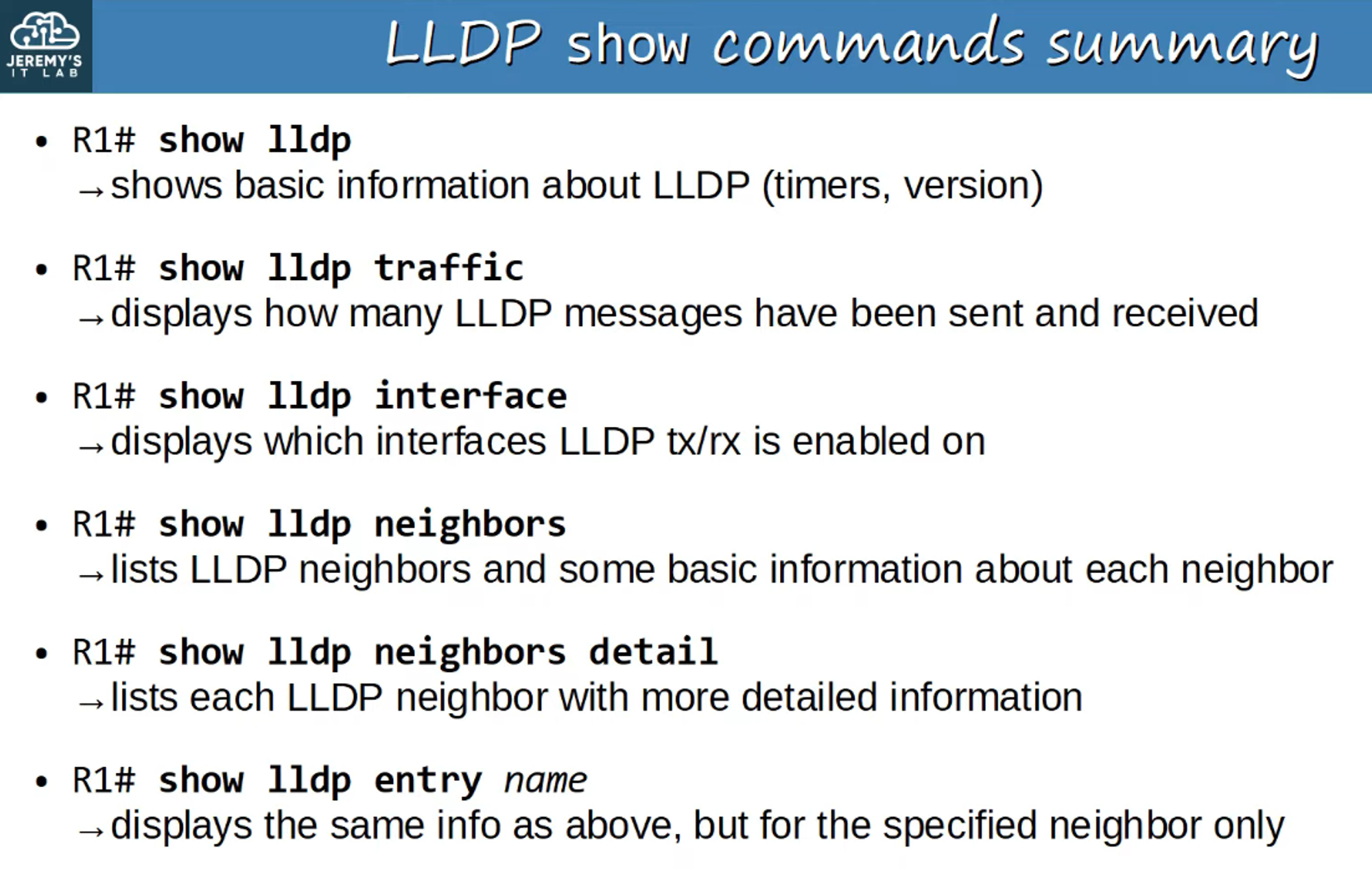
Show LLDP Status
To view LLDP status:
Show All LLDP Neighbors
To display all LLDP neighbors:
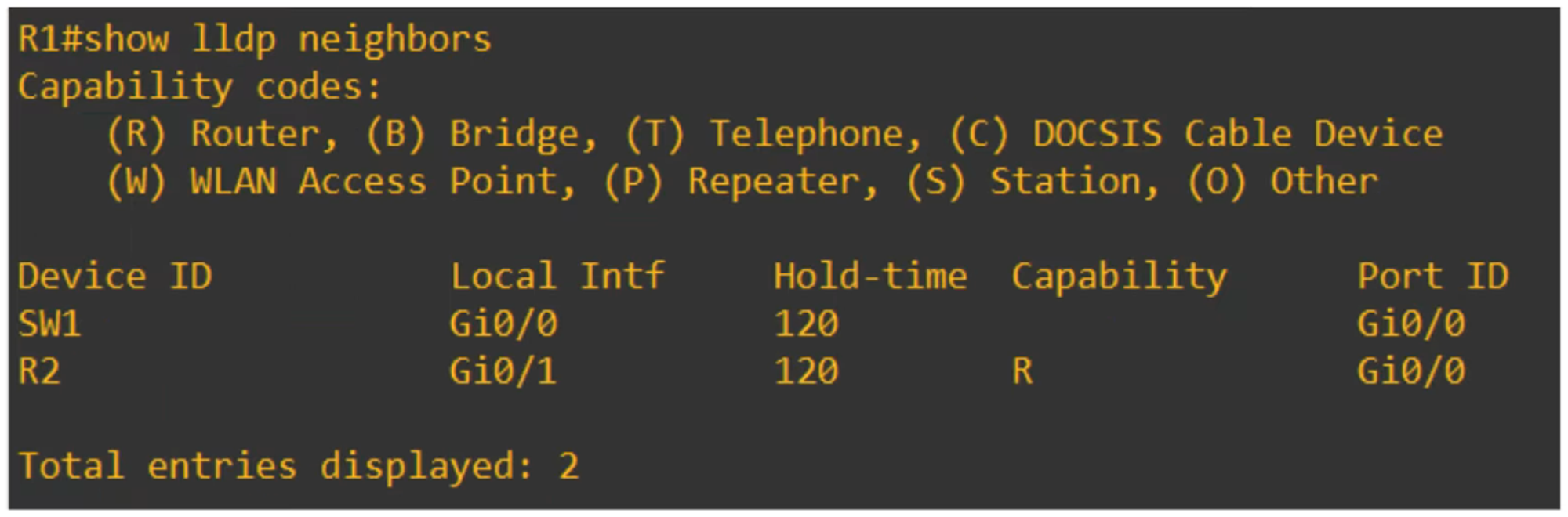
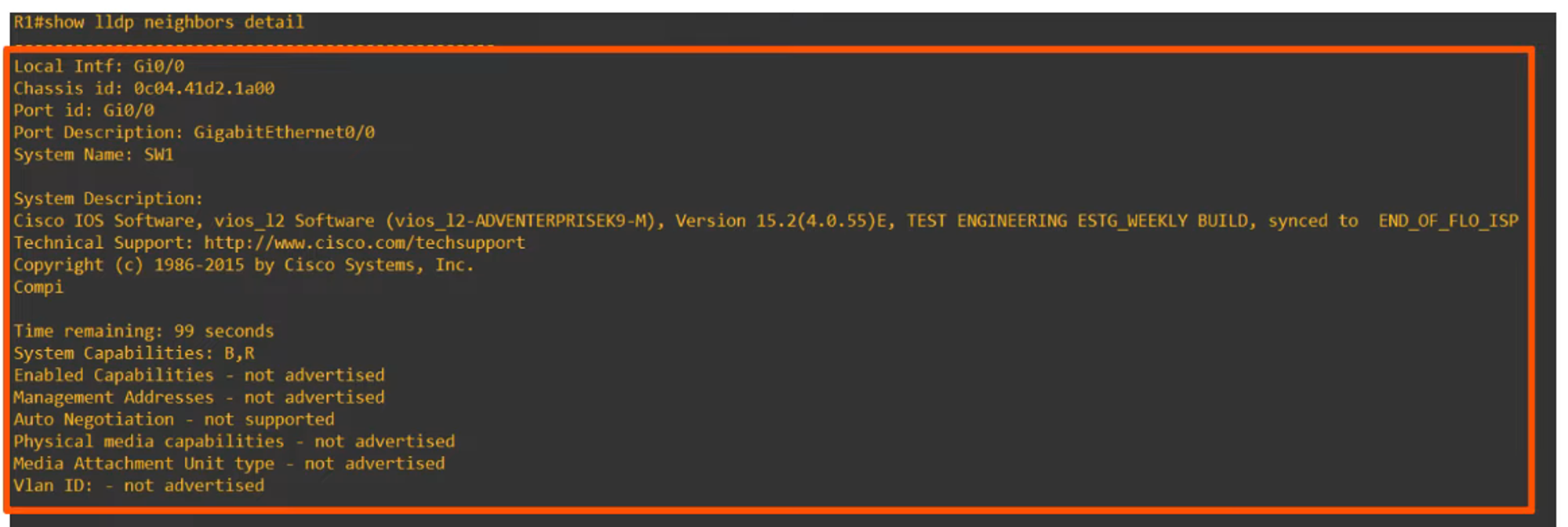
Show LLDP Neighbors in Detail
For detailed information on LLDP neighbors:
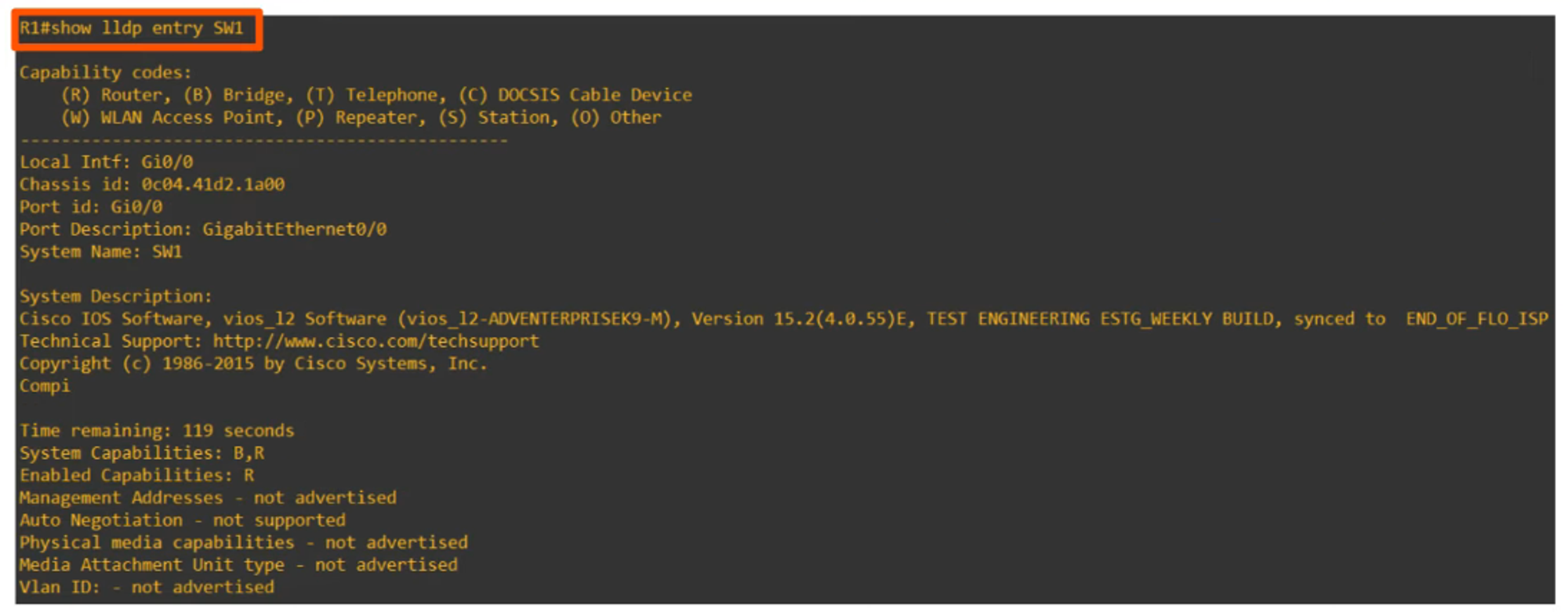
Show Specific LLDP Device Entry
To view information about a specific LLDP device: