Virtual Servers
- While Cisco is renowned for its networking devices (e.g., routers, switches, and firewalls), they also produce hardware servers, such as the UCS (Unified Computing System).
- Major hardware server vendors include:
- Dell EMC
- HPE
- IBM
Servers Before Virtualization
-
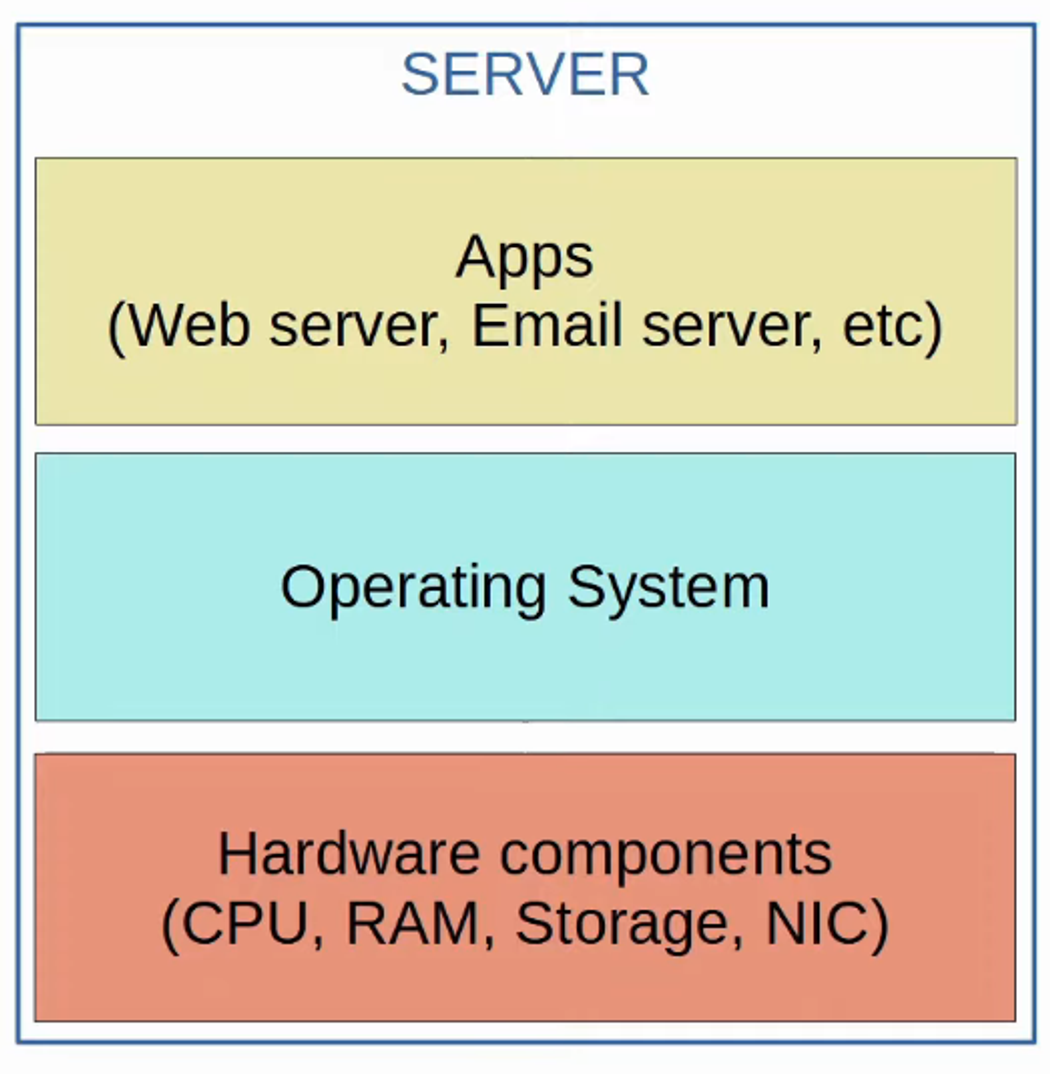
Pre-Virtualization Setup:
- Each physical server was dedicated to a single operating system (OS).
- Within this OS, applications like web servers, email servers, or database servers ran independently.
- A separate server was required for each service (e.g., one for the web server, one for the email server, and so on).
-
Challenges:
- High costs due to the need for multiple physical servers.
- Excessive consumption of space, power, and cooling resources.
- Under-utilized hardware resources (CPU, RAM, storage, etc.).
Virtualization: Type 1 Hypervisor
-
What is Virtualization?
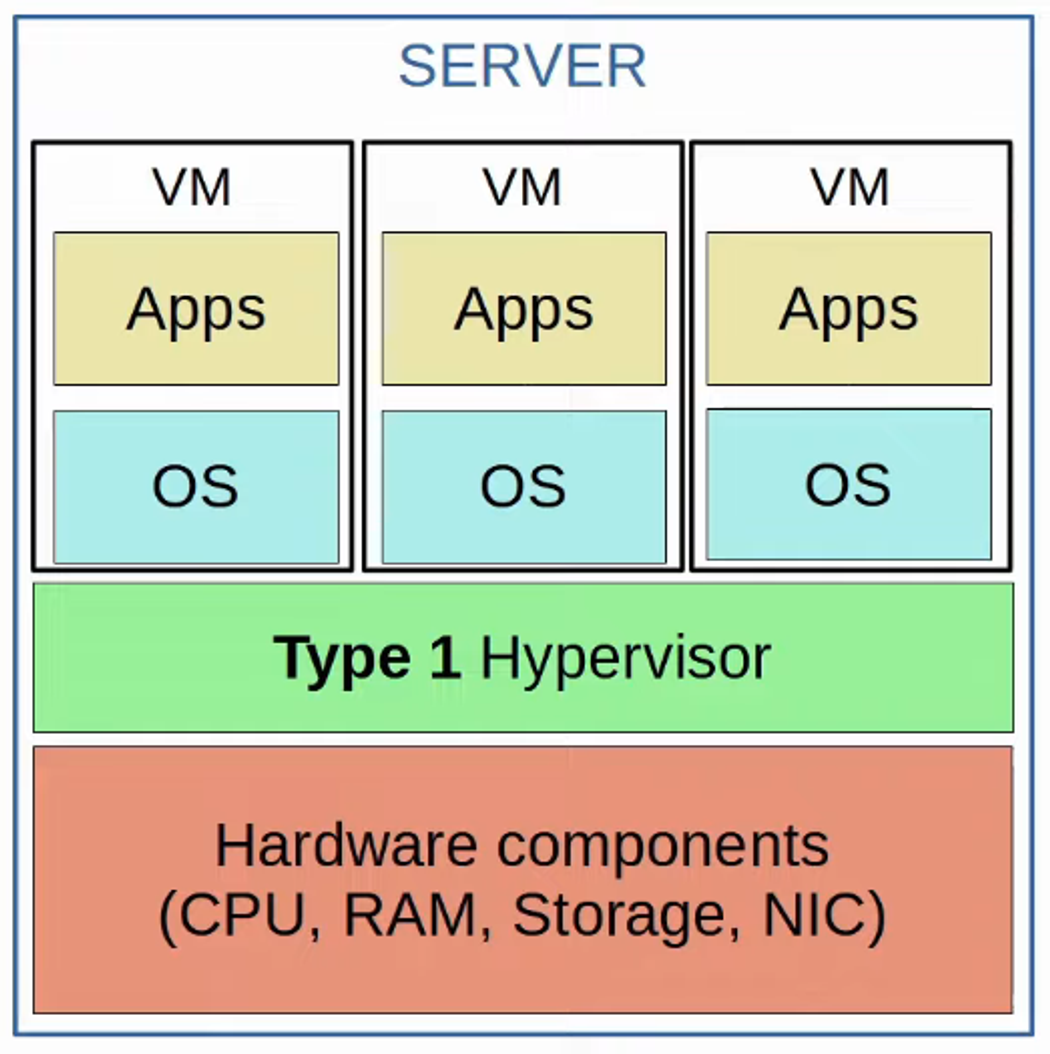
- Virtualization breaks the one-to-one hardware-to-OS relationship.
- Multiple OS instances, called Virtual Machines (VMs), can run on a single physical server.
- A Hypervisor manages the allocation of hardware resources (e.g., CPU, RAM) among VMs.
-
Key Features:
- Also known as a Virtual Machine Monitor (VMM).
- Type 1 Hypervisor:
- Runs directly on hardware (also called “bare-metal” or “native” hypervisor).
- Examples: VMware ESXi, Microsoft Hyper-V.
- Primarily used in data center environments.
Virtualization: Type 2 Hypervisor
-
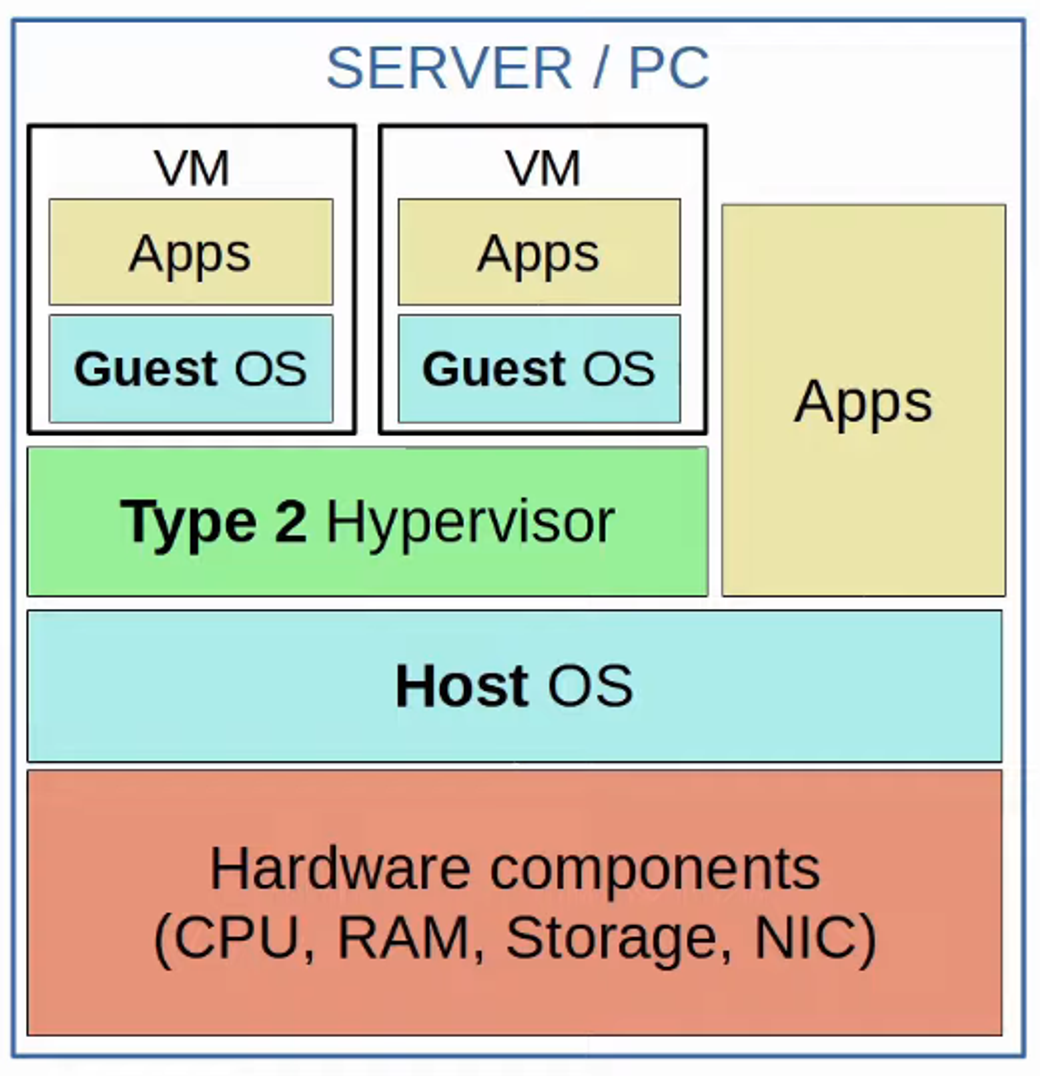
Type 2 Hypervisor:
- Runs as an application on an existing operating system.
- Examples: VMware Workstation, Oracle VirtualBox.
-
Key Concepts:
- The underlying OS on the hardware is the Host OS.
- The OS running inside a VM is the Guest OS.
- Commonly used for personal devices (e.g., running Windows on macOS or Linux).
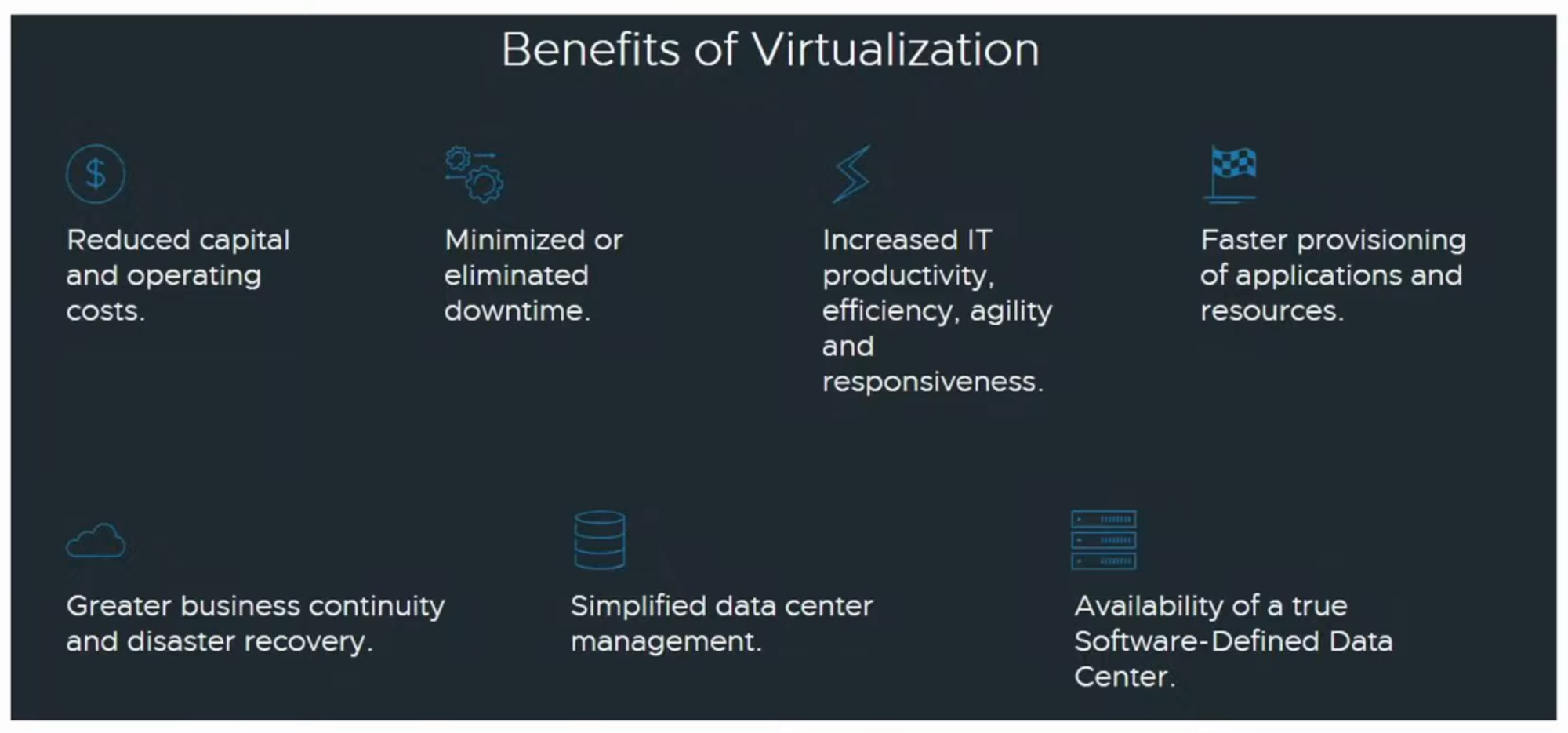
Benefits of Virtualization
-
Partitioning:
- Run multiple OS instances on a single physical machine.
- Divide system resources among VMs efficiently.
-
Isolation:
- Fault and security isolation between VMs.
- Advanced resource controls maintain performance.
-
Encapsulation:
- Save a VM’s entire state as files, enabling easy migration or duplication.
-
Hardware Independence:
- Migrate VMs to any compatible physical server.
Virtual Networks
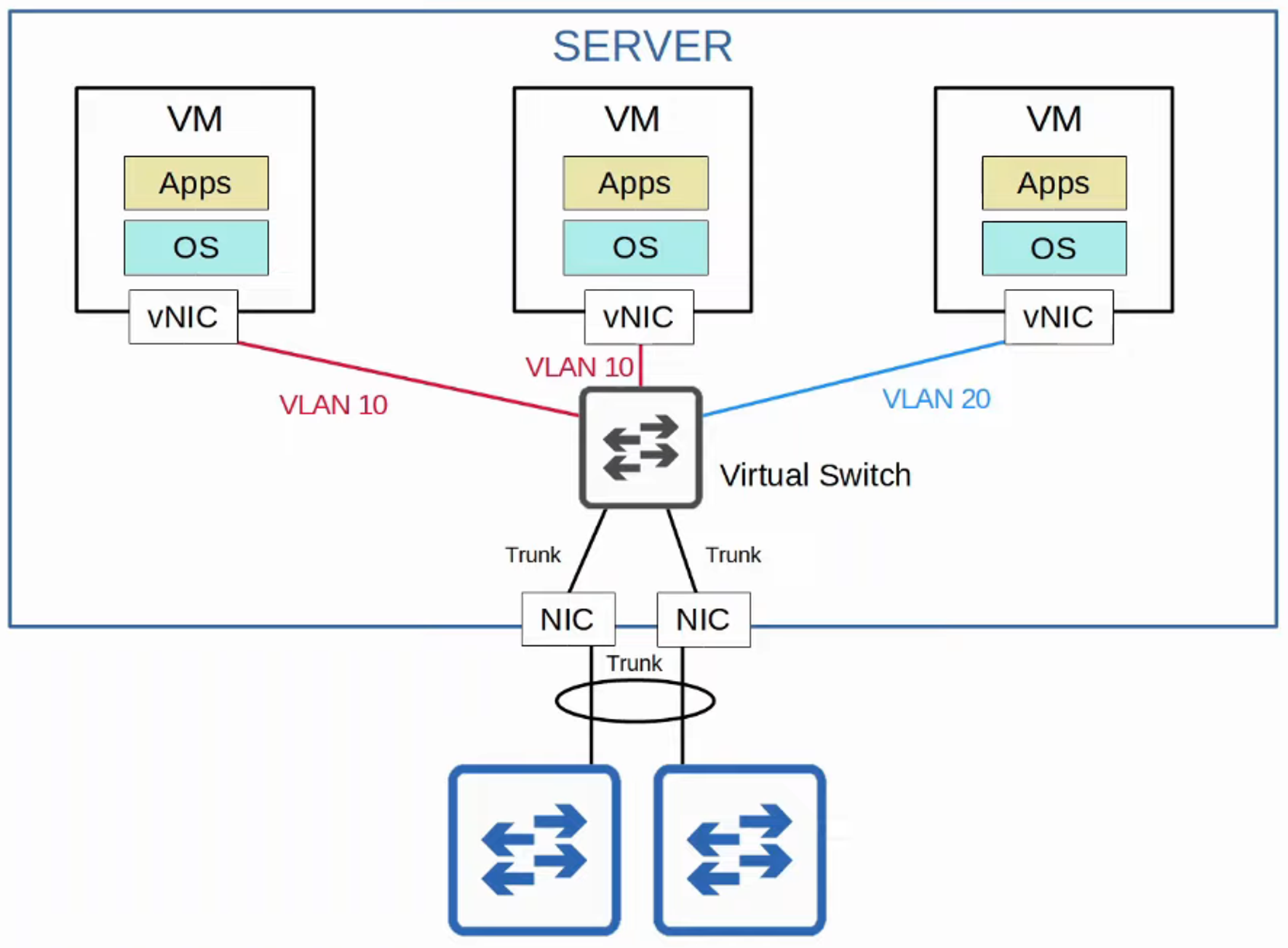
- VMs connect to each other and external networks via a Virtual Switch (vSwitch), which runs on the hypervisor.
- Key vSwitch capabilities:
- Operates as access ports or trunk ports.
- Supports VLANs for Layer 2 isolation.
- Interfaces connect to the server’s physical NIC(s) for external communication.
Introduction to Cloud Computing
Traditional IT Infrastructure
-
On-Premises:
- Servers, networking devices, and other infrastructure reside on company property.
- Equipment is owned, maintained, and powered by the company.
-
Co-location:
- Data centers lease space for customers to house their infrastructure.
- While the data center provides the environment (power, cooling, etc.), customers manage their hardware.
- Cloud Services offer a scalable alternative, with providers like AWS leading the charge.
Cloud Computing Models and Characteristics
Key Definition
- NIST Special Publication 800-145 outlines cloud computing’s characteristics, service models, and deployment models.

Five Essential Characteristics of Cloud Computing
-
On-Demand Self-Service:
- Users can provision or discontinue services without provider interaction.
-
Broad Network Access:
- Accessible through the Internet or private WAN via various devices.
-
Resource Pooling:
- Resources are shared and allocated dynamically to customers from a pooled infrastructure.
-
Rapid Elasticity:
- Resources can scale up or down quickly, appearing nearly infinite.
-
Measured Service:
- Usage is metered, enabling pay-as-you-go pricing models.
Three Service Models of Cloud Computing
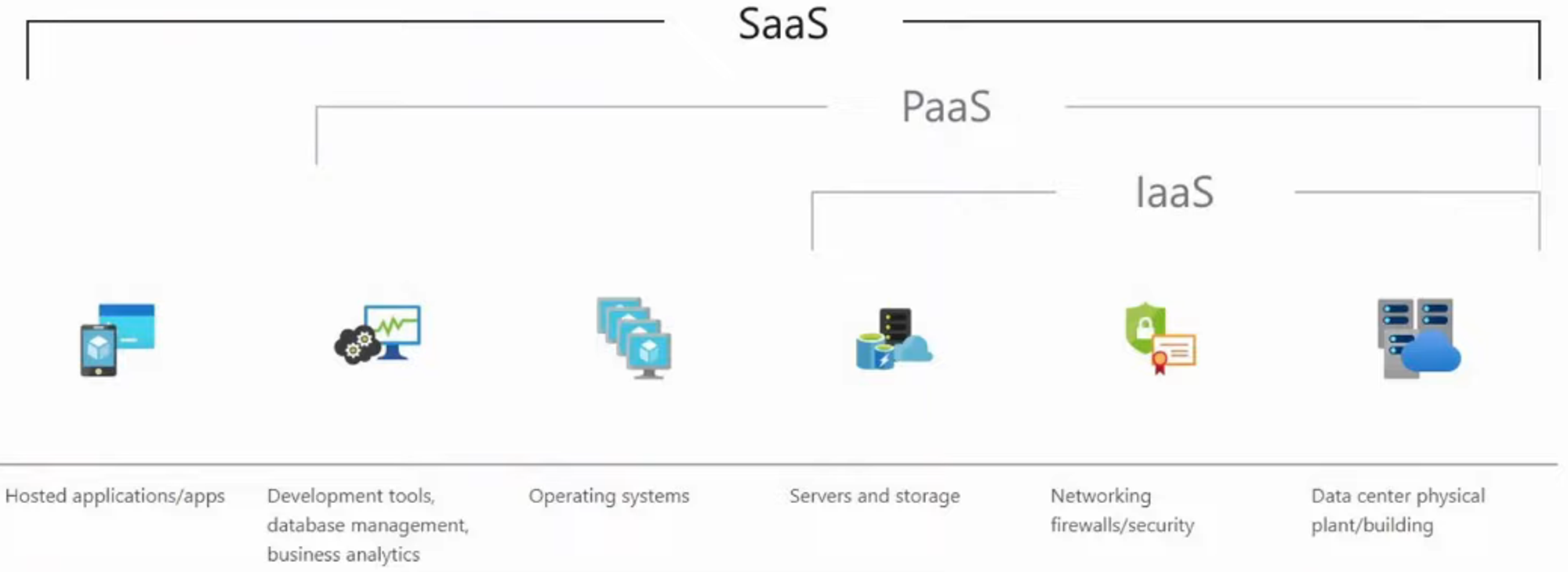
- Software as a Service (SaaS):
- Complete applications hosted by the provider.
- Example: Microsoft Office 365.

- Platform as a Service (PaaS):
- Developers build applications using tools provided by the provider.
- Examples: AWS Lambda, Google App Engine.

- Infrastructure as a Service (IaaS):
- Provides raw compute, storage, and networking resources.
- Examples: Amazon EC2, Google Compute Engine.

Cloud Deployment Models
Overview
- Public perception often equates “cloud” with Public Cloud, but there are other models:
- Private Cloud:
- Dedicated to a single organization.
- Can be on-premises or hosted by third-party providers like AWS (e.g., for U.S. DoD).

- Community Cloud:
- Shared by a specific group of organizations with common goals or compliance needs.
- Least common deployment model.

- Public Cloud:
- Hosted by providers like AWS, Azure, or Google Cloud.
- Open to general public or large user groups.

- Hybrid Cloud:
- Combines two or more deployment models.
- Example: A private cloud offloads to a public cloud during high demand.

Benefits of Cloud Computing
- Cost Savings:
- Reduces capital expenses for hardware and data center setup.
- Global Scale:
- Services deploy quickly in regions close to users.
- Speed and Agility:
- Resources provisioned on demand within minutes.
- Productivity:
- Eliminates time-consuming tasks like hardware installation.
- Reliability:
- Simplifies backups and disaster recovery with data mirroring across locations.
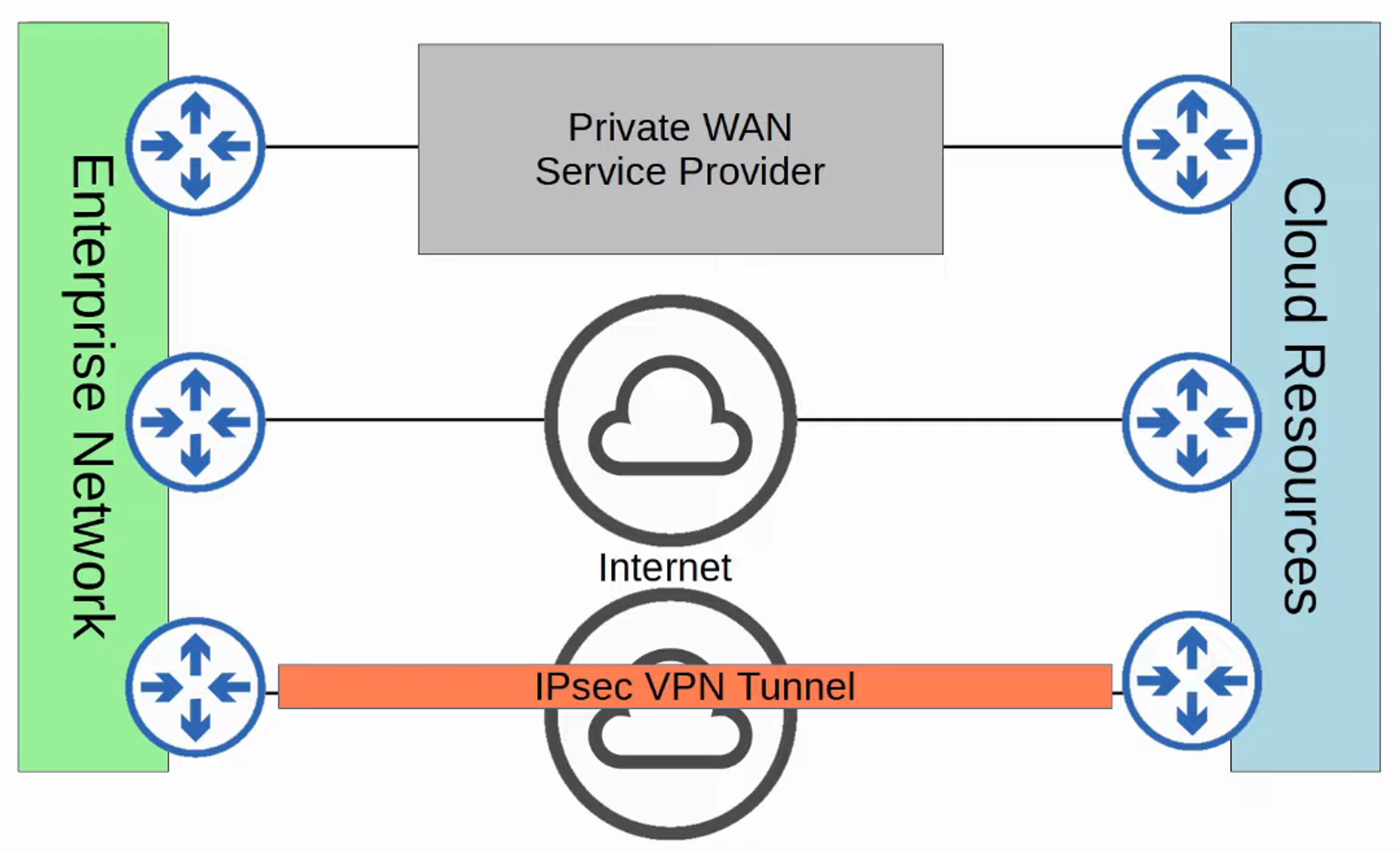
Connecting to Public Clouds