Introduction to VRF
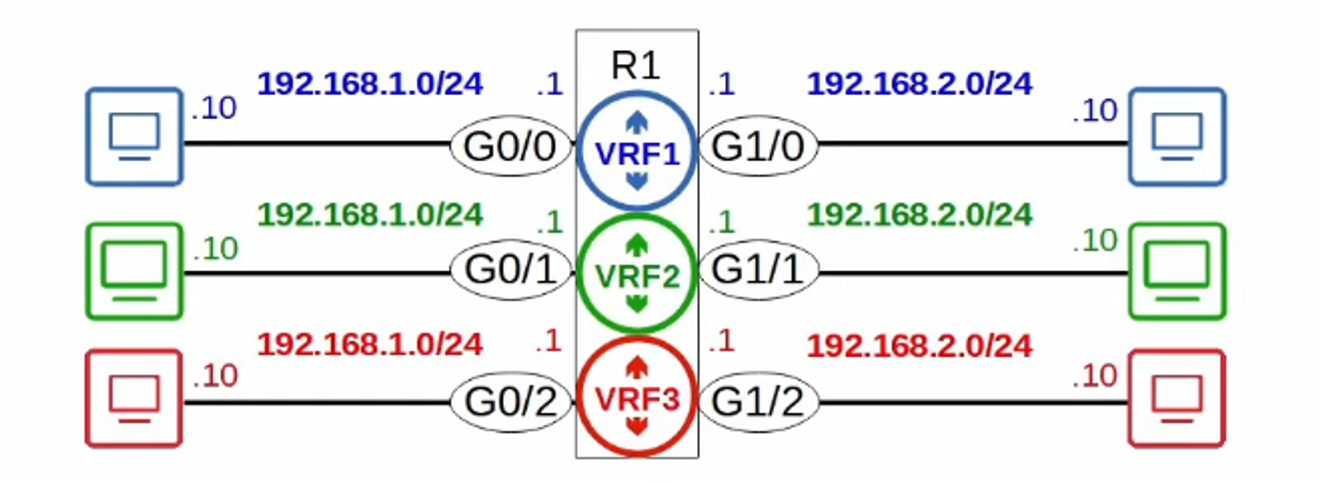
Virtual Routing and Forwarding (VRF) is a technology that enables a single physical router to function as multiple virtual routers, each with its own separate routing table. This concept is similar to how VLANs divide a physical switch into multiple virtual switches (VLANs).
-
Purpose of VRF: It allows the creation of multiple separate routing tables on a single router, thus isolating traffic and routing information between different virtual networks.
-
Key Components:
- Router Interfaces (Layer 3 only): These interfaces, such as Routed Ports, Switch Virtual Interfaces (SVIs), and Layer 3 interfaces on multilayer switches, can be assigned to a specific VRF, also referred to as a VRF Instance.
- Traffic Segmentation: Each VRF operates independently, meaning traffic from one VRF cannot be forwarded to an interface in another VRF. However, VRF leaking can be configured to allow controlled communication between VRFs.
-
Common Use Cases:
- MPLS (Multiprotocol Label Switching): VRF is widely used in MPLS networks to manage traffic for different customers on the same infrastructure. The version discussed here, VRF-Lite, operates without MPLS, simplifying its application in non-MPLS environments.
- Service Providers: VRF allows service providers to route traffic from multiple customers on a single device, ensuring complete isolation between customers’ traffic. This isolation is critical, as it prevents overlap of customer IP addresses and secures data from external exposure.
VRF Configuration
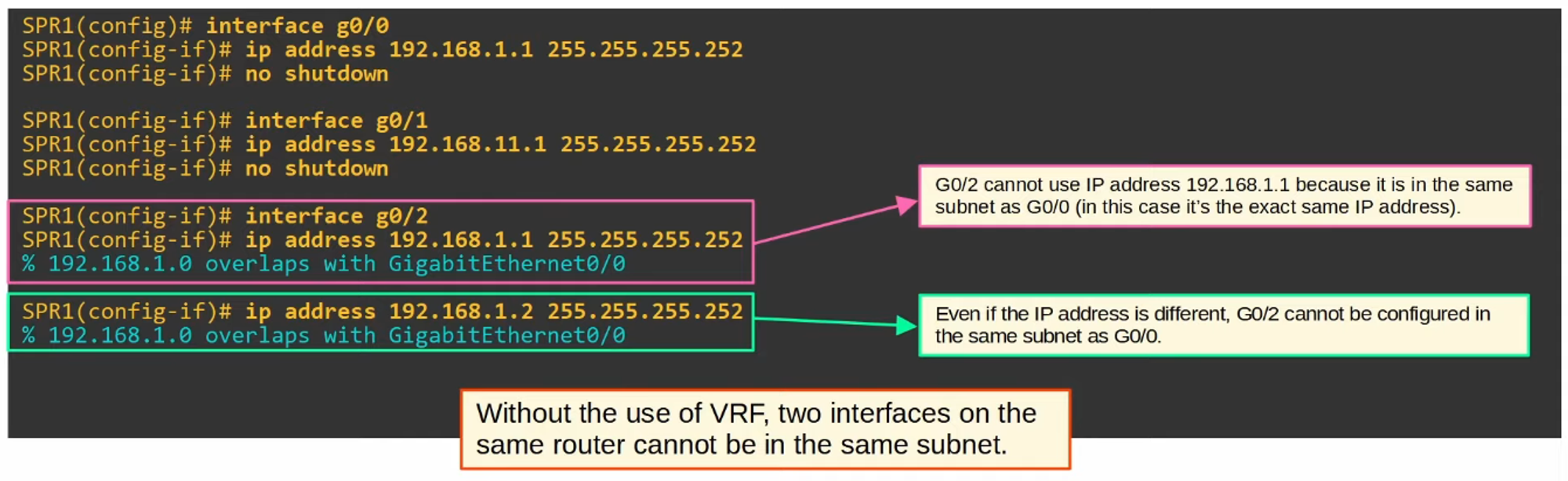
Creating and Configuring VRFs
To configure a VRF, you need to create a new VRF instance and assign interfaces to it. Here’s an example:
-
Create VRF Instance:
Router(config)# ip vrf <VRF_NAME> -
Assign Interfaces: After the VRF instance is created, assign specific interfaces to that VRF:
Router(config-if)# ip vrf forwarding <VRF_NAME>This command binds an interface to the VRF, ensuring that it routes traffic according to the VRF’s routing table.
Verifying VRF Configuration: Once configured, you can verify the VRF configuration using various commands to ensure it’s functioning as expected.
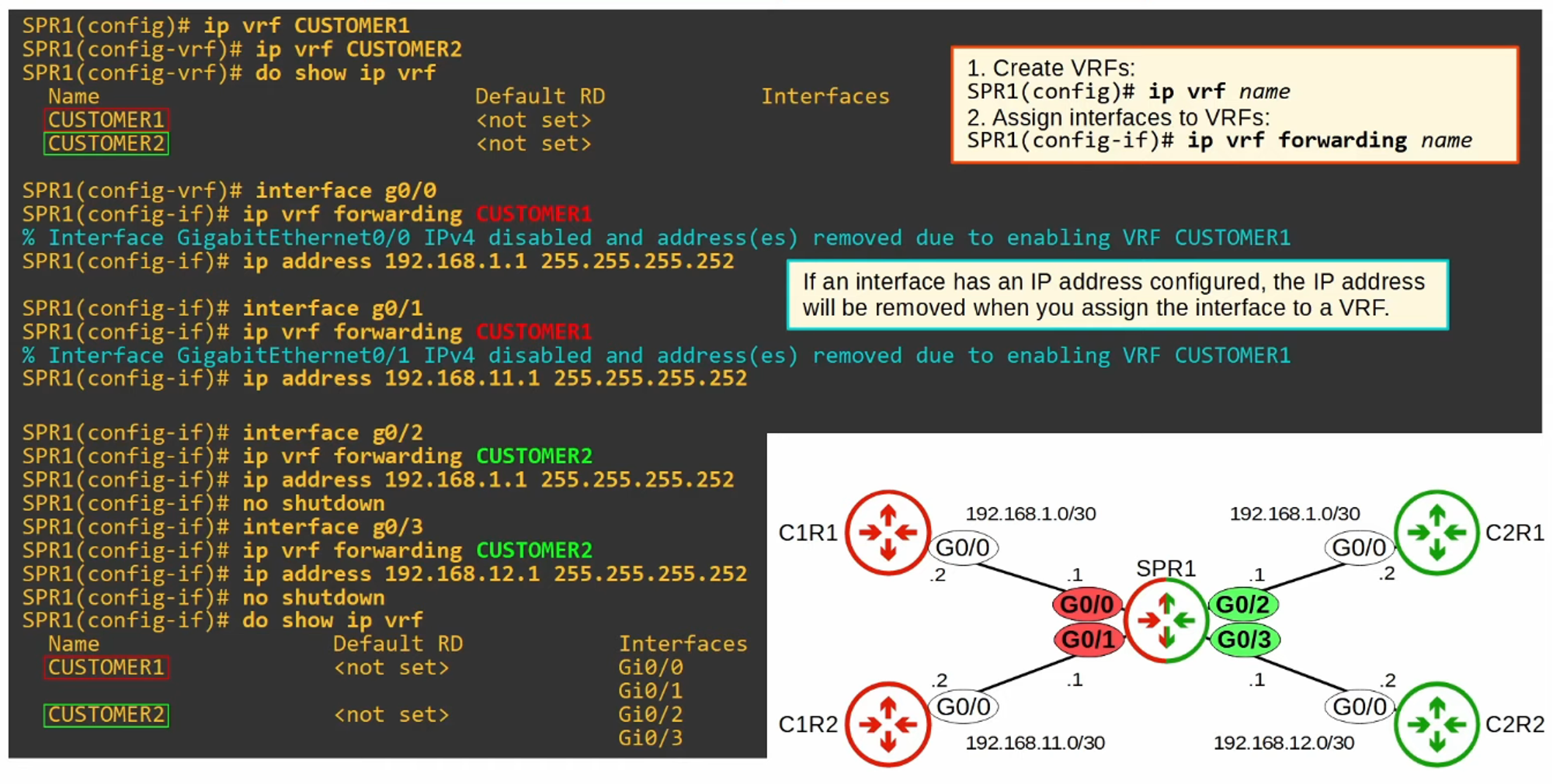
How to Use show ip route for VRFs
To view the routing table for a specific VRF, use the following command:
Router# show ip route vrf <VRF_NAME>
This command displays the routing information for the specified VRF, allowing you to see how traffic will be routed based on the VRF’s unique routing table.
Testing Connectivity Between VRFs
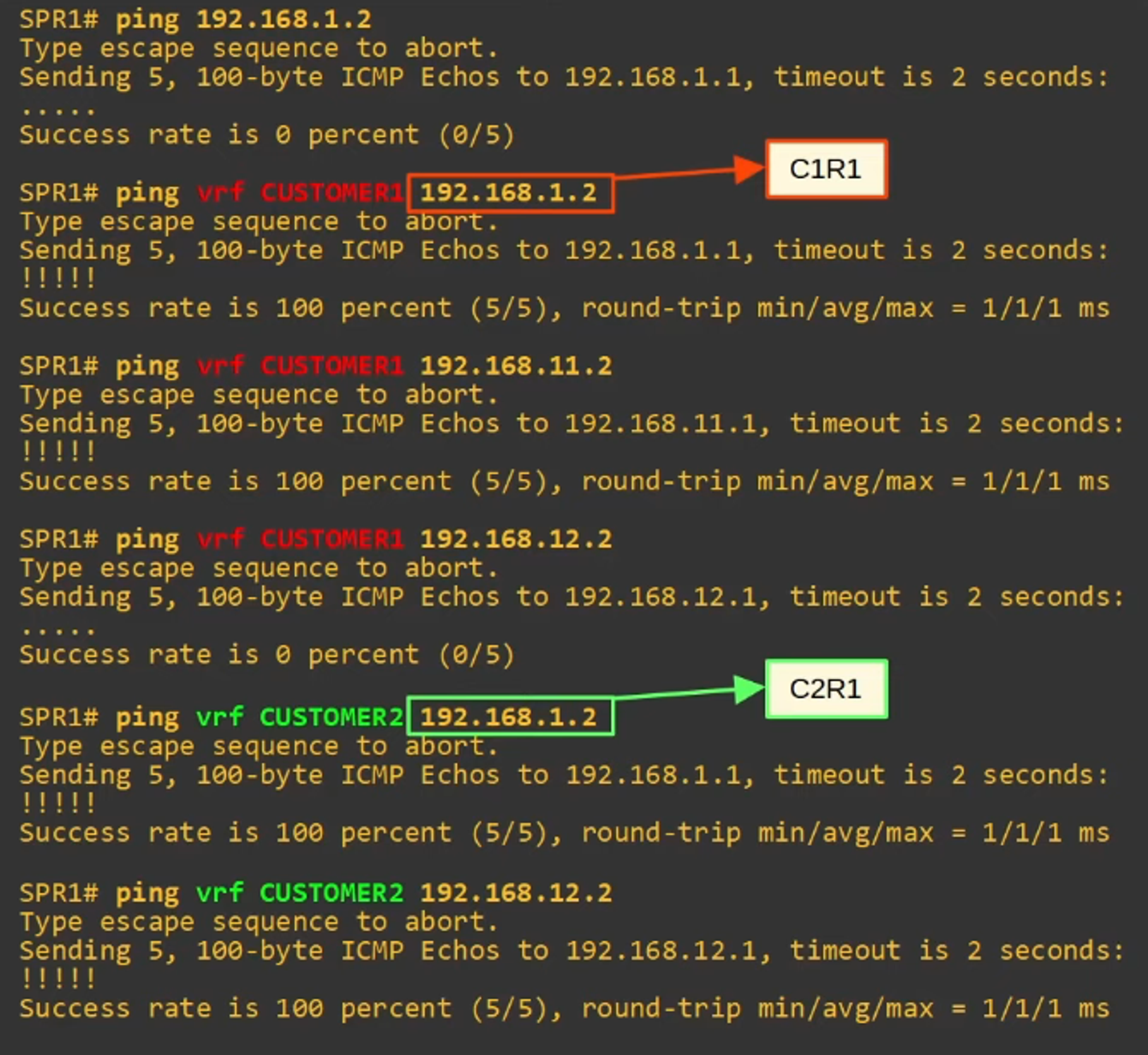
To test connectivity between different VRFs, use the ping command with the VRF option. This allows you to check if two VRFs can communicate (if VRF leaking is enabled).
Router# ping vrf <VRF_NAME> <destination_ip>
This command pings an IP address within the specified VRF and checks if the routing and forwarding are correctly configured.
Summary
- VRF provides a way to isolate routing information on a single router, allowing for secure, independent traffic flows.
- It is useful in environments where multiple customer or traffic segments need to coexist on a single network infrastructure.
- Configuration of VRFs involves creating instances and associating router interfaces with these instances. Connectivity and routing can be verified using commands like
show ip routeandping.
This technology is foundational in modern network architectures, especially in service provider environments and large-scale enterprise networks.