REVIEW OF VIRTUAL MACHINES (TYPE 1 AND TYPE 2 HYPERVISORS)
Overview
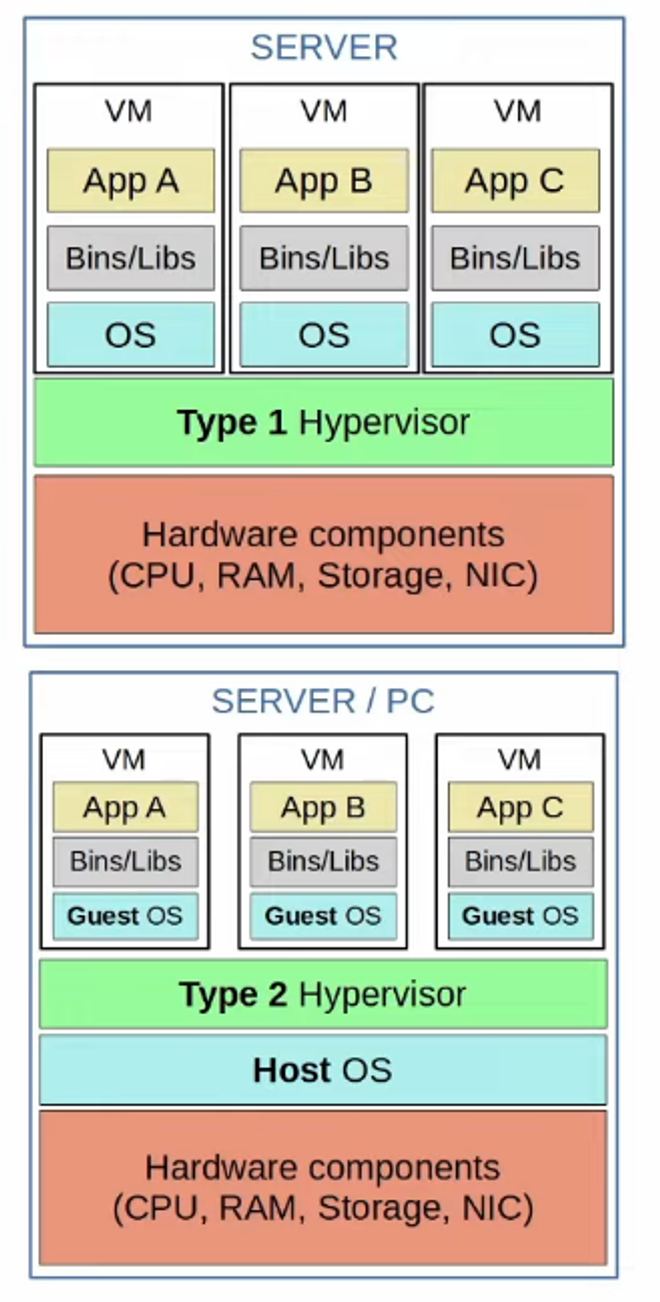
- Virtual Machines (VMs) enable multiple operating systems (OSs) to run on a single physical server.
- A Hypervisor is software that manages and allocates hardware resources to VMs.
Types of Hypervisors
-
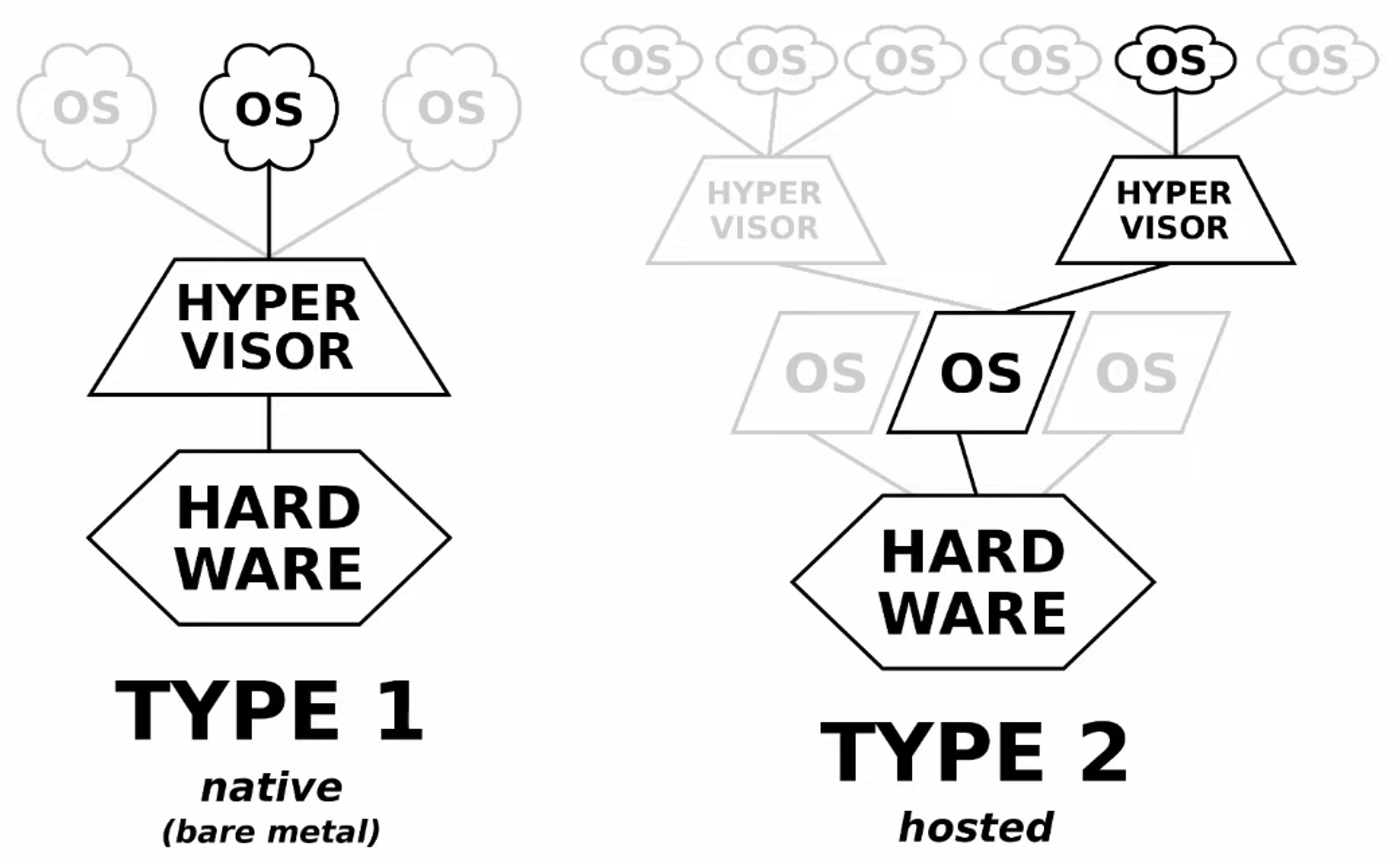
Type 1 Hypervisors (Native/Bare-Metal):
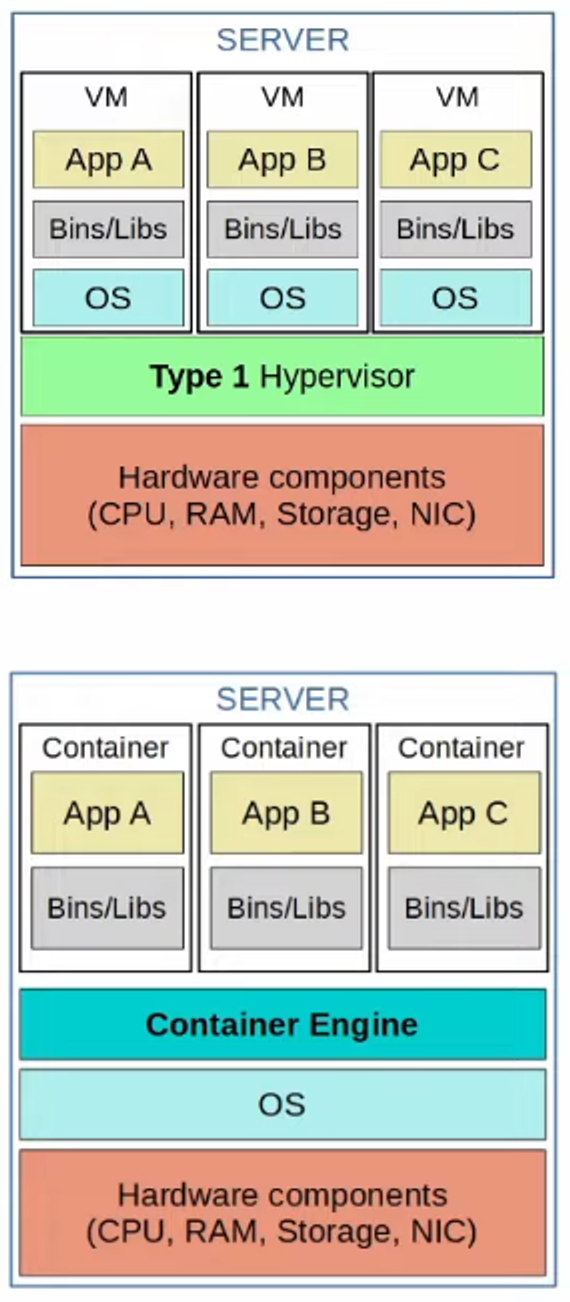
- Run directly on hardware, without requiring a host operating system.
- Predominantly used in data center environments.
-
Type 2 Hypervisors (Hosted):
- Operate on top of a host operating system (e.g., Windows, Linux, macOS).
- Commonly used on personal devices (e.g., running a virtual network lab using Cisco Modeling Labs [CML]).
Features of Virtual Machines
- Each VM can have its own OS (e.g., Windows, Linux, macOS).
- Bins/Libs: Software libraries/services required by applications in each VM.
- Applications within VMs run in isolated environments, ensuring separation between apps in different VMs.
- VMs offer flexibility:
- Easy to create, delete, or migrate between physical servers.
- Saved VMs can be transferred seamlessly between servers.
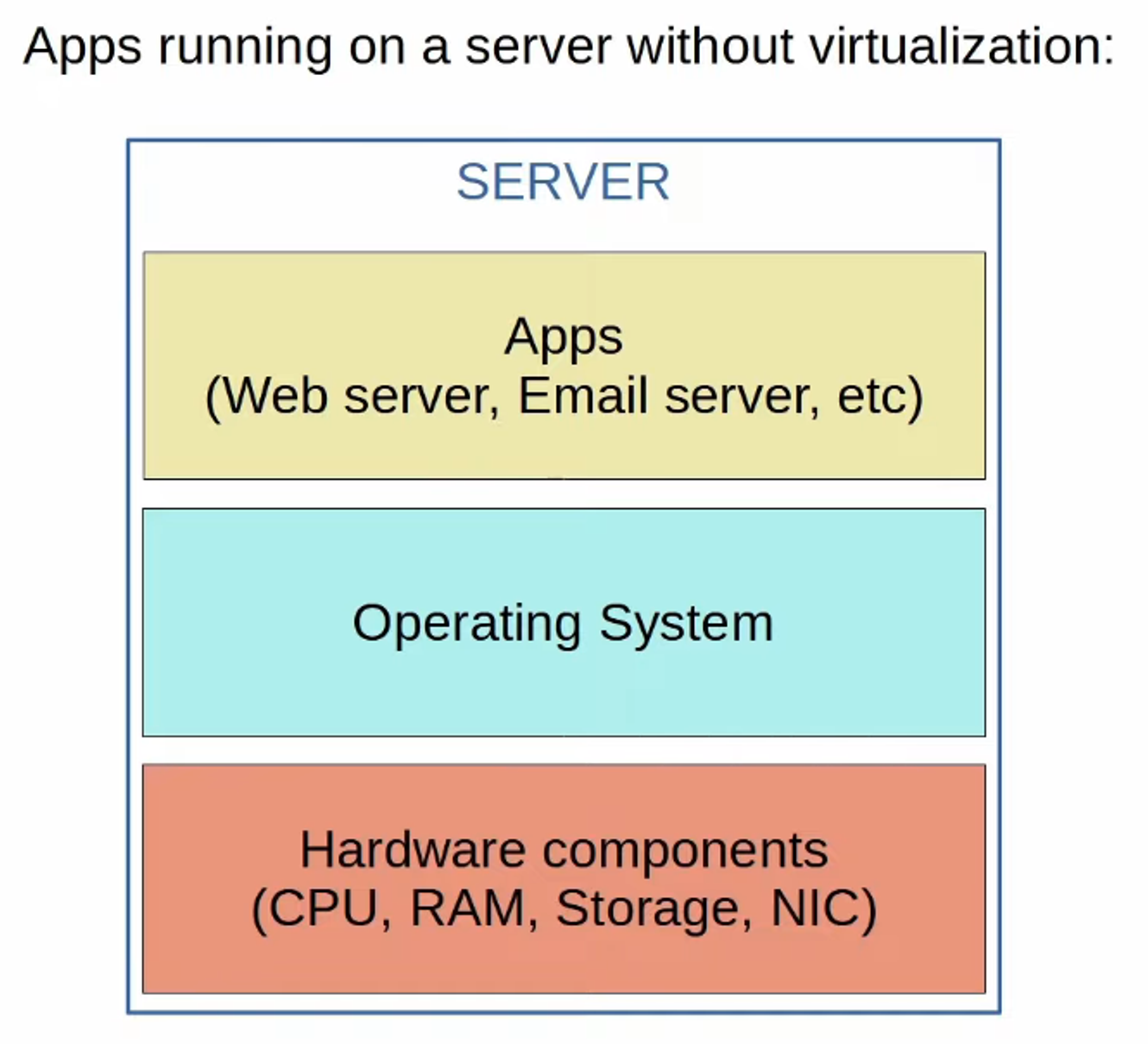
CONTAINERS
Overview
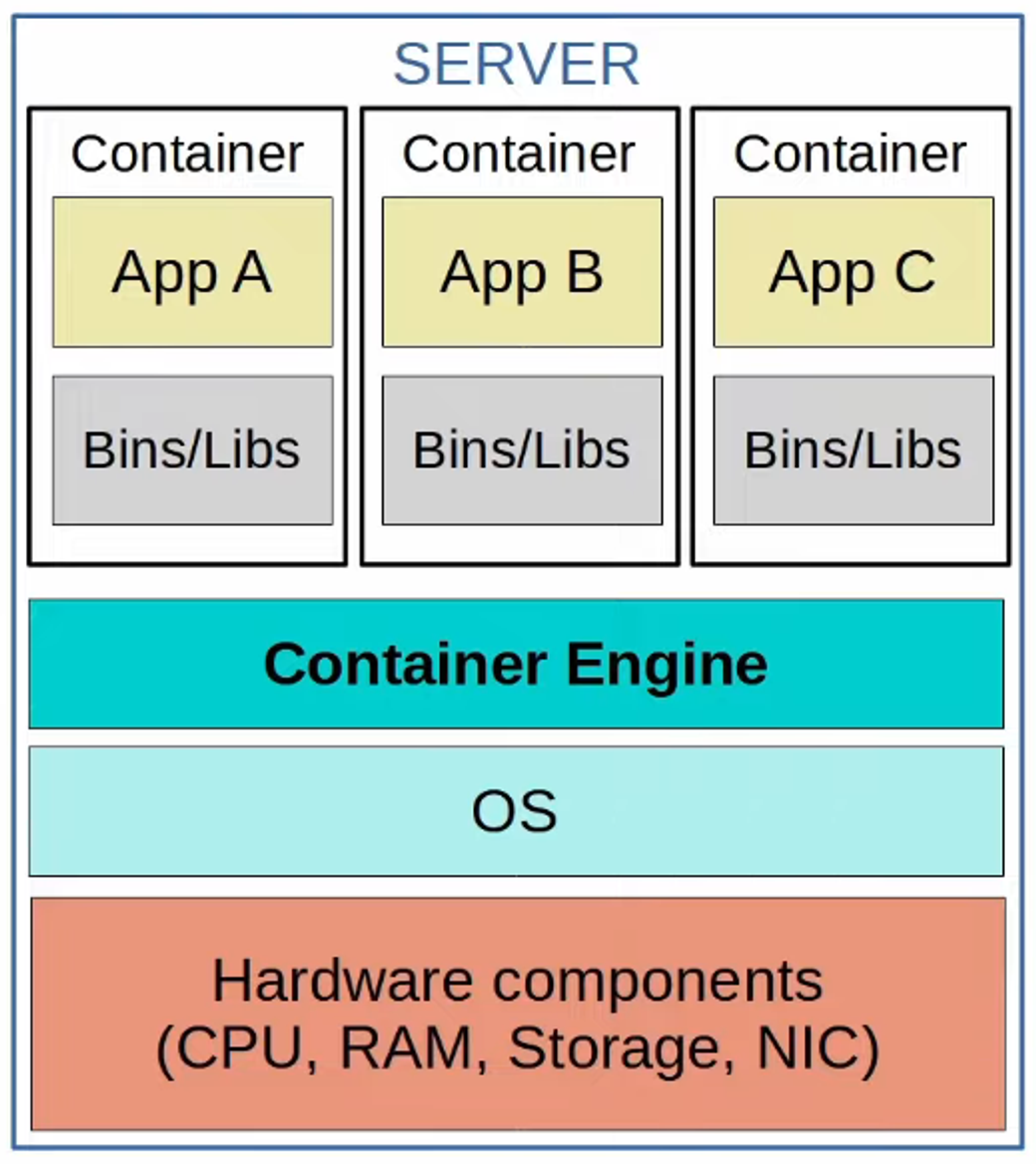
- Containers package an application with its dependencies (Bins/Libs) to ensure it runs consistently across environments.
- Typically, containers are used to run a single application, although multiple apps can be bundled.
Components of a Containerized System
-
Container Engine:
- Software (e.g., Docker Engine) that runs containers on a host OS (commonly Linux).
-
Container Orchestrator:
- Automates deployment, scaling, and management of containers, especially for large-scale systems.
- Examples:
- Kubernetes: The most popular orchestration platform, originally developed by Google.
- Docker Swarm: Docker’s native orchestration tool.
Key Features
- Lightweight: Containers are small in size, containing only the necessary dependencies for the app.
- Scalability: Large systems (e.g., microservices architecture) often consist of thousands of containers, requiring orchestration tools.
- Efficiency: Containers are faster to deploy and use fewer system resources compared to VMs.

VIRTUAL MACHINES VS. CONTAINERS
Performance
-
Boot Time:
- VMs: Take minutes to boot (each VM has its own OS).
- Containers: Boot in milliseconds.
-
Resource Usage:
- VMs: Require more disk space (Gigabytes) and CPU/RAM resources (each VM runs its own OS).
- Containers: Use minimal disk space (Megabytes) and fewer system resources (shared OS).
Portability
- VMs: Portable across physical systems using the same hypervisor.
- Containers: Even more portable—smaller, faster, and compatible across container services (e.g., Docker containers can run virtually anywhere).
Isolation
- VMs: Highly isolated; each VM operates independently with its own OS.
- Containers: Less isolated; all containers share the same OS, meaning an OS failure impacts all containers.

Summary Table: VMs vs. Containers
| Feature | Virtual Machines | Containers |
|---|---|---|
| Boot Time | Minutes | Milliseconds |
| Disk Space | Gigabytes | Megabytes |
| CPU/RAM Usage | High (each VM runs an OS) | Low (shared OS) |
| Portability | Portable (same hypervisor) | Highly portable |
| Isolation | Full (individual OS) | Limited (shared OS) |