In this section, we will explore various LAN architectures and design principles. You have already studied several network technologies, including routing, switching, Spanning Tree Protocol (STP), EtherChannel, Open Shortest Path First (OSPF), First Hop Redundancy Protocols (FHRPs), and switch security features. Now, let’s delve into basic network design and architecture.
Key Points to Consider in Network Design
- There are standard best practices for network design, but few universal correct answers exist.
- The answer to many general questions about network design is often “It depends.”
- As you start your networking career, you may not be tasked with designing networks yourself. However, understanding the fundamentals of network design is crucial for effective configuration and troubleshooting.
Common Terminologies
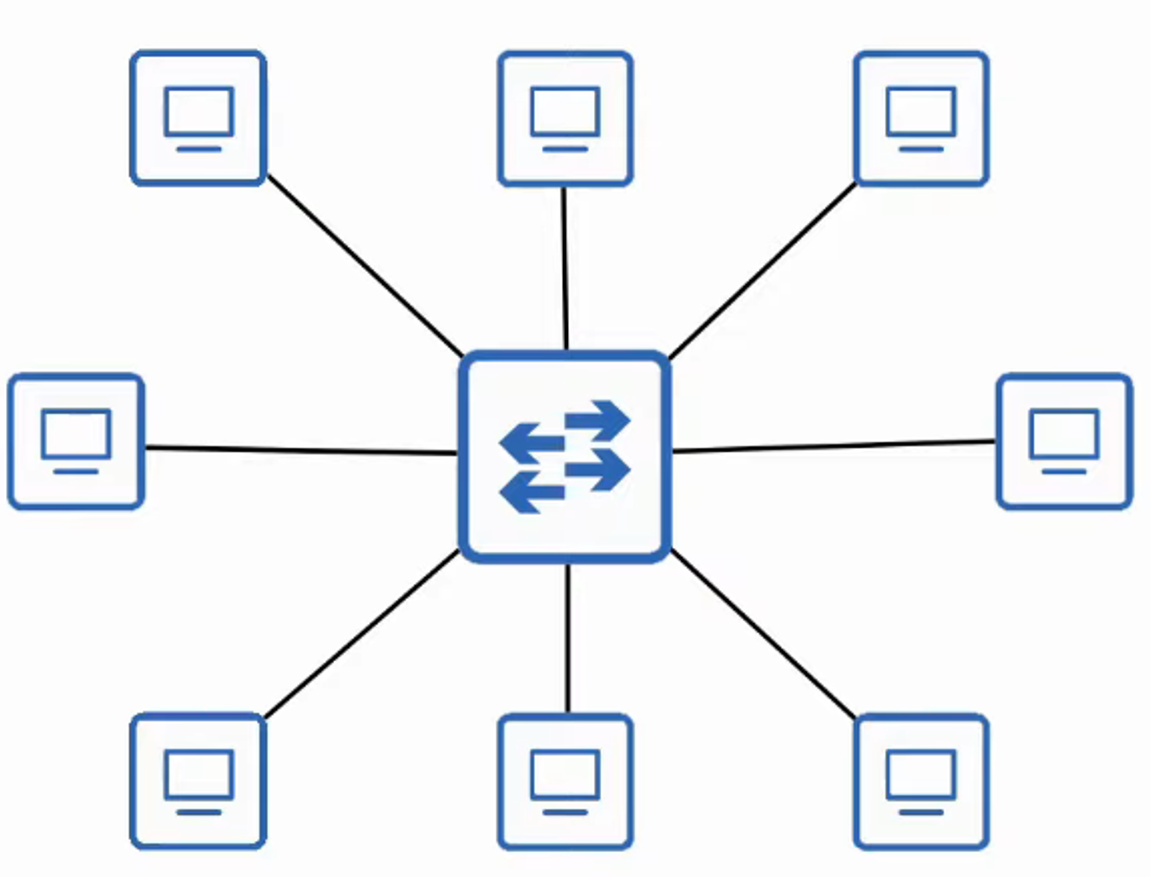
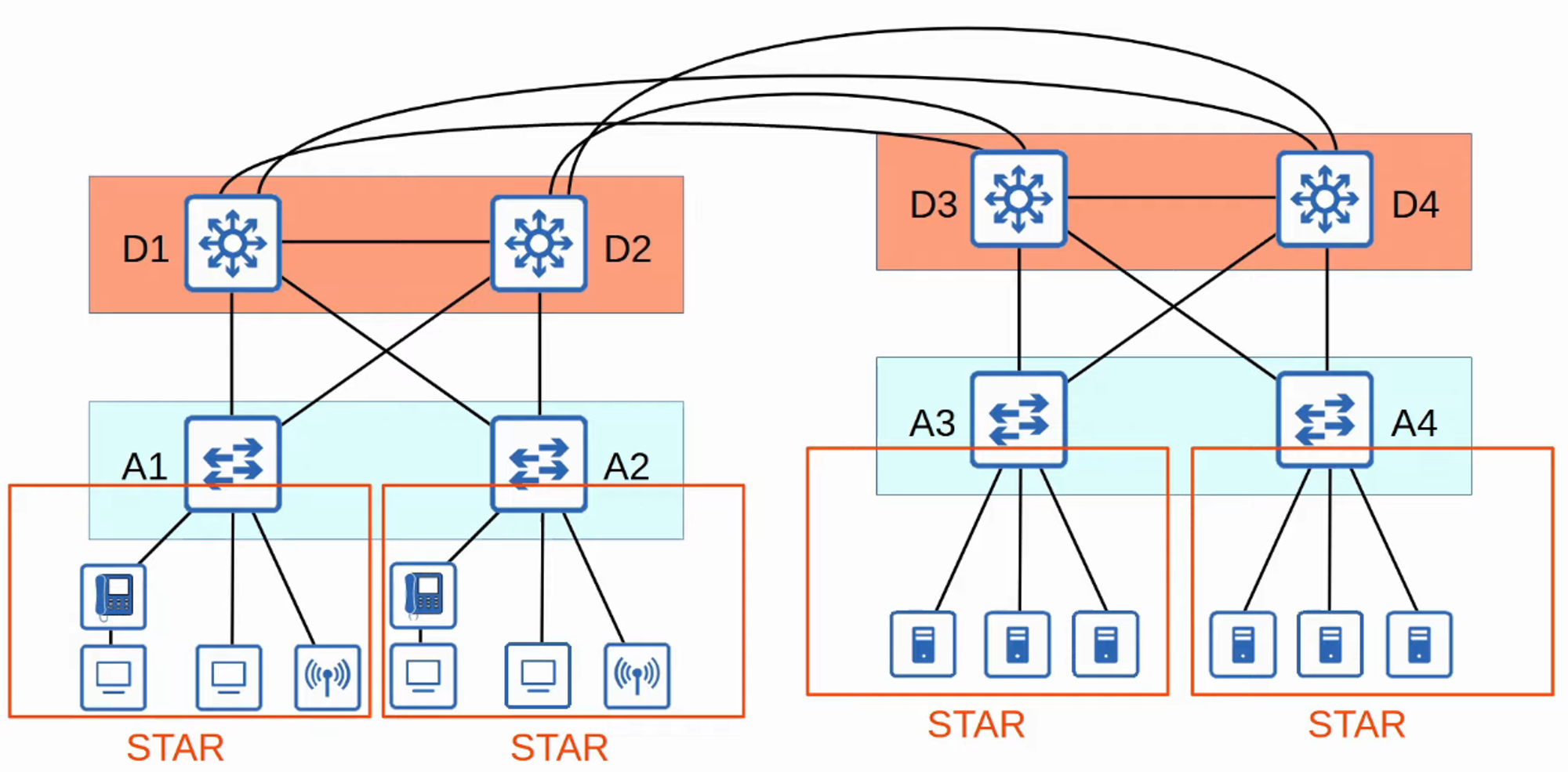
Star Topology
- In a star topology, multiple devices connect to a single central device, creating a star-like structure.
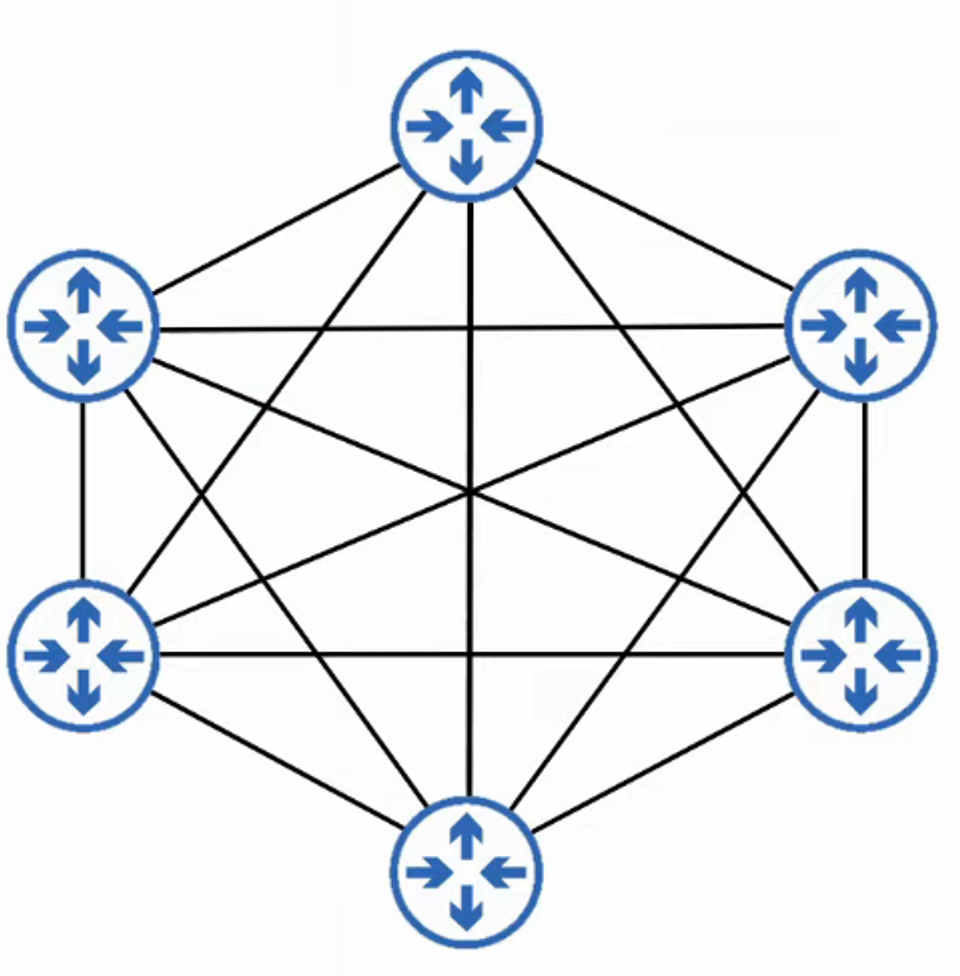
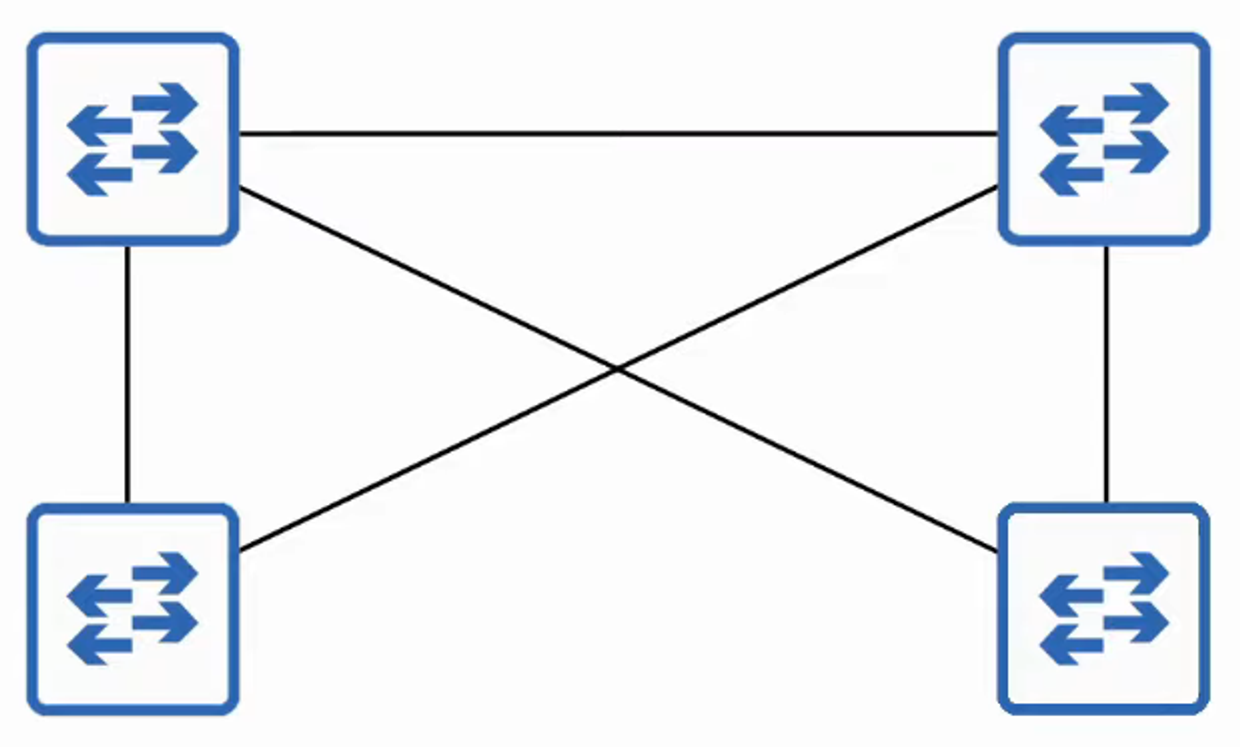
Full Mesh Topology
- A full mesh topology connects each device to every other device in the network.
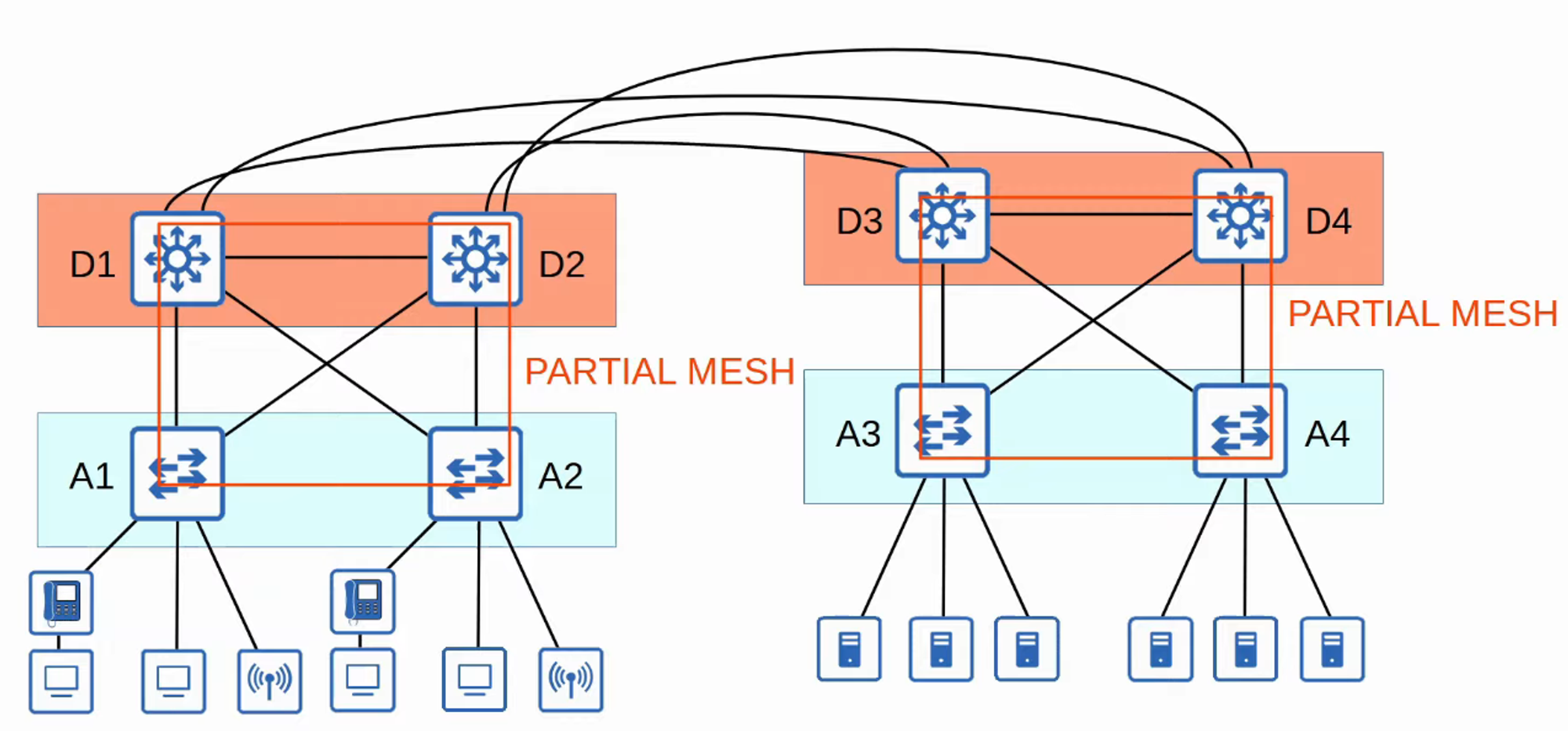
Partial Mesh Topology
- A partial mesh topology connects some devices to each other but not all, allowing for more flexibility.
Two-Tier and Three-Tier LAN Architecture
Two-Tier LAN Design
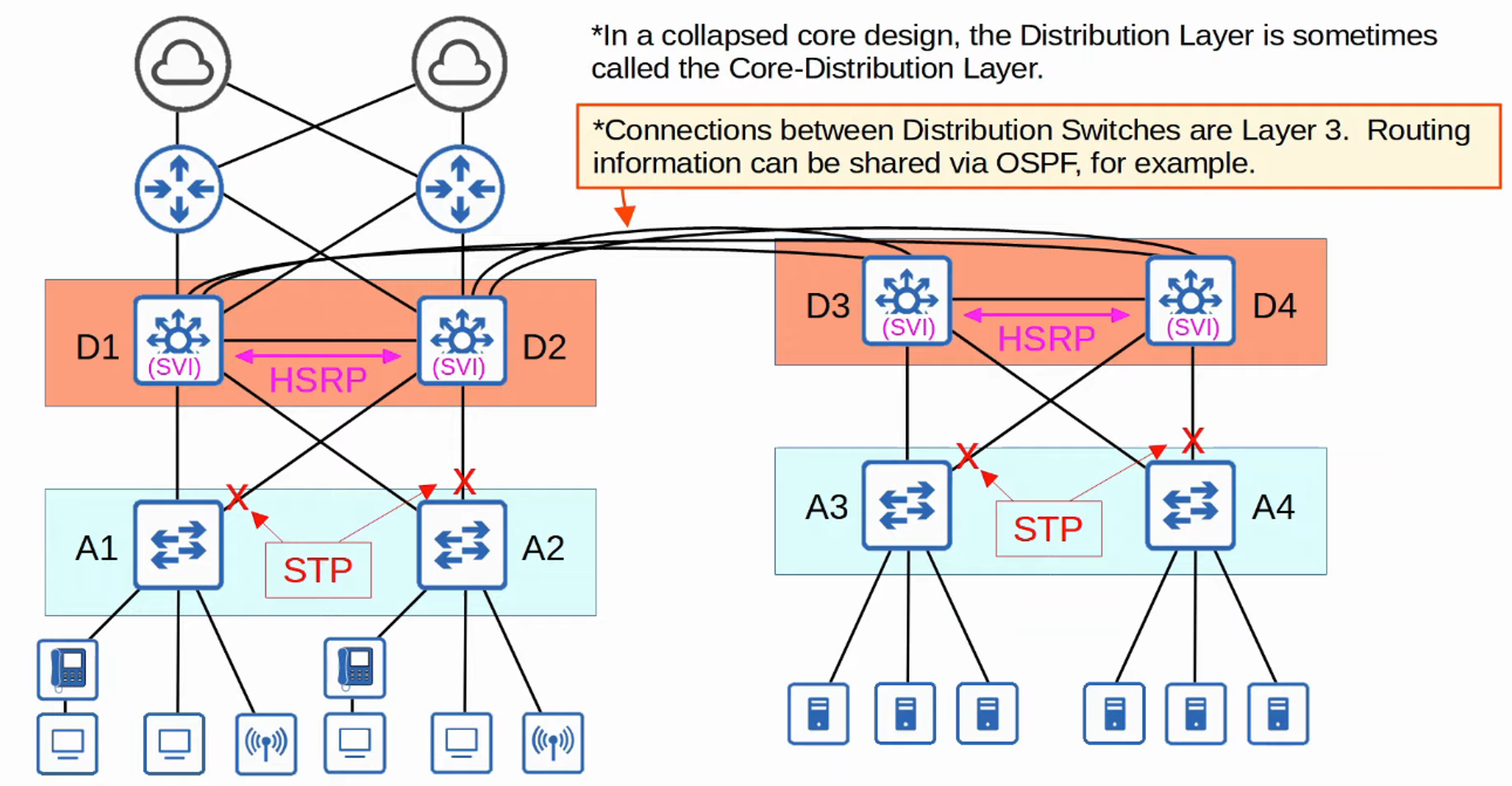
- The two-tier LAN design consists of two hierarchical layers:
- Access Layer:
- This layer connects end hosts (e.g., PCs, printers, cameras).
- Access layer switches usually have many ports for host connections.
- Quality of Service (QoS) marking is typically performed here.
- Security services like Port Security and Dynamic ARP Inspection (DAI) are implemented.
- Switch ports may be Power over Ethernet (PoE) enabled for devices like wireless access points (APs) and IP phones.
- Distribution Layer:
- This layer aggregates connections from access layer switches.
- It serves as the border between Layer 2 and Layer 3.
- Connects to services such as the internet and WANs.
- Sometimes referred to as the aggregation layer.
- Access Layer:
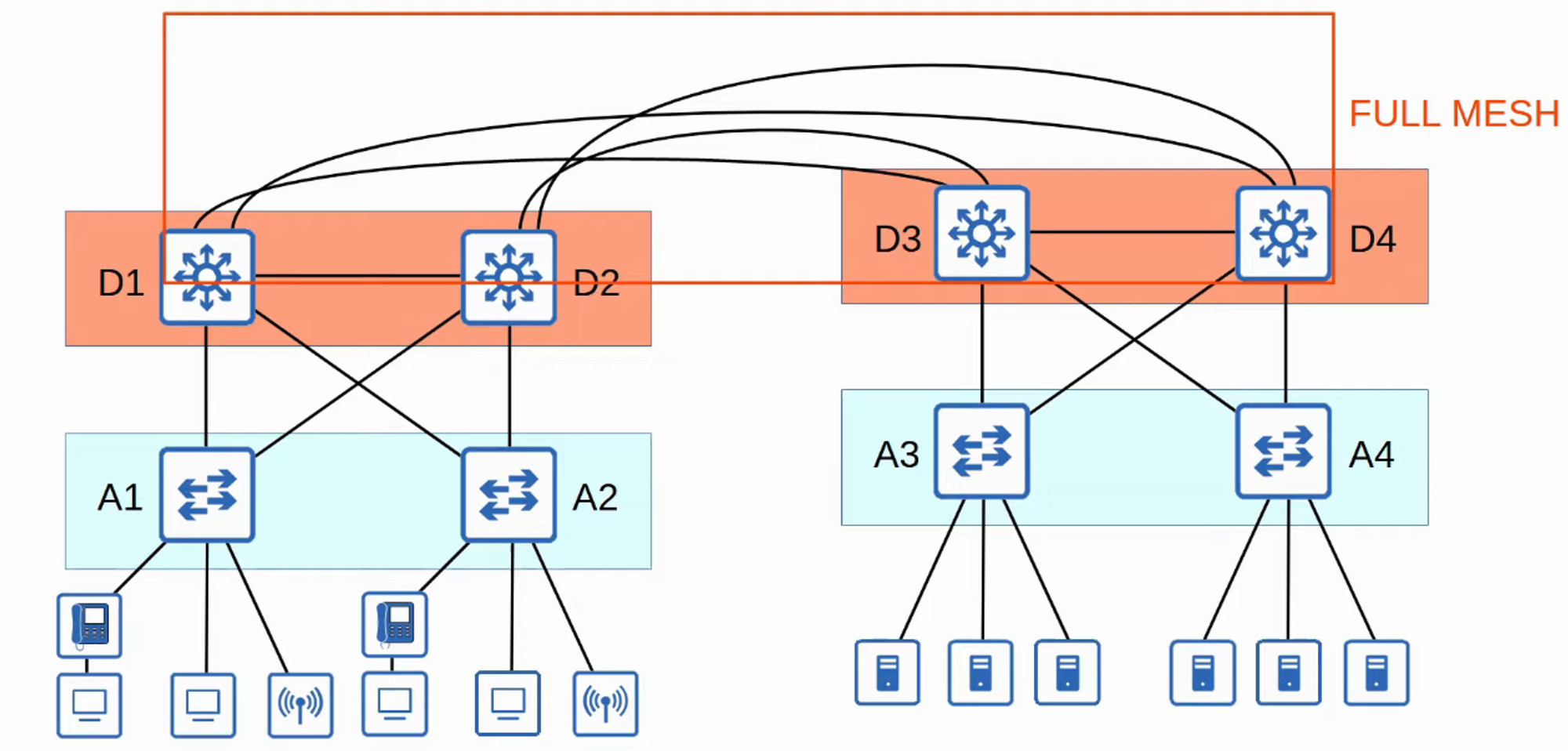
Three-Tier Campus LAN Design
- In large networks with multiple distribution layer switches (e.g., across separate buildings), the number of connections required can grow significantly.
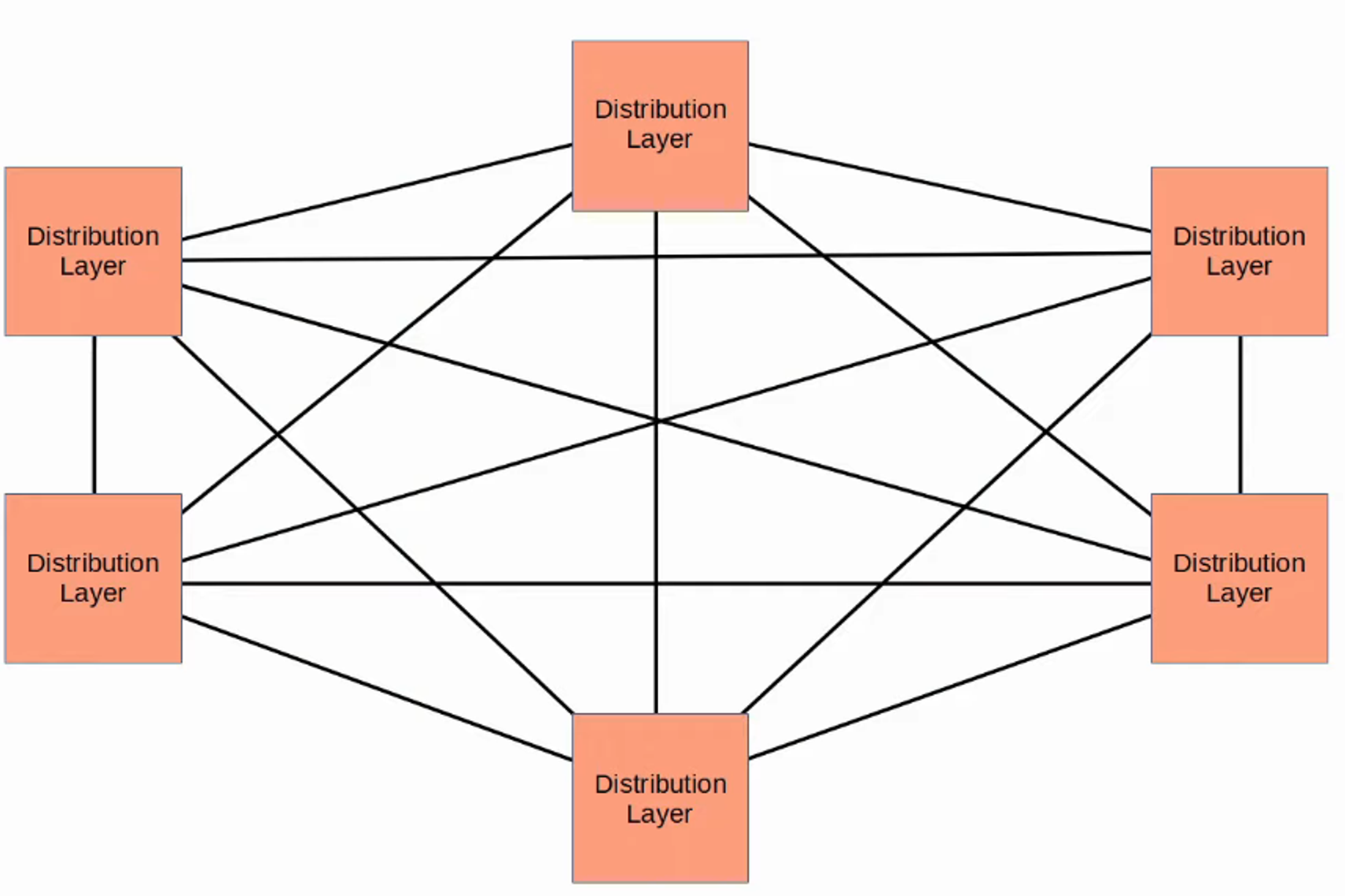
- To scale large LAN networks, a core layer can be added.
- Cisco recommends implementing a core layer if there are more than three distribution layers in a single location.
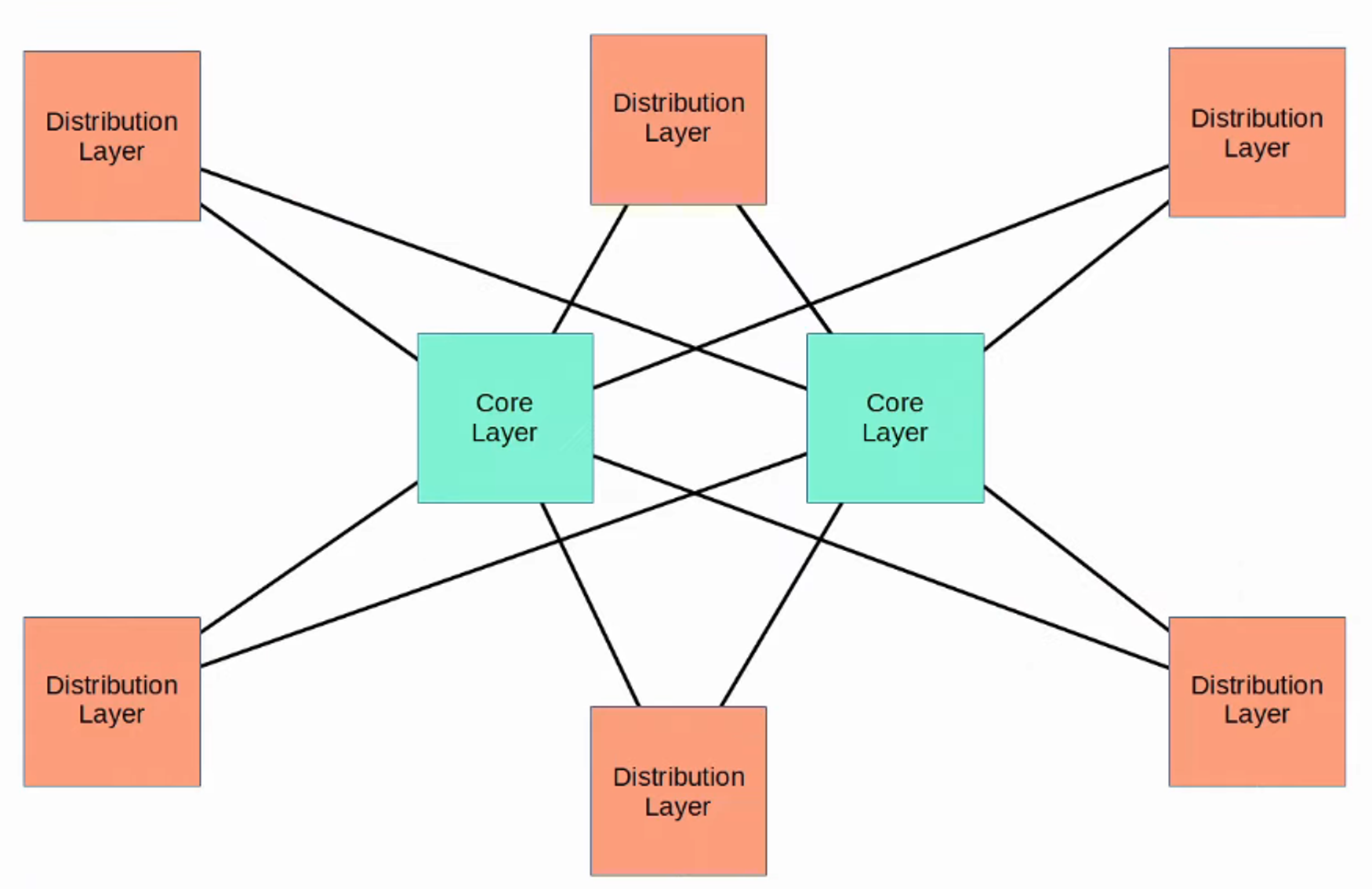
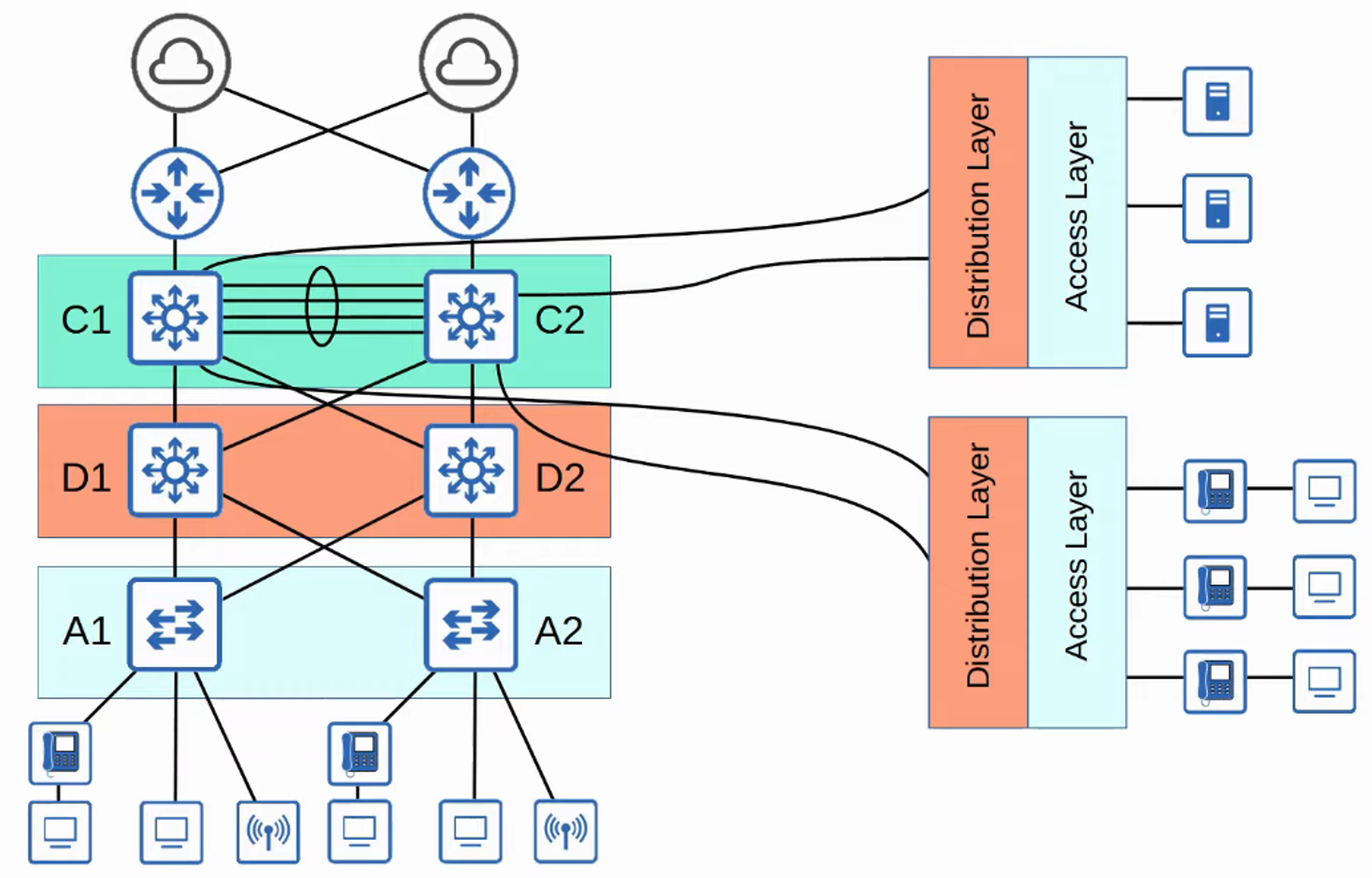
Three-Tier LAN Design Components:
- Access Layer
- Distribution Layer
- Core Layer
Core Layer:
- Connects distribution layers in large LAN networks.
- Focuses on speed (referred to as “fast transport”).
- Avoids CPU-intensive operations such as security measures and QoS marking at this layer.
- All connections are Layer 3, with no spanning tree.
- Maintains connectivity throughout the LAN even if devices fail.
Spine-Leaf Architecture (Data Center)
- Cisco ACI Architecture (Application Centric Infrastructure) employs the spine-leaf architecture.
- Data centers are specialized facilities designed to house computer systems such as servers and network devices.
- Traditional data center designs utilized a three-tier architecture (Access-Distribution-Core), effective when most traffic was north-south.
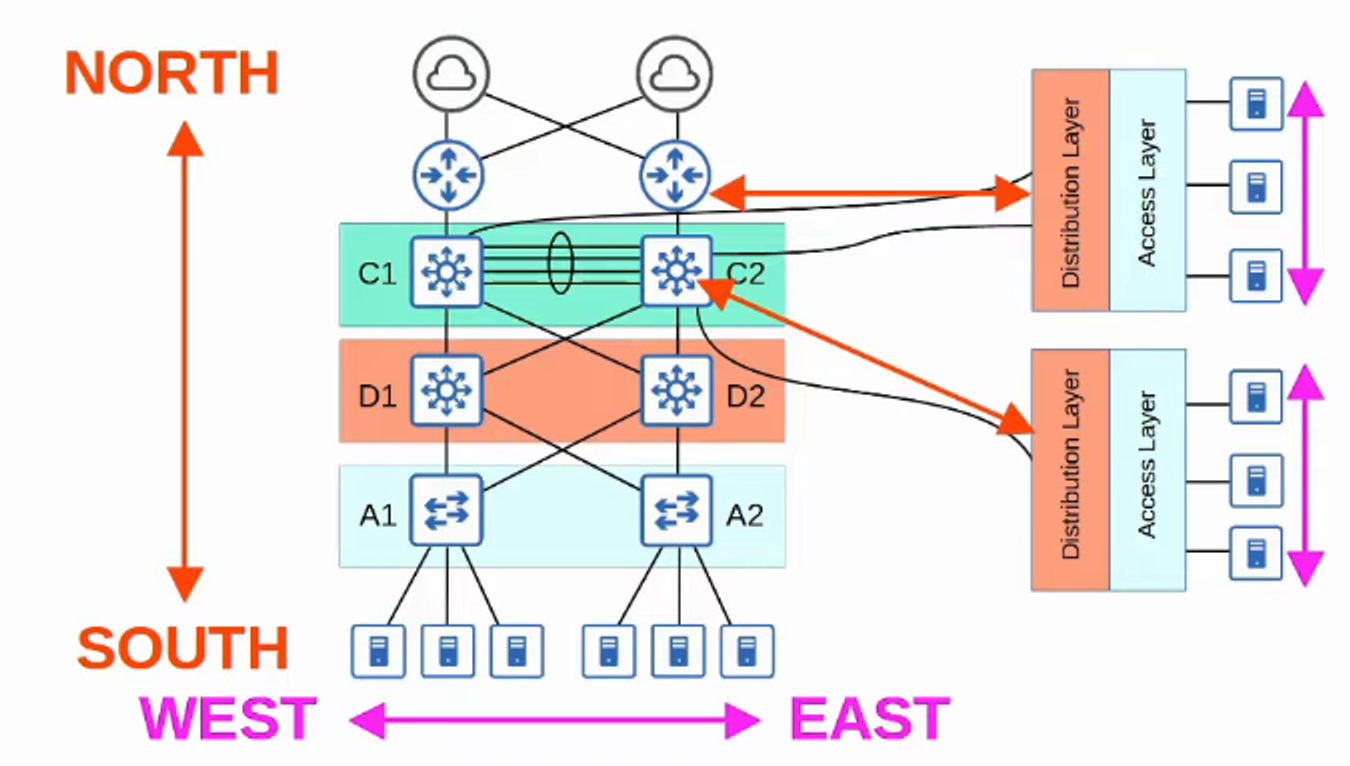
- With the rise of virtual servers, applications are often deployed in a distributed manner, increasing east-west traffic within data centers.
- The traditional three-tier architecture led to bandwidth bottlenecks and variability in server-to-server latency depending on the traffic path.
- To address these issues, spine-leaf architecture (also known as Clos architecture) has gained popularity in data centers.
Rules for Spine-Leaf Architecture
- Every leaf switch is connected to every spine switch.
- Every spine switch connects to every leaf switch.
- Leaf switches do not connect to one another.
- Spine switches do not connect to one another.
- End hosts (e.g., servers) connect only to leaf switches.
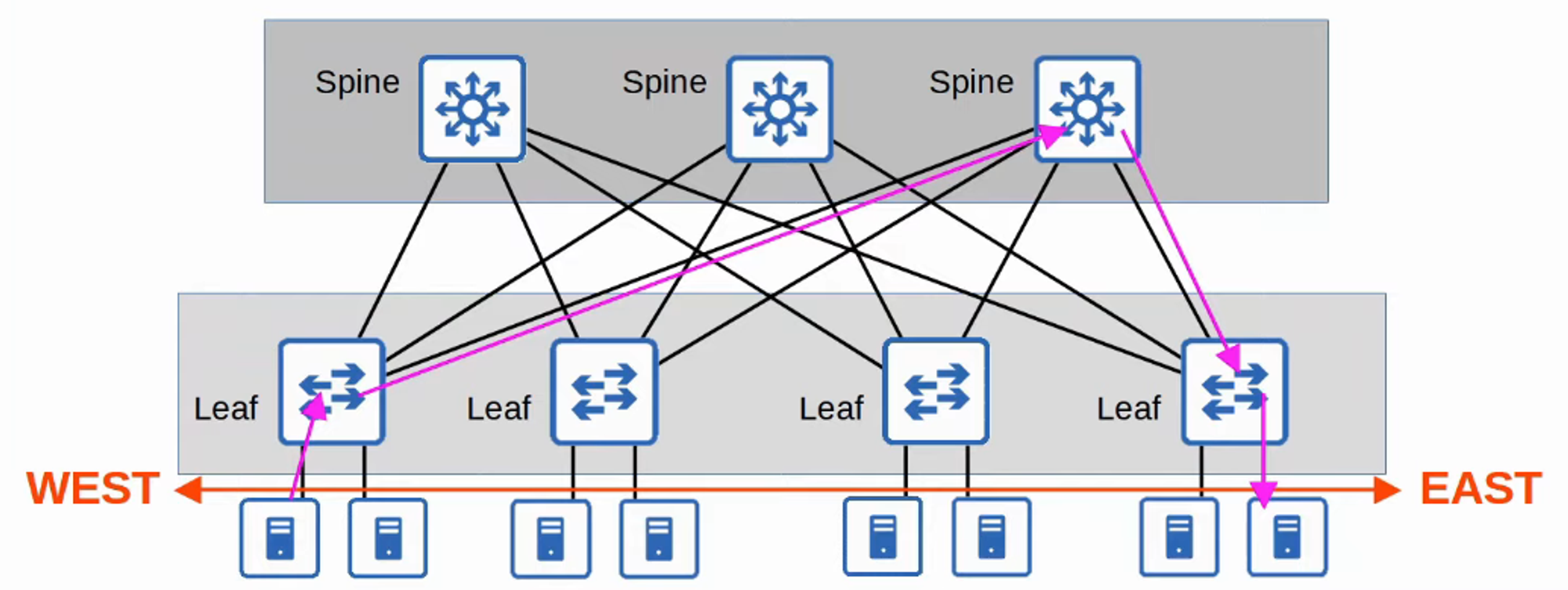
- The path taken by traffic is randomly selected to balance the load among spine switches.
- Each server experiences the same number of “hops” (except those connected to the same leaf), ensuring consistent latency for east-west traffic.
SOHO (Small Office / Home Office)
-
Small Office / Home Office (SOHO) refers to a small company’s office or a compact home office with limited devices.
- It does not have to be a formal home office; any home network connected to the internet qualifies as a SOHO network.
-
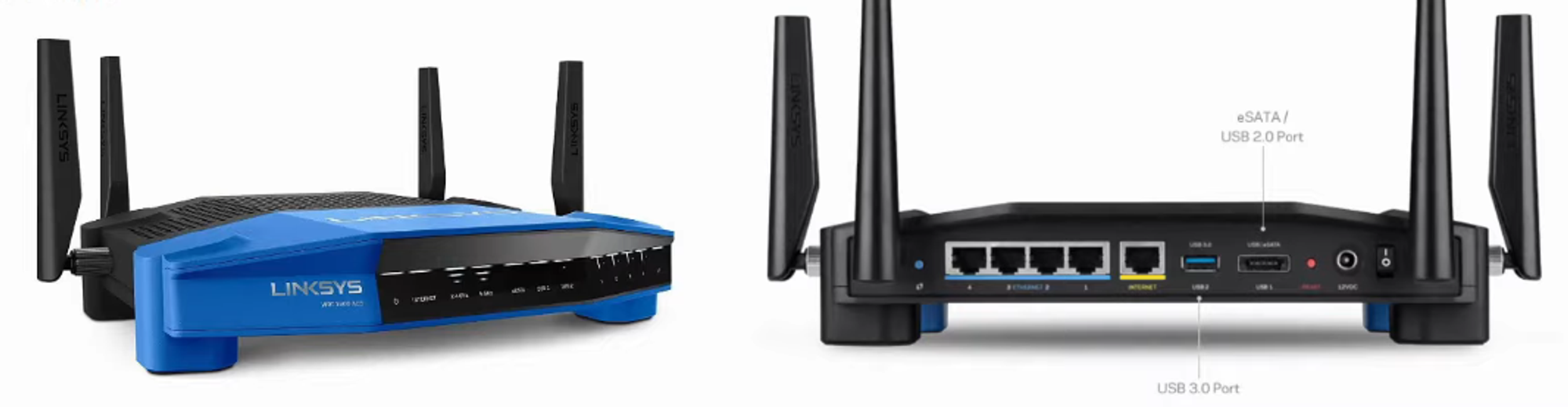
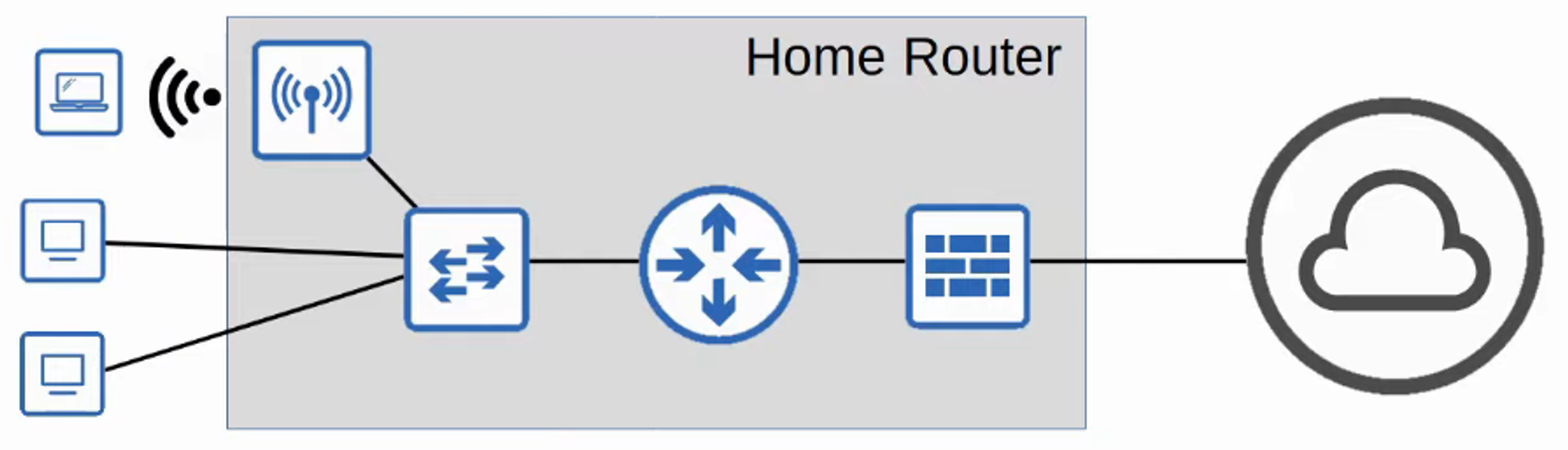
SOHO networks typically have simple requirements, often fulfilled by a single device, commonly called a home router or wireless router.
-
This single device can serve multiple functions, including:
- Router
- Switch
- Firewall
- Wireless Access Point
- Modem