Introduction to Port Security
- Port Security is a feature available on Cisco switches that helps control which devices can access a network by limiting the MAC addresses allowed on a switchport.
- It ensures that only authorized devices (based on MAC addresses) can send traffic through the switchport.
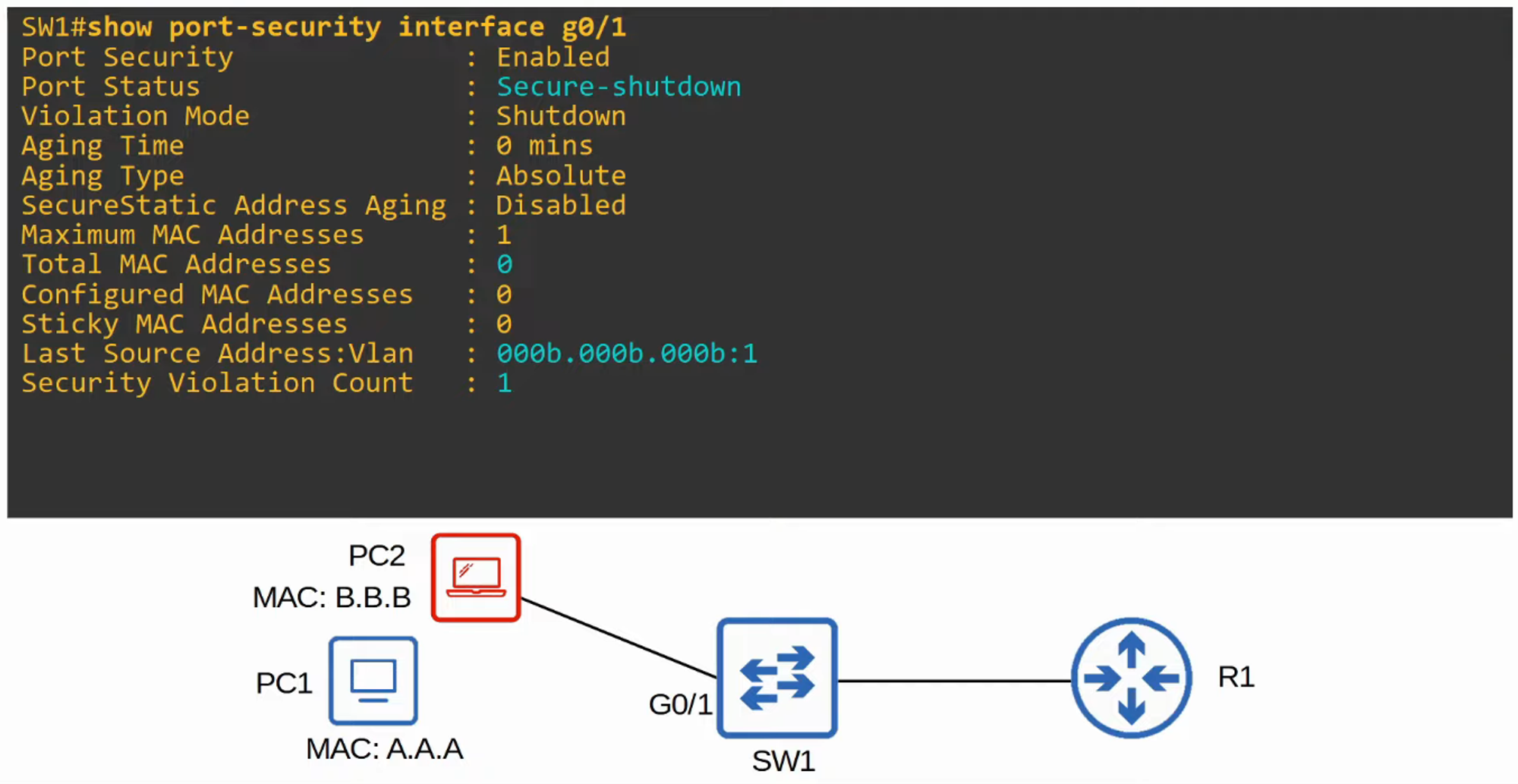
- If an unauthorized MAC address attempts to access the network, an action will be triggered. The default action is to place the interface in an “err-disabled” state, effectively shutting it down.
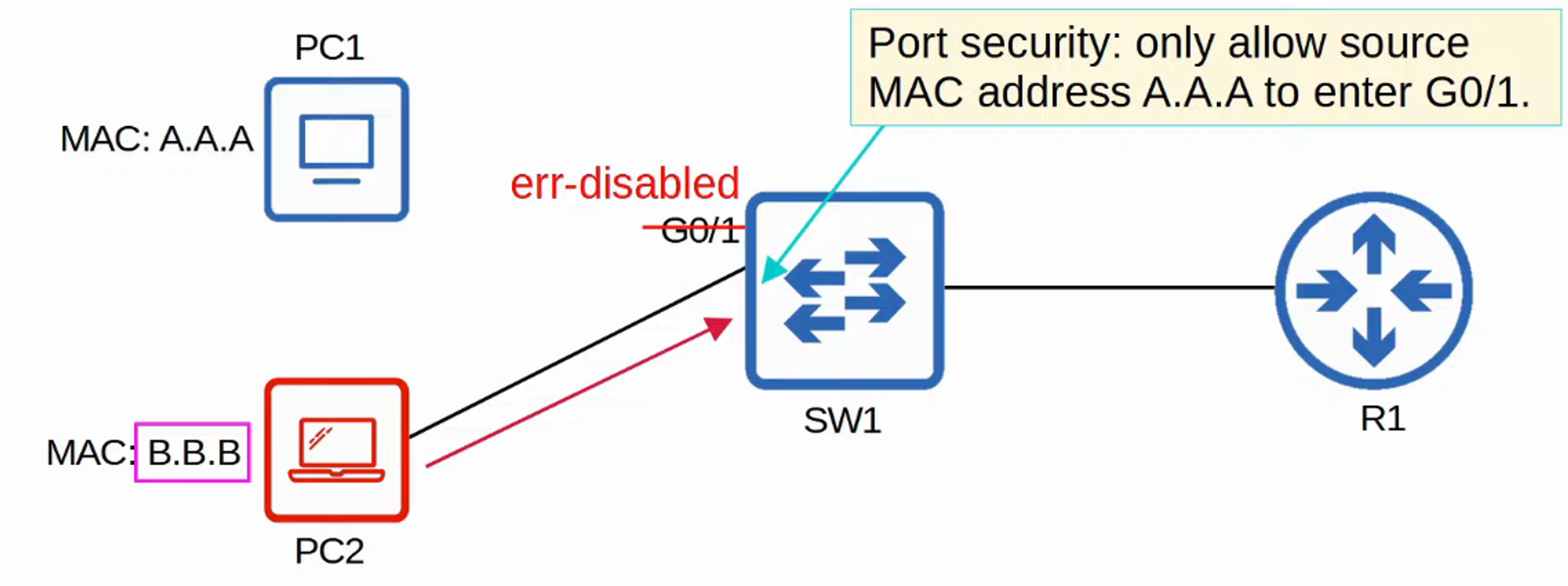
- By default, Port Security allows only one MAC address on an interface.
- You can either manually specify this allowed MAC address or let the switch dynamically learn the first MAC address to access the interface.
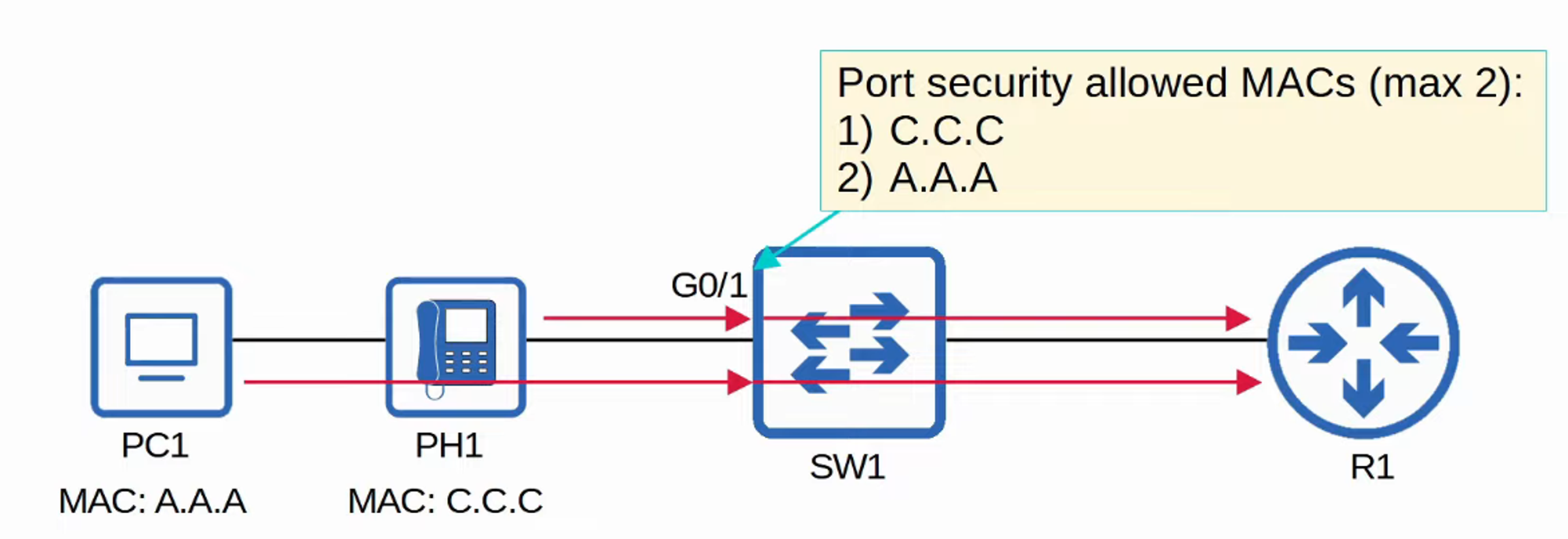
- It’s also possible to adjust the maximum number of allowed MAC addresses.
- A combination of manually specified and dynamically learned MAC addresses can be used.
Why Use Port Security?
- Port Security provides network administrators control over which devices are allowed to connect to the network.
- However, MAC address spoofing is relatively easy, meaning attackers can configure devices to use a different MAC address to bypass restrictions.
- Port Security is more useful for limiting the number of devices connected to a port rather than specifying exact MAC addresses.
- For example, in a DHCP starvation attack (as covered in the Day 48 lab), an attacker could flood a switch with fake MAC addresses, filling up the DHCP server’s IP pool and the switch’s MAC address table.
- Limiting the number of allowed MAC addresses on an interface protects against such attacks.
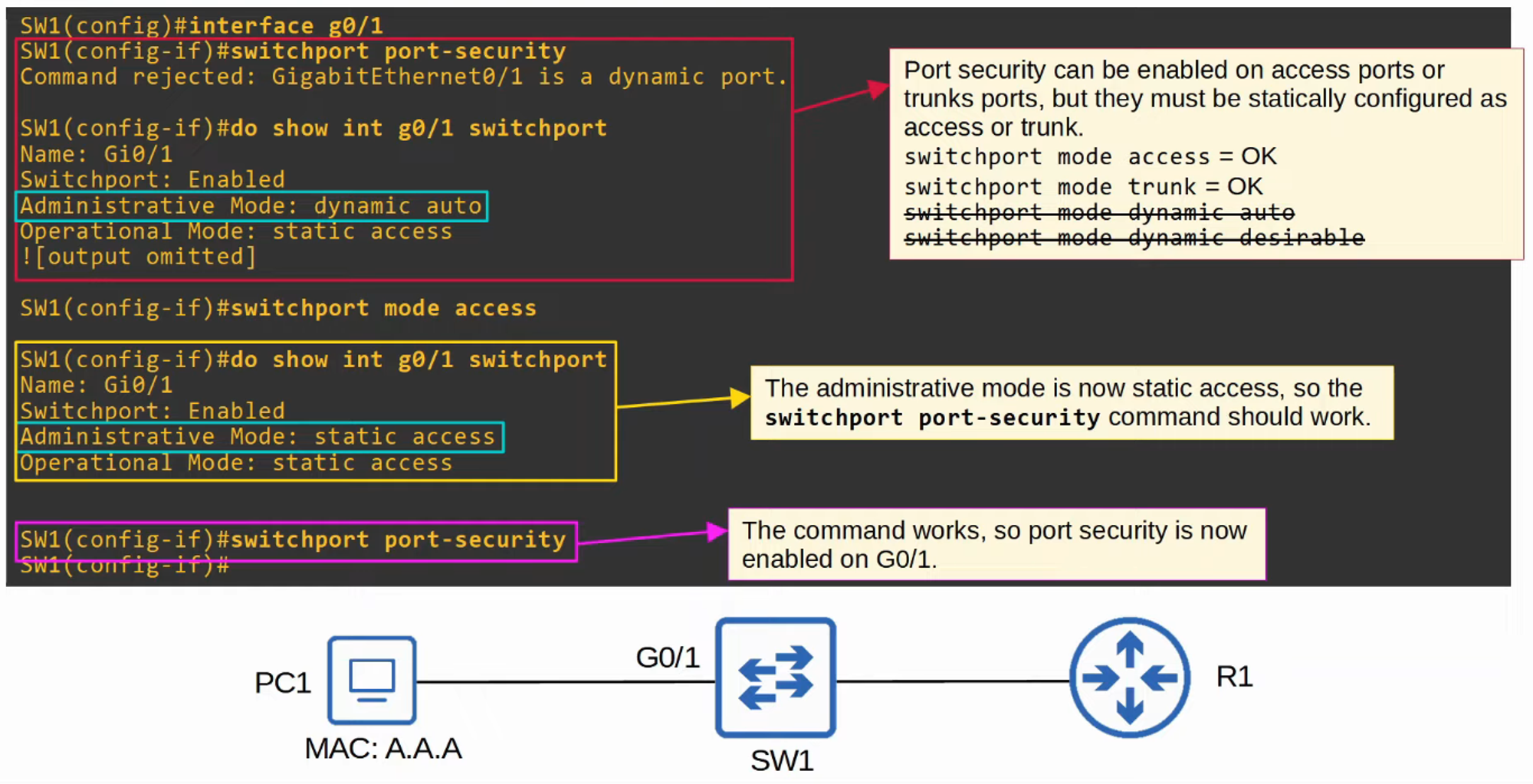
Enabling Port Security
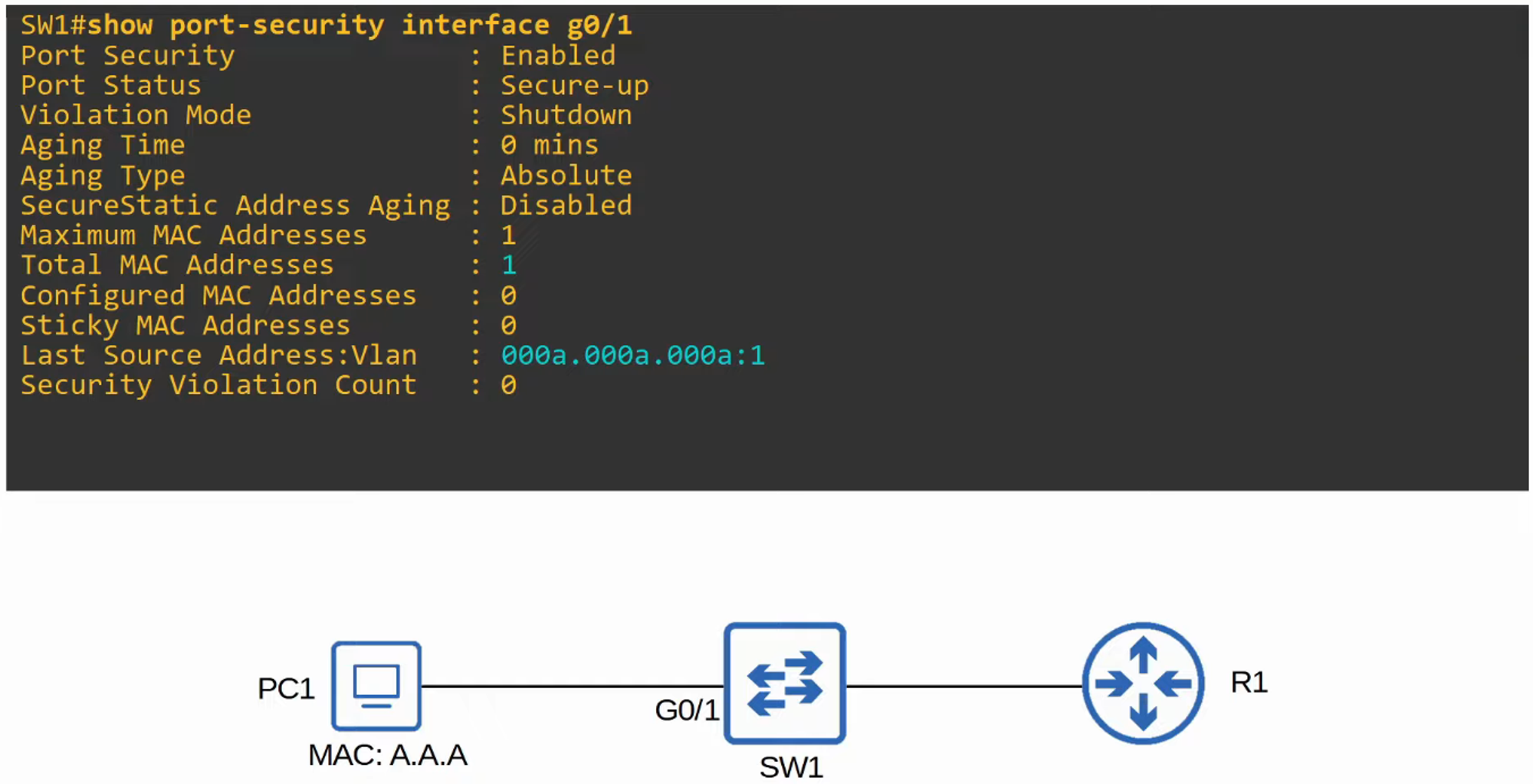
You can check the status of Port Security on an interface with:
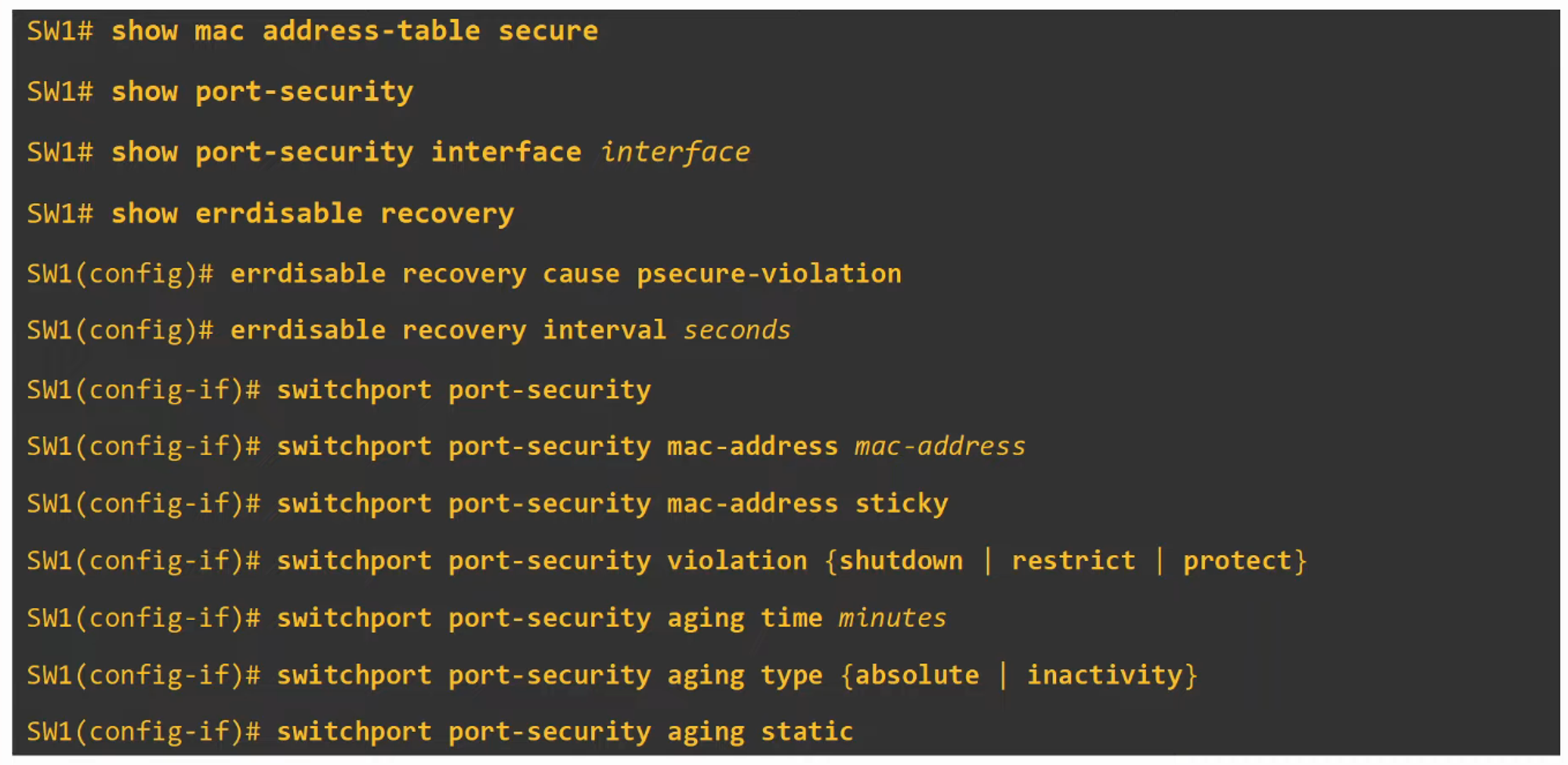
show port-security interface

Re-enabling a Disabled Interface
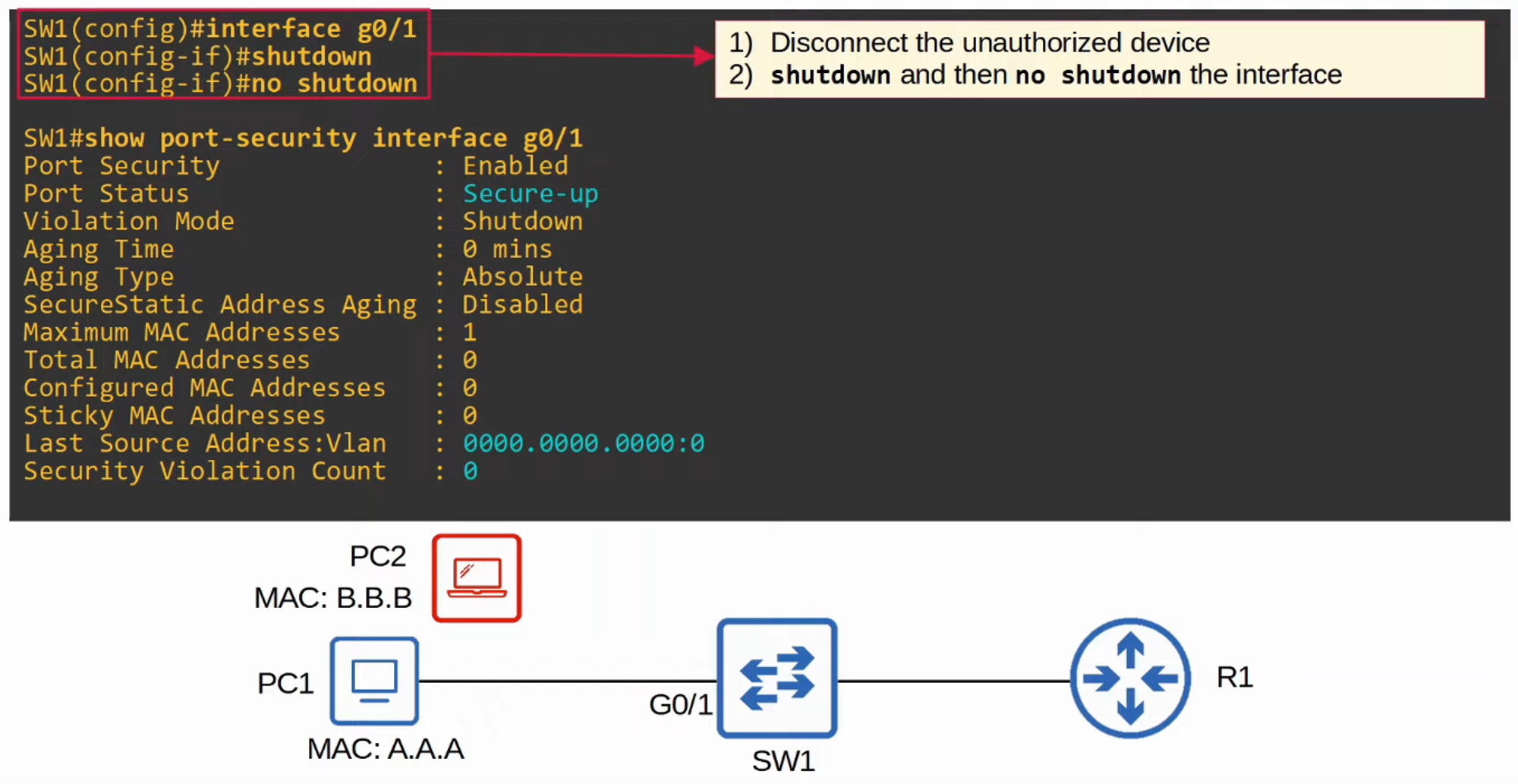
- Manual Re-enabling
If an interface is disabled due to a security violation, you can manually re-enable it.
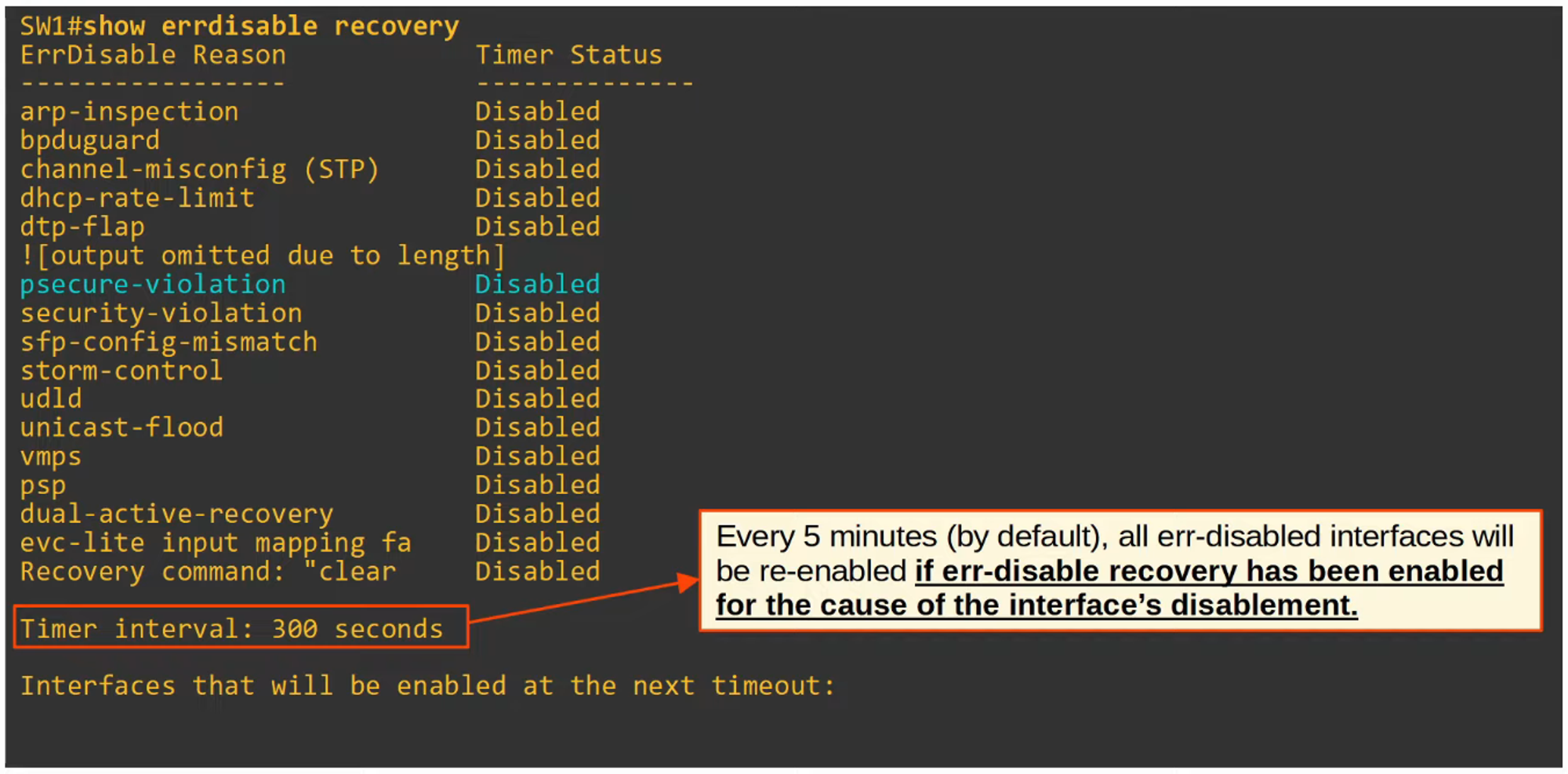
- Err-disable Recovery
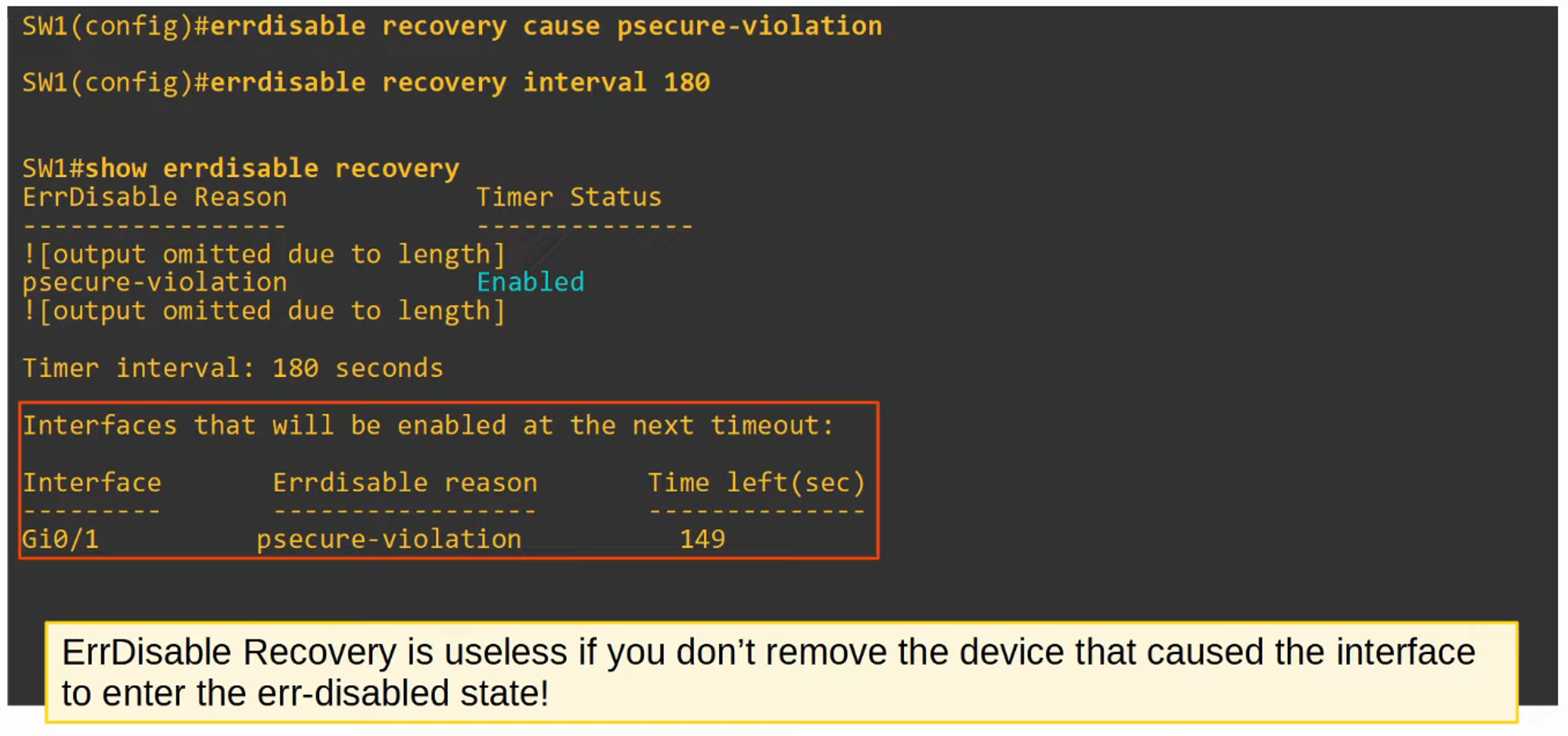
Alternatively, you can configure the switch to automatically recover from an “err-disabled” state after a certain time period.
Violation Modes
Port Security offers three different violation modes that dictate what the switch does when an unauthorized MAC address attempts to access a port:
-
Shutdown (Default Mode)
- The port is placed into an “err-disabled” state, effectively shutting it down.
- A syslog or SNMP message is generated.
- The violation counter is set to 1 when the port is disabled.
-
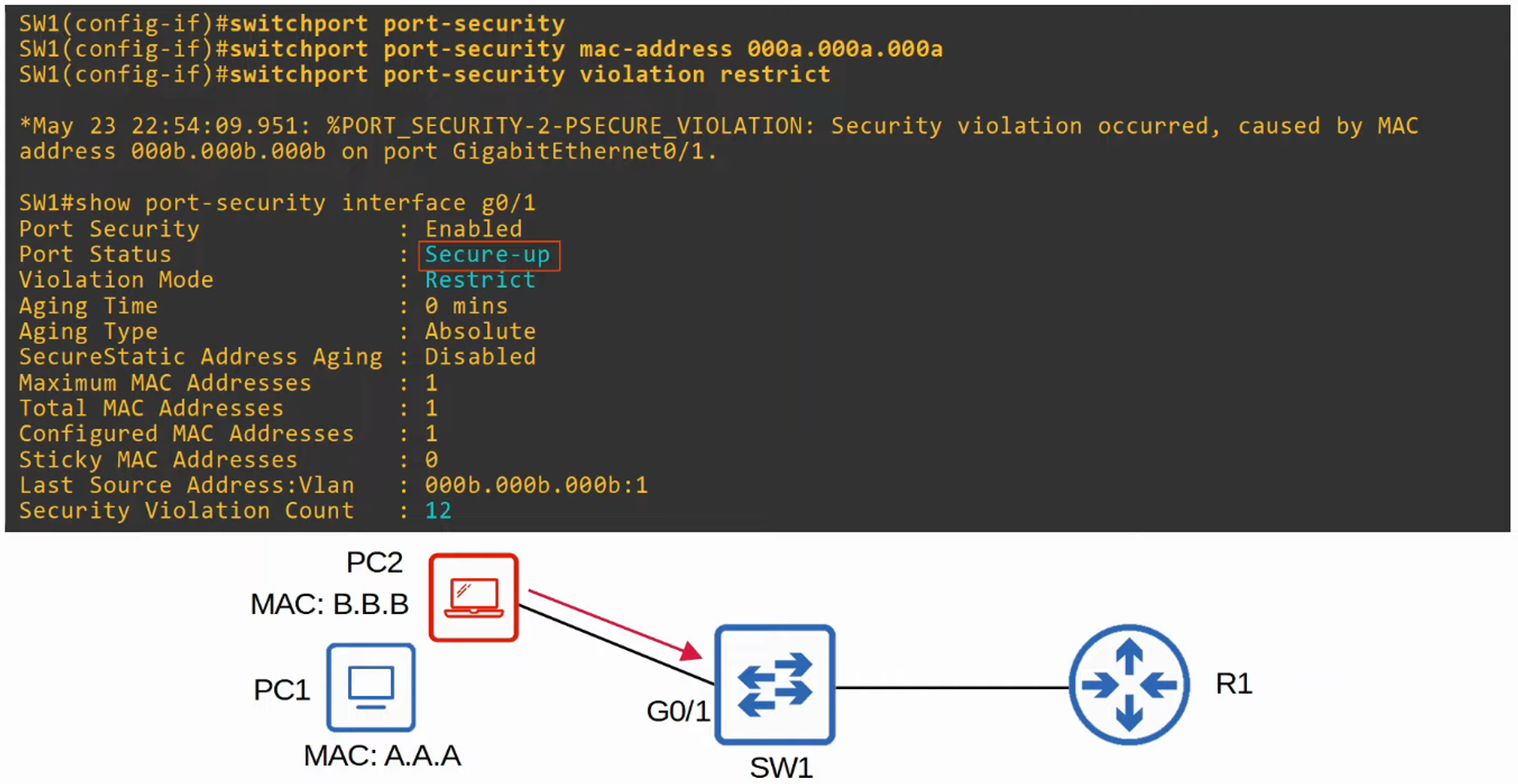
Restrict
- Unauthorized MAC addresses are blocked, but the port remains active.
- Syslog or SNMP messages are generated for each unauthorized MAC address detected.
- The violation counter increments for every unauthorized frame.
-
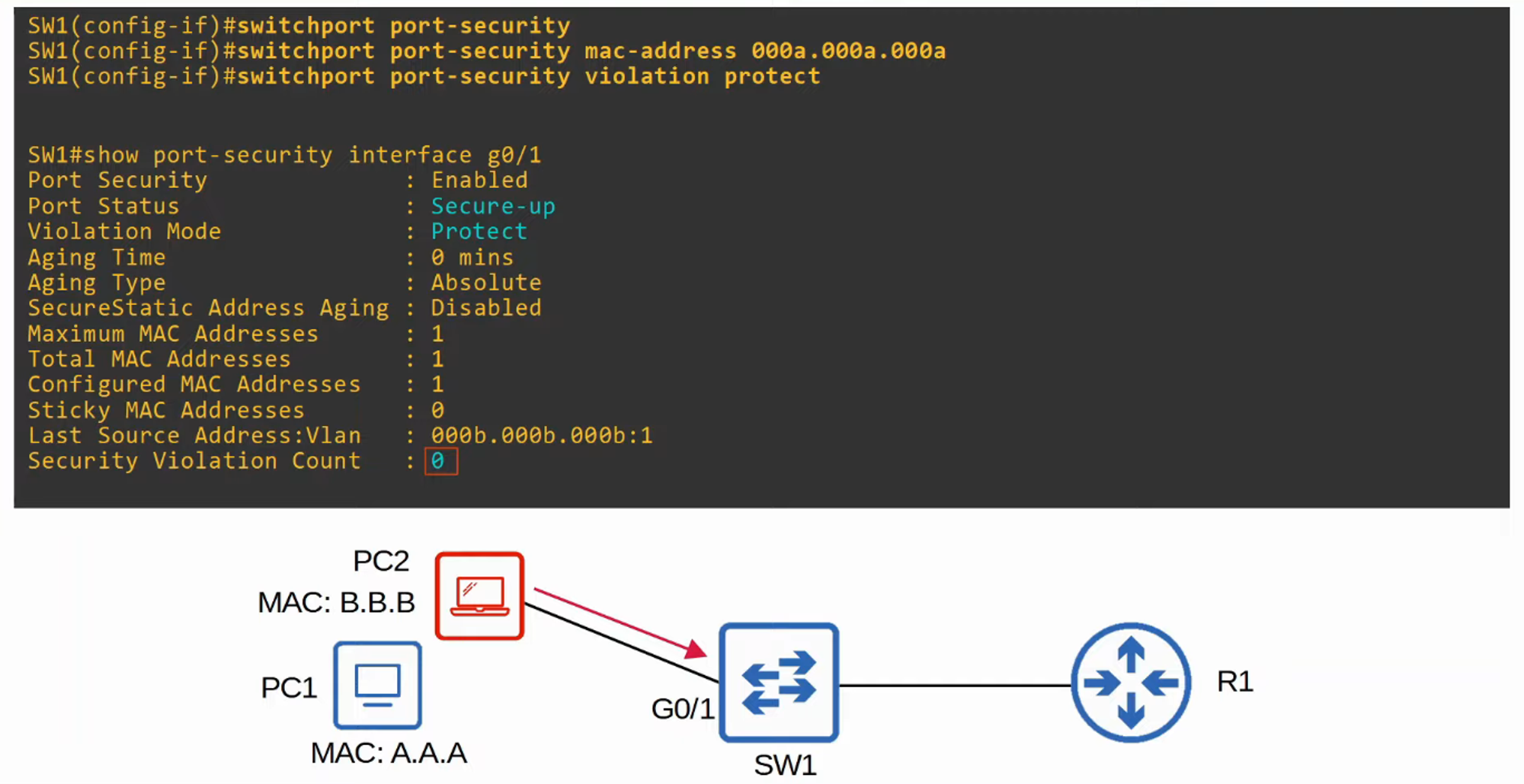
Protect
- Unauthorized MAC addresses are blocked, but no logs or messages are generated, and the violation counter is not incremented.
Secure MAC Address Aging
-
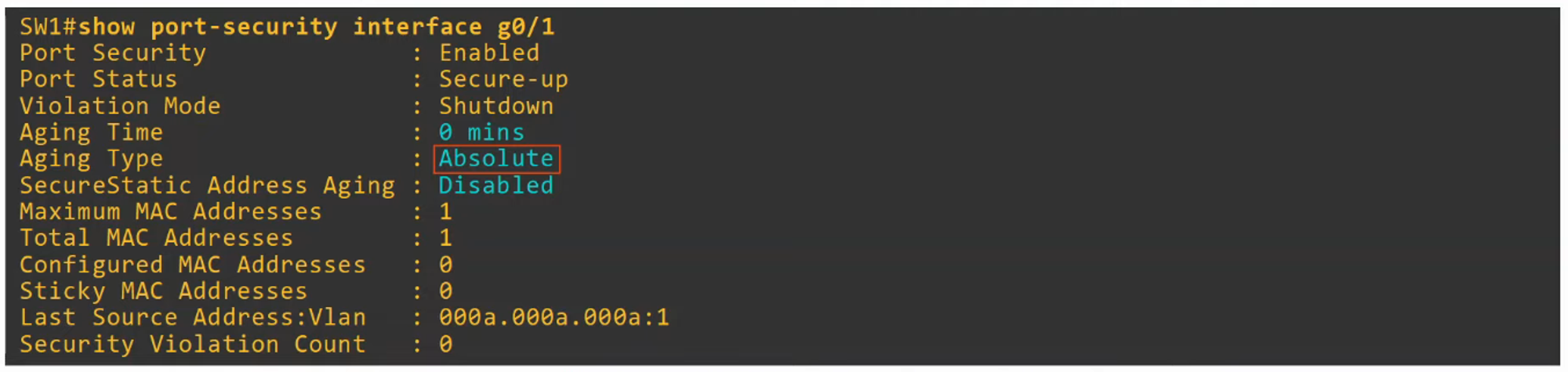
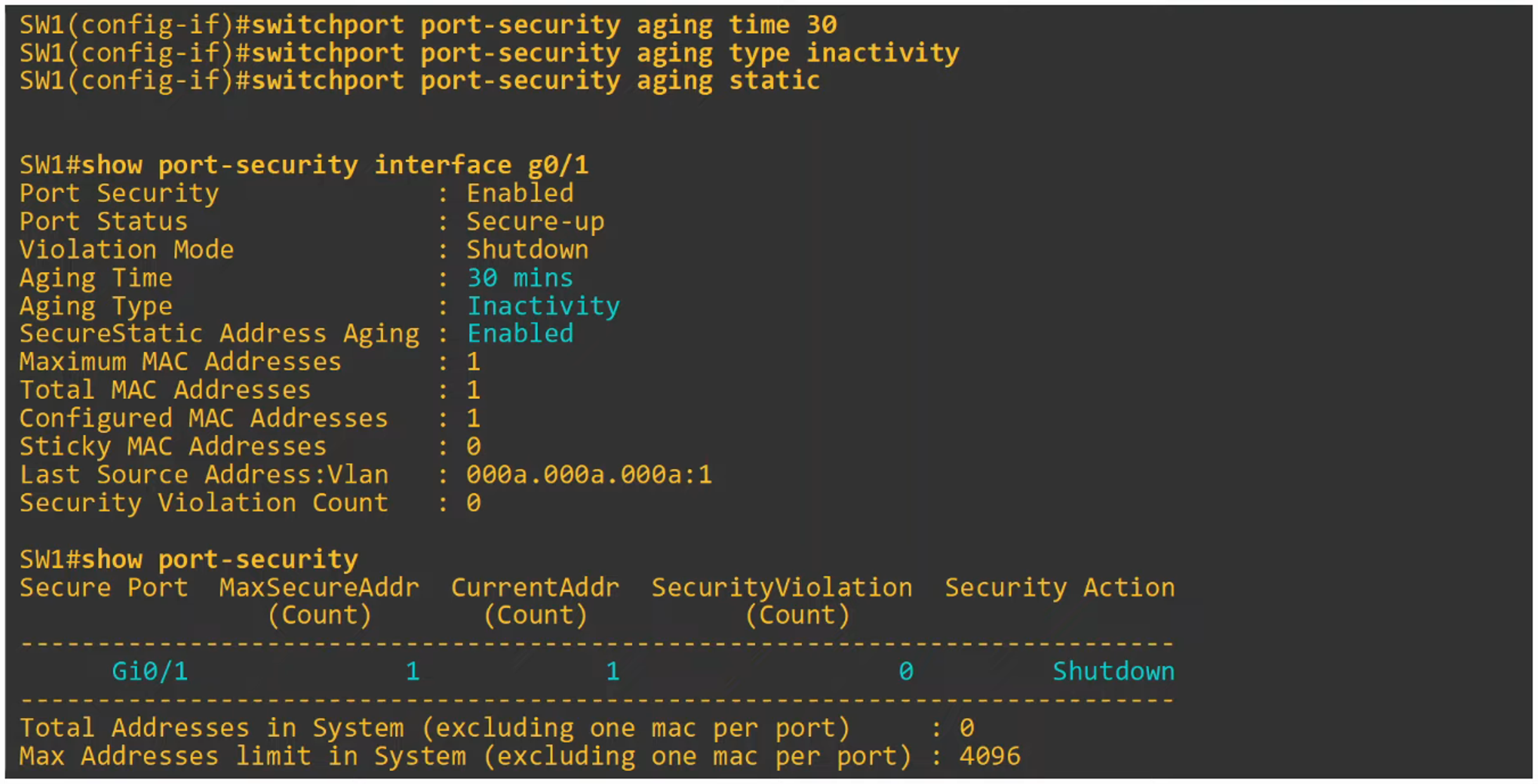
By default, secure MAC addresses do not age out (Aging Time = 0 mins). You can configure the aging time with:
switchport port-security aging time <minutes> -
Aging Types:
- Absolute (Default):
- The aging timer starts when the secure MAC address is learned, and the MAC address is removed once the timer expires, even if traffic from that MAC continues.
- Inactivity:
- The aging timer resets each time a frame from the secure MAC address is received. The MAC address is removed only if no frames are received within the timer period.
- Configure the aging type with:
switchport port-security aging type {absolute | inactivity}
- Absolute (Default):
-
Secure static MAC addresses (manually configured) do not age out by default.
Sticky Secure MAC Addresses
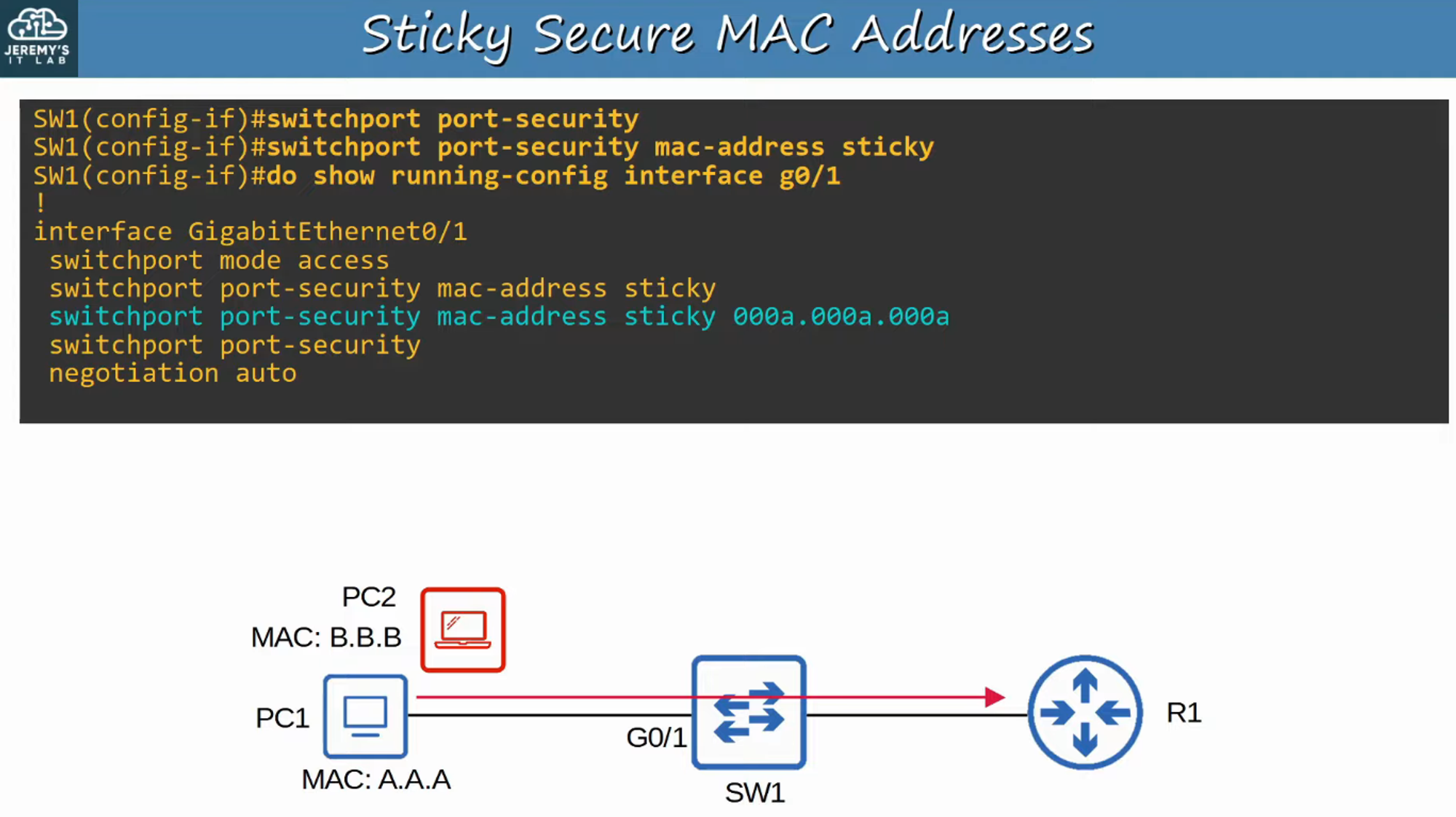
- Enabling sticky MAC address learning allows dynamically learned MAC addresses to be added to the running configuration as secure MAC addresses. This is done with:
SW(config-if)# switchport port-security mac-address sticky - Sticky MAC addresses do not age out, and to make them permanent, the running configuration must be saved to the startup configuration.
- When the command is issued, all currently learned secure MAC addresses will become sticky.
- To reverse this and convert sticky addresses back to dynamically learned addresses:
no switchport port-security mac-address sticky
MAC Address Table
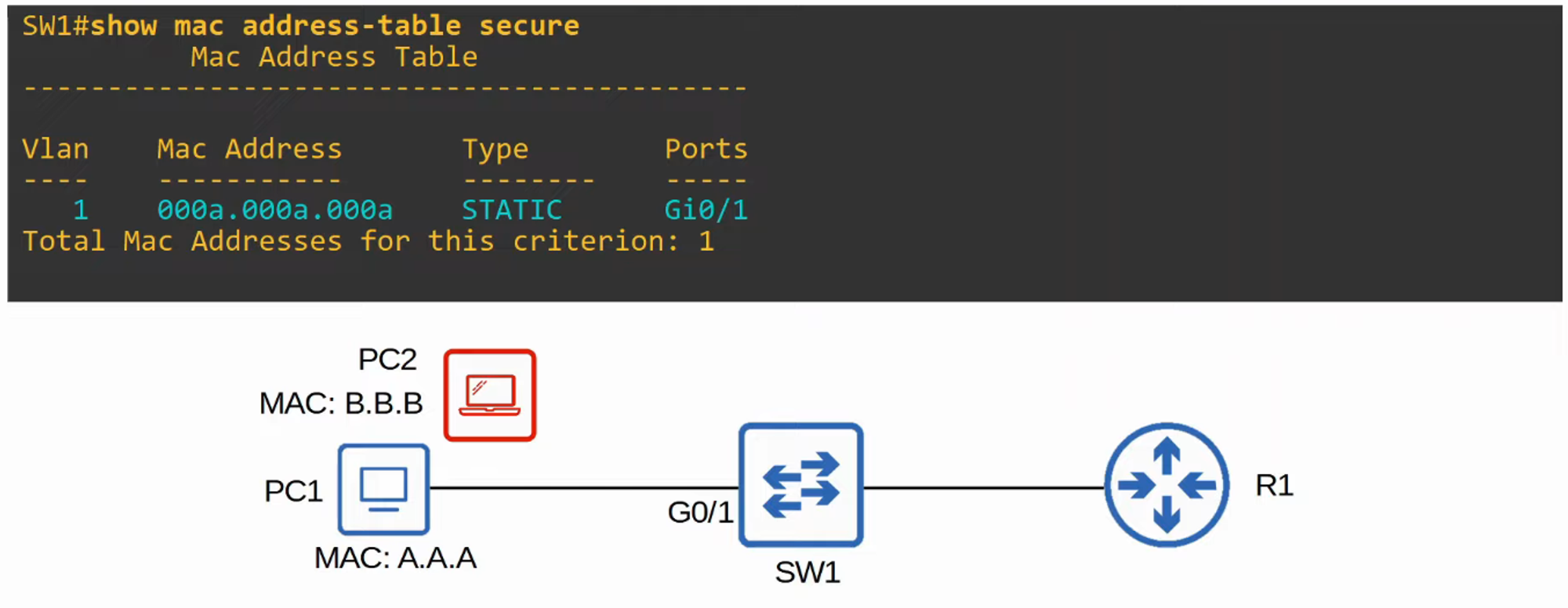
- Secure MAC addresses are stored in the MAC address table like any other MAC address.
- Sticky and manually configured secure MAC addresses are listed as static.
- Dynamically learned secure MAC addresses are listed as dynamic.
- You can view all secure MAC addresses with:
show mac address-table secure
Command Review