More About Static NAT
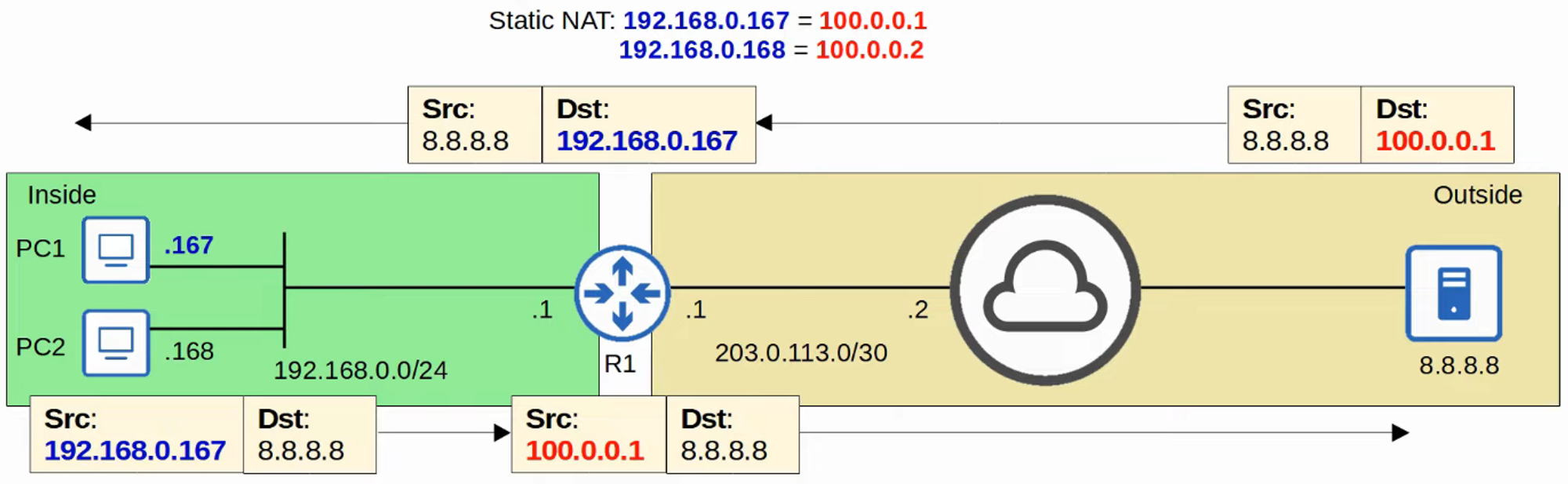
- Static NAT involves configuring fixed one-to-one mappings between private IP addresses and public IP addresses.
- When traffic from an internal host is sent to an external network, the router translates the source address.
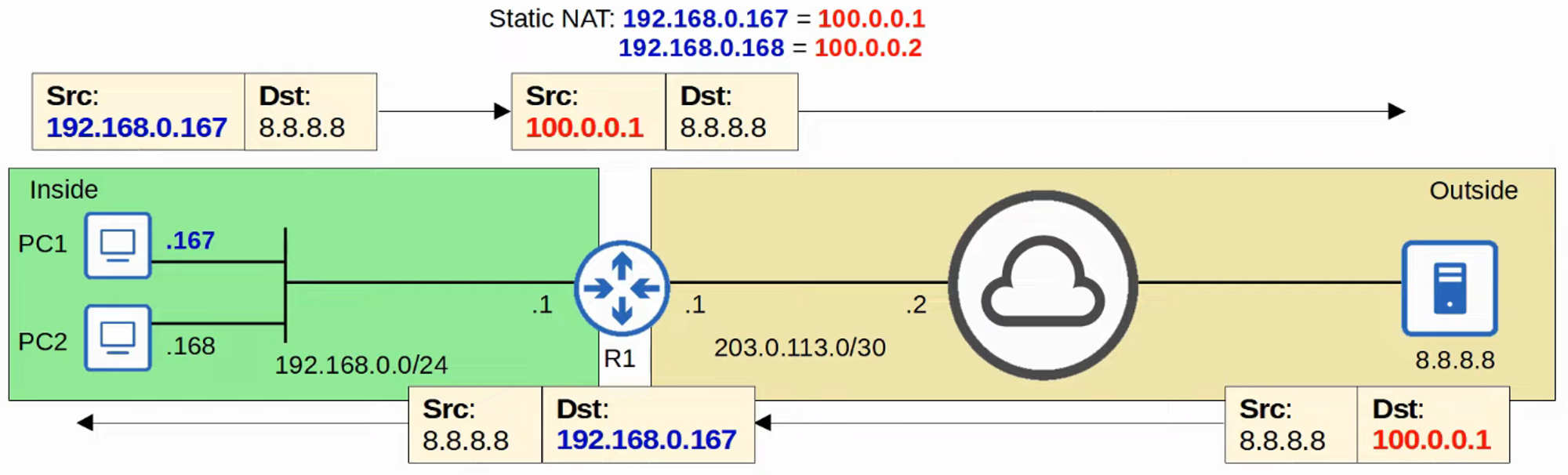
- This mapping also allows external hosts to access the internal host using its inside global address.
Dynamic NAT
-
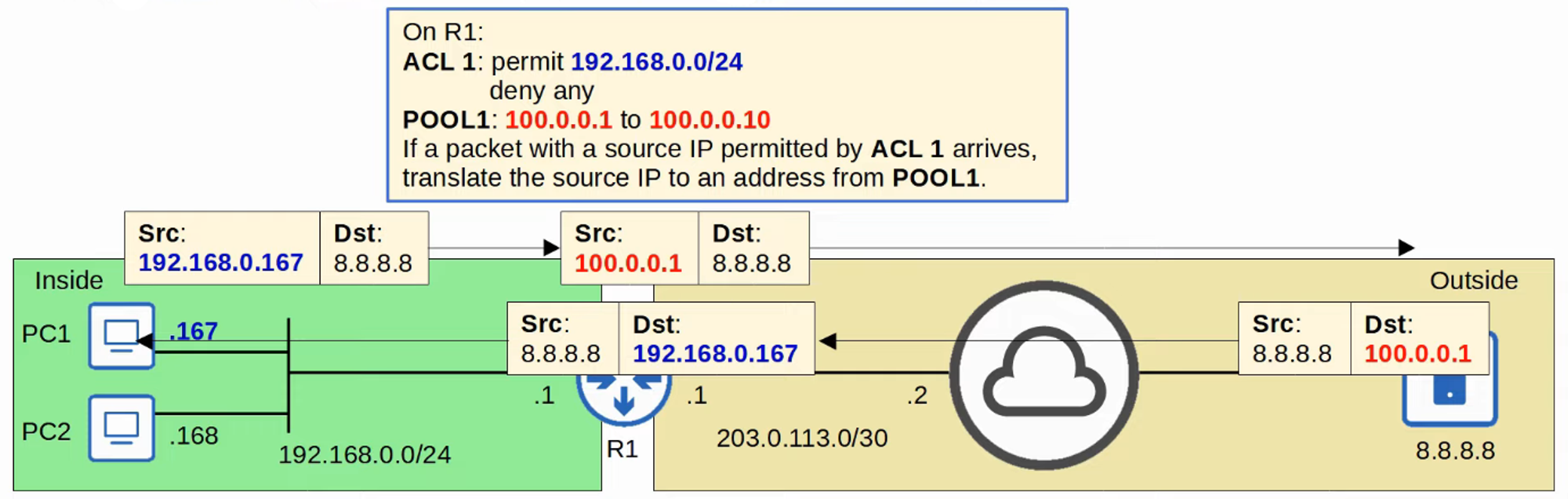
In Dynamic NAT, the router dynamically maps inside local addresses to inside global addresses as needed.
-
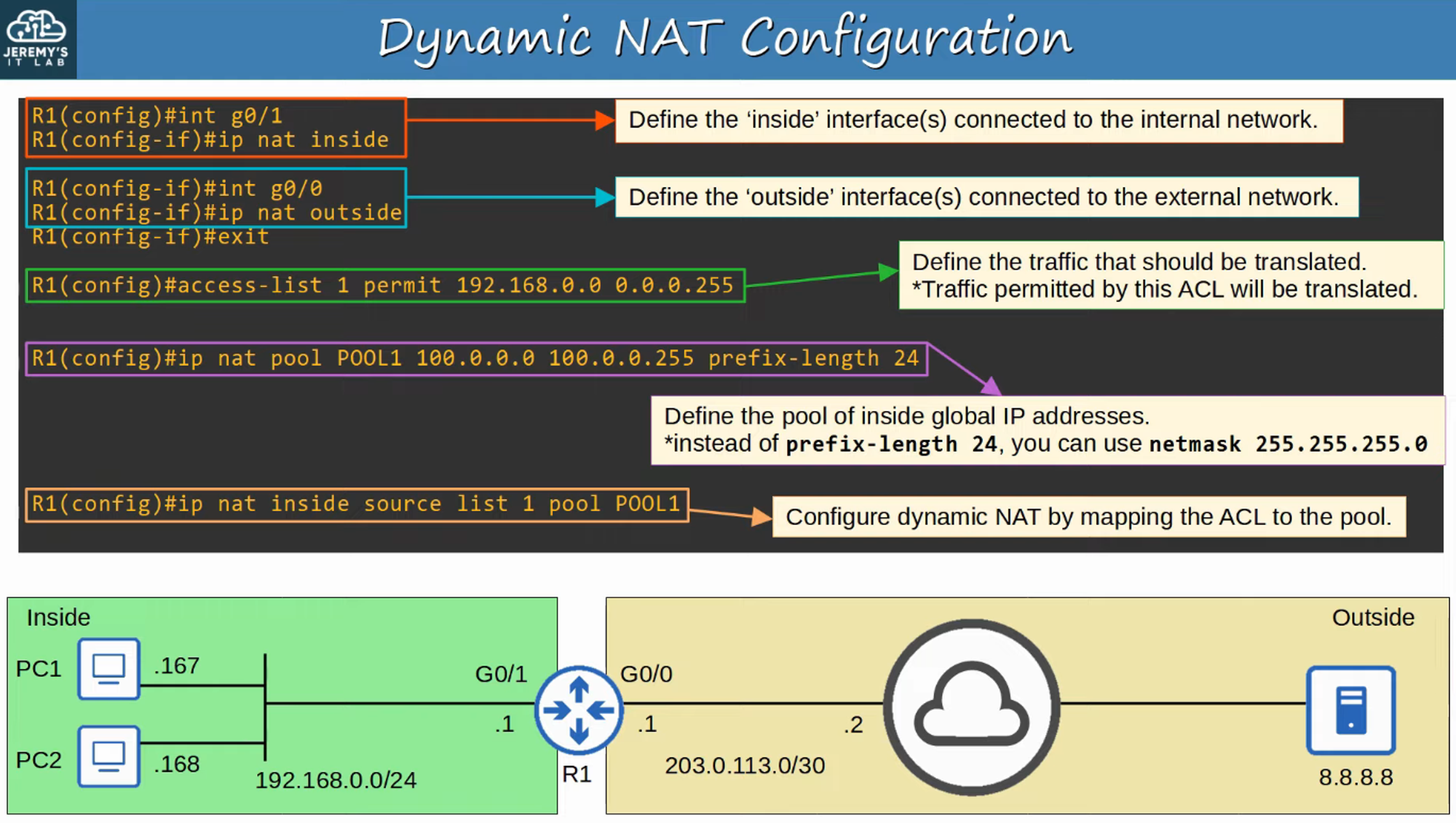
An Access Control List (ACL) is used to determine which traffic should be translated:
- If the source IP is permitted, it will be translated.
- If the source IP is denied, it will not be translated.
-
A NAT pool defines the available inside global addresses.
Key Characteristics of Dynamic NAT
- Despite being dynamically assigned, the mappings remain one-to-one (one inside local IP address per inside global IP address).
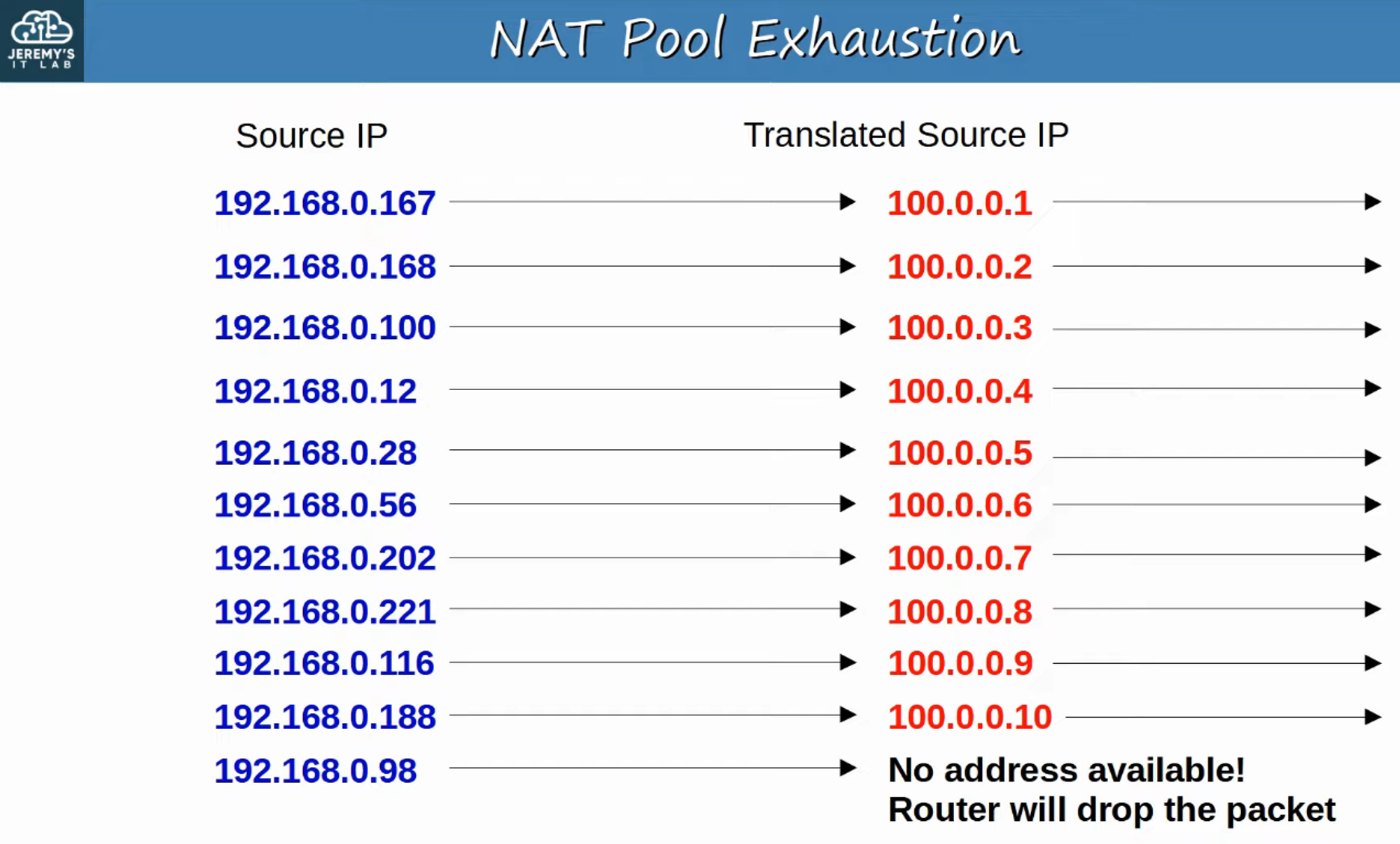
- If there are not enough inside global IP addresses available (i.e., all are in use), it is referred to as NAT Pool Exhaustion.
- If a packet from another inside host arrives and requires NAT but no addresses are available, the router will drop the packet.
- The host will be unable to access outside networks until one of the inside global IP addresses becomes available.
- Dynamic NAT entries will automatically time out if not used, or they can be cleared manually.
NAT Pool Exhaustion
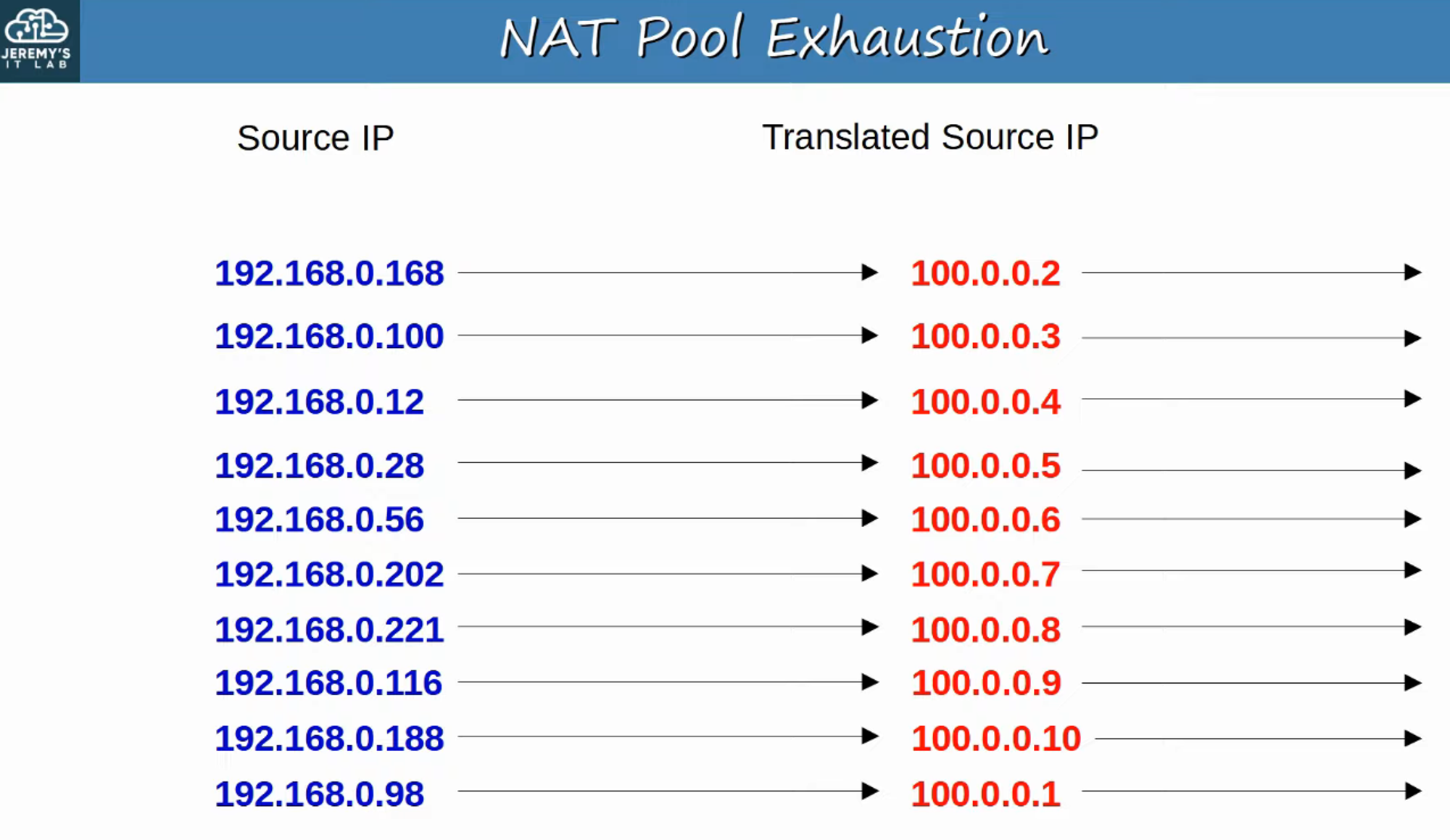
In this example, 192.168.0.167 times out and 192.168.0.98 is assigned as its translated source IP.
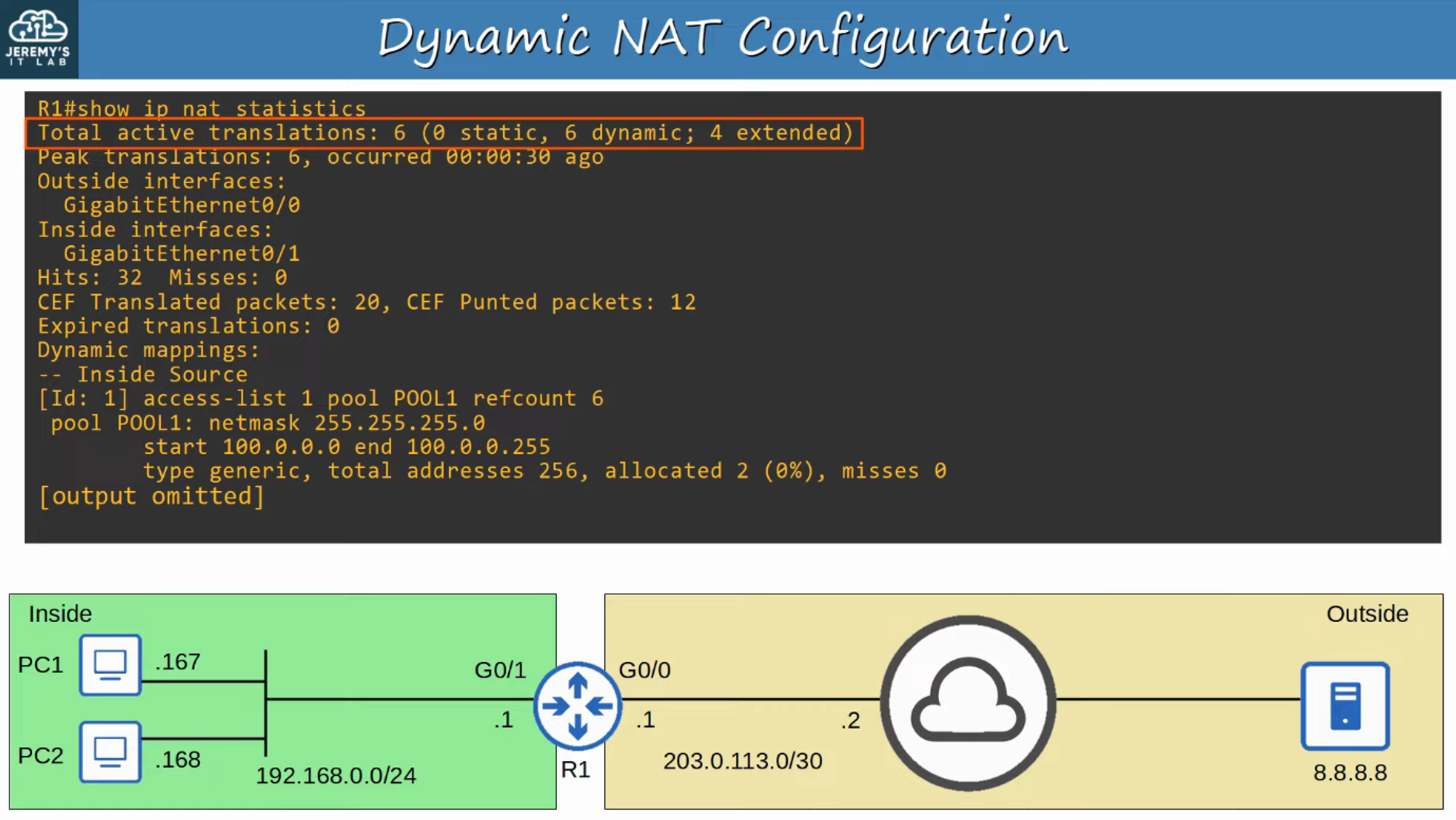
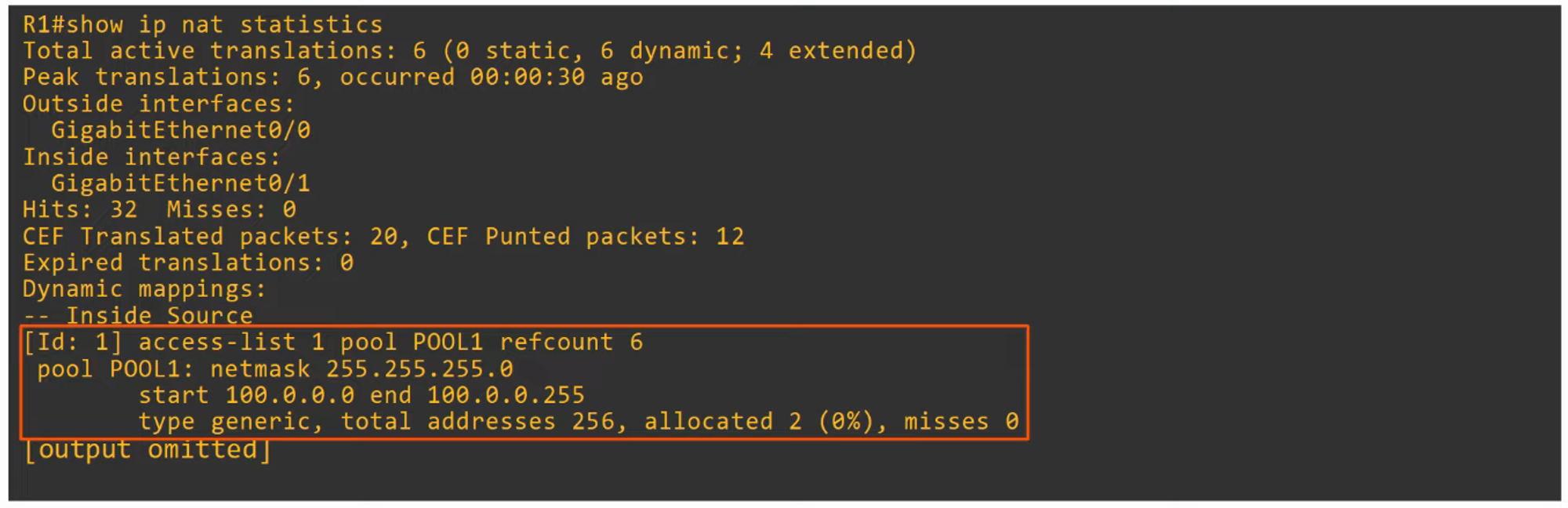
Dynamic NAT Configuration
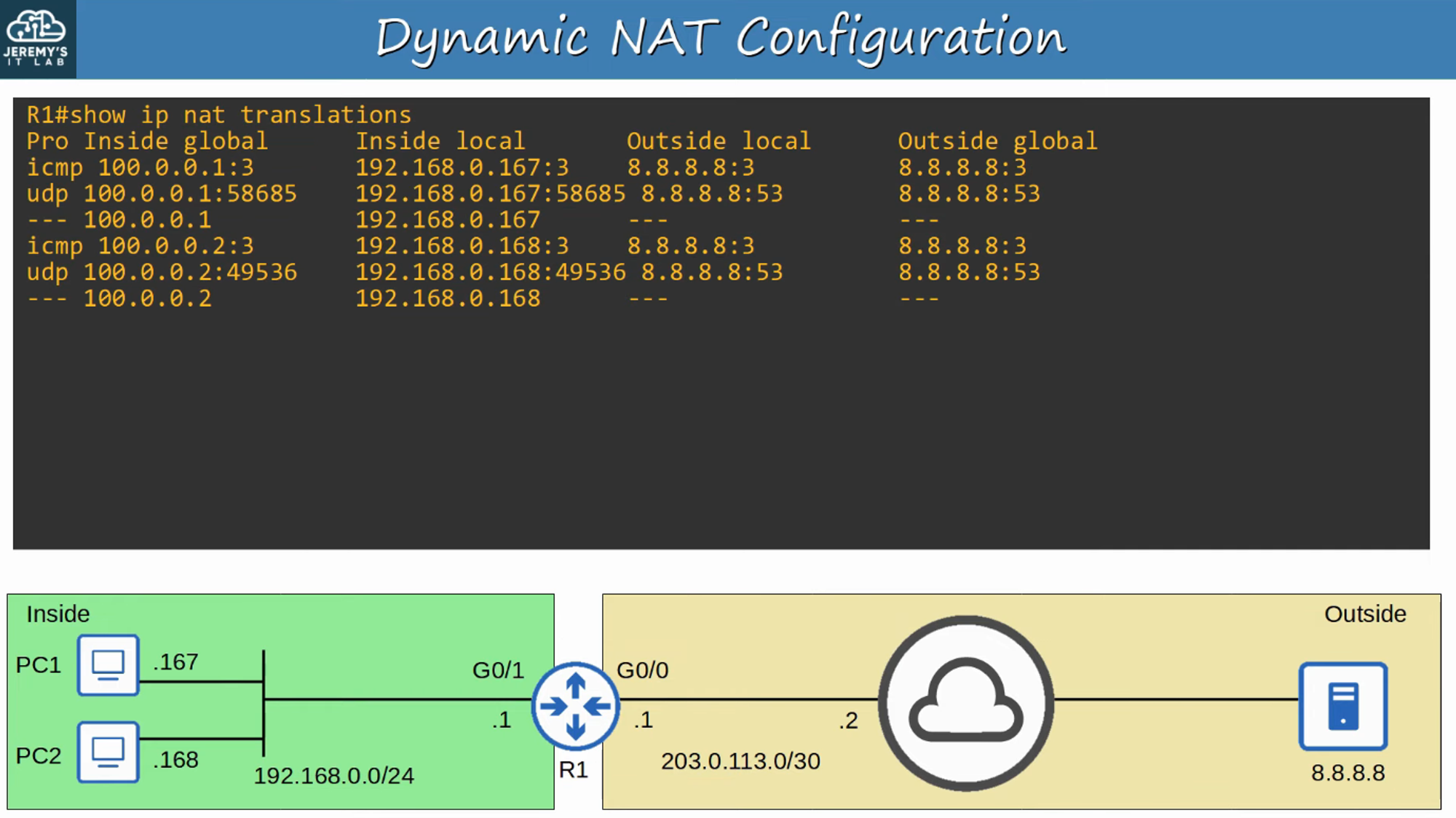
To view NAT translations, use the command:
show ip nat translations
Dynamic PAT (NAT Overload)
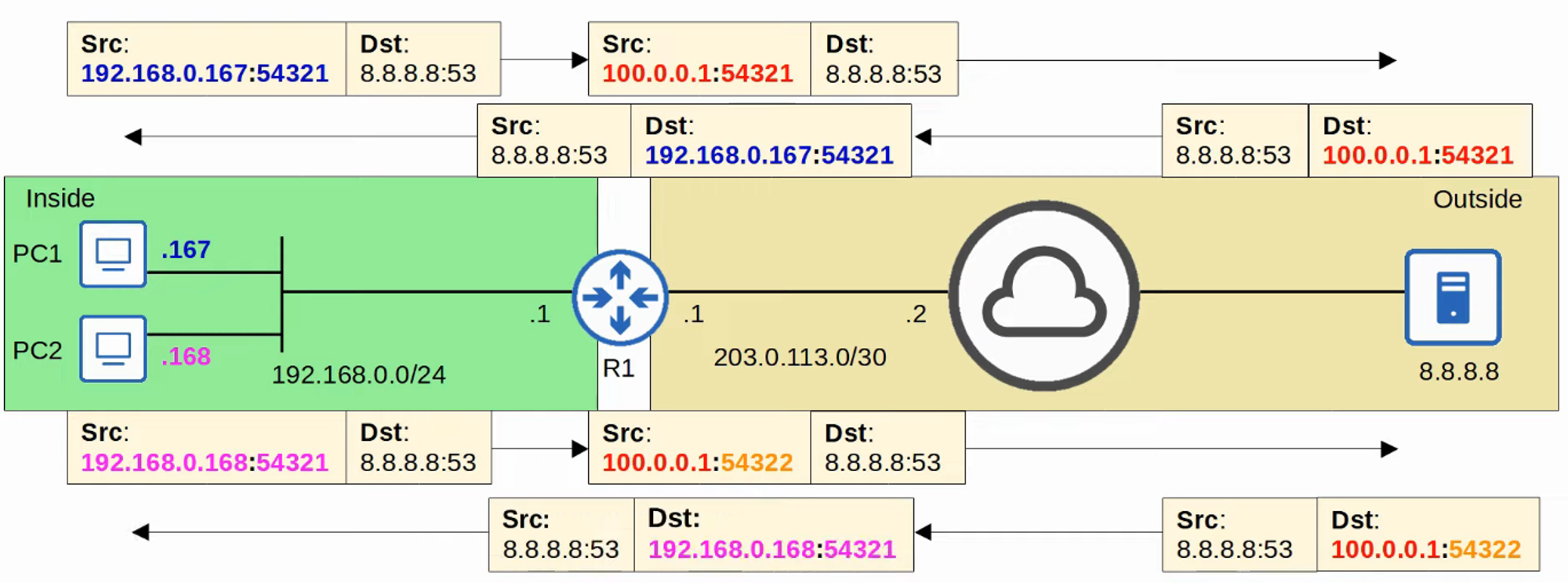
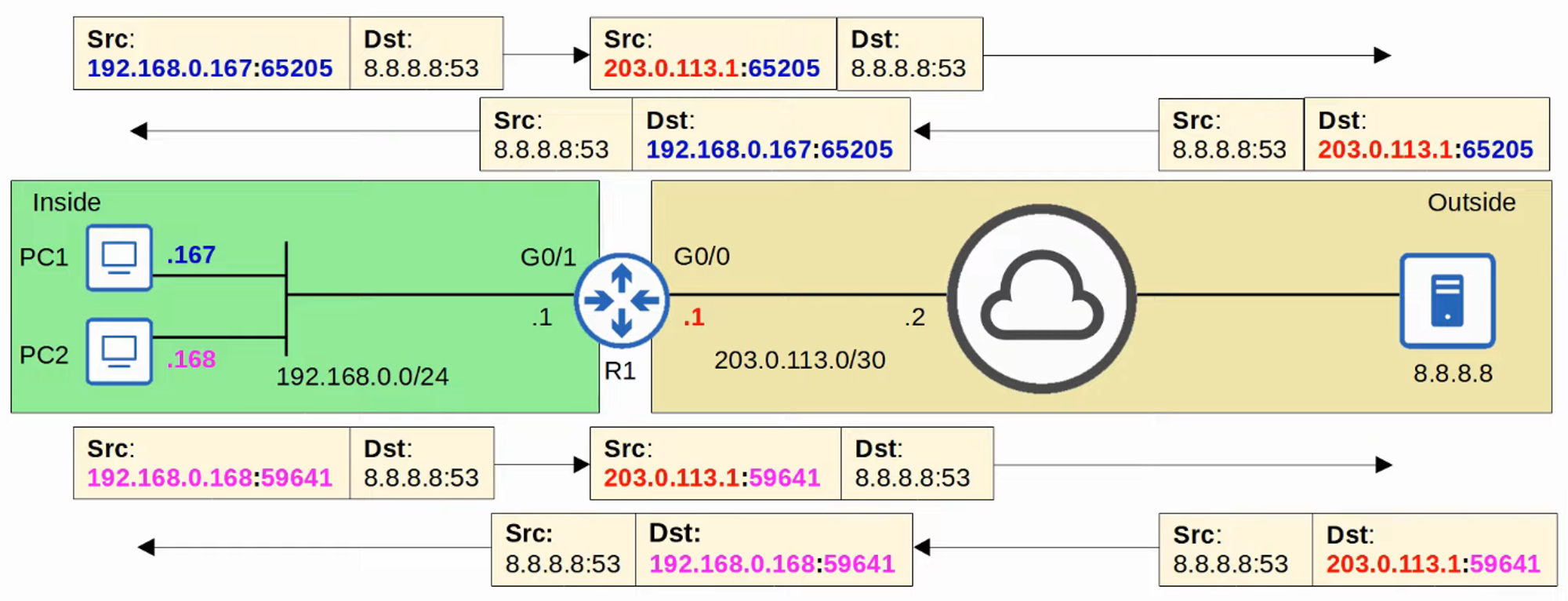
- PAT (Port Address Translation) translates both the IP address and the port number when necessary.
- By using a unique port number for each communication flow, a single public IP address can be shared by many different internal hosts.
- Since port numbers are 16 bits long, there are over 65,000 available port numbers.
- The router tracks which inside local address is using which inside global address and port.
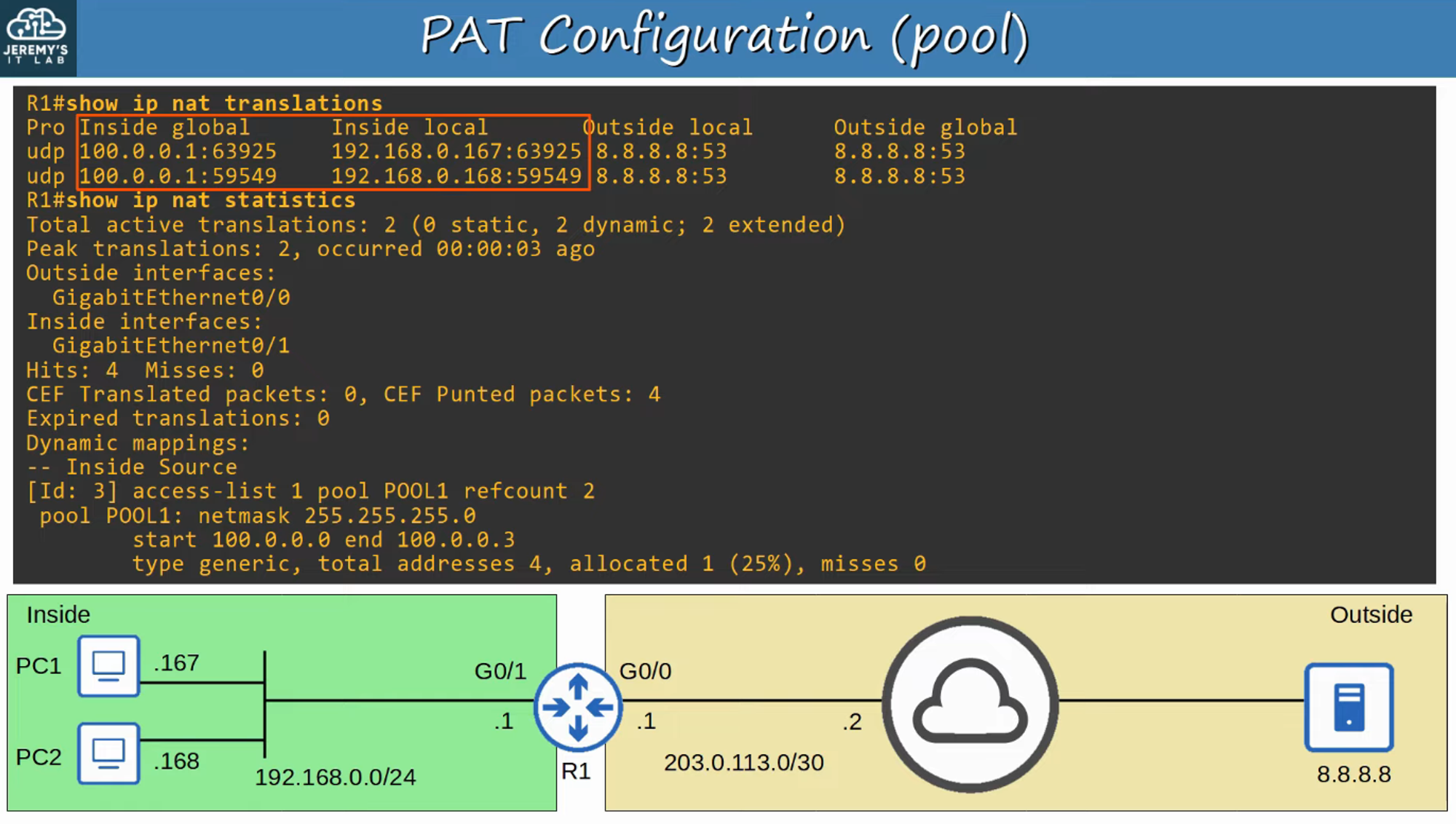
PAT Configuration (Pool)
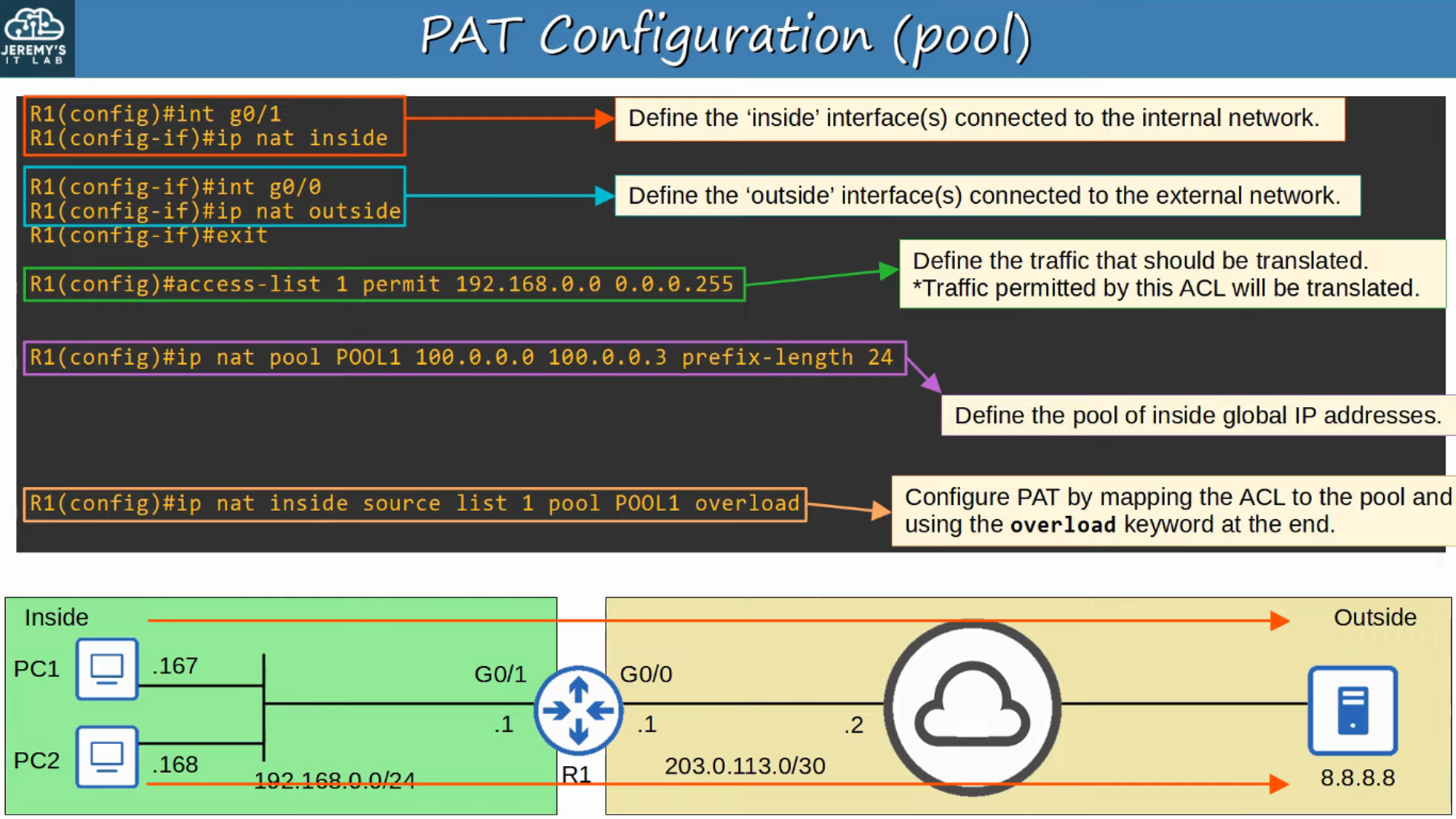
To view NAT translations, use the command:
show ip nat translations
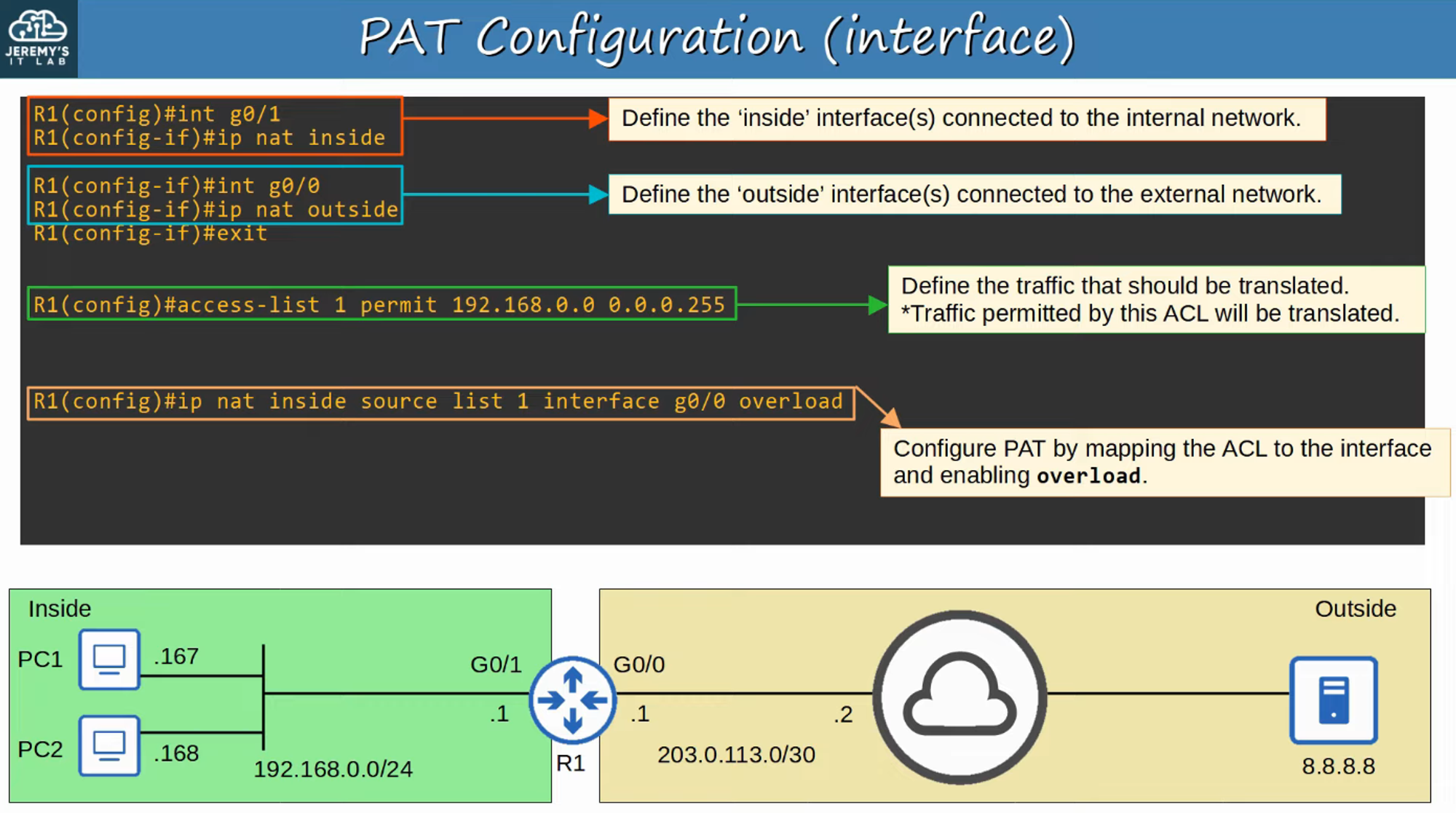
PAT Configuration (Interface)
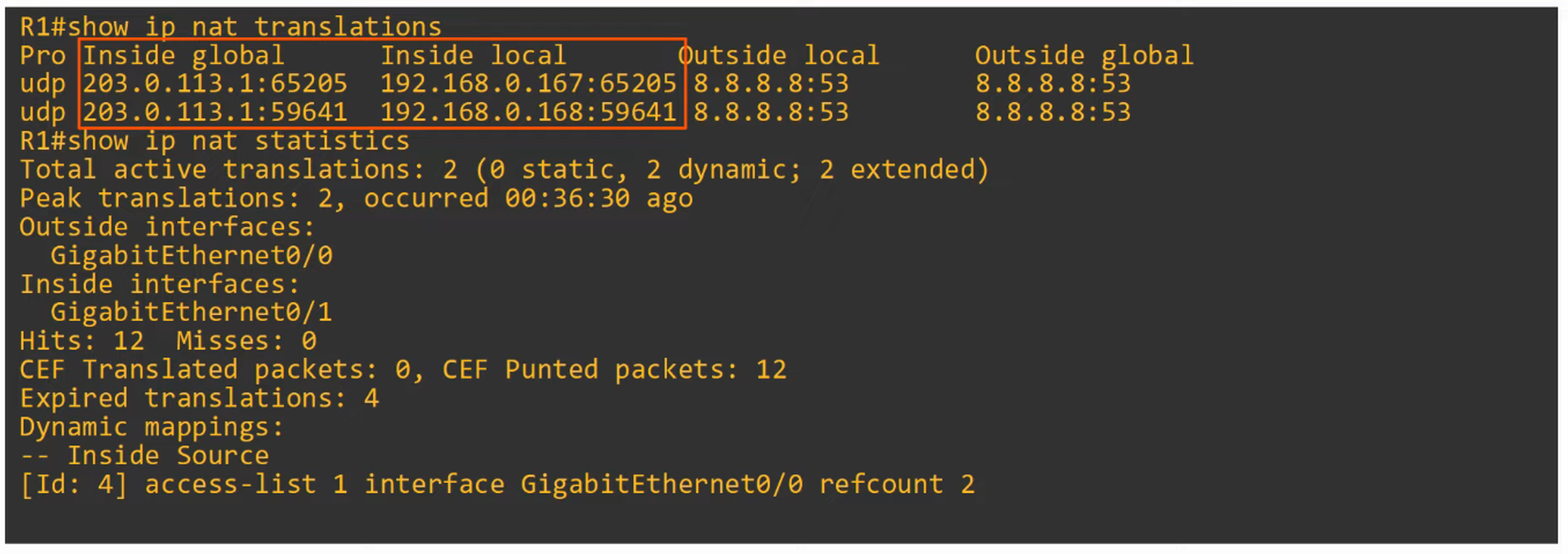
To view NAT translations again, use:
show ip nat translations
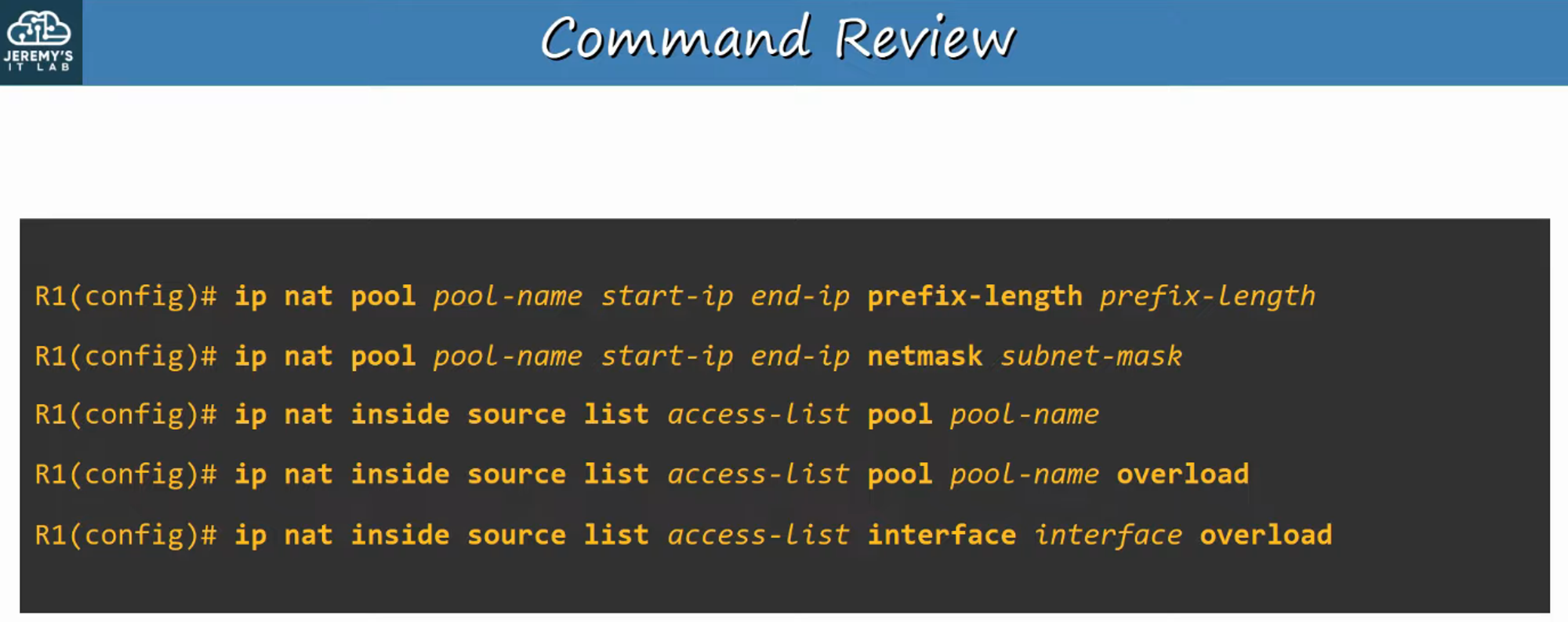
Command Review
A summary of key commands related to Dynamic NAT and PAT configurations.