Private IPv4 Addresses (RFC 1918)
- The IPv4 addressing scheme does not provide enough addresses for all devices requiring an IP address in today’s digital landscape.
- The long-term solution is transitioning to IPv6. However, there are three primary short-term solutions:
- CIDR (Classless Inter-Domain Routing)
- Private IPv4 Addresses
- NAT (Network Address Translation)
RFC 1918 Private Address Ranges
RFC 1918 specifies the following IPv4 address ranges as private:
10.0.0.0 /8       (10.0.0.0 to 10.255.255.255)             CLASS A
172.16.0.0 /12    (172.16.0.0 to 172.31.255.255)           CLASS B
192.168.0.0 /16   (192.168.0.0 to 192.168.255.255)         CLASS C
- These addresses can be freely used within your networks and do not need to be globally unique.
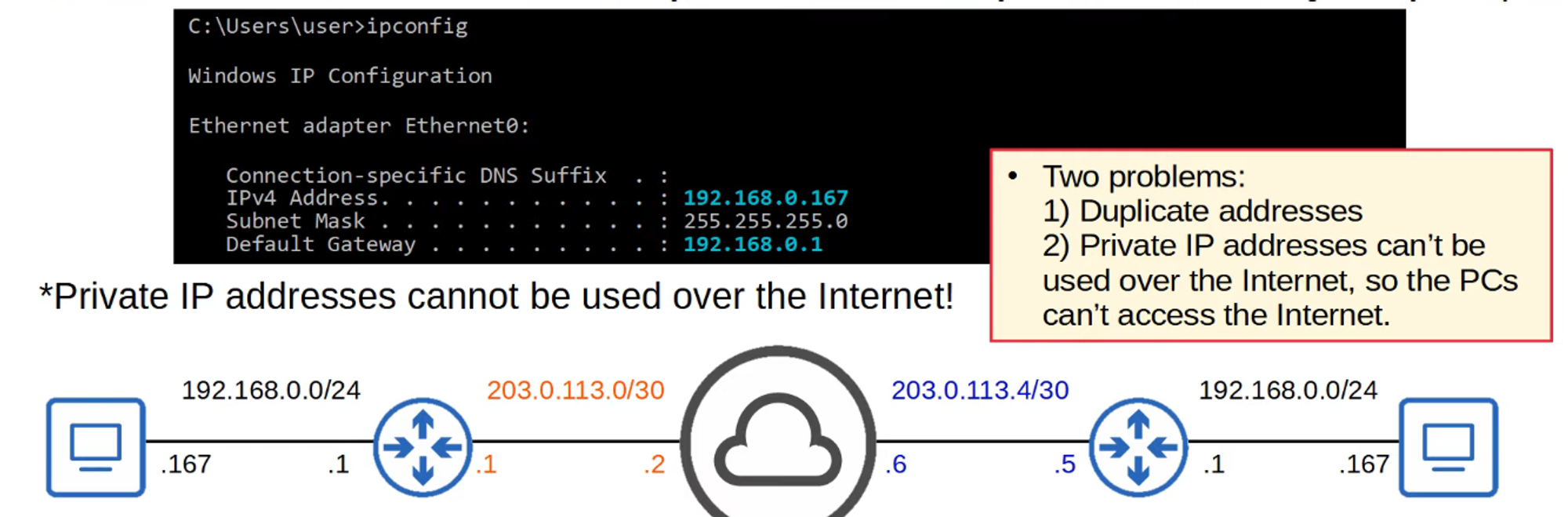
Introduction to NAT
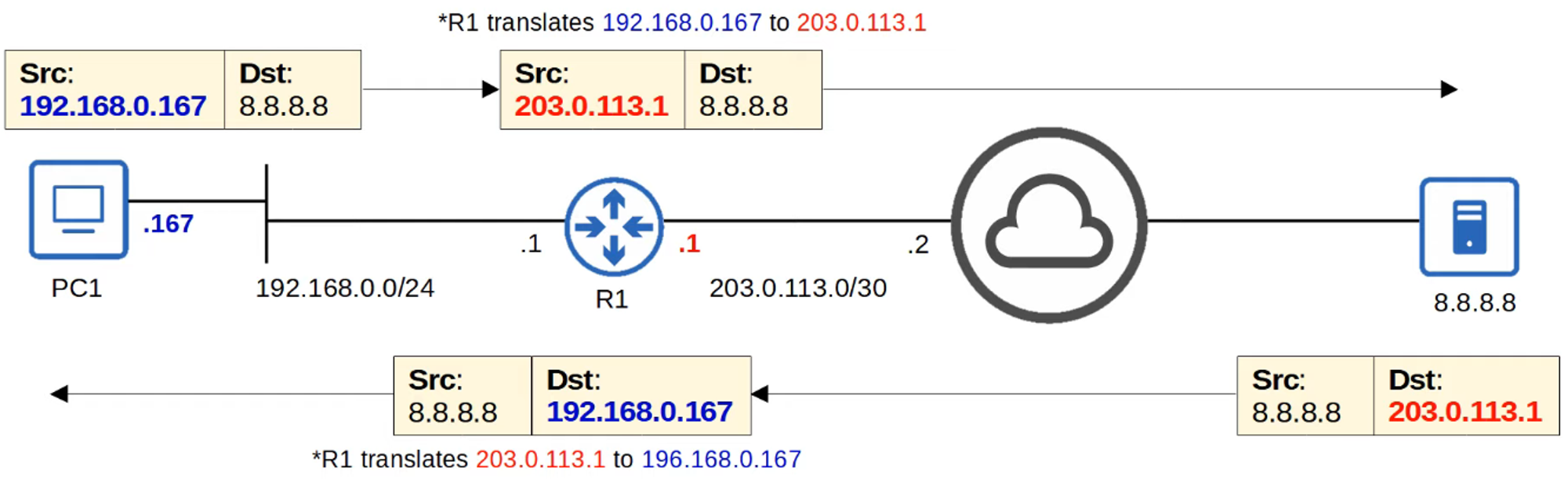
Network Address Translation (NAT) is a method used to modify the source and/or destination IP addresses of packets as they pass through a router or firewall.
Common Uses of NAT
- The most common application of NAT is to allow hosts with private IP addresses to communicate with other hosts over the Internet.
- For the CCNA certification, it’s essential to understand Source NAT and how to configure it on Cisco routers.
Static NAT
- Static NAT involves configuring one-to-one mappings between private IP addresses and public addresses. This means that each private IP address has a fixed corresponding public IP address.
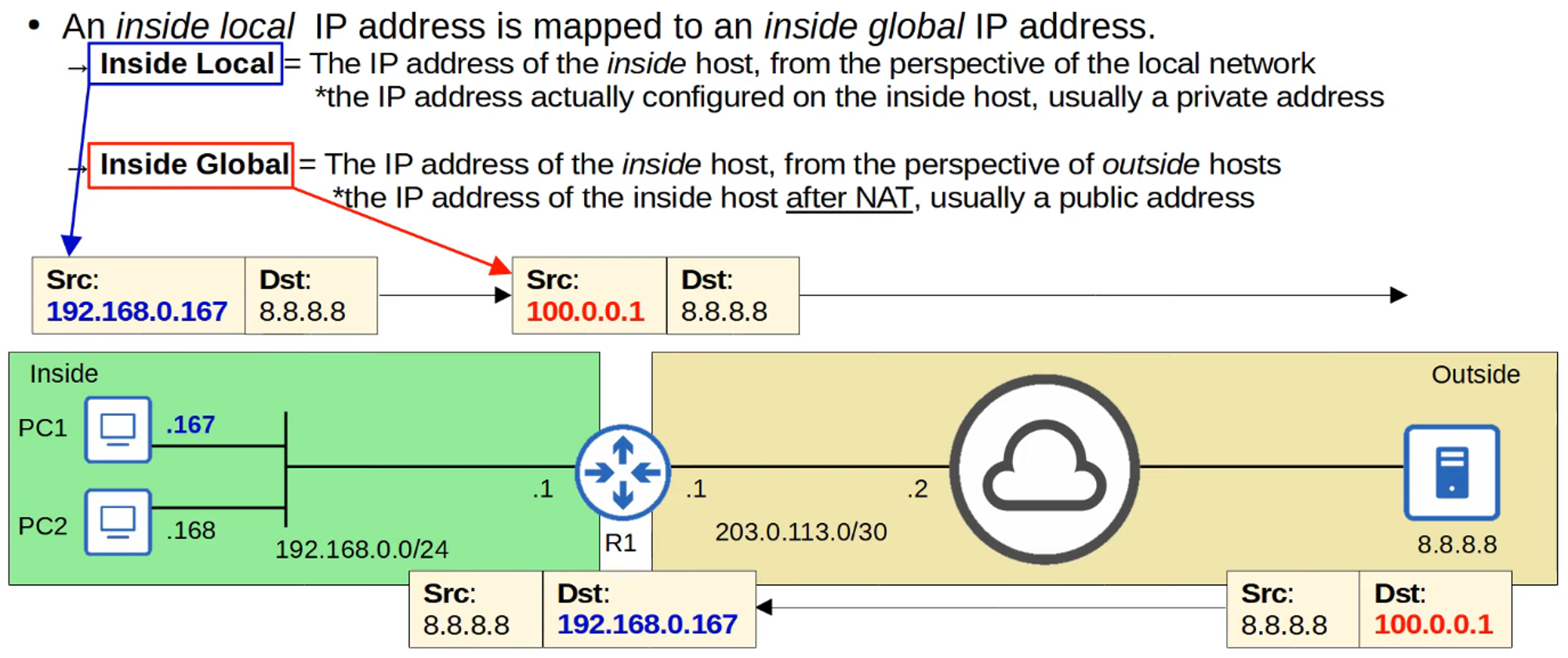
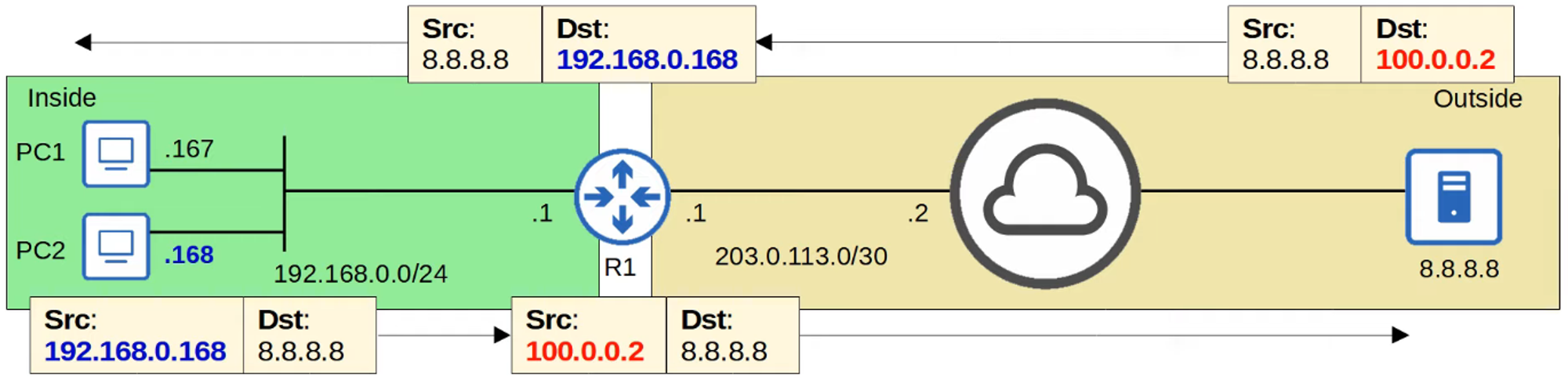
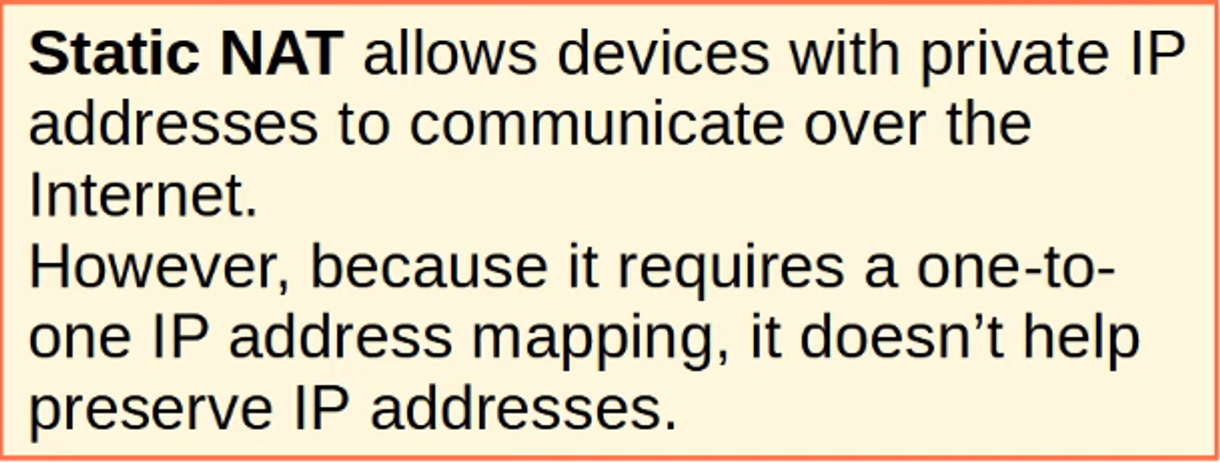
Important Note
- A private IP address cannot be mapped to the same global IP address multiple times; the second mapping will be rejected.

Static NAT Configurations
Configuration Example
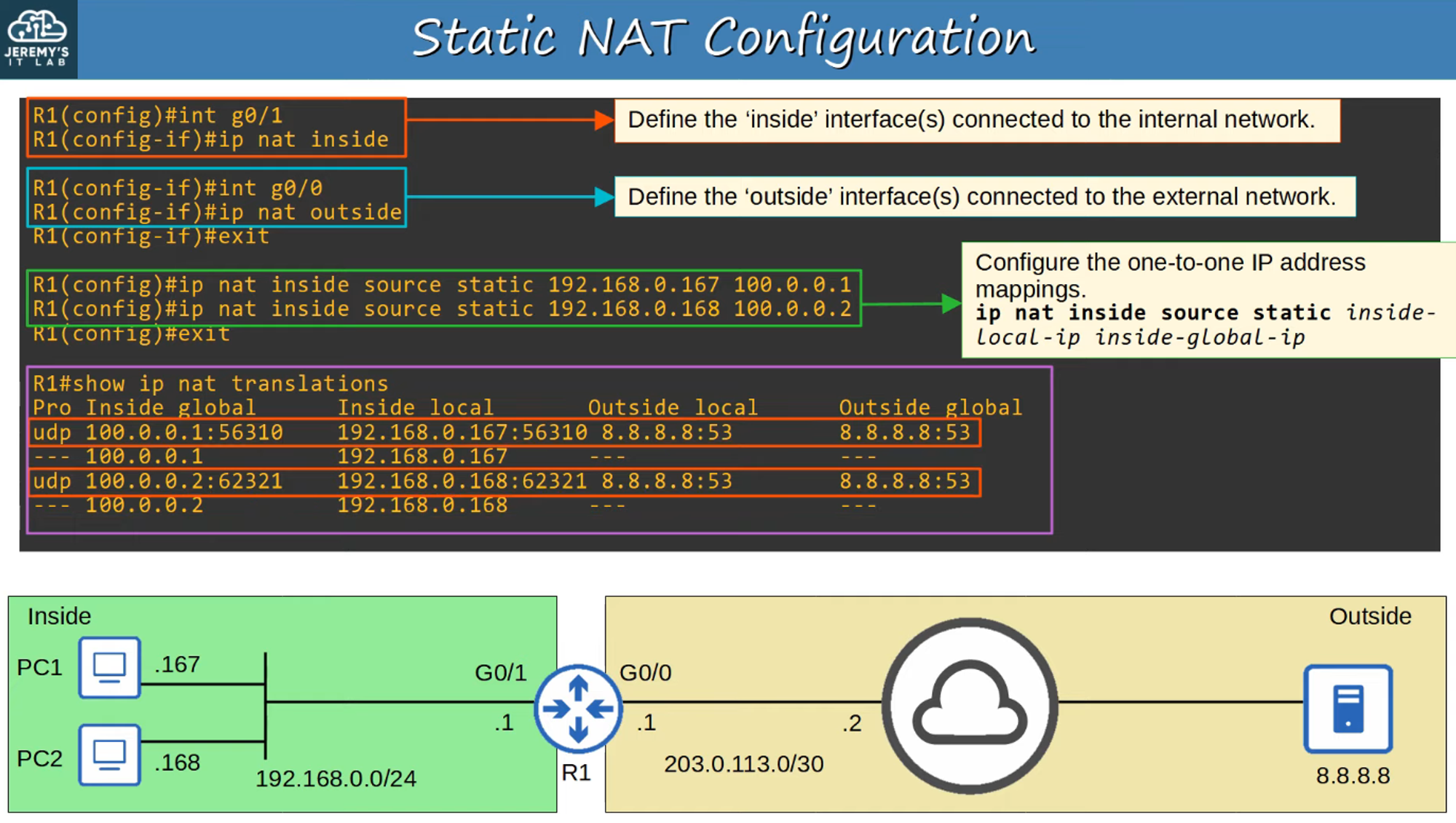
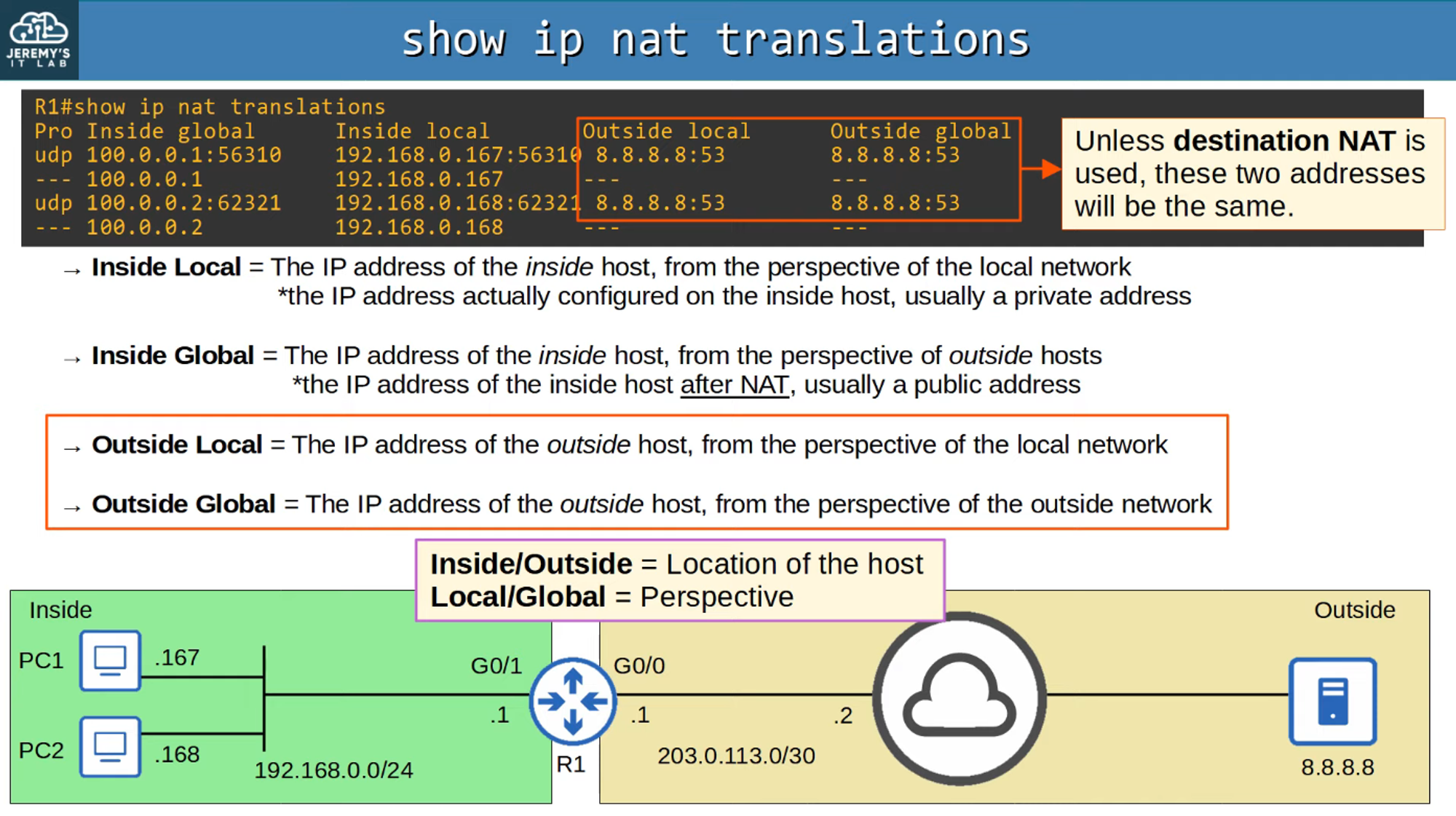
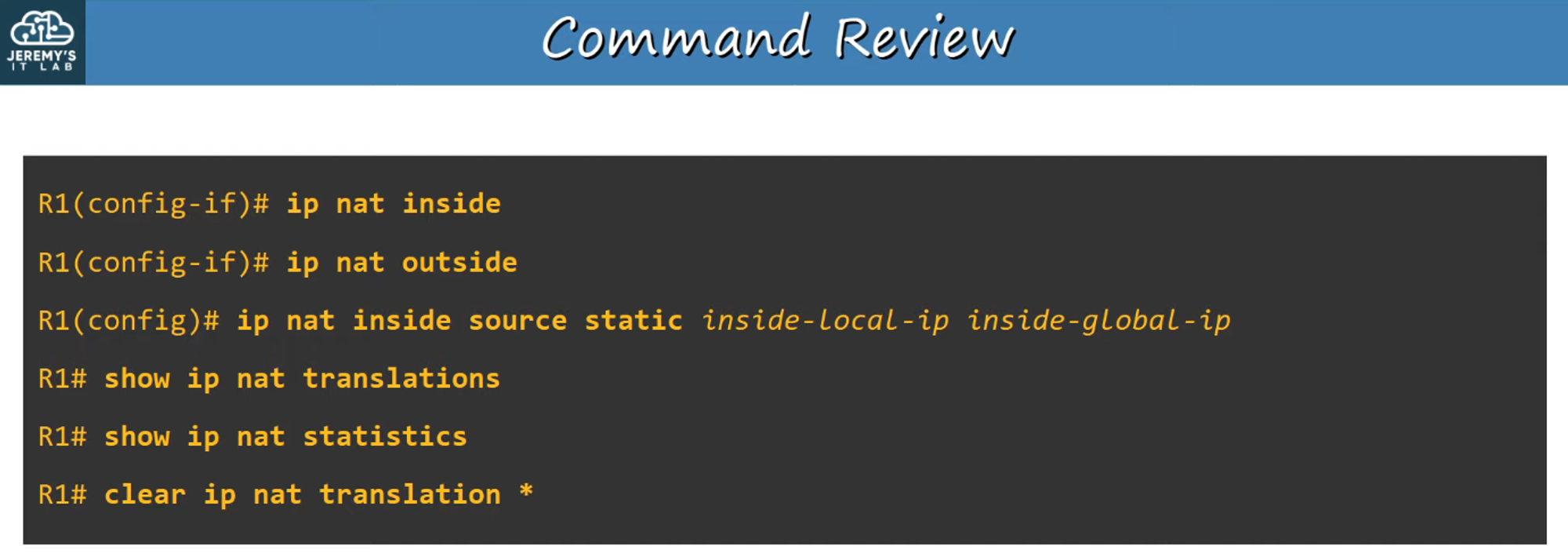
Useful Commands
-
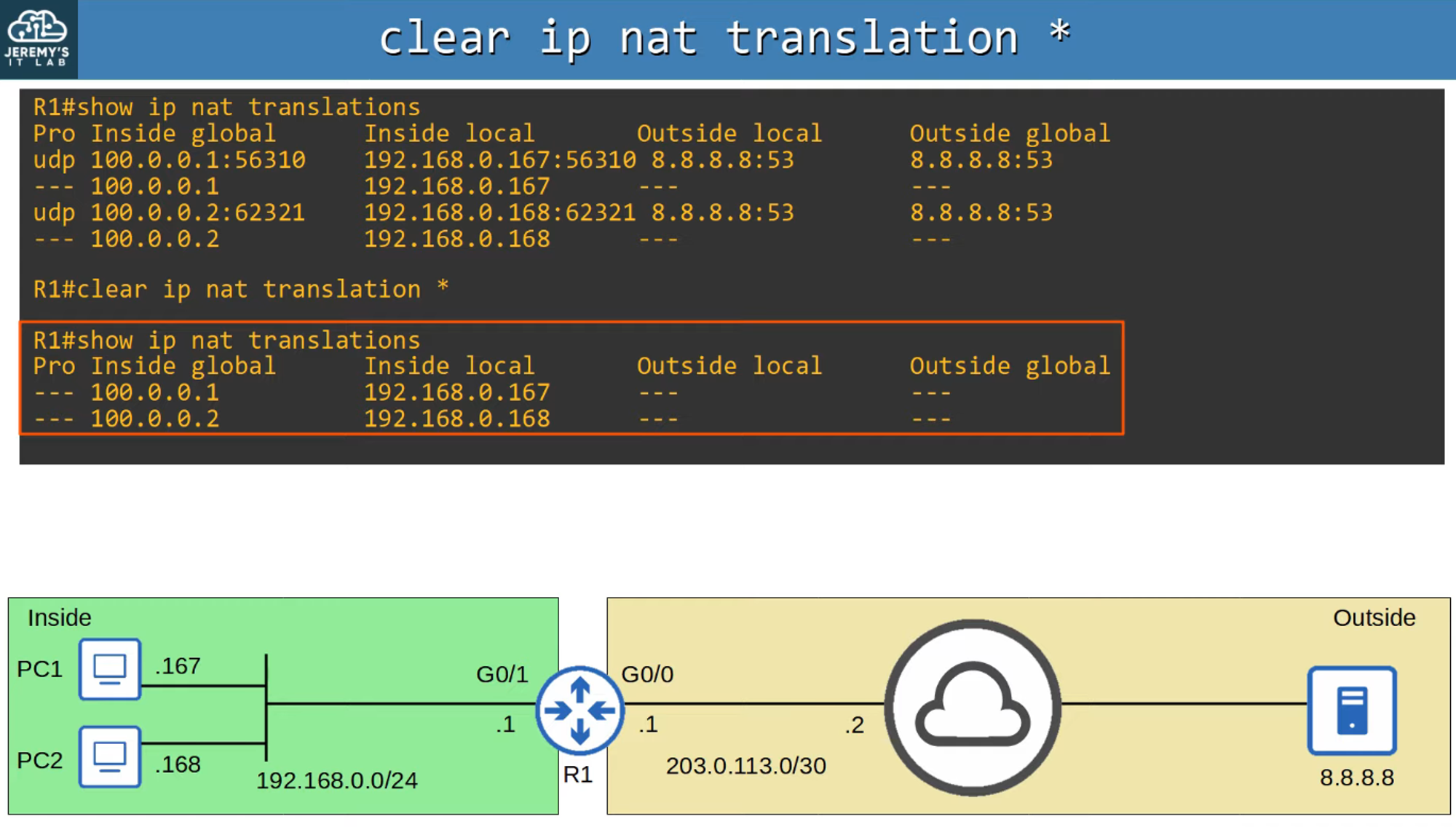
To clear NAT translations:
clear ip nat translation -
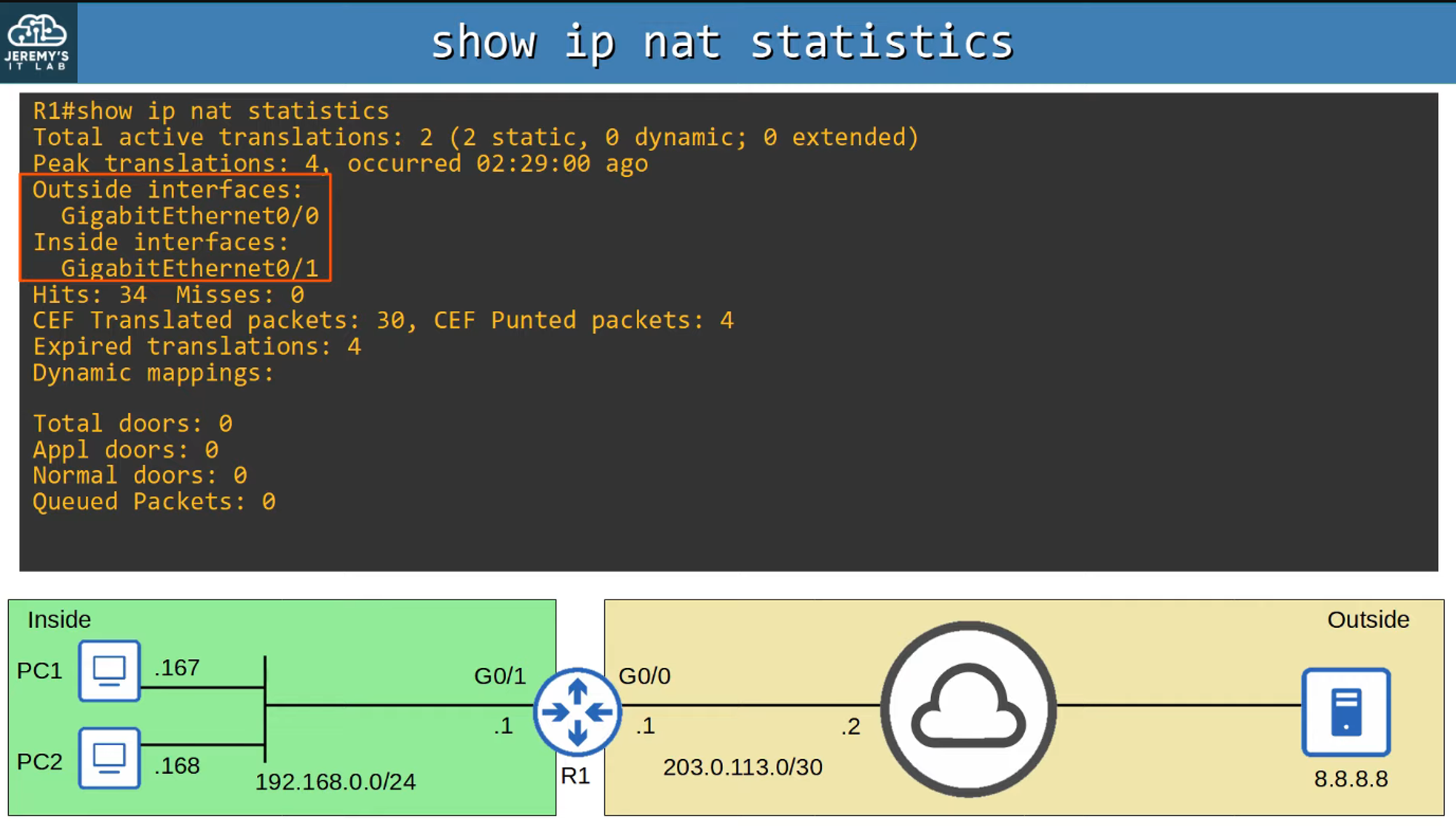
To view NAT statistics:
show ip nat statistics
Command Review
A summary of key commands related to Static NAT configurations.