Console Port Security
By default, no password is required to access the CLI of a Cisco IOS device via the console port. However, it’s essential to secure this access to prevent unauthorized users from gaining control over the device.
Configuring Password Protection on Console Port:
- You can configure a password on the console line, requiring a user to enter the password before accessing the CLI via the console.
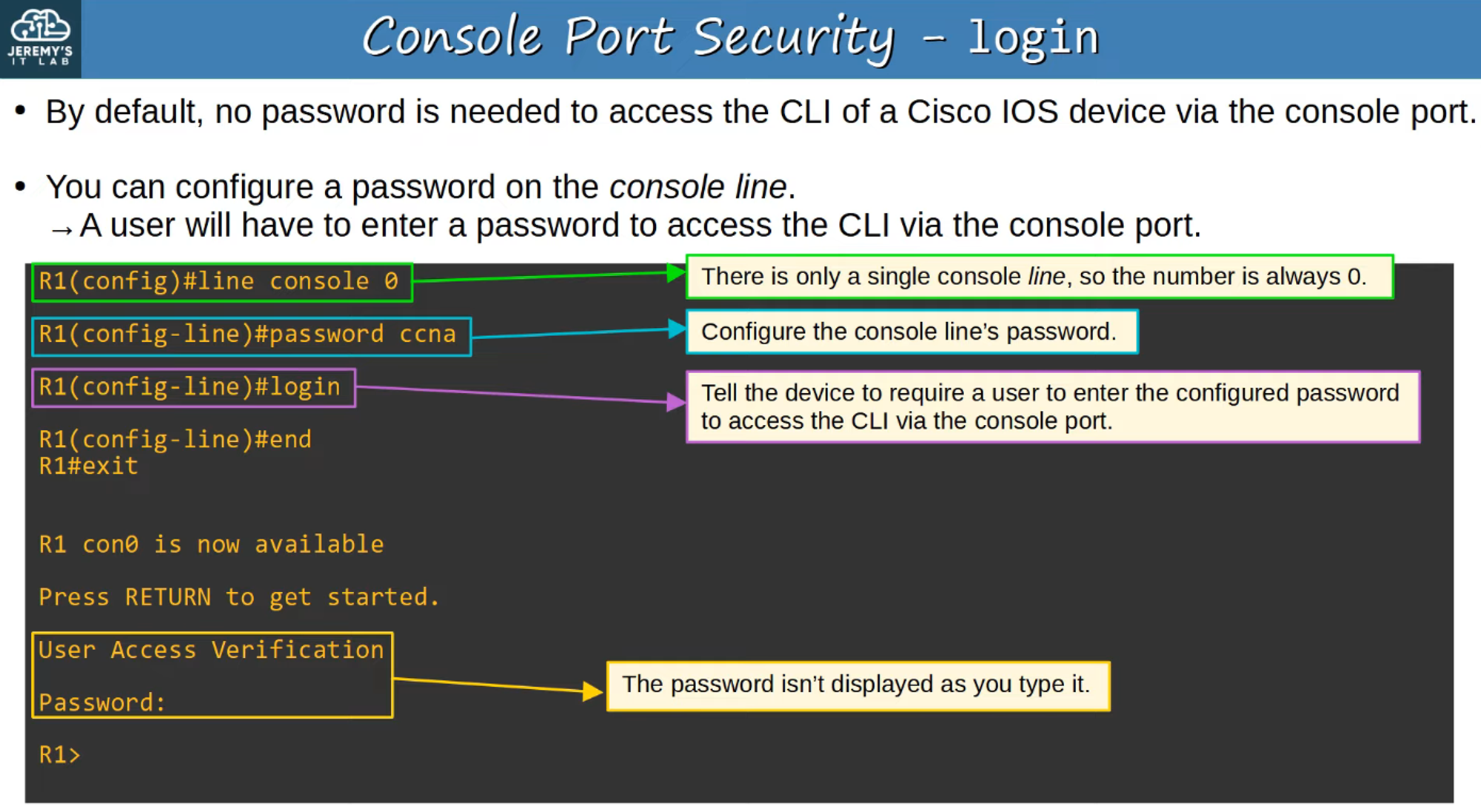
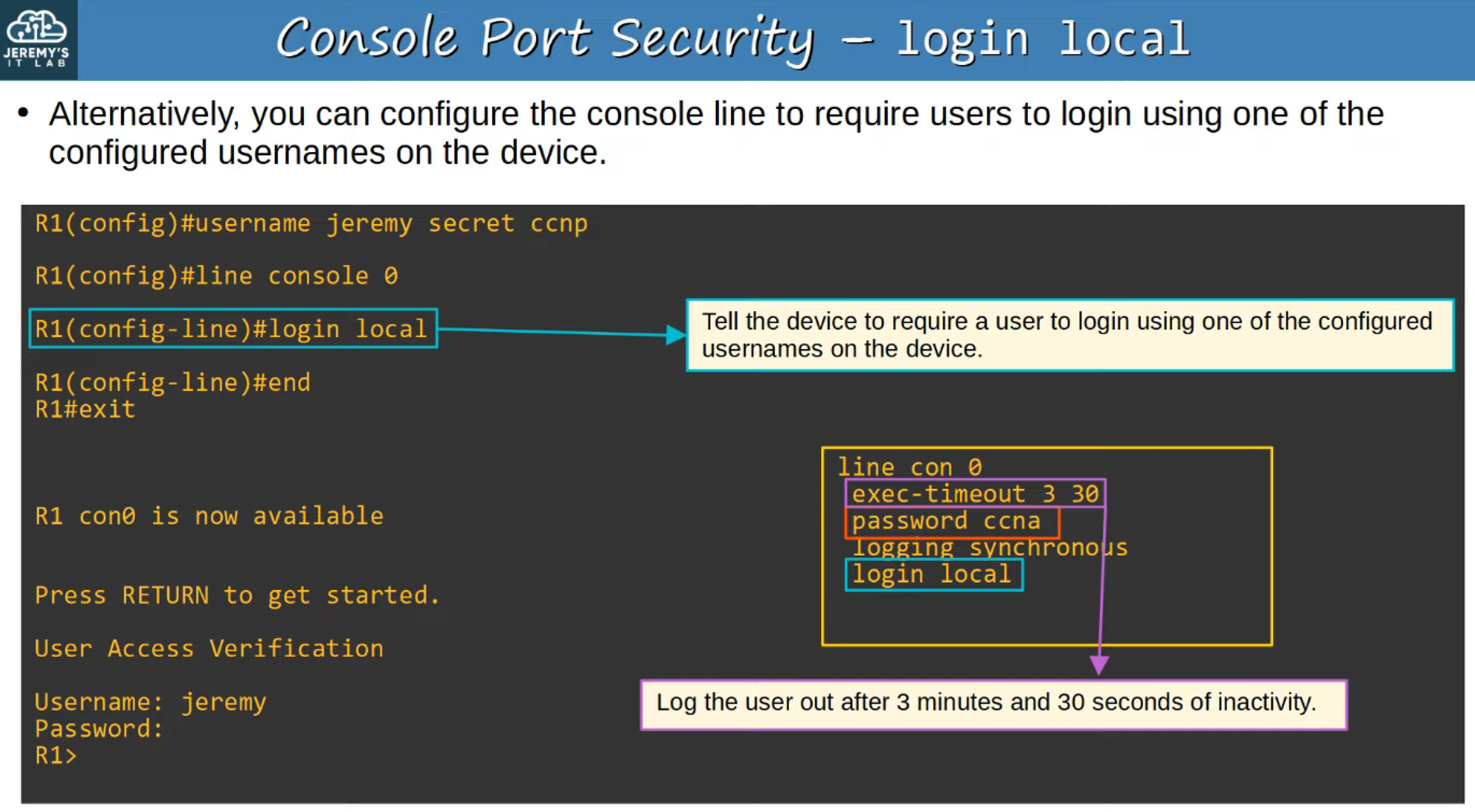
Alternatively, you can configure the console line to require users to login with a username and password that has already been set on the device. This method adds another layer of security.
Layer 2 Switch Management IP
Layer 2 switches do not perform IP routing or build a routing table, as they operate at the data link layer (Layer 2) of the OSI model. However, you can assign an IP address to a Switch Virtual Interface (SVI) to enable remote access to the switch’s CLI, such as via Telnet or SSH.
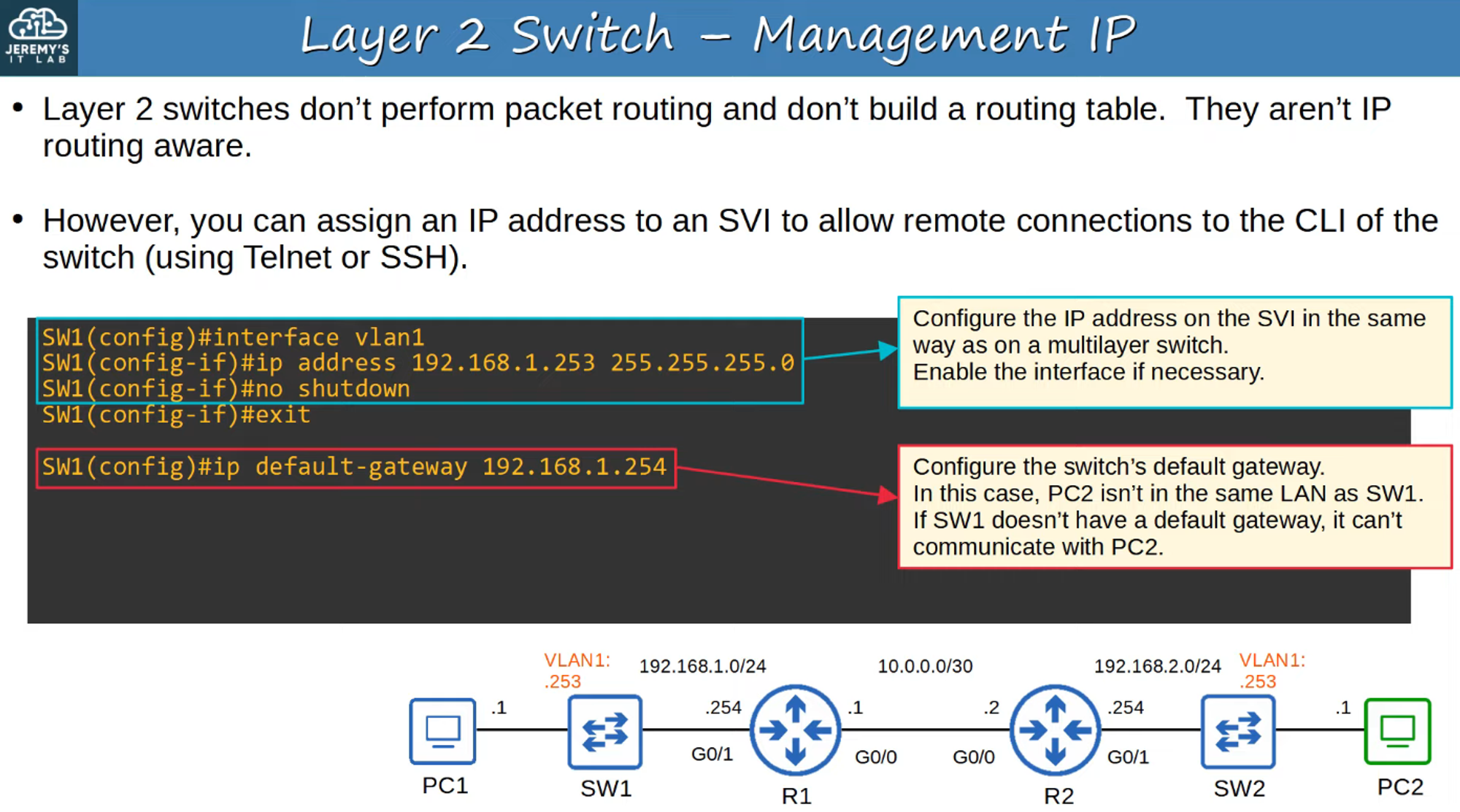
Why Assign a Management IP to a Layer 2 Switch?
- It allows you to manage the switch remotely using protocols like Telnet or SSH, without needing direct physical access.
TELNET
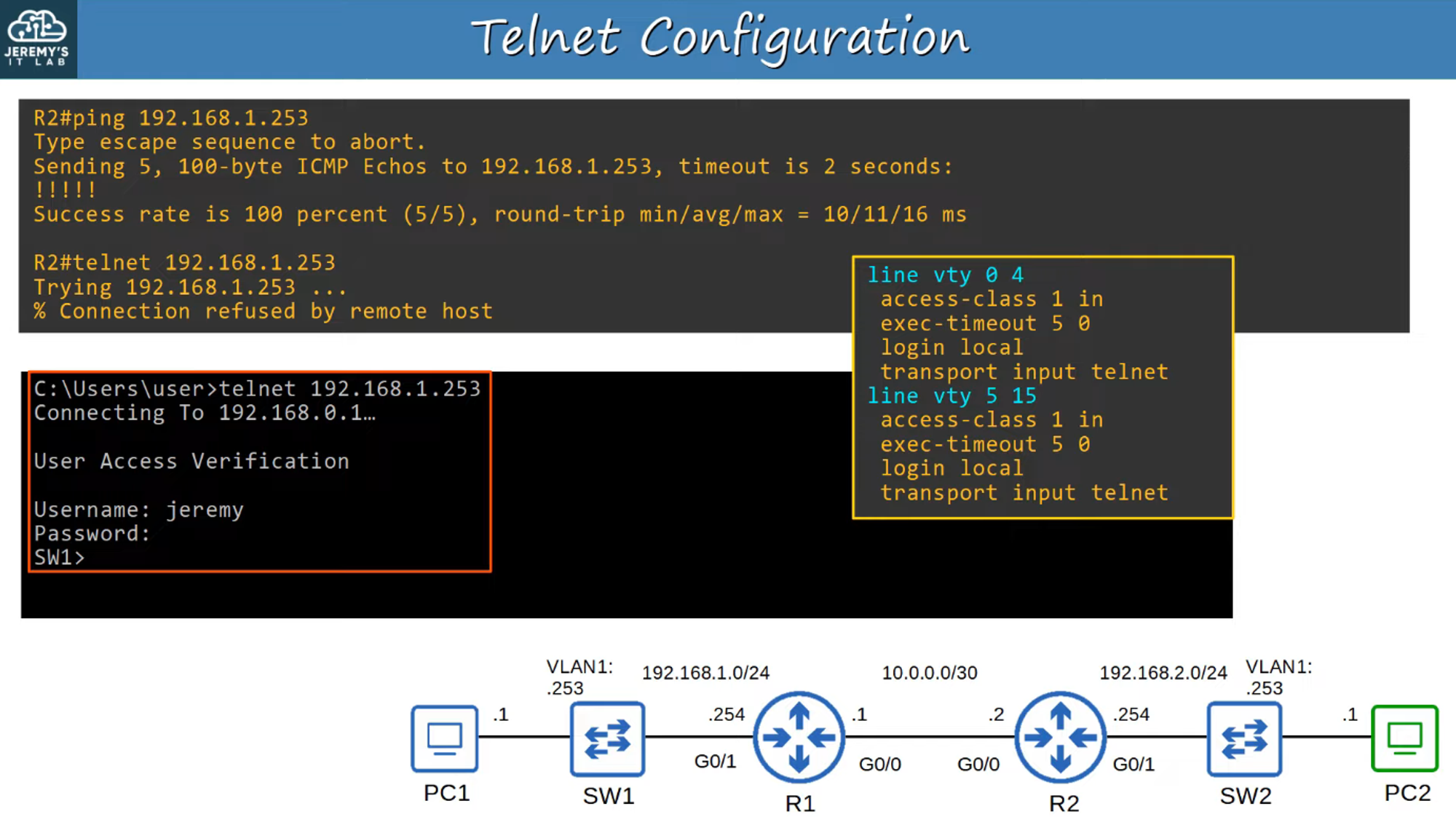
Telnet is a protocol developed in 1969 that allows for remote access to the CLI of another device. Although widely used in the past, it has mostly been replaced by SSH due to its lack of security.
Key Points About Telnet:
- Telnet sends all data in plain text, meaning sensitive information (such as passwords) can easily be intercepted.
- Because it offers no encryption, it is considered insecure, especially for sensitive or mission-critical networks.
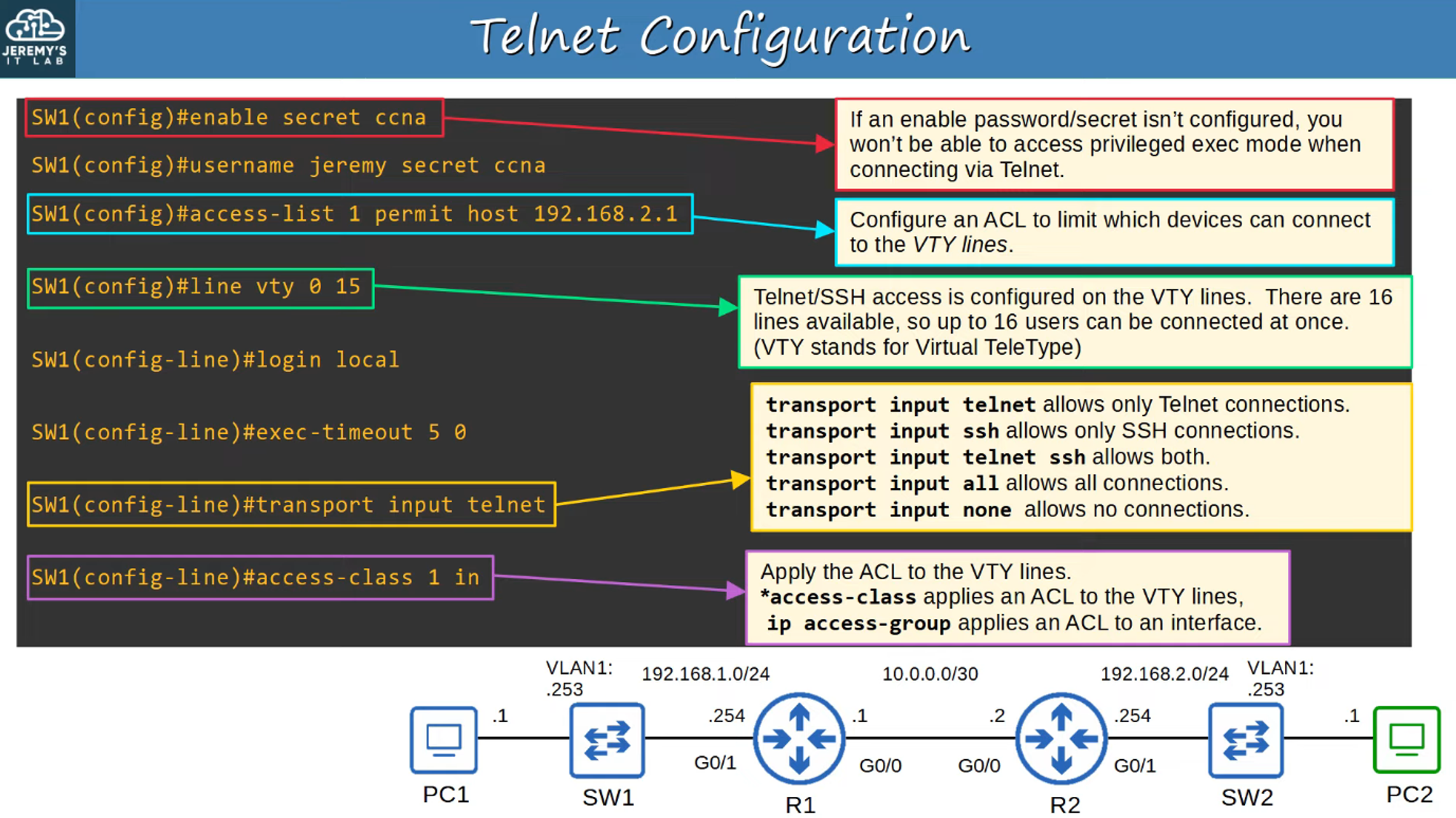
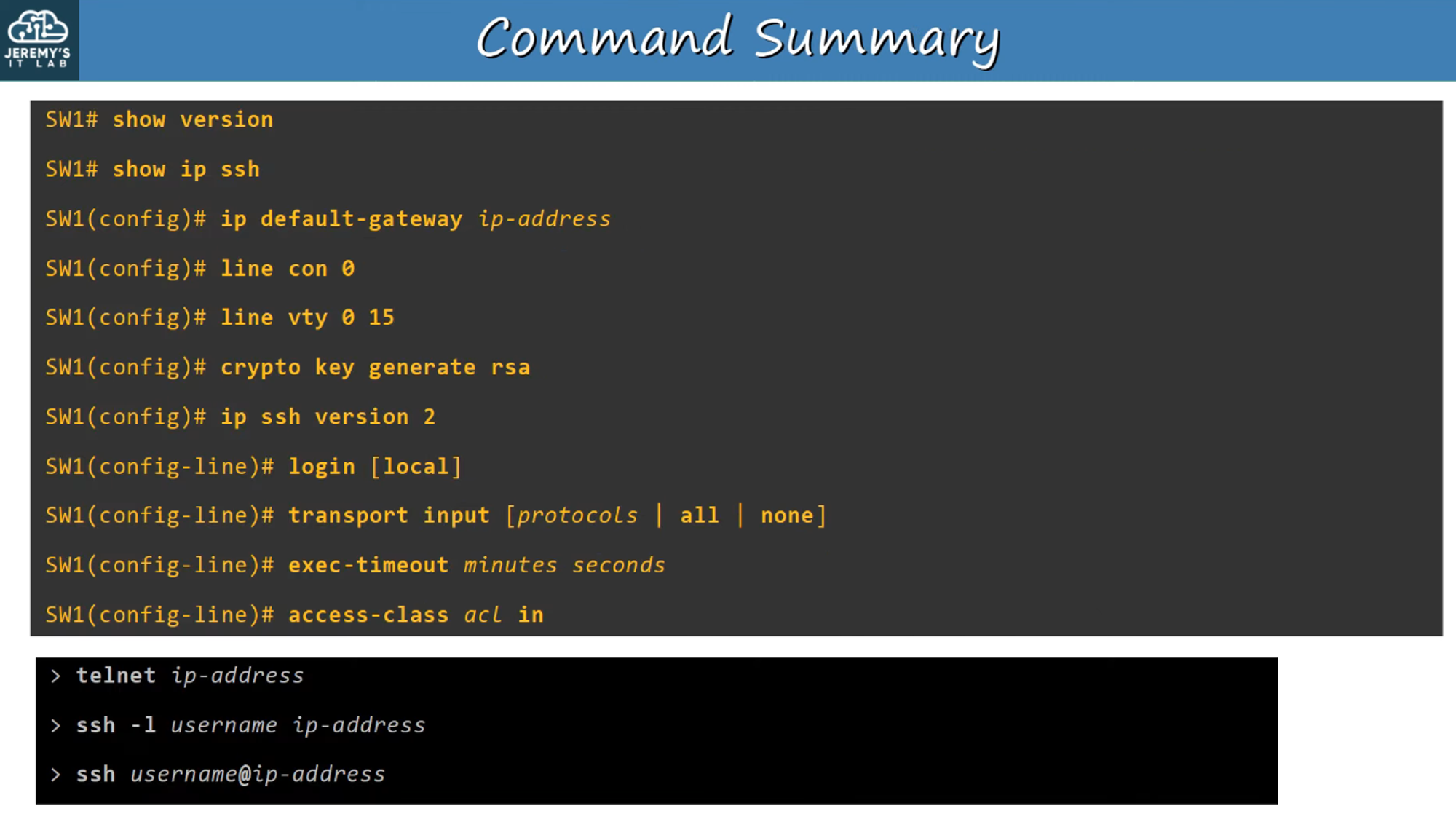
Verifying Telnet Configuration
After configuring Telnet on a device, you should verify that it’s working correctly and that remote access is enabled properly.
SSH (Secure Shell)
SSH (Secure Shell) was developed in 1995 to replace less secure protocols like Telnet. It provides encryption and authentication, making remote access more secure.
Key Features of SSH:
- SSH offers secure access by encrypting data and authenticating users.
- SSHv2 was released in 2006 and is much more secure than the original version (SSHv1).
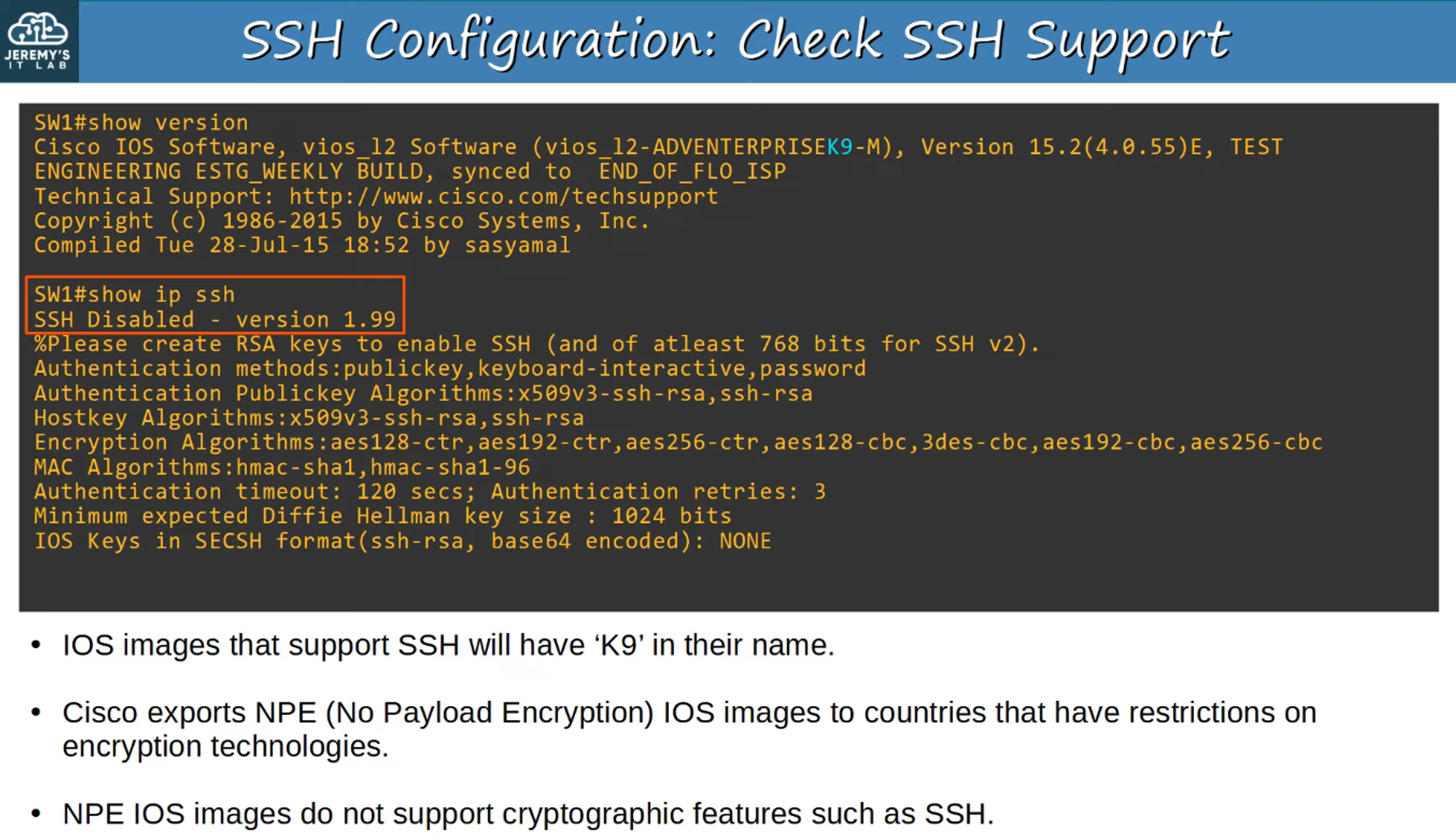
- If a device supports both versions, it is said to run version 1.99.
How to Check SSH Support:
You can verify if SSH is supported and enabled on a Cisco device.
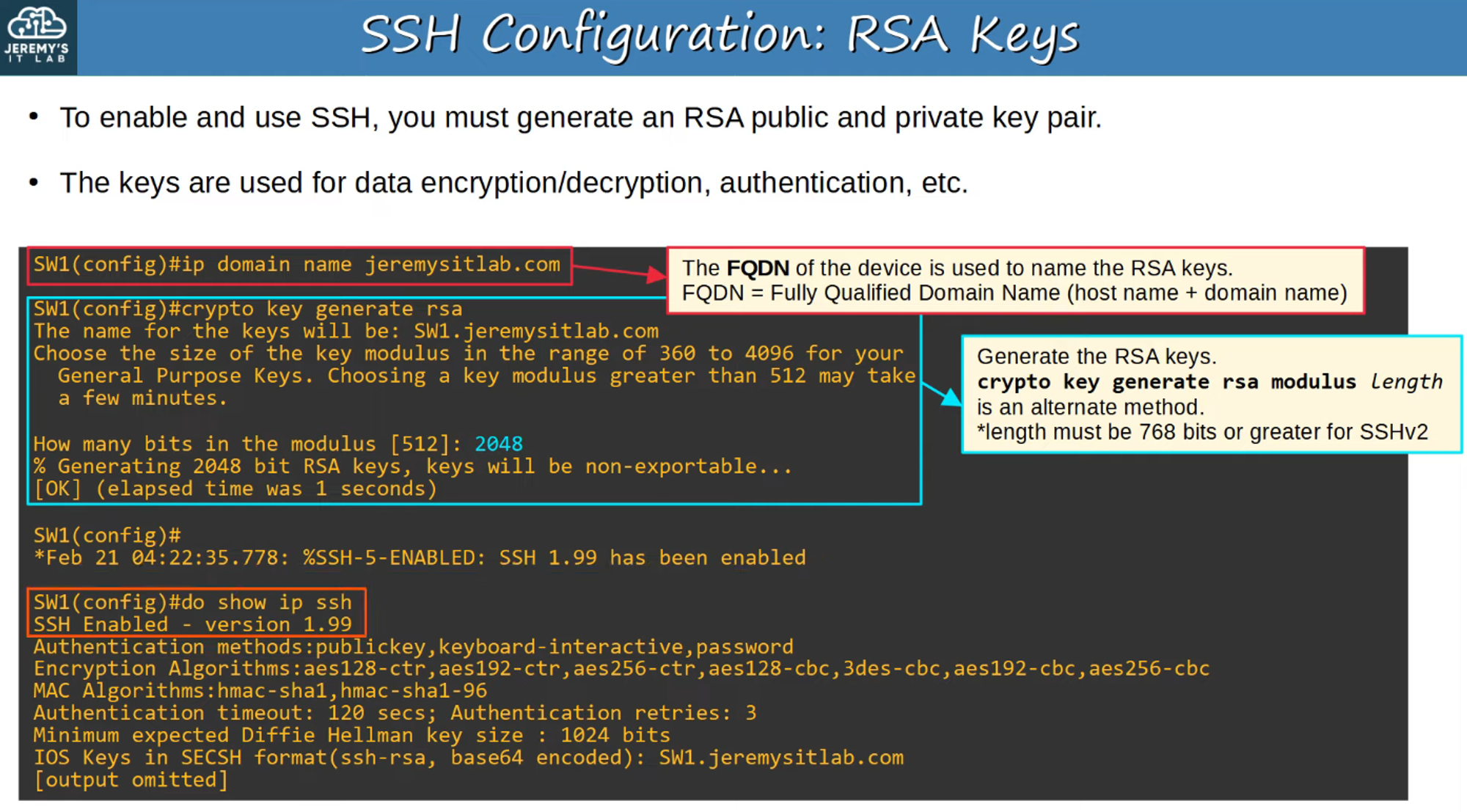
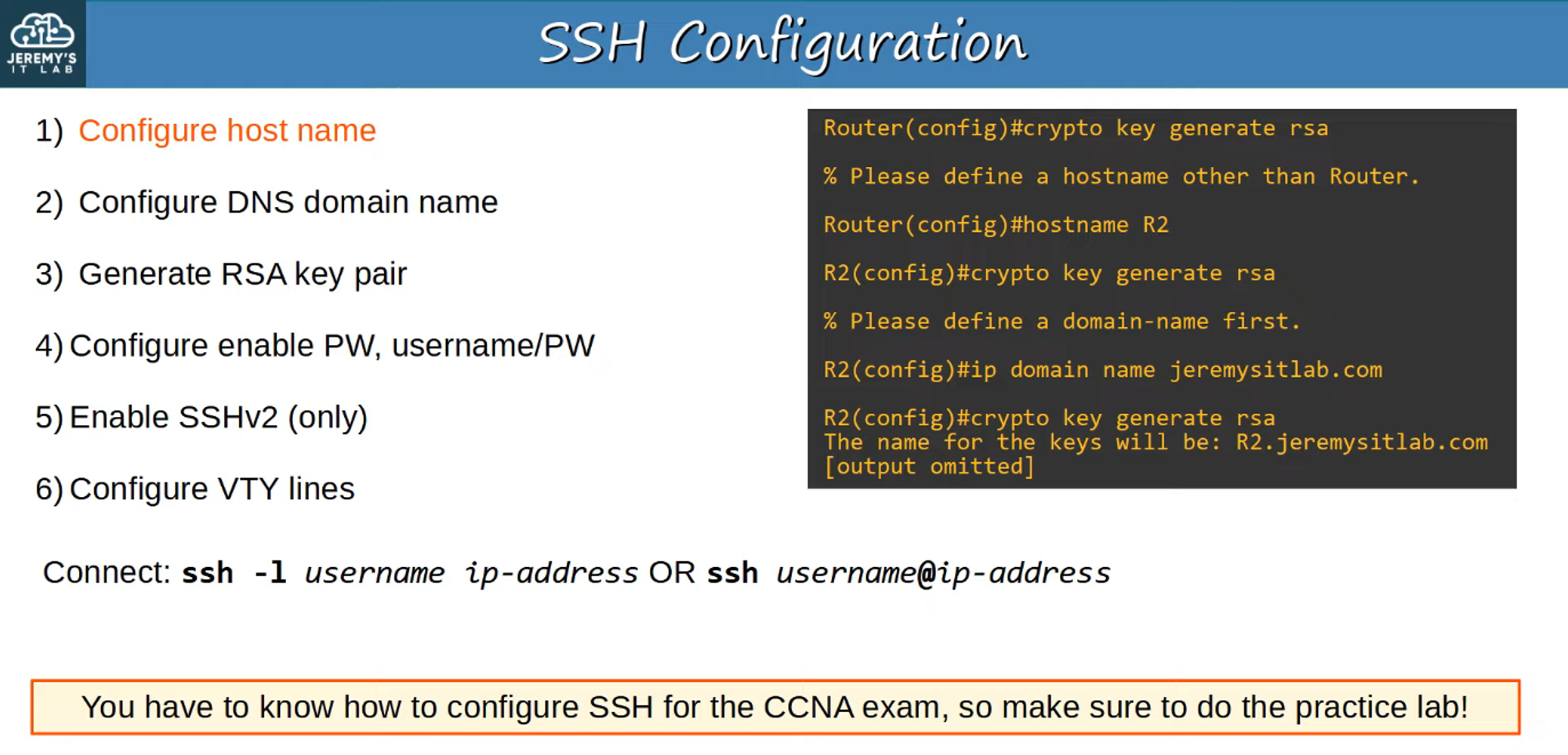
RSA Keys for SSH:
To use SSH, you must generate an RSA key pair (public and private keys). These keys are used for data encryption, decryption, and authentication.
VTY (Virtual Teletype) Lines
VTY lines are virtual interfaces that allow remote connections to a device. Configuring SSH requires setting these VTY lines to accept SSH connections securely.
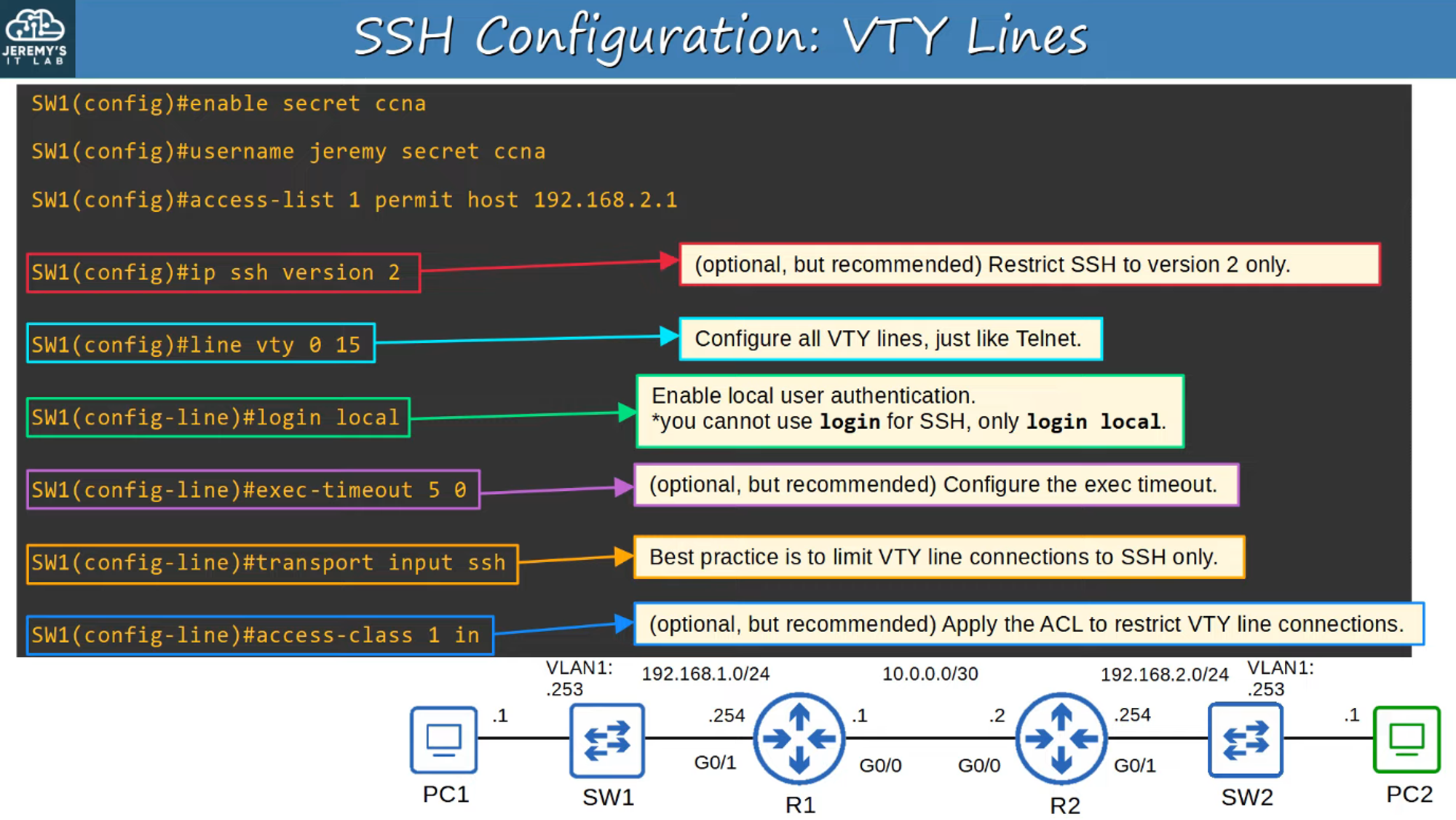
Summary of SSH Configurations
Setting up SSH involves several key steps, from generating RSA keys to configuring the VTY lines. It is crucial to ensure secure remote access to your devices for both management and troubleshooting.
Conclusion
SSH is a critical protocol for securely managing network devices remotely. Unlike Telnet, it ensures data confidentiality through encryption and provides strong authentication mechanisms, making it the go-to option for secure network management.