Overview of SYSLOG
SYSLOG is an industry-standard protocol used for message logging on network devices. It is crucial for monitoring and troubleshooting, allowing you to capture key events happening within a device.
SYSLOG Use Cases:
- Monitoring changes in interface status (e.g., UP/DOWN).
- Tracking changes in OSPF neighbor status.
- Logging system restarts and other significant events.
- SYSLOG messages can be:
- Displayed in the CLI (Command-Line Interface).
- Saved in the device’s RAM.
- Sent to an external SYSLOG server for centralized logging.

Key Point:
SYSLOG and SNMP are both used for monitoring and troubleshooting devices but have different functions and methods.
SYSLOG Message Format
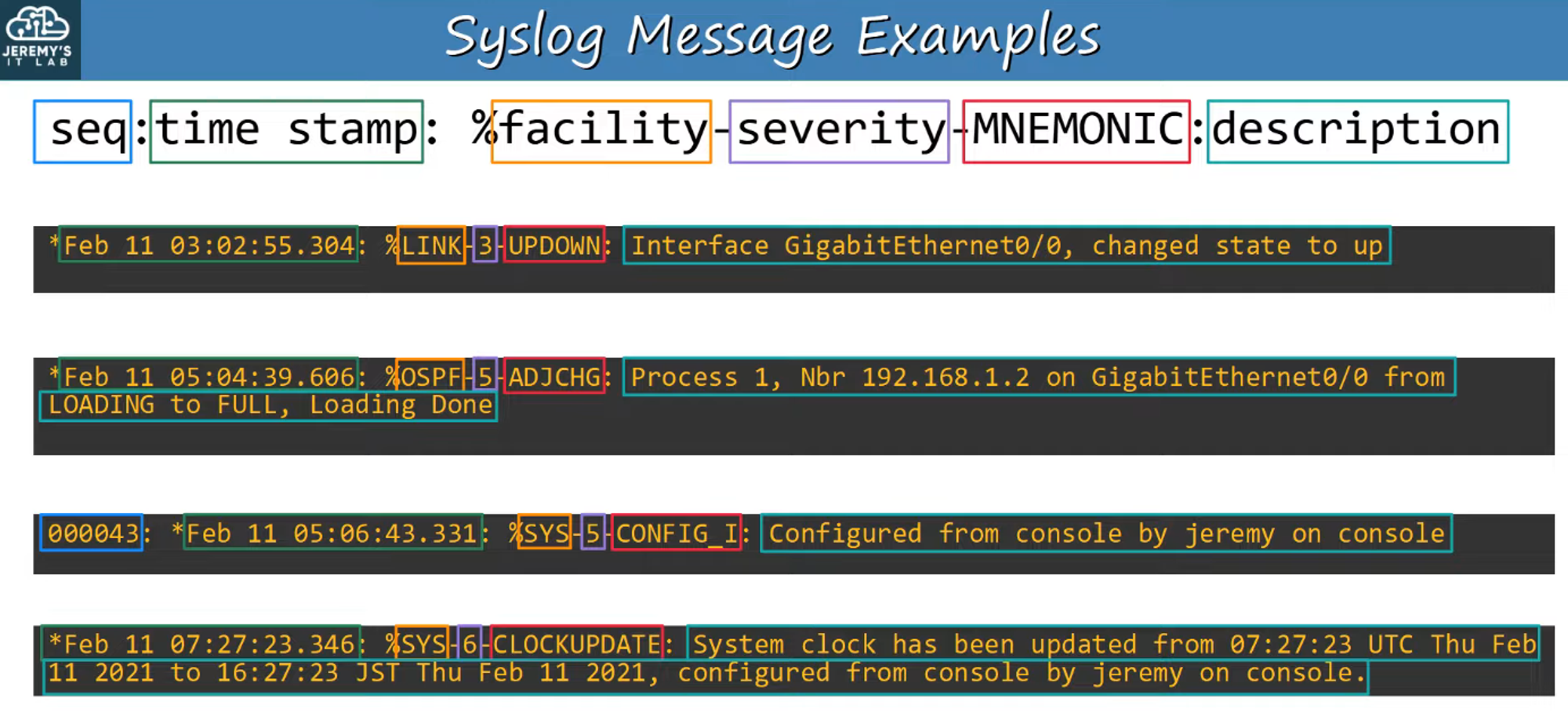
SYSLOG messages follow this structure:
seq: time stamp: %facility-severity-MNEMONIC:description
Components of a SYSLOG Message:
-
seq: A sequence number indicating the order of messages. -
time stamp: Indicates when the message was generated. -
facility: Identifies which process or component of the device generated the message. -
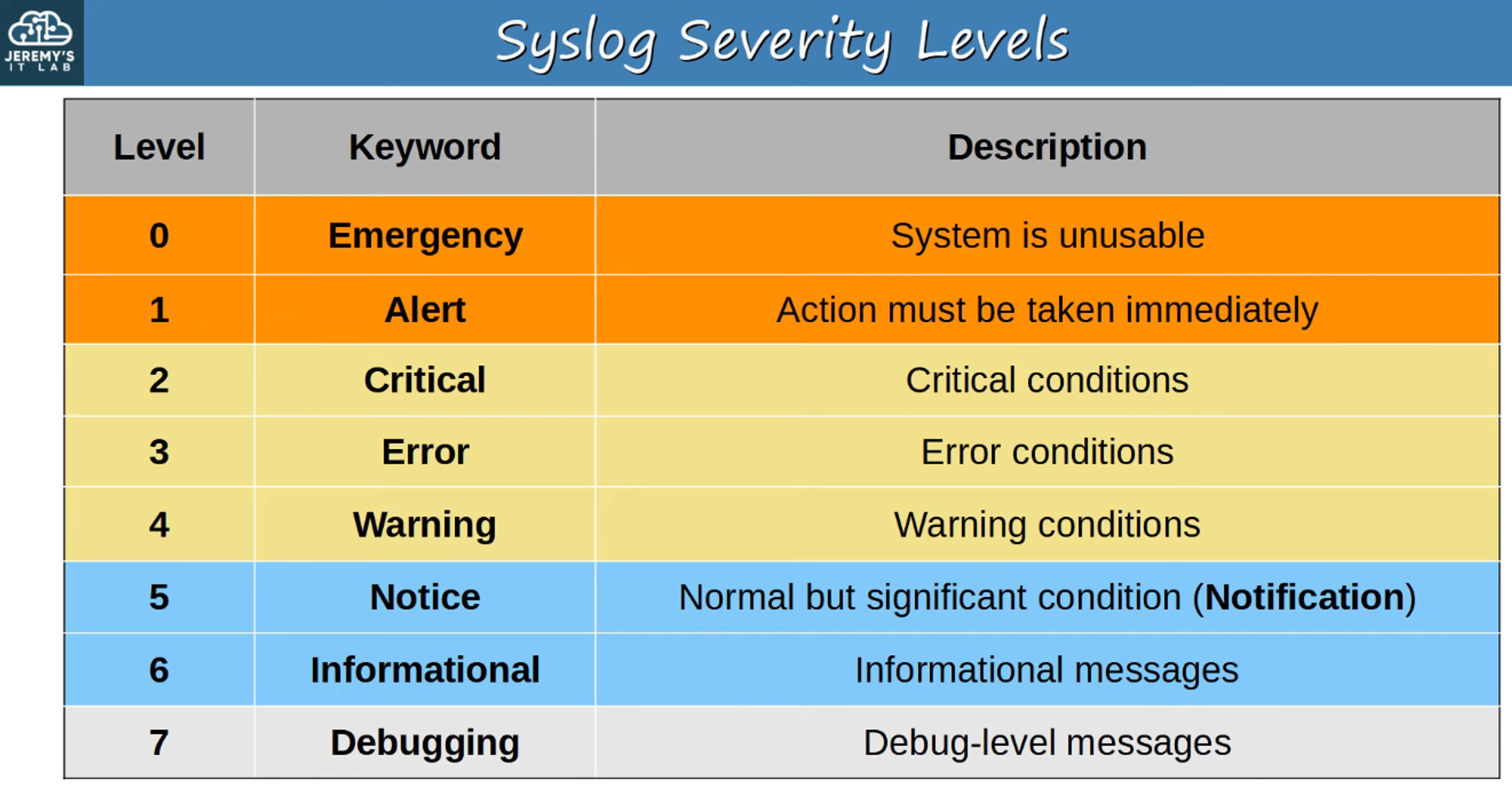
severity: A numeric value indicating the severity of the event (from 0 to 7).
MNEMONIC: A short code summarizing the event (e.g., LINK_UP, CPU_FAIL).description: Detailed information about the event.
SYSLOG Logging Locations
SYSLOG messages can be logged in several locations on a device:
-
Console Line:
- Messages are displayed in the CLI when connected via the console port.
- By default, all messages (levels 0-7) are shown.
-
Buffer (RAM):
- Messages are saved in RAM, with all levels (0-7) displayed by default.
-
VTY Lines:
- Messages are shown when connected via Telnet/SSH.
- This is disabled by default.
-
External SYSLOG Server:
- Messages can be sent to an external server for centralized logging and analysis.
SYSLOG servers listen for messages on UDP Port 514.
SYSLOG Configuration
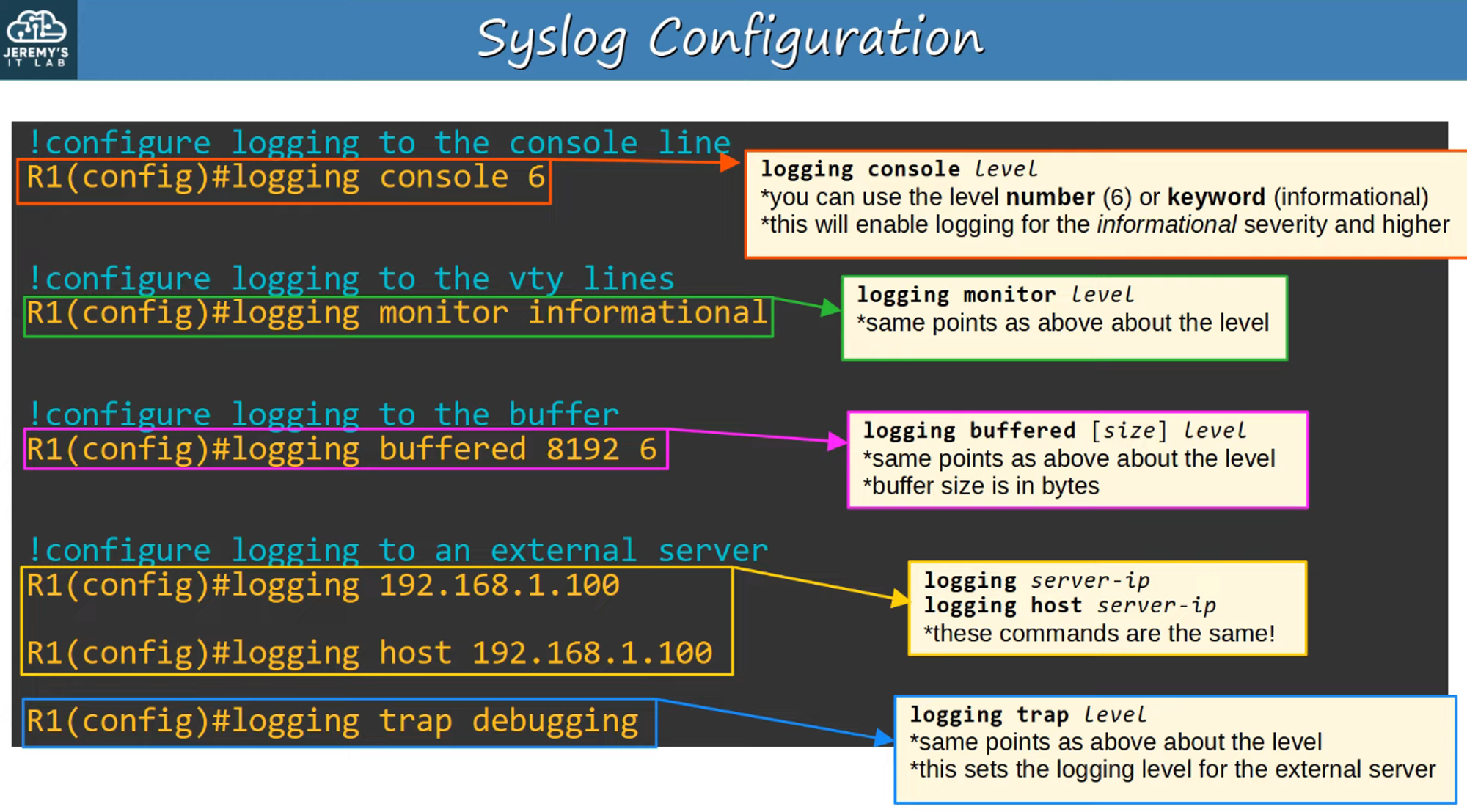
- Logging Levels: SYSLOG allows you to set the logging severity level. Messages at the chosen level and more critical (toward level 0) will be displayed.
- Use either the severity number or the keyword from the severity table when configuring.
Terminal Monitor
By default, even if logging monitor level is enabled, SYSLOG messages will not be displayed when connected via Telnet or SSH.
To view SYSLOG messages in these sessions, use:
R1# terminal monitor
Logging Synchronous
When SYSLOG messages appear while typing commands in the CLI, it may cause confusion:

To prevent this, you can enable logging synchronous on the specific line, ensuring that the system inserts a new line if typing is interrupted by a message:

This results in cleaner output, even if messages arrive while typing commands:

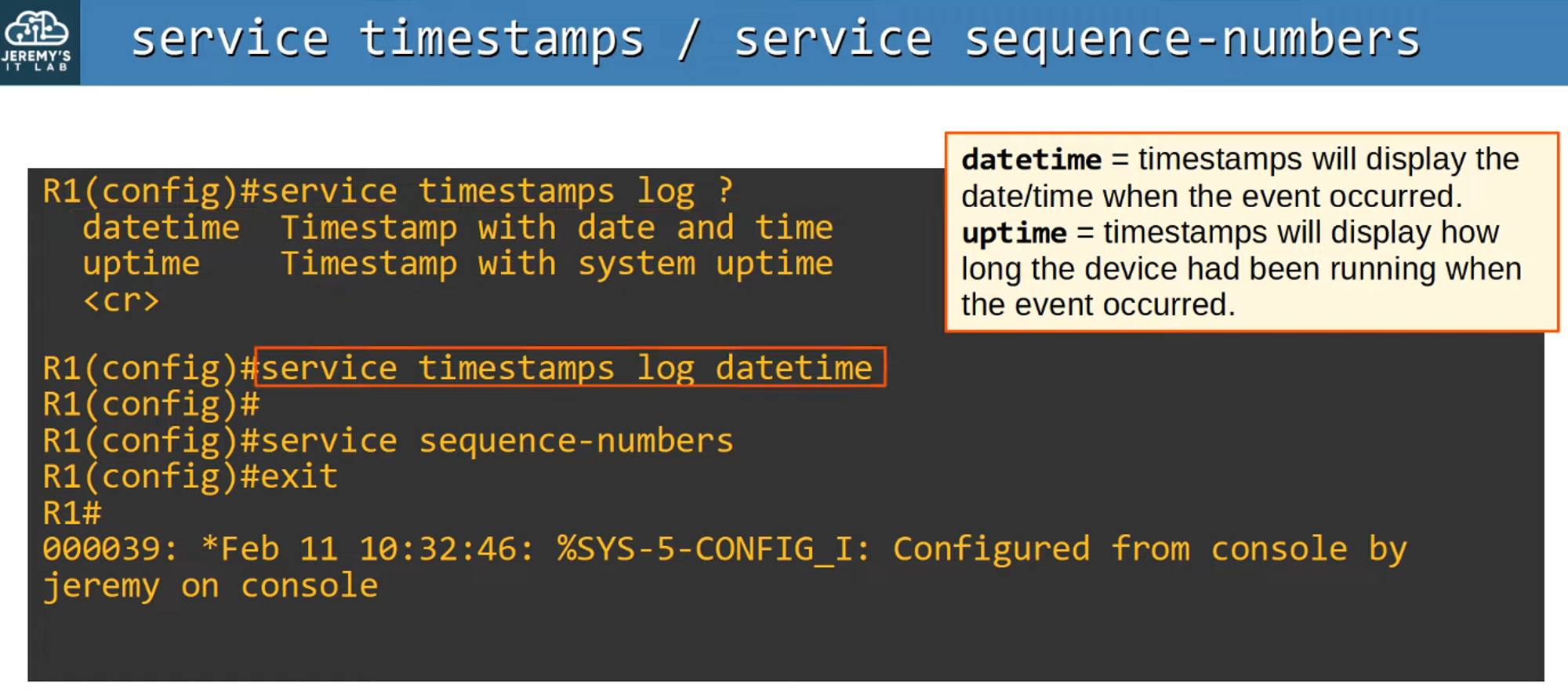
Service Timestamps and Sequence Numbers
SYSLOG supports timestamps and sequence numbers to make the log entries more precise and easier to track.
SYSLOG vs. SNMP
Both SYSLOG and SNMP are used for monitoring and troubleshooting network devices, but their functionalities differ:
SYSLOG:
- Focuses on message logging.
- Categorizes events based on facility and severity.
- Used for system management, analysis, and troubleshooting.
- Messages are pushed from devices to the server.
- Unlike SNMP, SYSLOG cannot actively pull data from devices or modify device settings.
SNMP:
- Used to retrieve and organize information from devices.
- Can query devices for status (e.g., IP addresses, interface status, CPU usage).
- SNMP servers can modify variables on devices using Set operations.
In summary:
- SYSLOG is about event logging.
- SNMP is more dynamic, allowing for both information retrieval and configuration management.