Overview of SNMP
Simple Network Management Protocol (SNMP) is an industry-standard protocol designed for monitoring and managing network devices. Originally released in 1988, SNMP allows administrators to collect information about network device status, make configuration changes, and ensure proper operation of a network.
Key Points:
- Protocol History: Although SNMP is called “Simple,” it offers robust capabilities for network monitoring and management.
- RFCs for SNMPv1 (Not necessary to memorize):
- RFC 1065: Structure and identification of management information
- RFC 1066: Management Information Base (MIB) for network management
- RFC 1067: Definition of the Simple Network Management Protocol (SNMP)
SNMP Components:
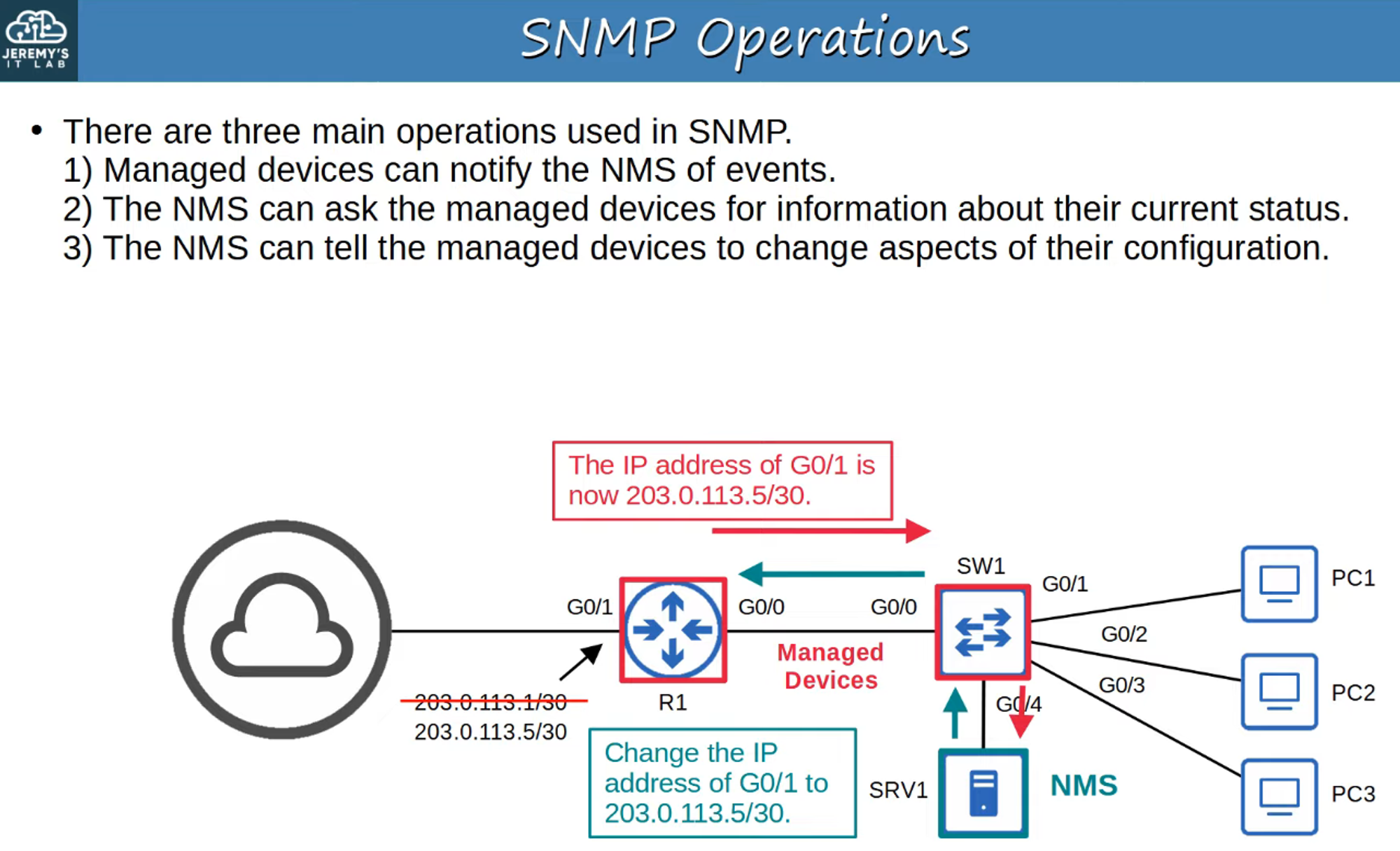
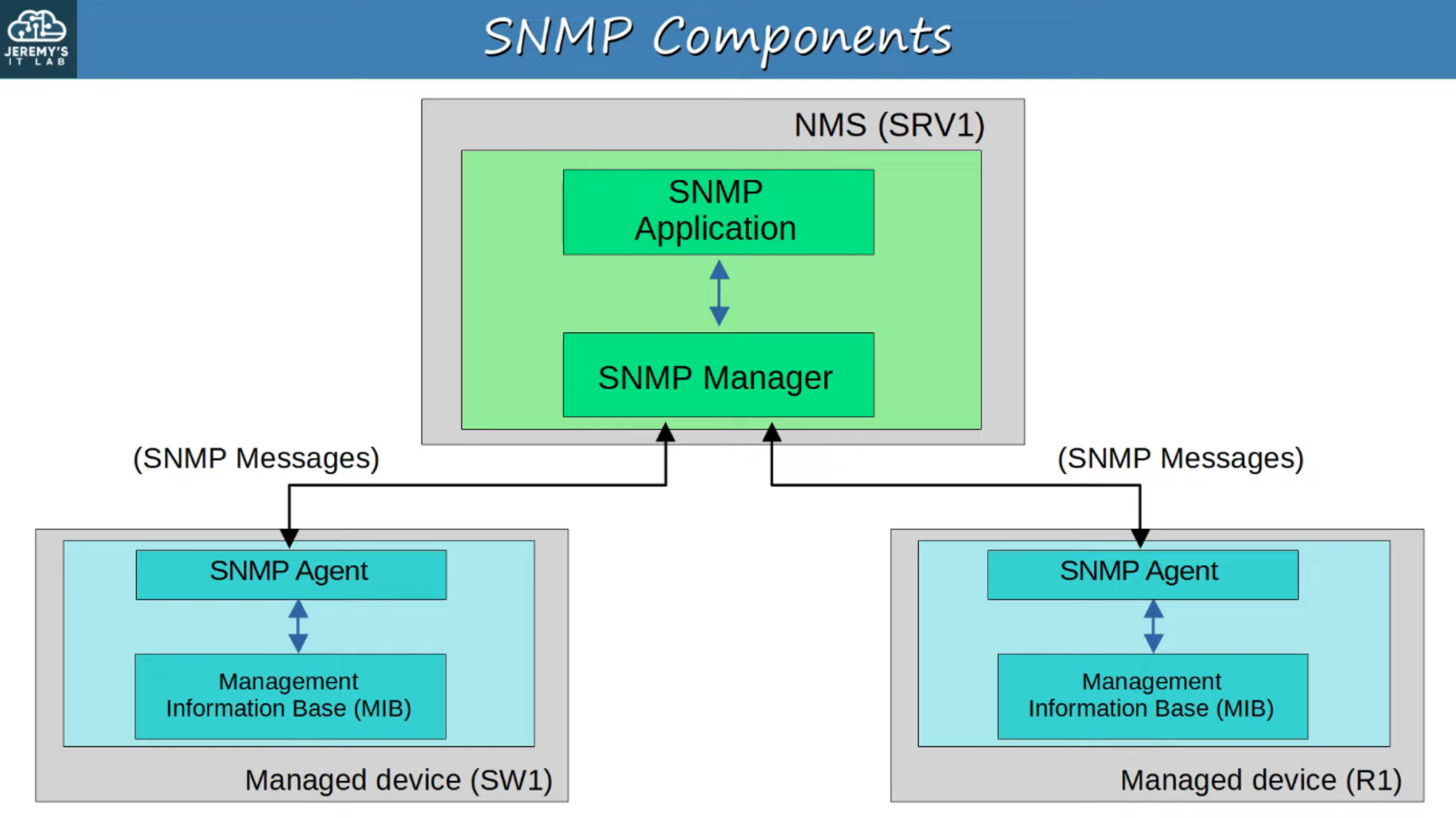
- Managed Devices: These are network devices being managed by SNMP, such as routers and switches.
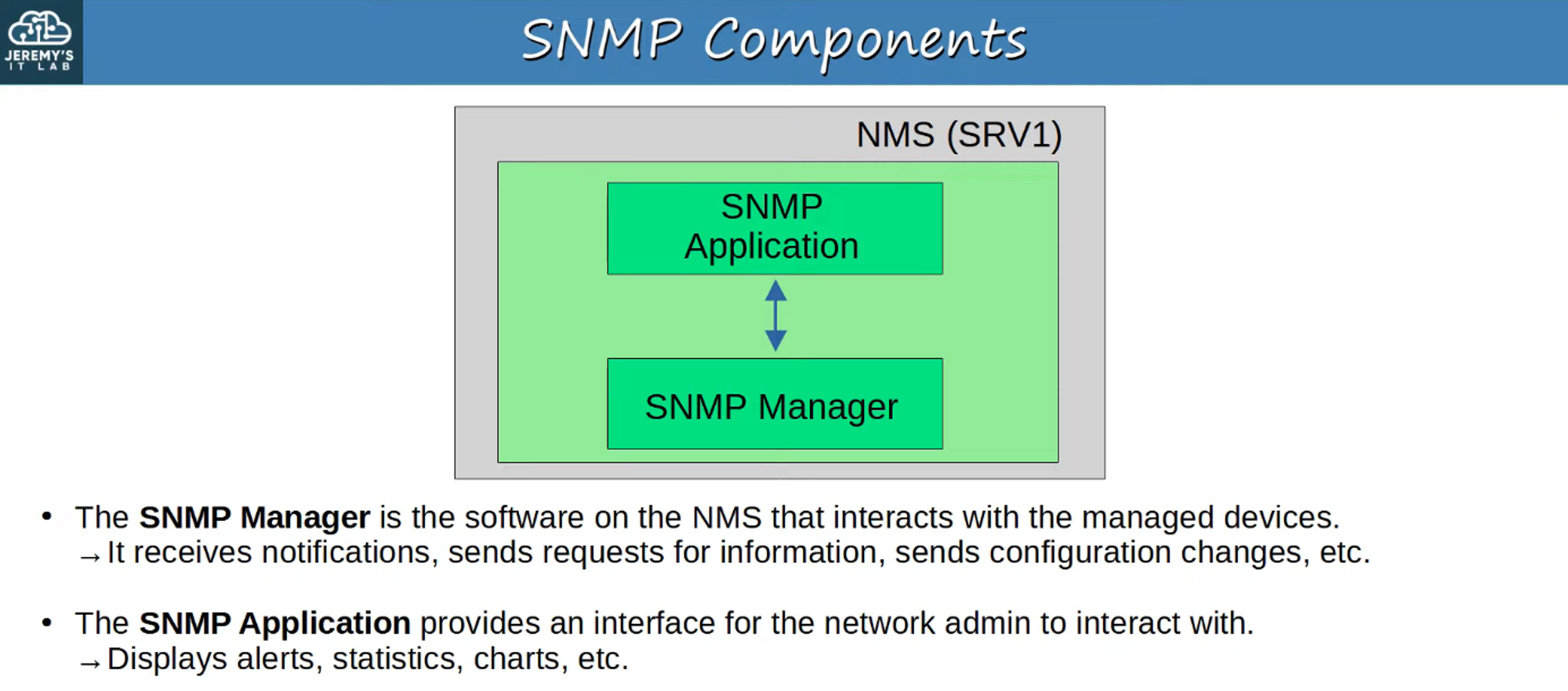
- Network Management Station (NMS): This acts as the SNMP server, monitoring and managing the devices on the network.
SNMP Operations
SNMP Components
Overview of Components
Network Management Station (NMS)
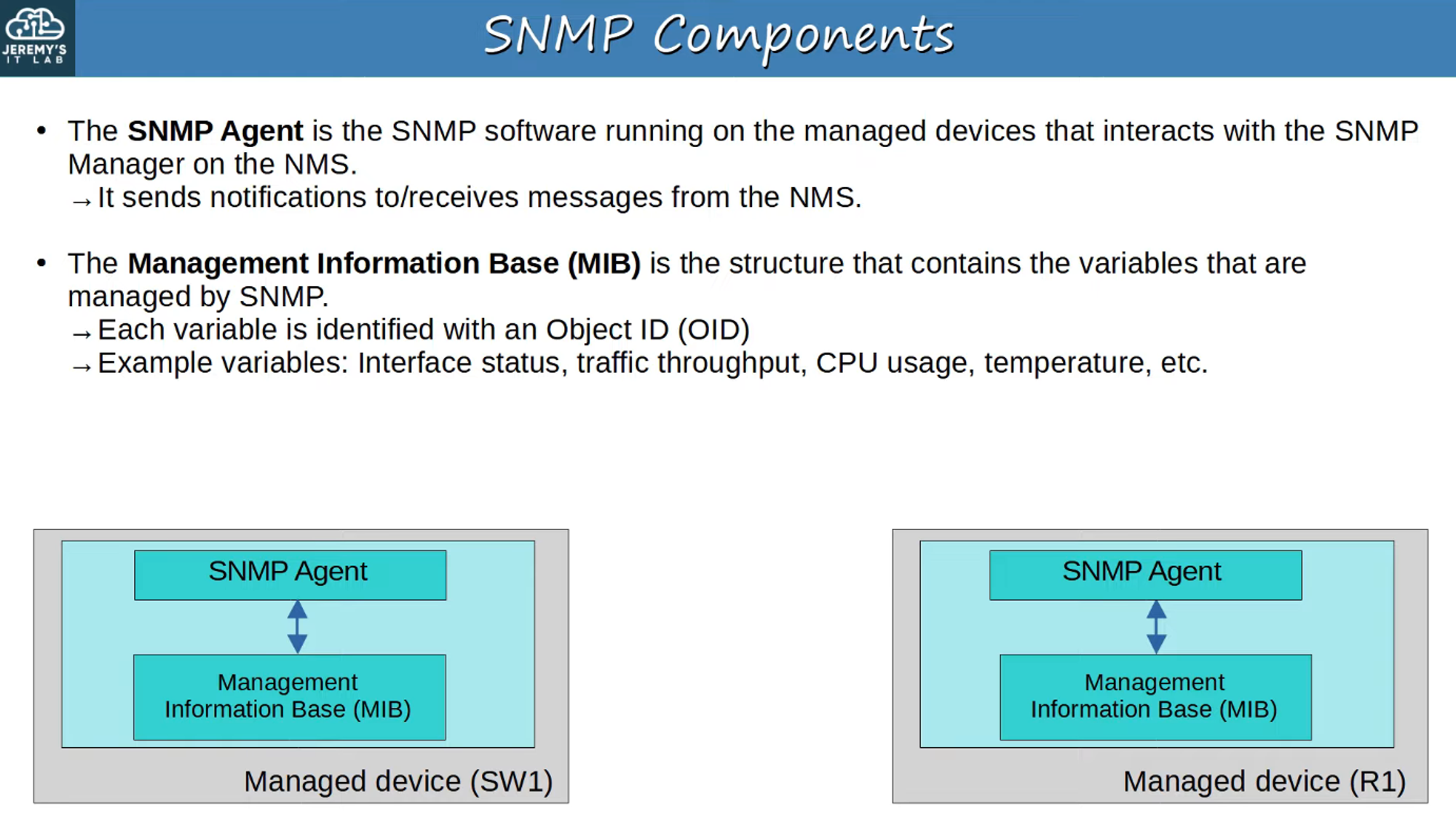
Managed Devices
SNMP Object Identifiers (OIDs)
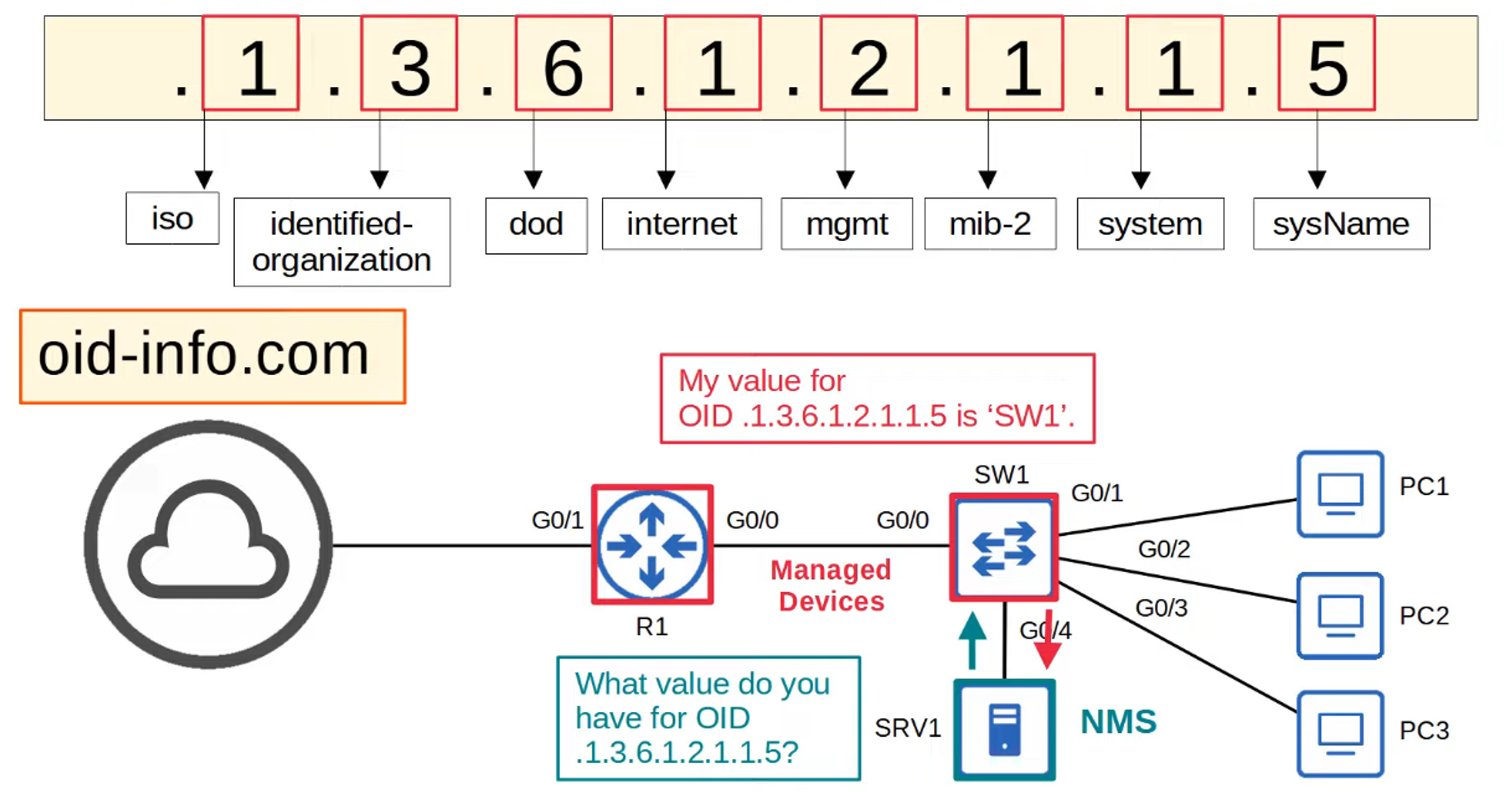
- OIDs: SNMP Object Identifiers are organized hierarchically, allowing the NMS to access specific data points from managed devices. Each data point (like interface status or device temperature) is assigned a unique OID within the MIB (Management Information Base).
SNMP Versions
While several versions of SNMP have been proposed, only three major versions are widely used:
- SNMPv1: The original version of SNMP.
- SNMPv2c:
- Improves efficiency by allowing the NMS to retrieve large amounts of data in a single request.
- The ‘c’ in SNMPv2c refers to the use of community strings (essentially passwords), reintroduced from SNMPv1 after being removed in SNMPv2.
- SNMPv3:
- The most secure version, supporting strong encryption and authentication.
- Recommendation: Always use SNMPv3 when possible due to its enhanced security features.
SNMP Messages
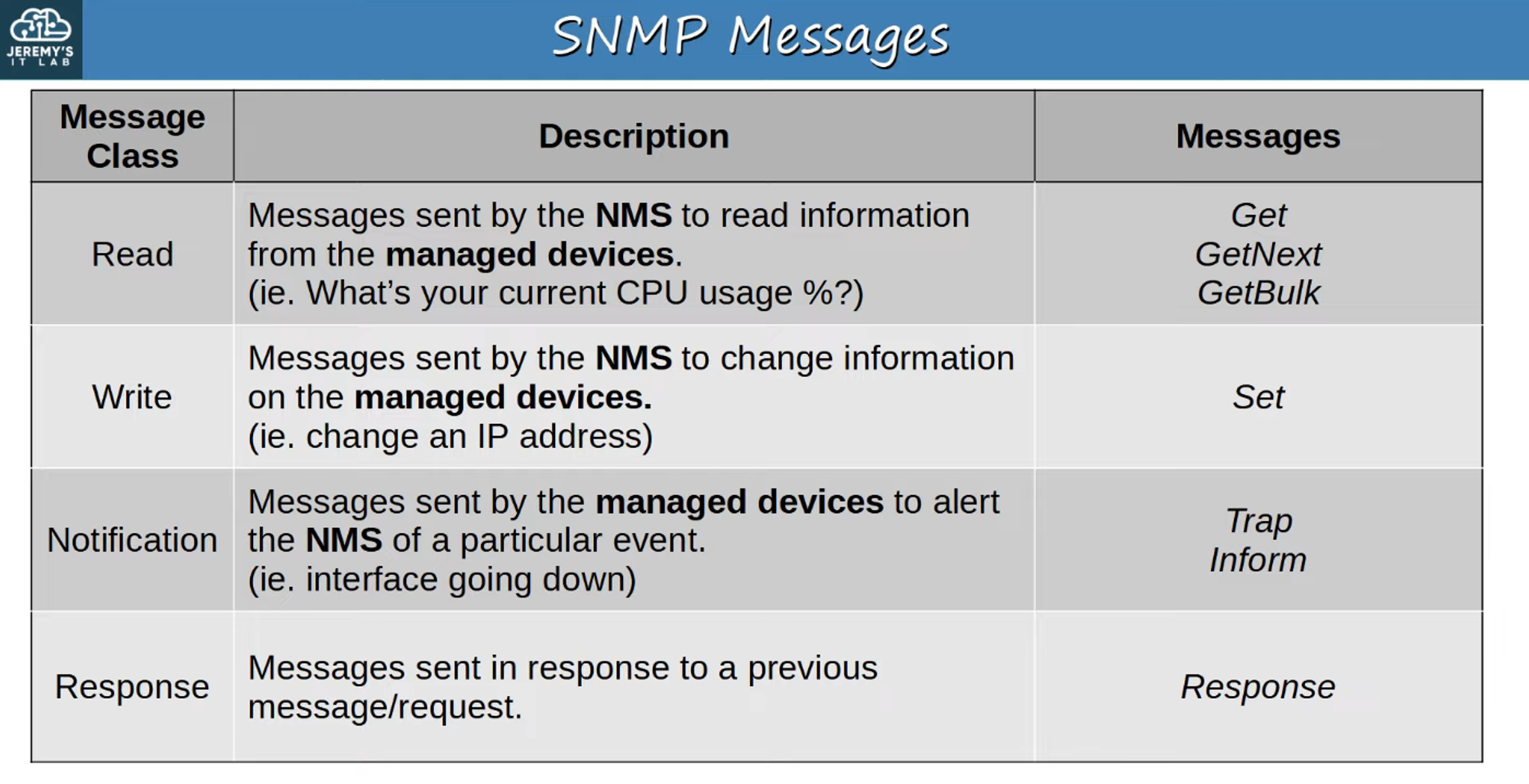
There are several types of SNMP messages, each serving a different function:
-
SNMP READ:
- Allows the NMS to request data from a managed device.
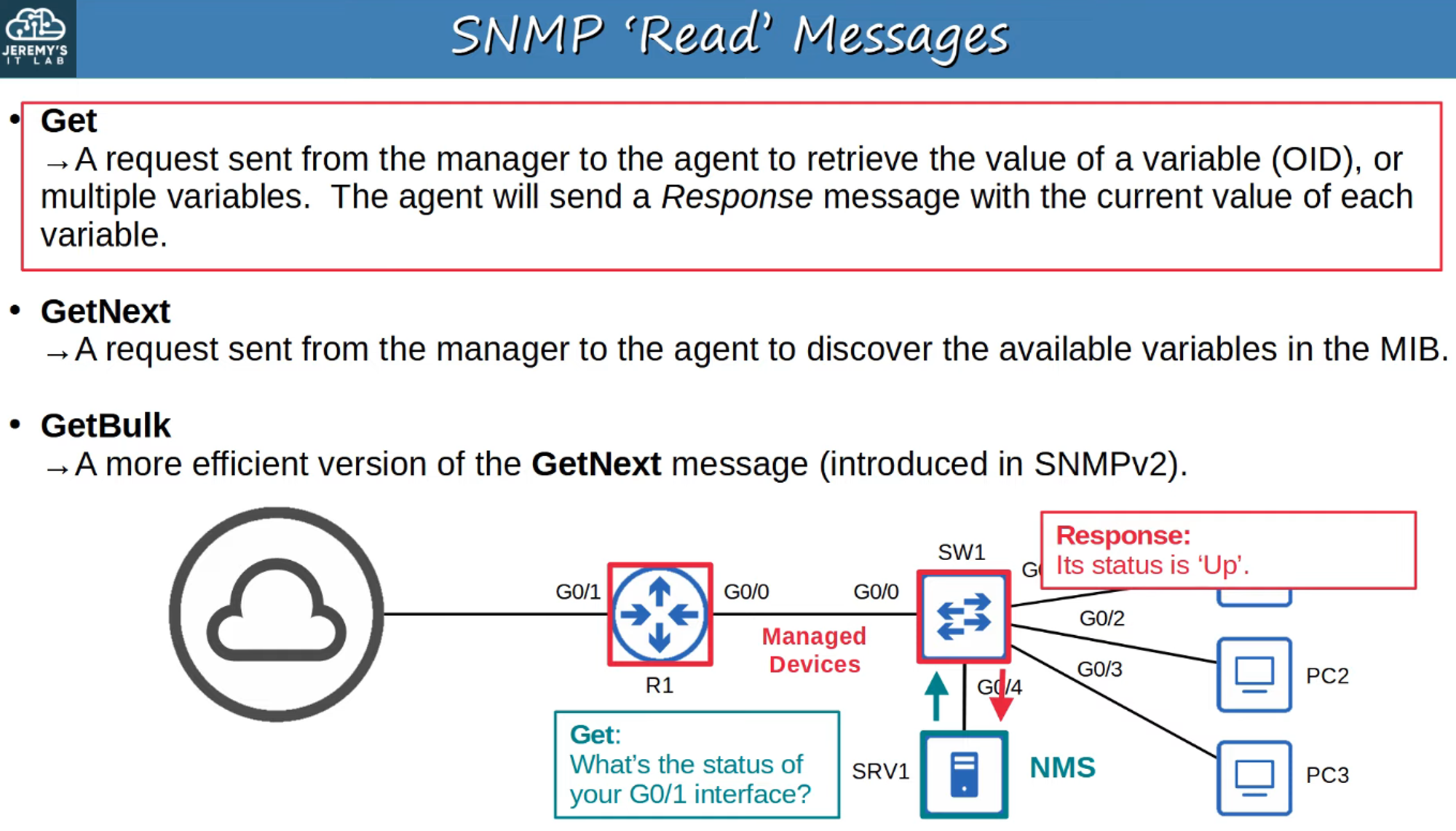
- Allows the NMS to request data from a managed device.
-
SNMP WRITE:
- Enables the NMS to modify the configuration of a managed device.
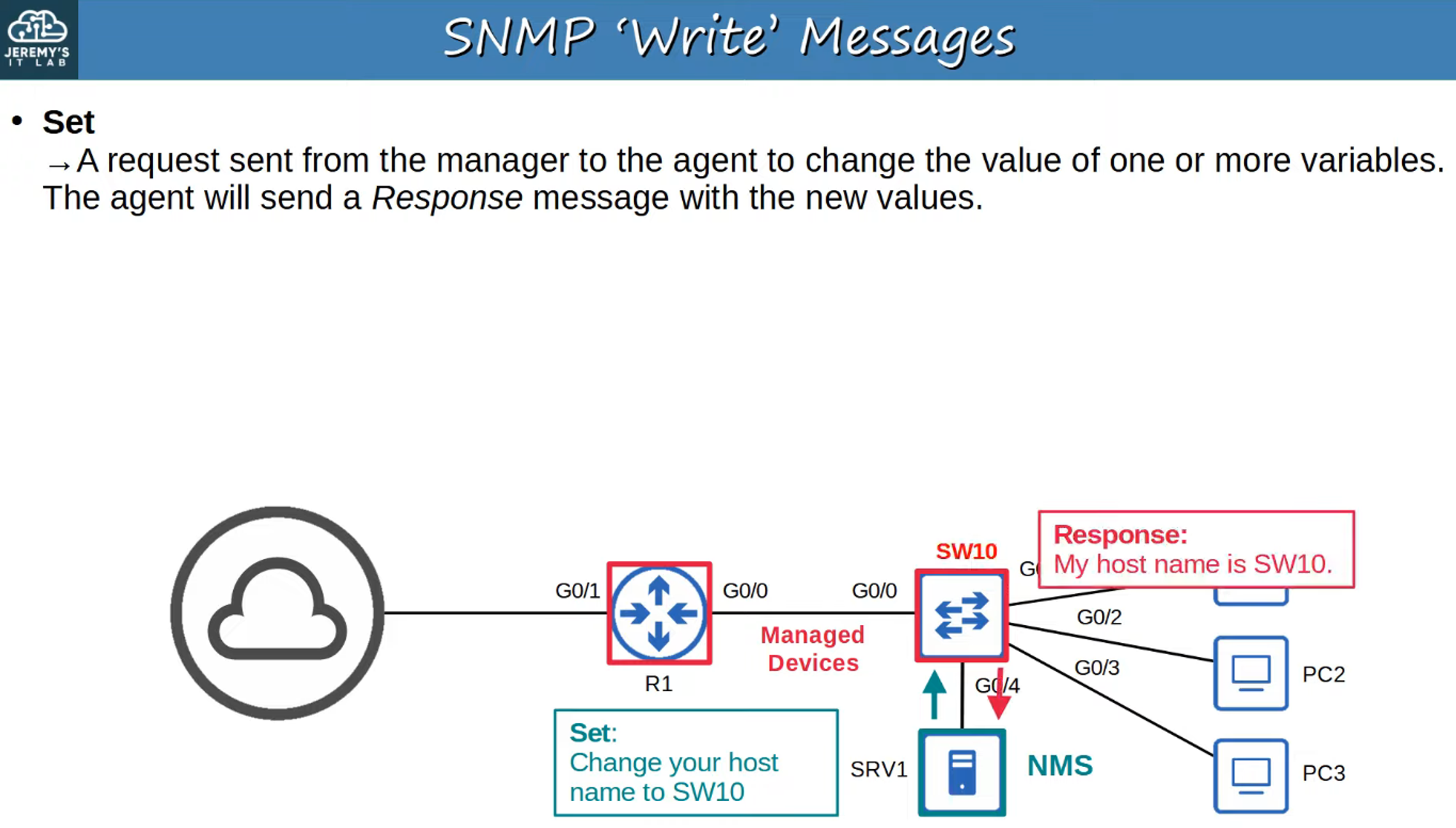
- Enables the NMS to modify the configuration of a managed device.
-
SNMP NOTIFICATION:
- Managed devices send notifications to the NMS to report issues or significant events.
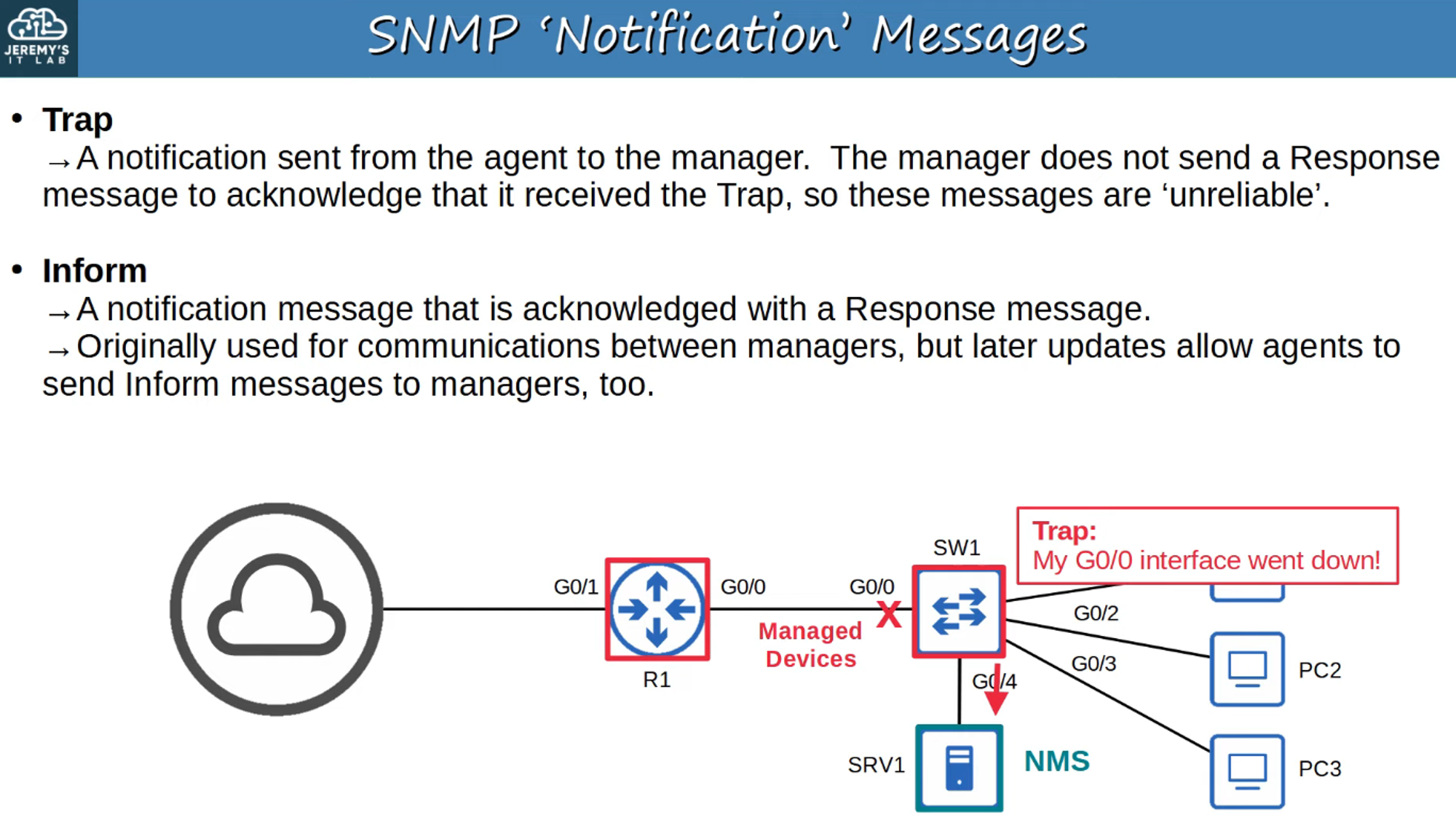
- Managed devices send notifications to the NMS to report issues or significant events.
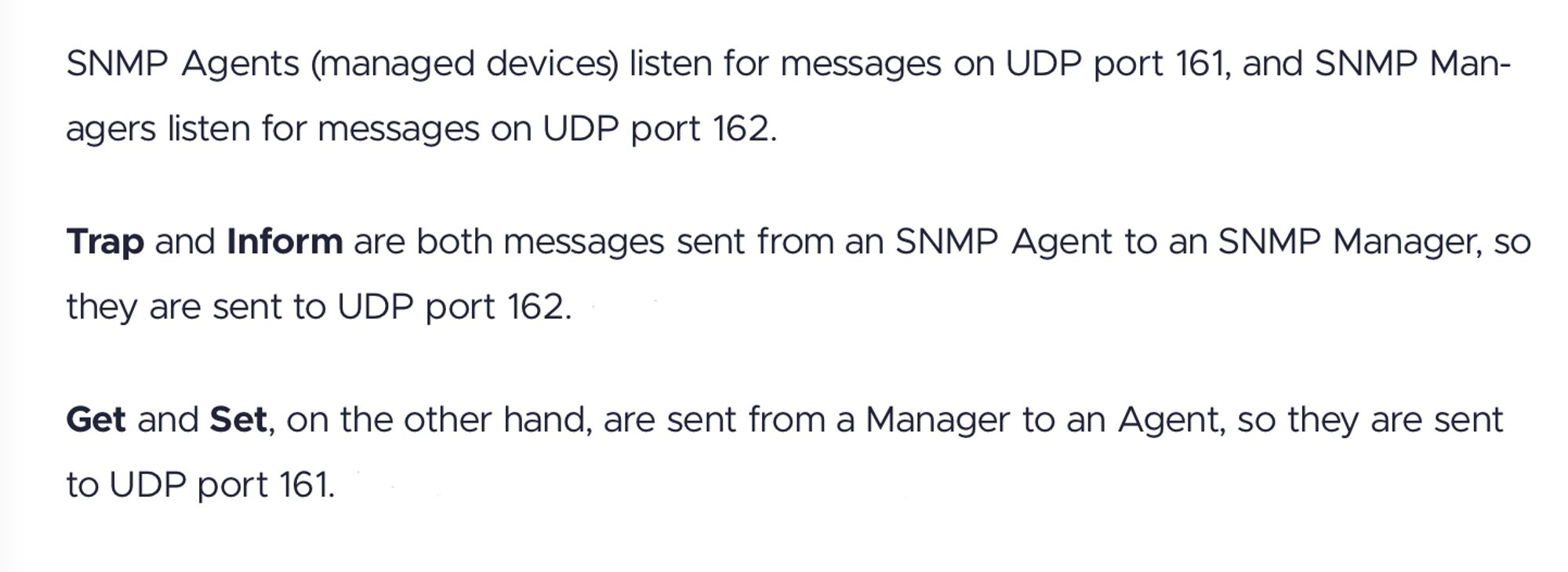
- Port Information:
- SNMP Agent listens on UDP Port 161.
- SNMP Manager listens on UDP Port 162.
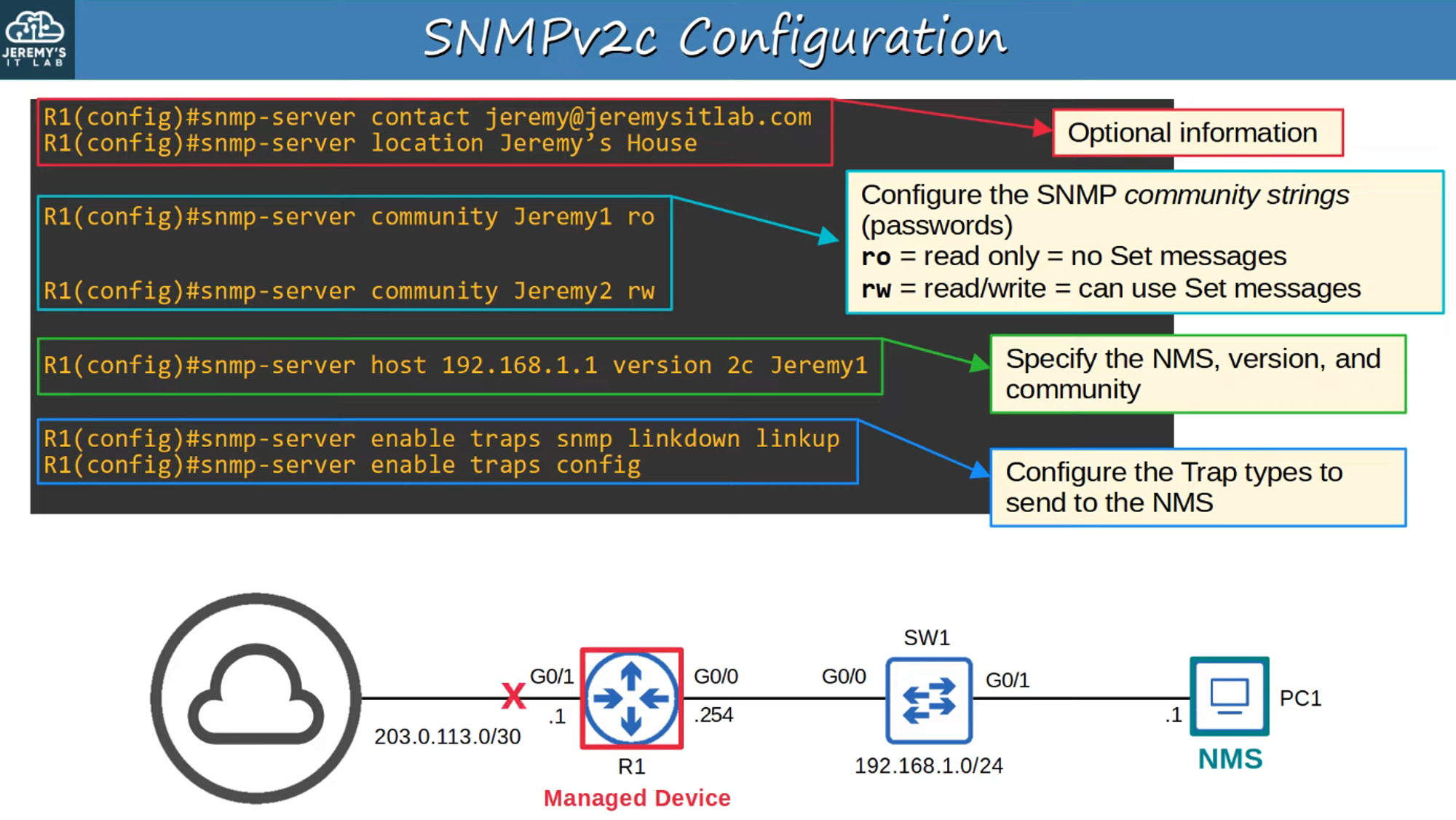
SNMPv2c Configuration (Basic)
The configuration of SNMPv2c involves setting up community strings and specifying what data the NMS is allowed to retrieve or change.
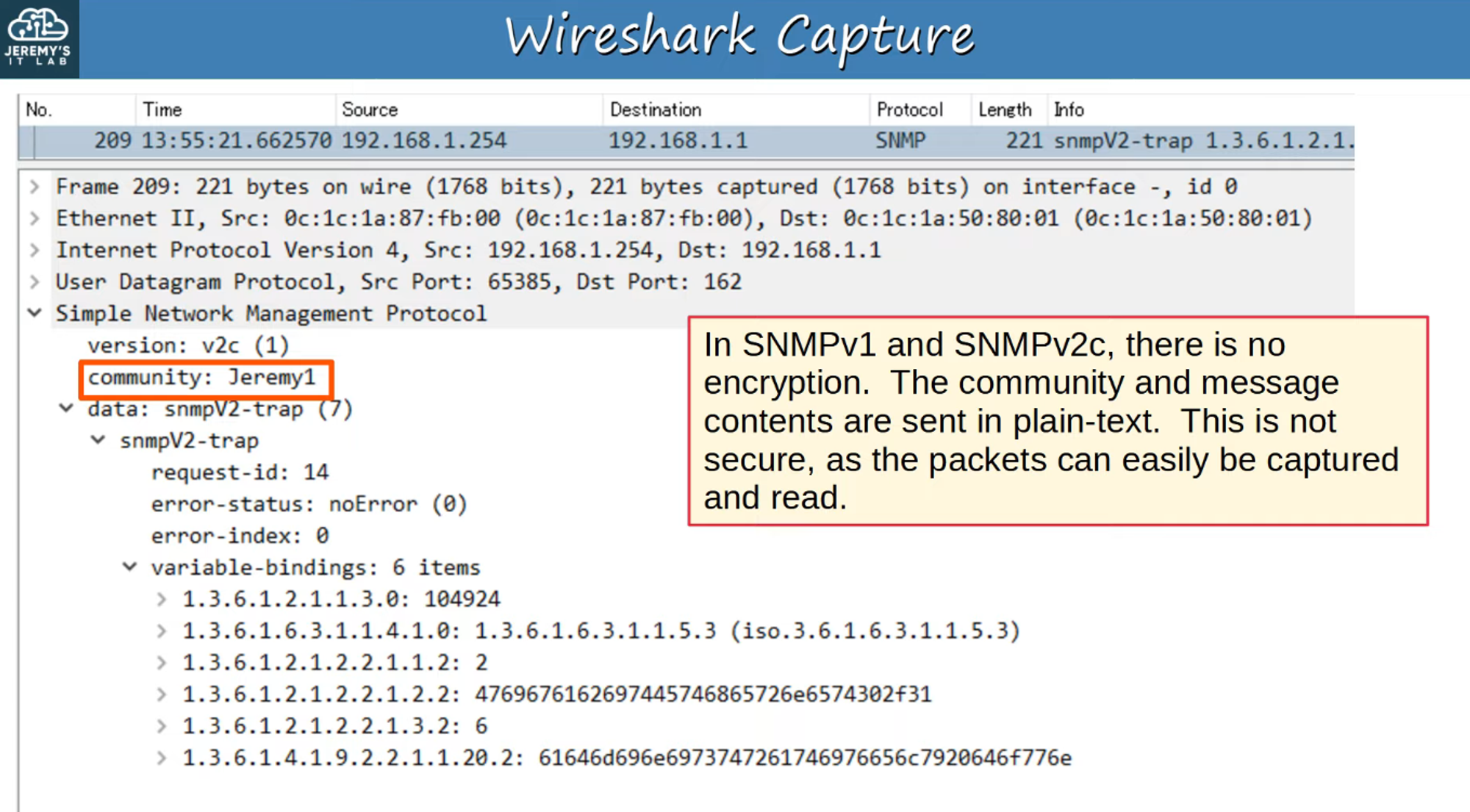
Example Scenario: What Happens When R1’s G0/1 Interface Goes Down?
- When an interface goes down, an SNMP trap is sent from the managed device (R1) to the NMS.
- The message is sent to UDP Port 162 on the NMS.
- SNMP version: v2c
- Community string: Jeremy1 (Read-Only mode, meaning no configuration changes can be made).
- The trap message indicates the specific interface that went down (G0/1) using the OID.
SNMP Summary
What SNMP Does:
- SNMP helps manage devices over a network by allowing an NMS to:
- Monitor the status of managed devices.
- Change settings on those devices.
- Receive notifications of issues or significant changes.
Components:
- Managed Devices: Devices like routers, switches, and firewalls being managed using SNMP.
- Network Management Stations (NMS): Servers that manage the devices, receive notifications, and check the status of network equipment.
Management Information Base (MIB):
- Variables such as interface status, temperature, traffic load, and hostname are stored in the MIB, and each is assigned a unique Object ID (OID).
Main Versions of SNMP:
- SNMPv1: Basic version.
- SNMPv2c: More efficient, supports larger data retrieval in single requests.
- SNMPv3: Stronger encryption and authentication; recommended for security.
SNMP Message Types:
- Get / GetNext / GetBulk: To retrieve data.
- Set: To change configurations.
- Trap: Notifications of important events.
- Inform: Confirmed notification (acknowledgment).
- Response: Reply from the device to a request.