Purpose of DHCP
Dynamic Host Configuration Protocol (DHCP) is an essential protocol in modern networking that enables devices to automatically discover and configure their network settings without manual intervention. This is particularly useful for client devices, such as workstations and mobile devices, which typically do not have static IP configurations.
Key Points:
- Automatic Configuration: DHCP allows hosts to dynamically obtain various network configuration parameters such as:
- IP Address
- Subnet Mask
- Default Gateway
- Ease of Use: When connecting devices like phones or laptops to a Wi-Fi network, users do not need to manually configure these settings.
- Device Configuration: While client devices benefit from DHCP, network infrastructure devices like routers and servers are usually configured statically.
- Home Networks: In small home networks, the router typically acts as the DHCP server, serving local devices.
- Large Networks: In larger environments, the DHCP server is often a dedicated Windows or Linux server.
Basic Functions of DHCP
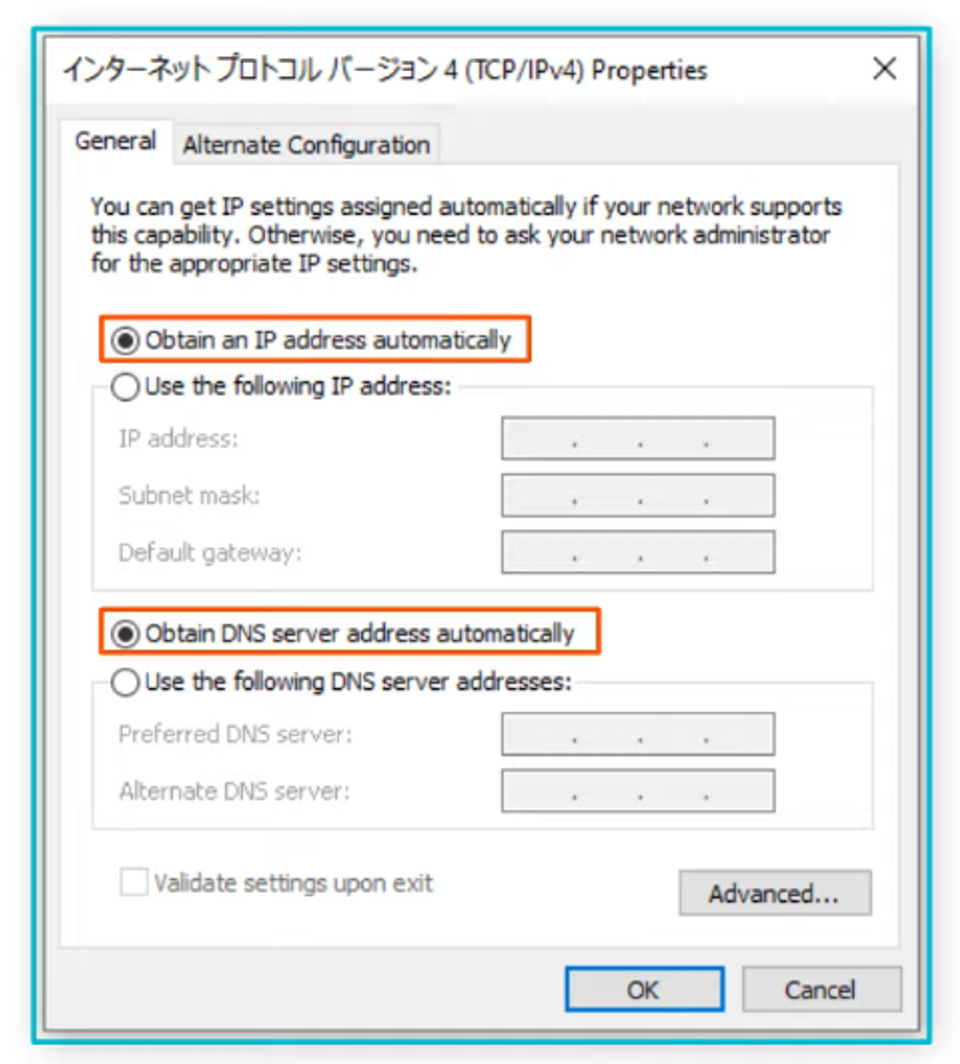
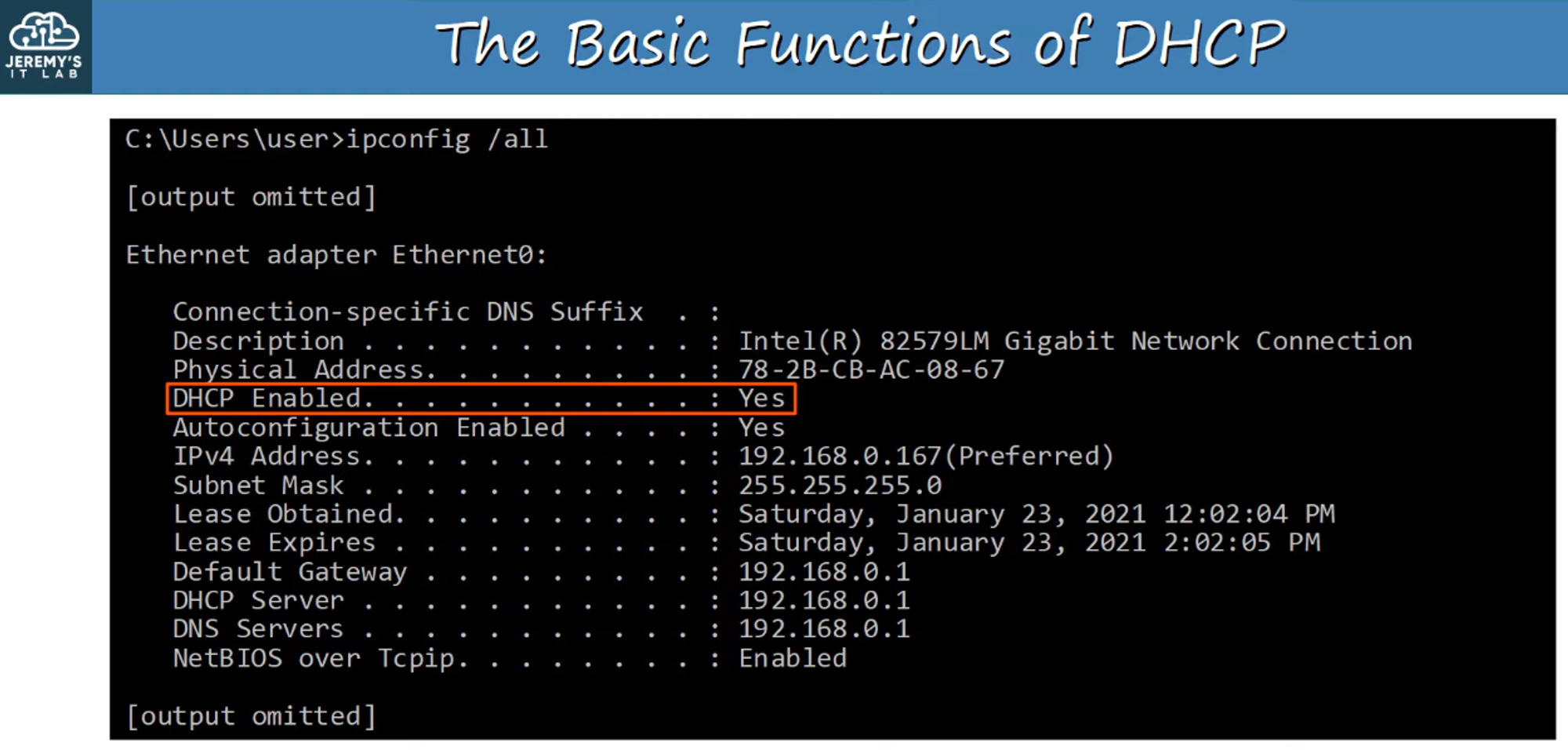
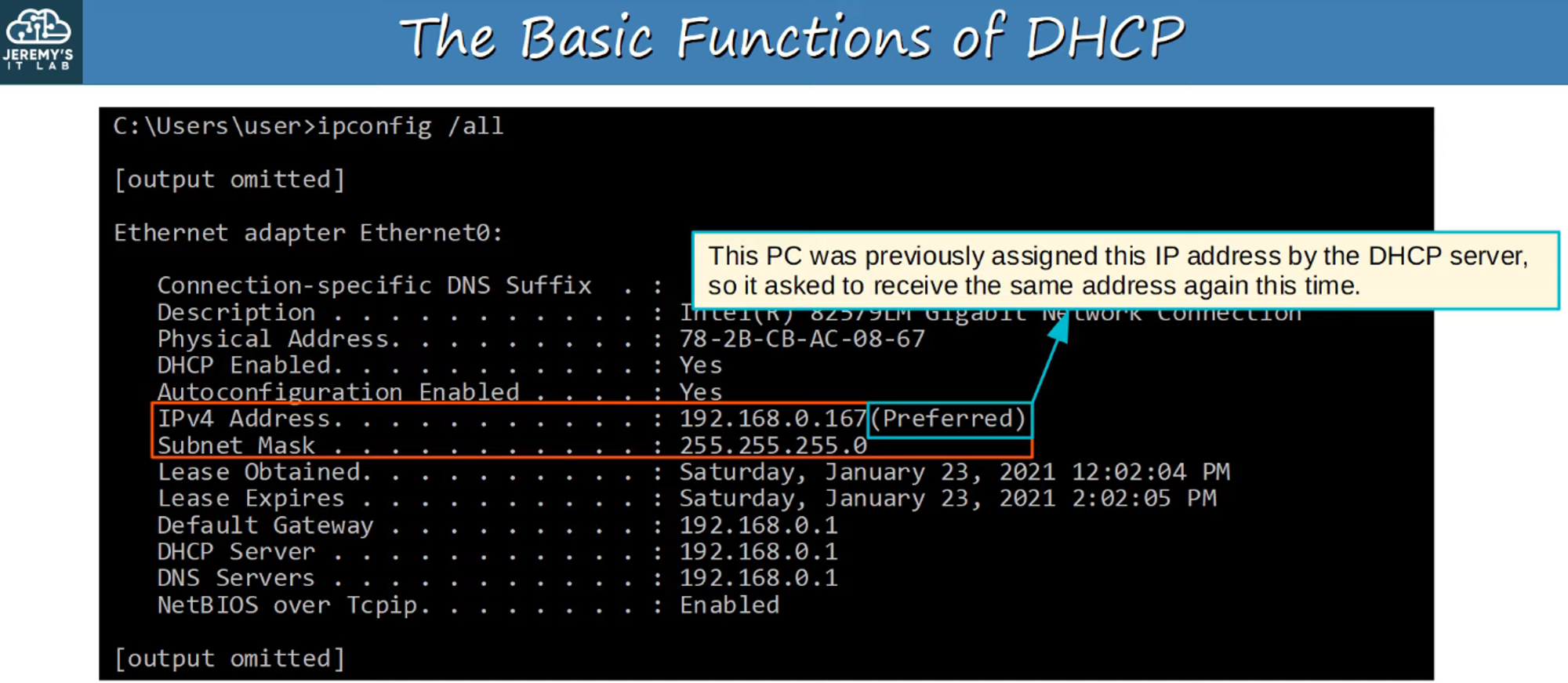
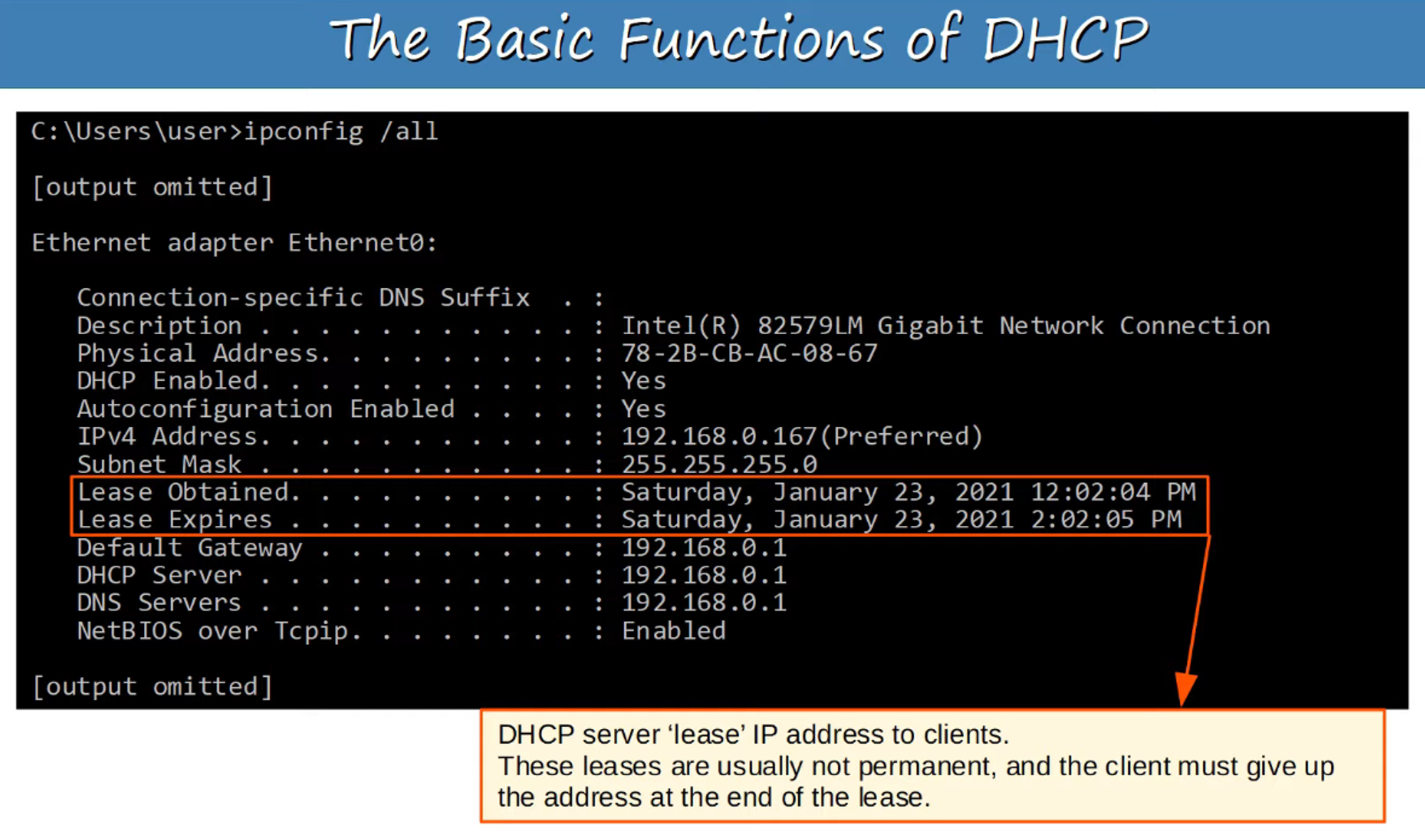
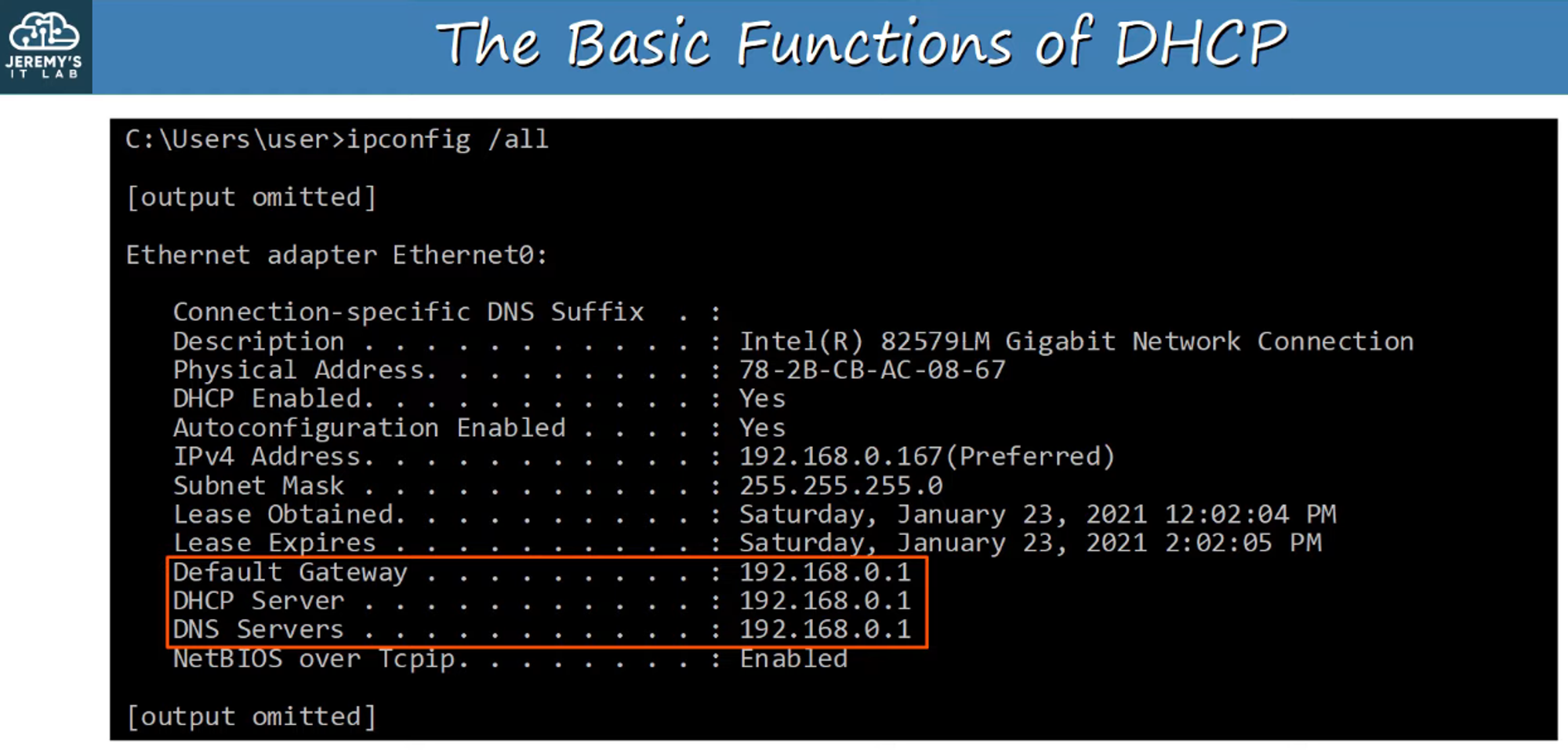
Note: All IP addresses shown are the same because they originate from Jeremy’s home router, which provides all DHCP services.
Key Commands
Releasing an IP Address
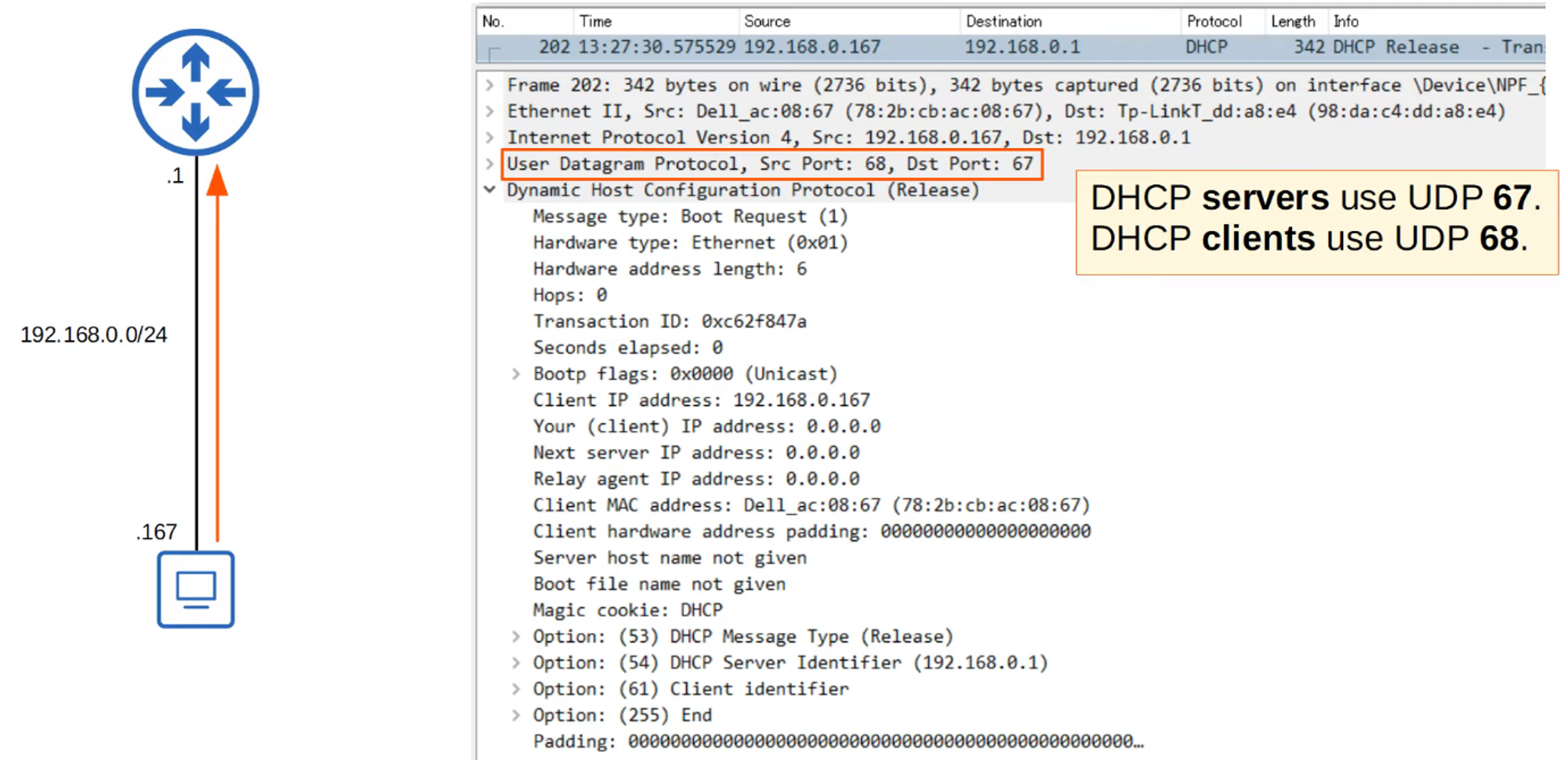
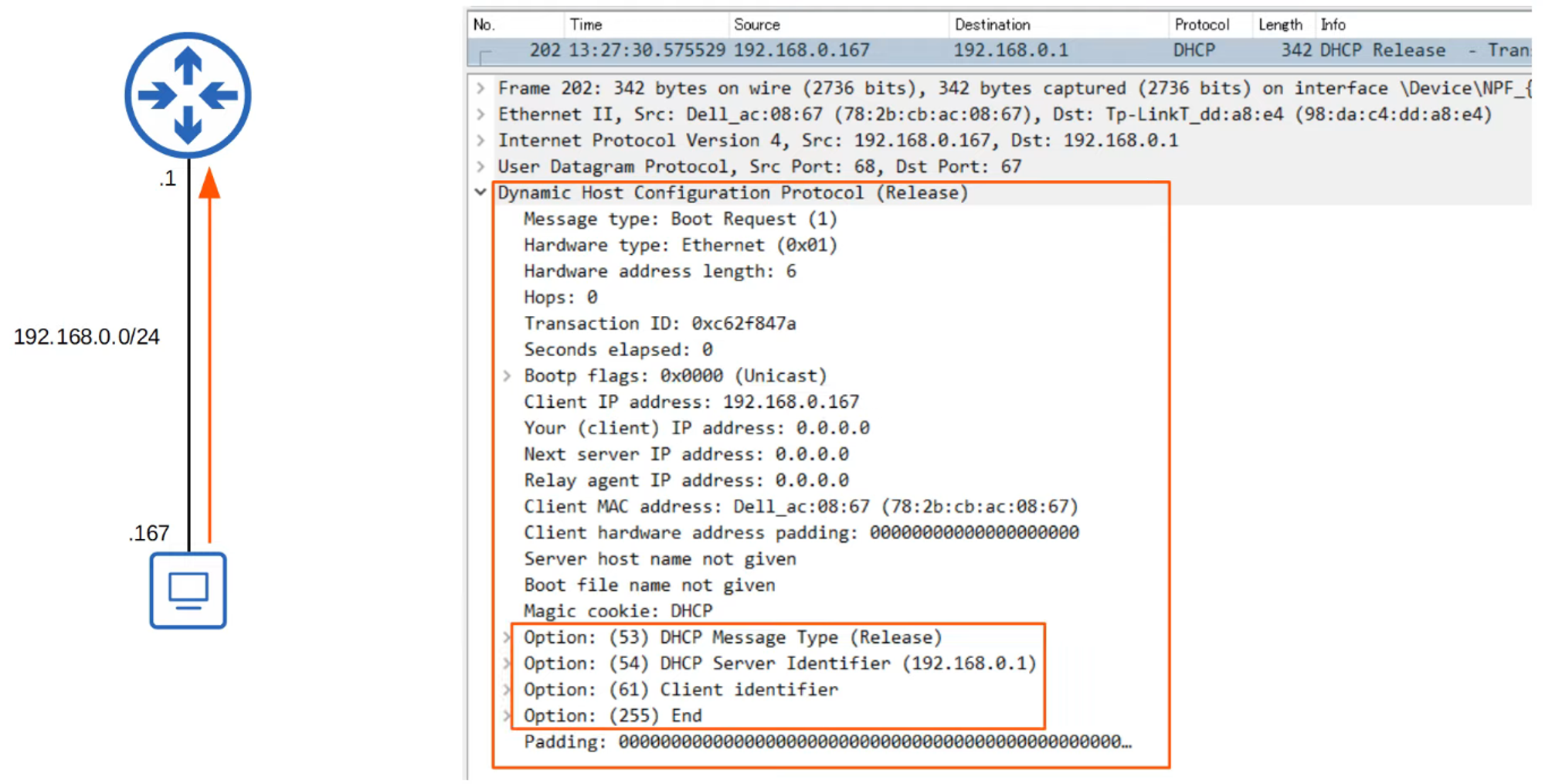
To release the current IP configuration, the command used is:
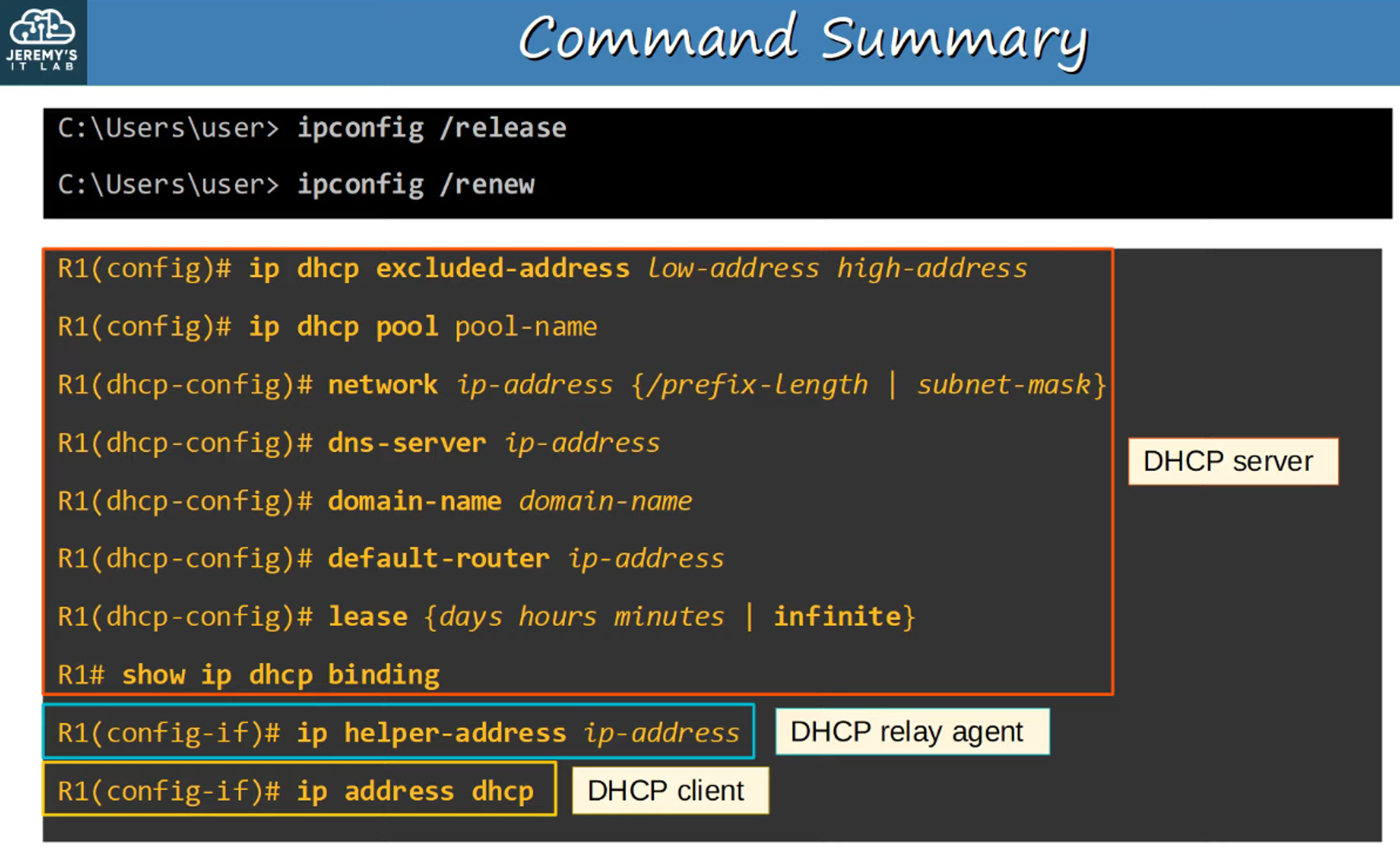
ipconfig /release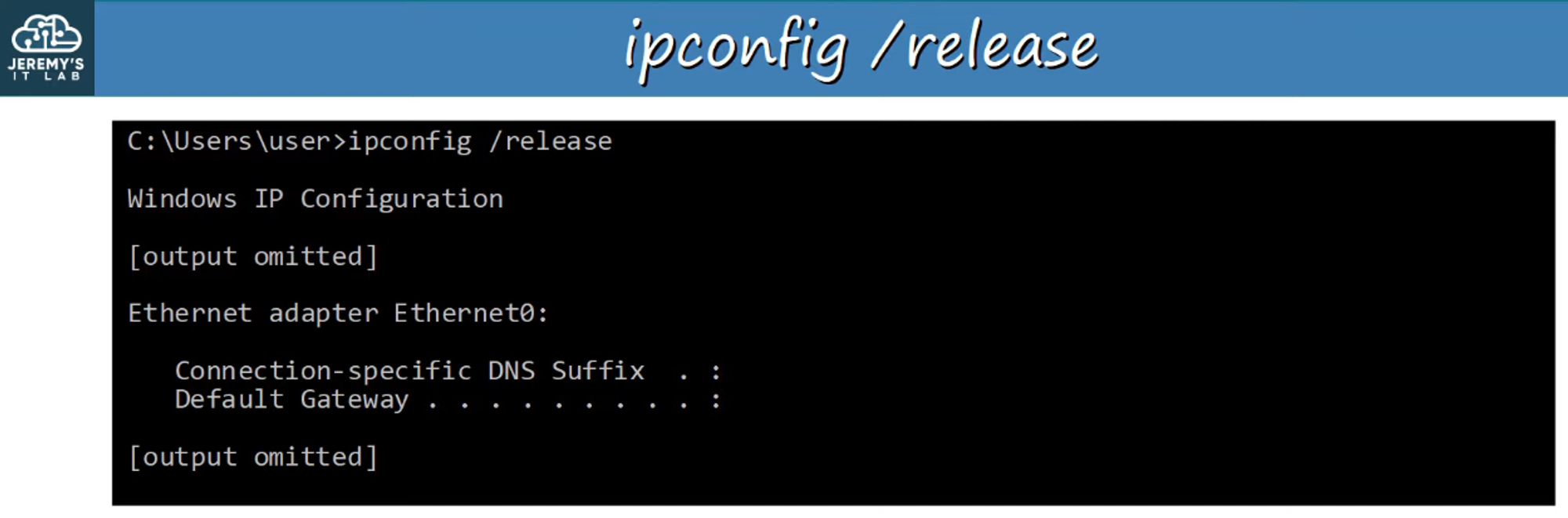
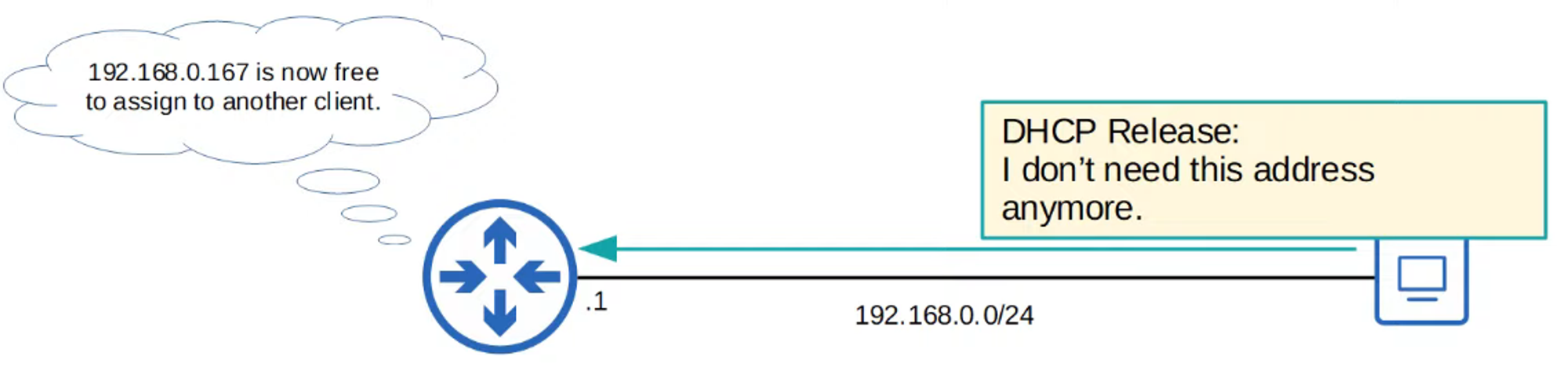
- Wireshark Capture: The following captures demonstrate the
ipconfig /releasemechanism.
Renewing an IP Address
To renew the DHCP lease, use the command:
ipconfig /renewThe renewing process involves four messages:
-
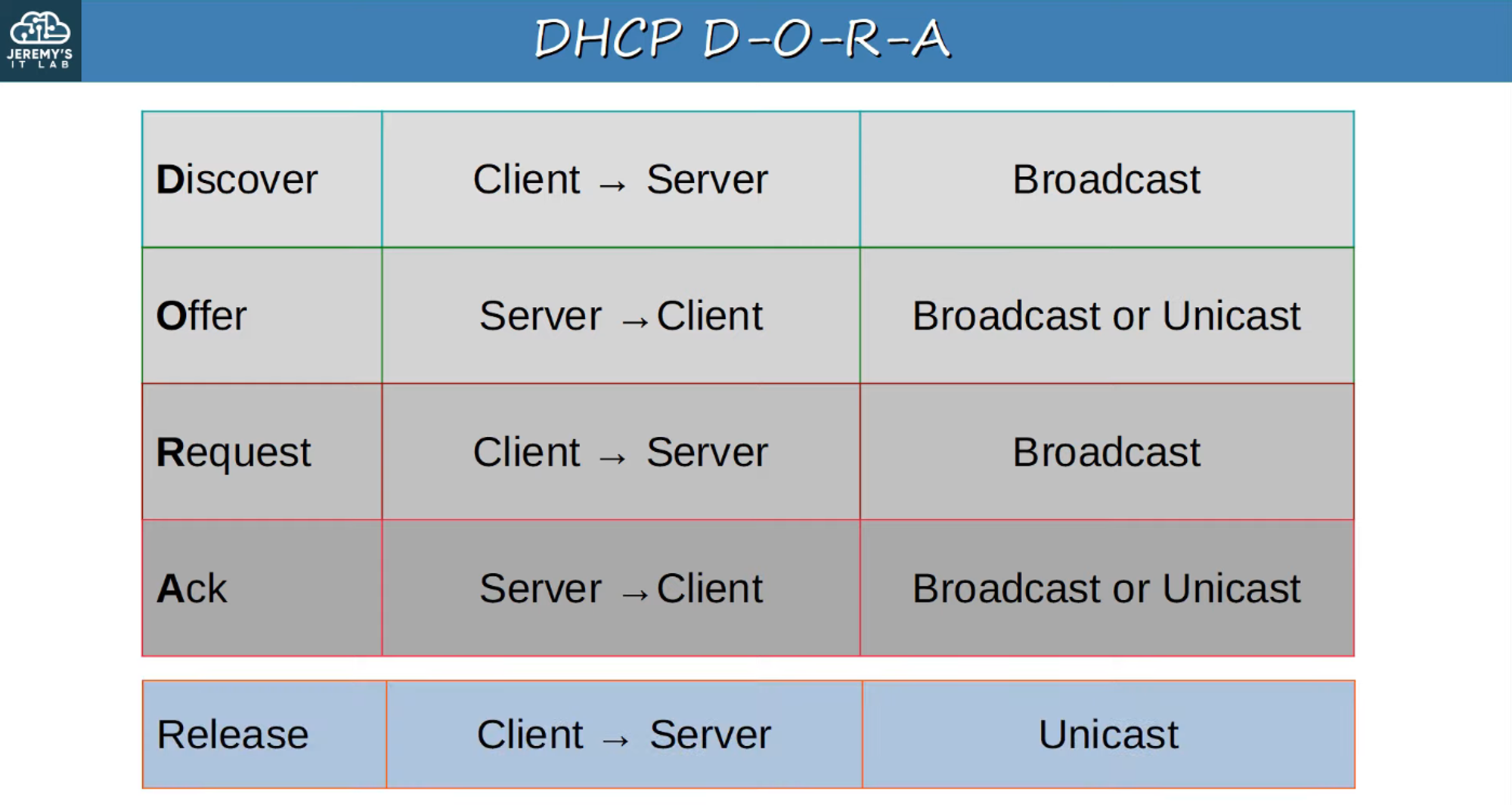
DHCP DISCOVER
- Message: “Are there any DHCP servers in this network? I need an IP address!”
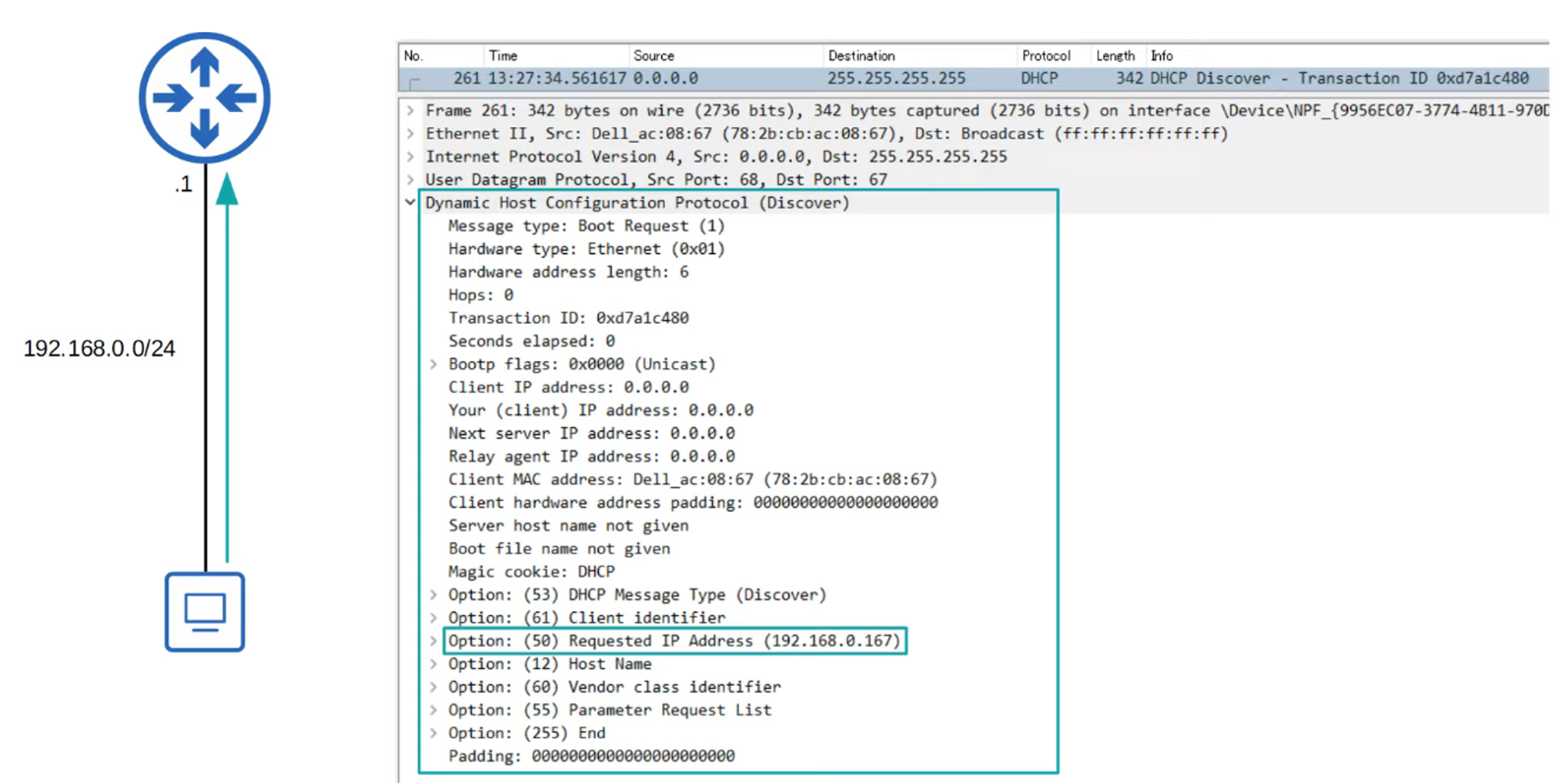
- Ports Used: DHCP operates on reserved ports 67 (server) and 68 (client).
- Message: “Are there any DHCP servers in this network? I need an IP address!”
-
DHCP OFFER
- Message: “How about this IP address?”
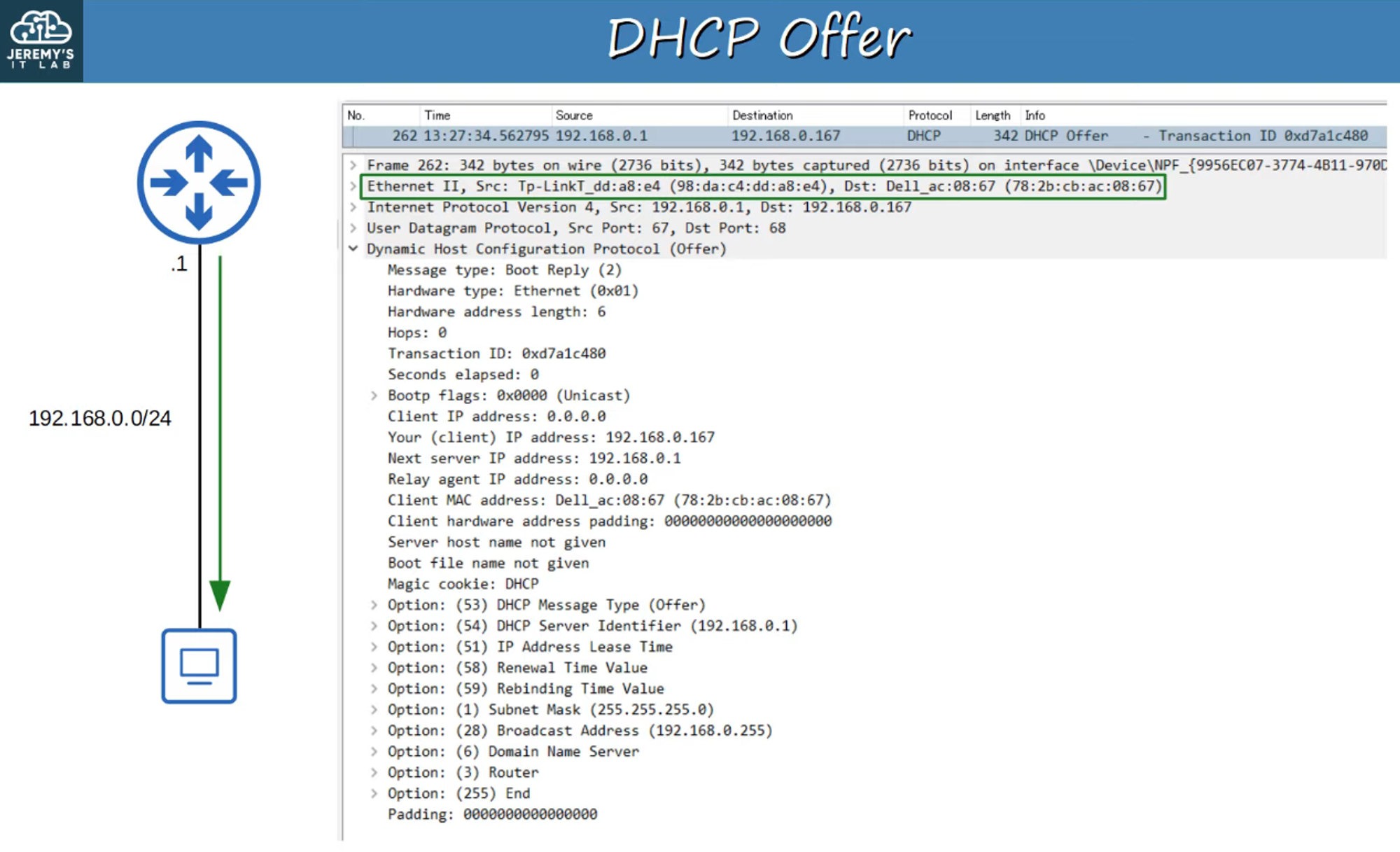
- The offer can be sent as either a broadcast or unicast message.
- Options Included:
- Message Type
- Server ID
- Lease Time
- Subnet, etc.
- Message: “How about this IP address?”
-
DHCP REQUEST
- Message: “I want to use the IP address that was offered.”
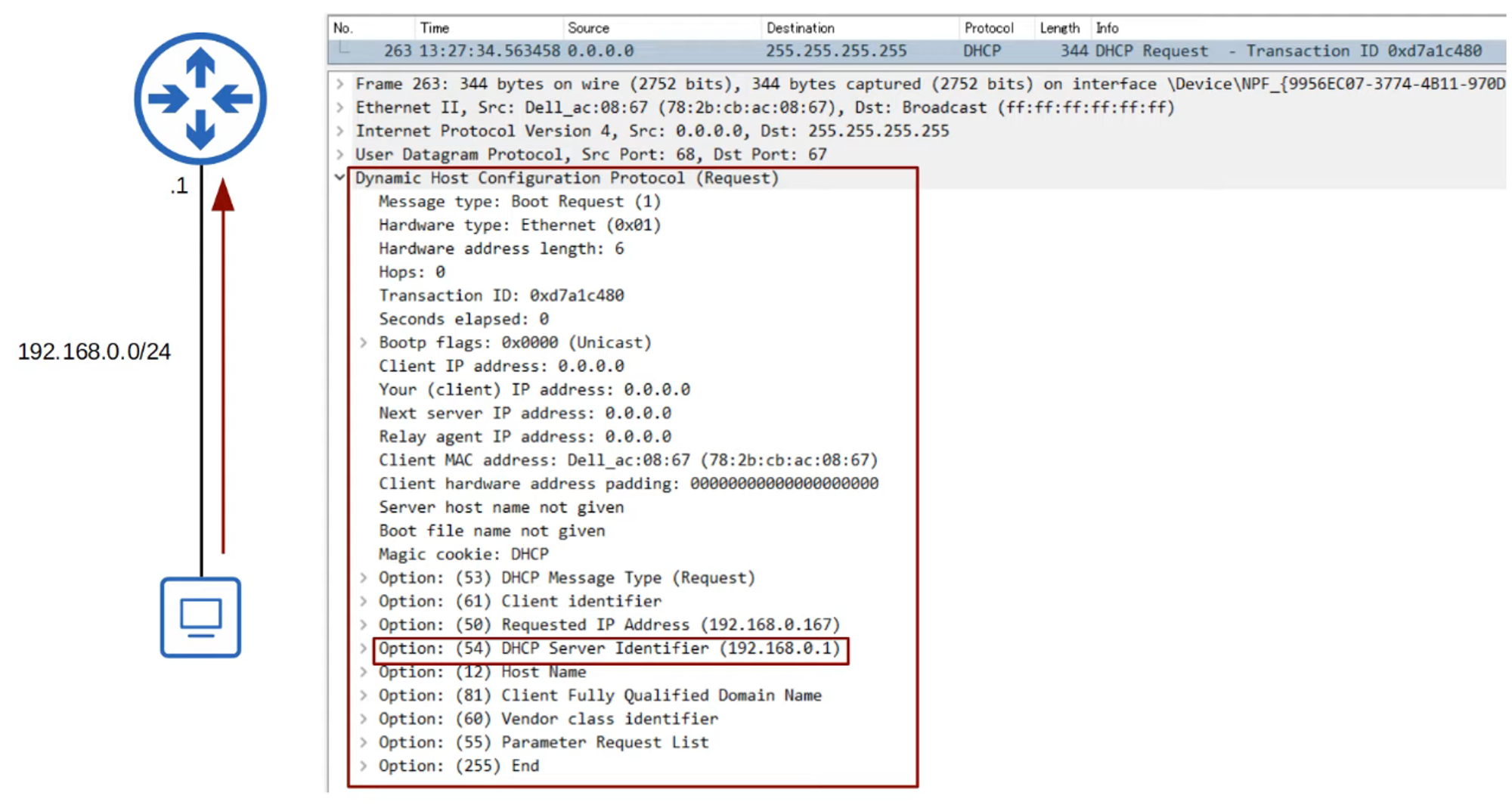
- Message: “I want to use the IP address that was offered.”
-
DHCP ACK
- Message: “Okay! You may use that address.”
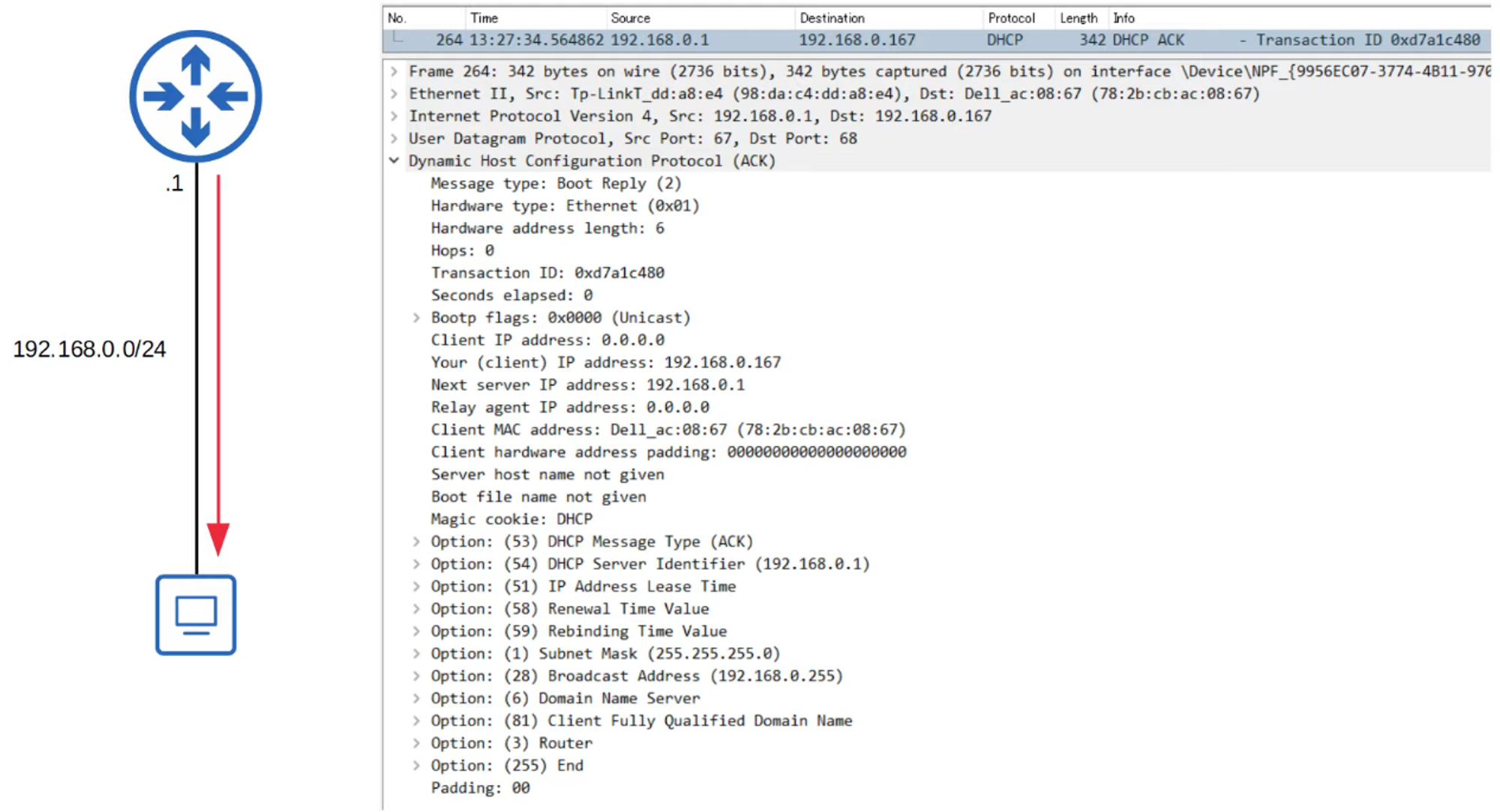
- Message: “Okay! You may use that address.”
DHCP Renew Process Summary
DHCP Relay
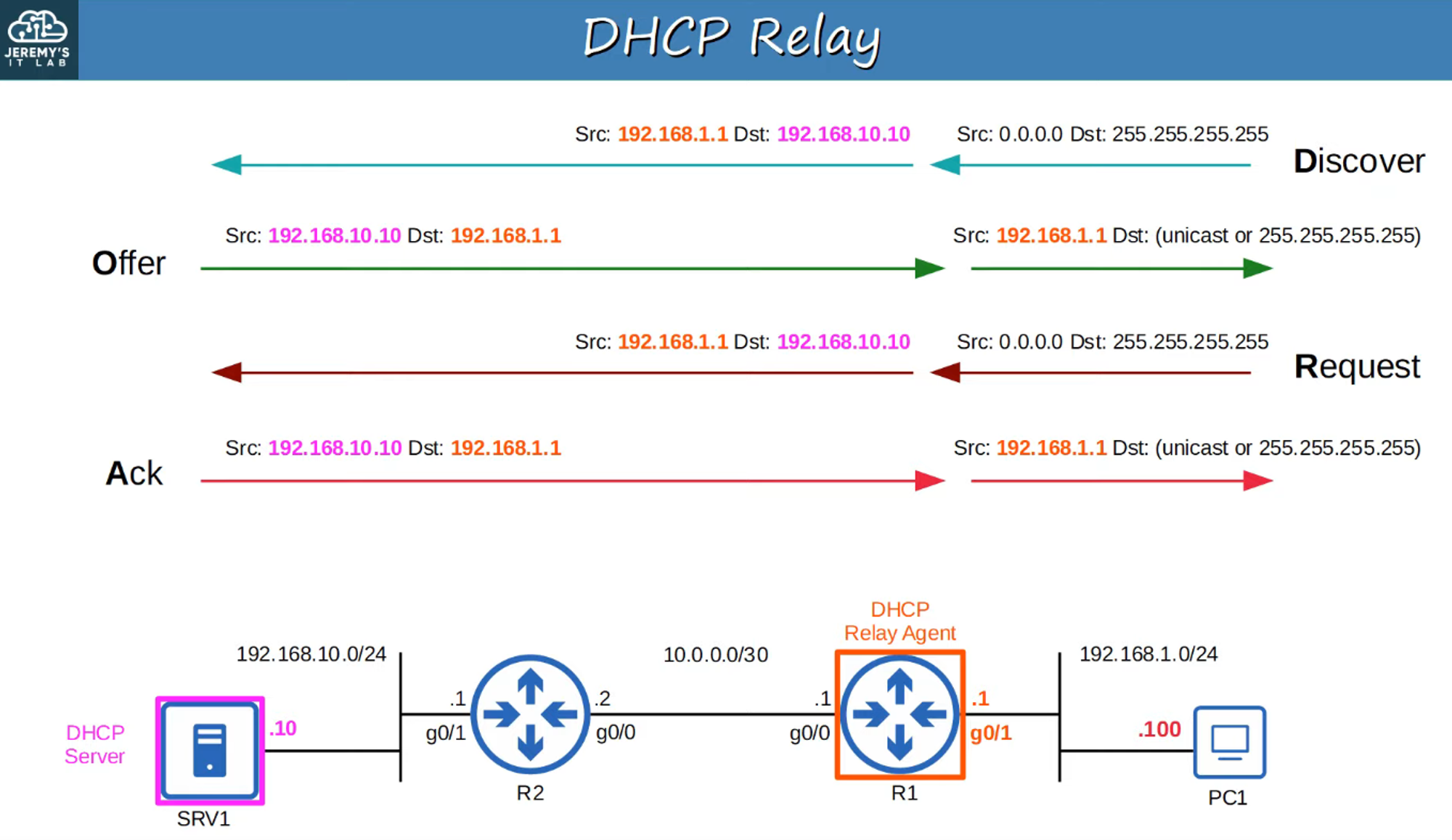
In larger networks, administrators may opt for a centralized DHCP server instead of configuring each router to serve its connected LANs. However, centralized servers do not receive broadcast messages from DHCP clients. To overcome this limitation, routers can be configured as DHCP Relay Agents.
Functionality:
- Relay Agents: A DHCP relay agent forwards broadcast messages from clients to a remote DHCP server as unicast messages.

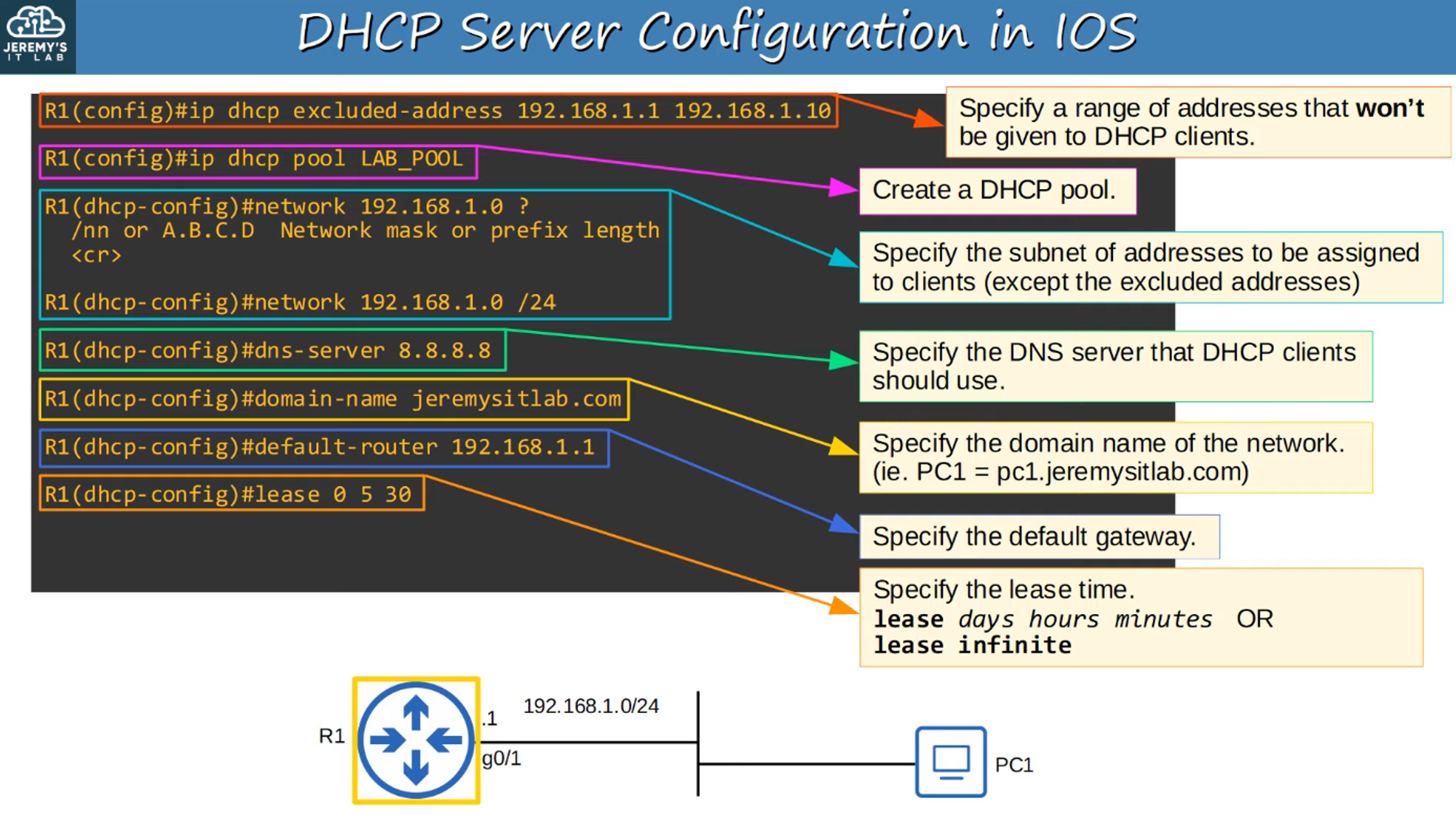
Configuring DHCP in Cisco IOS
To configure DHCP servers in Cisco IOS, the following commands are used:
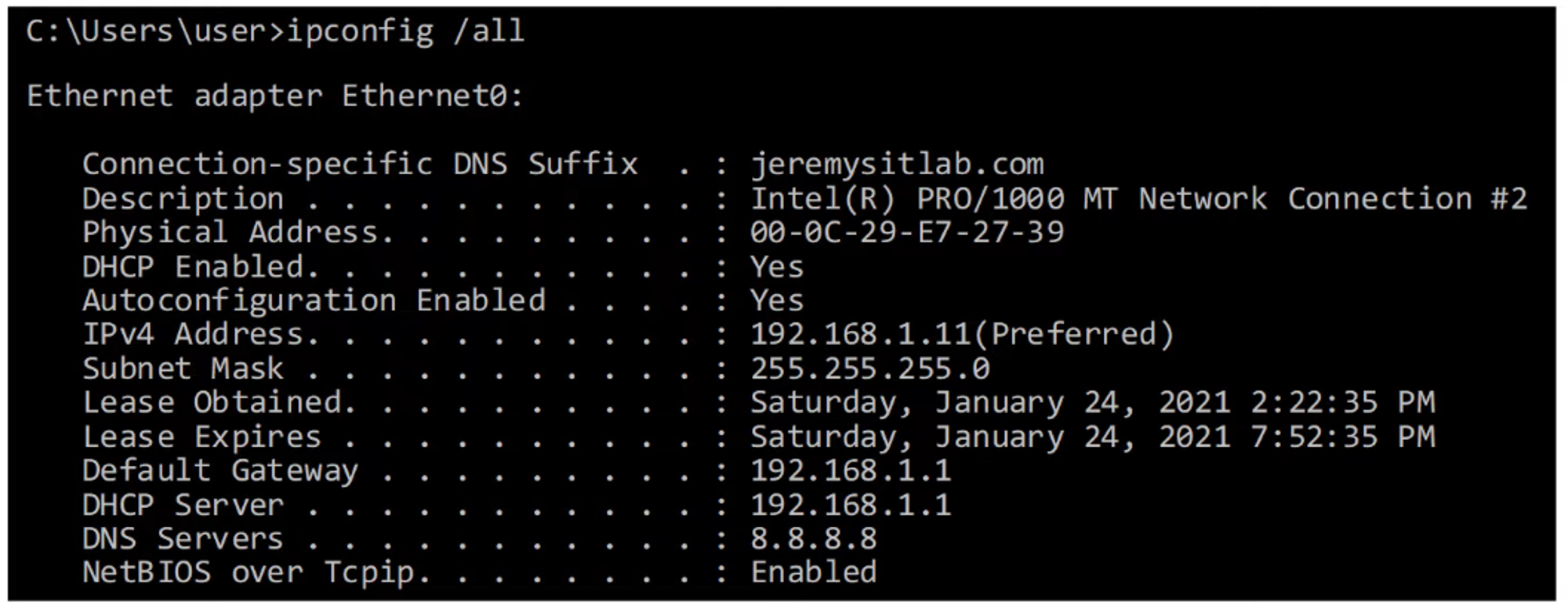
Command to View Bindings
To view active DHCP bindings, use:
show ip dhcp binding
DHCP Relay Agent Configuration in IOS
Configuration steps for setting up a DHCP relay agent in Cisco IOS include:
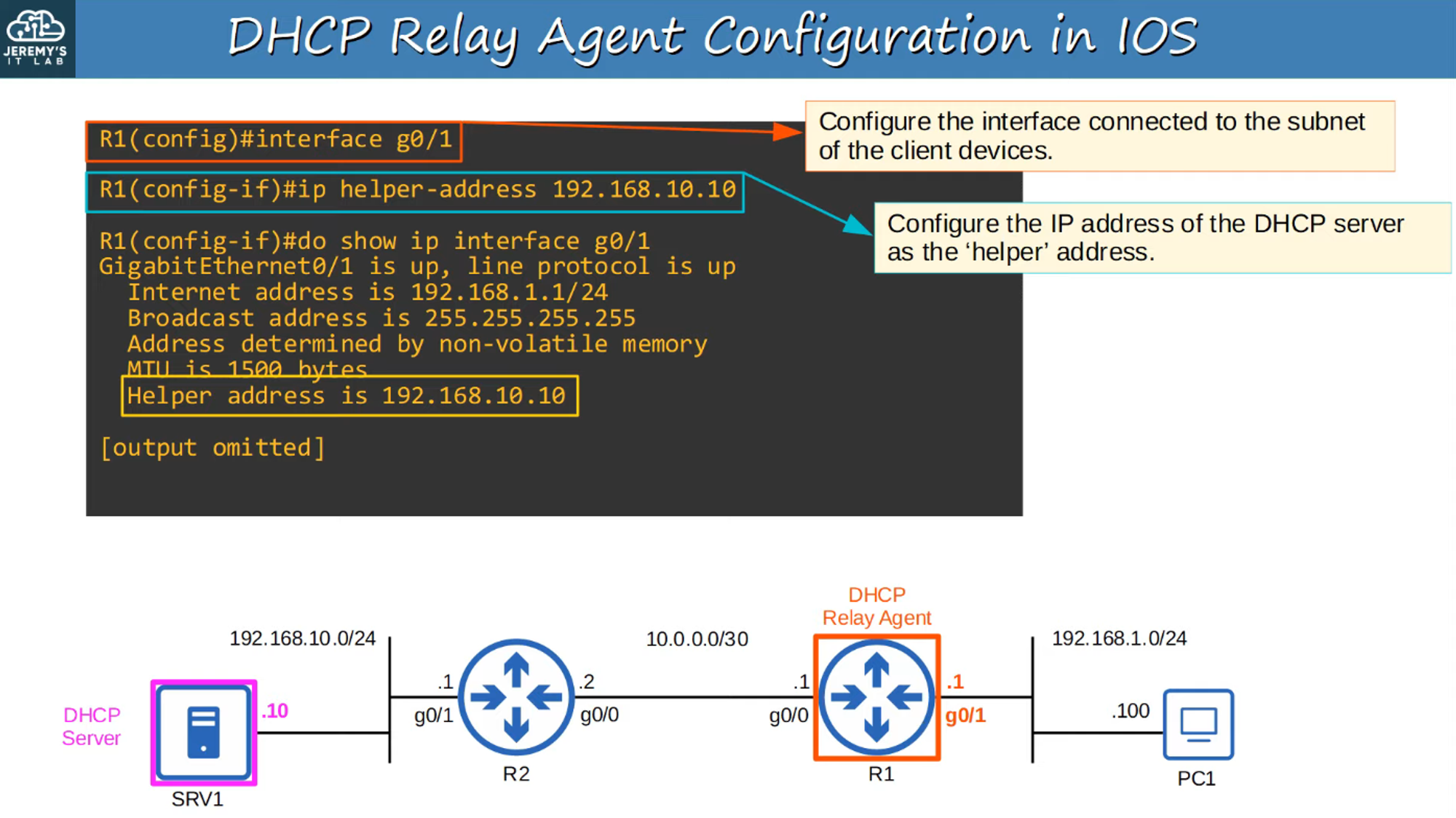
Connectivity Requirement
Ensure that the relay agent has network connectivity with the DHCP server.
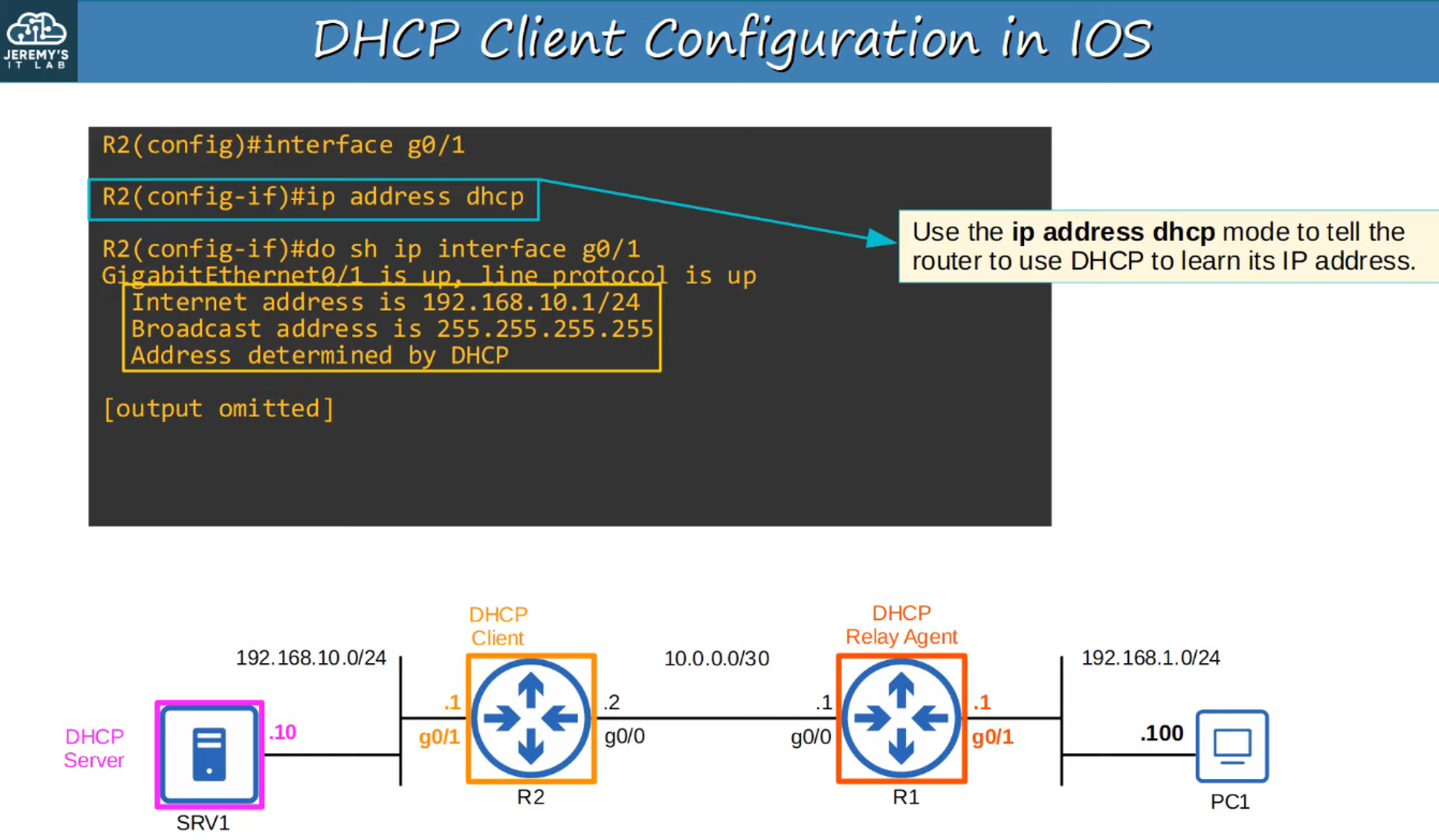
DHCP Client Configuration in IOS
To configure a DHCP client in Cisco IOS, the following command is typically used:
Commands Summary