Configuring Numbered Access Control Lists (ACLs)
In Lesson 34, we explored configuring Numbered ACLs in Global Config Mode. Let’s recall the differences between numbered and named ACLs, and how you can configure both.

Named ACL Configuration
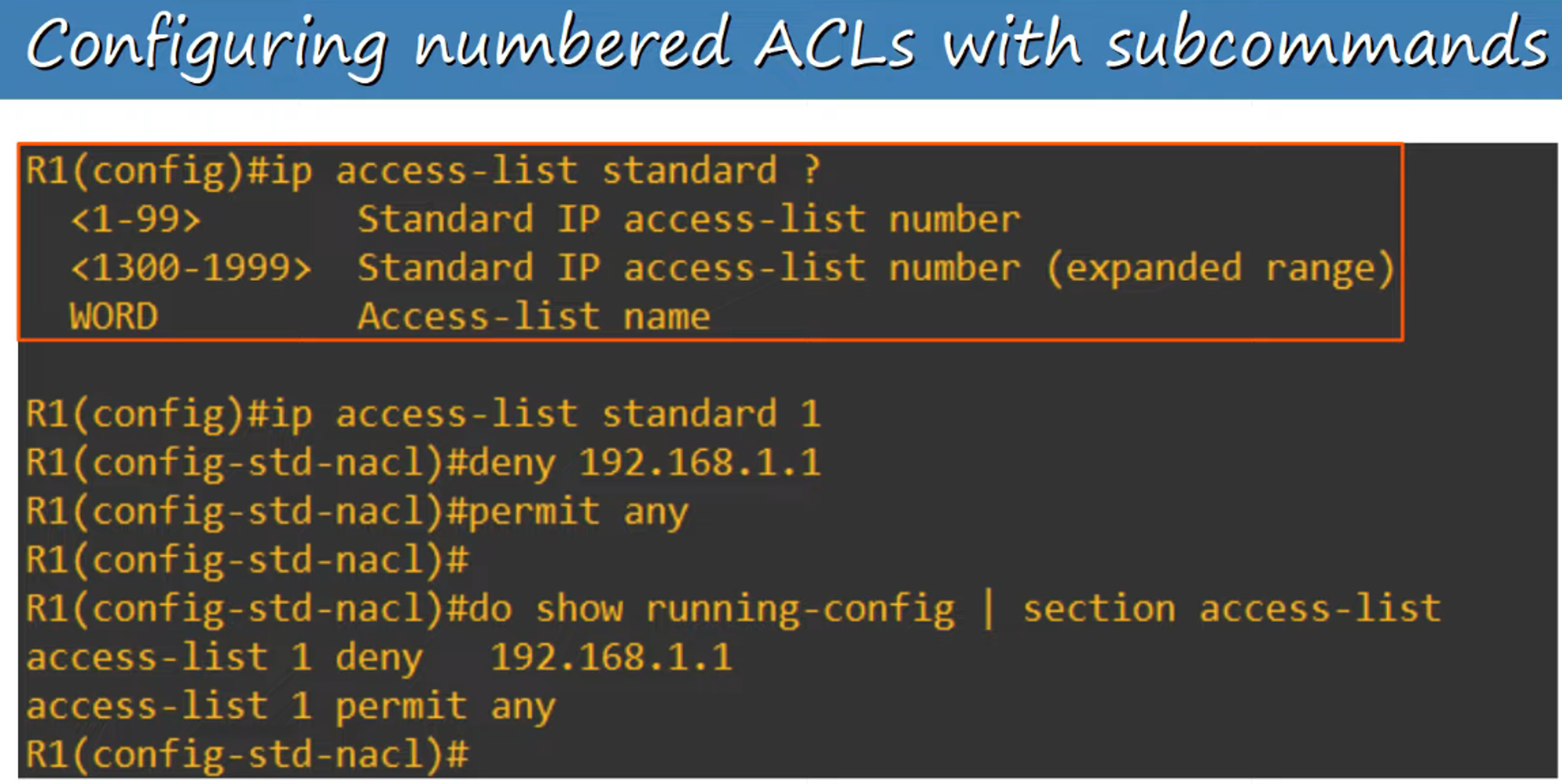
Named ACLs are configured in a separate config mode using subcommands.

Modern IOS Numbered ACLs
In modern Cisco IOS, you can configure Numbered ACLs in the same way as Named ACLs. This simplifies management and offers flexibility similar to Named ACLs.

Advantages of Named ACL Configuration Mode
Using Named ACLs offers several benefits, including:
-
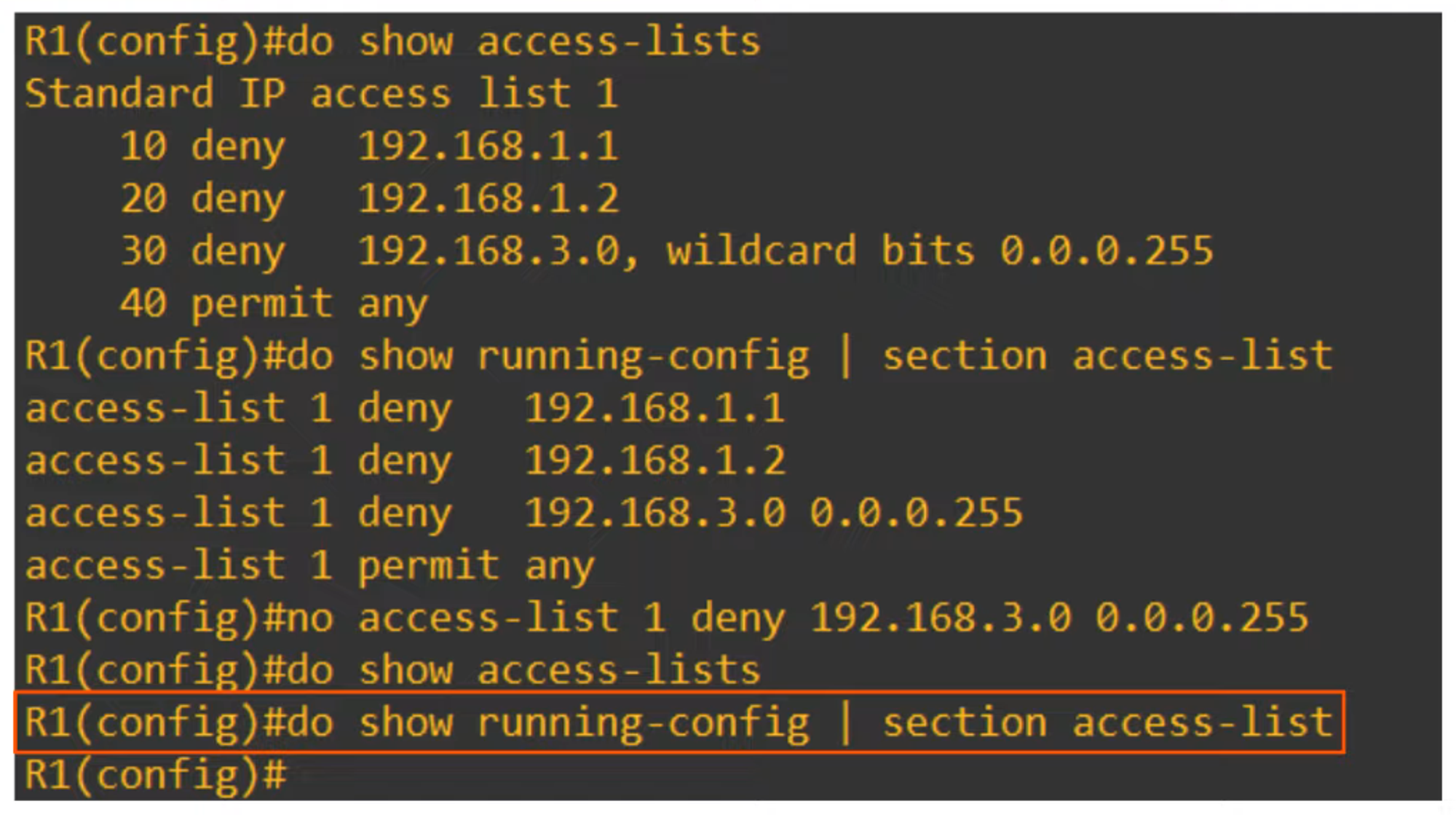
The ability to delete individual entries using the
no entry-numberorno sequence-numbercommand, which isn’t possible with numbered ACLs.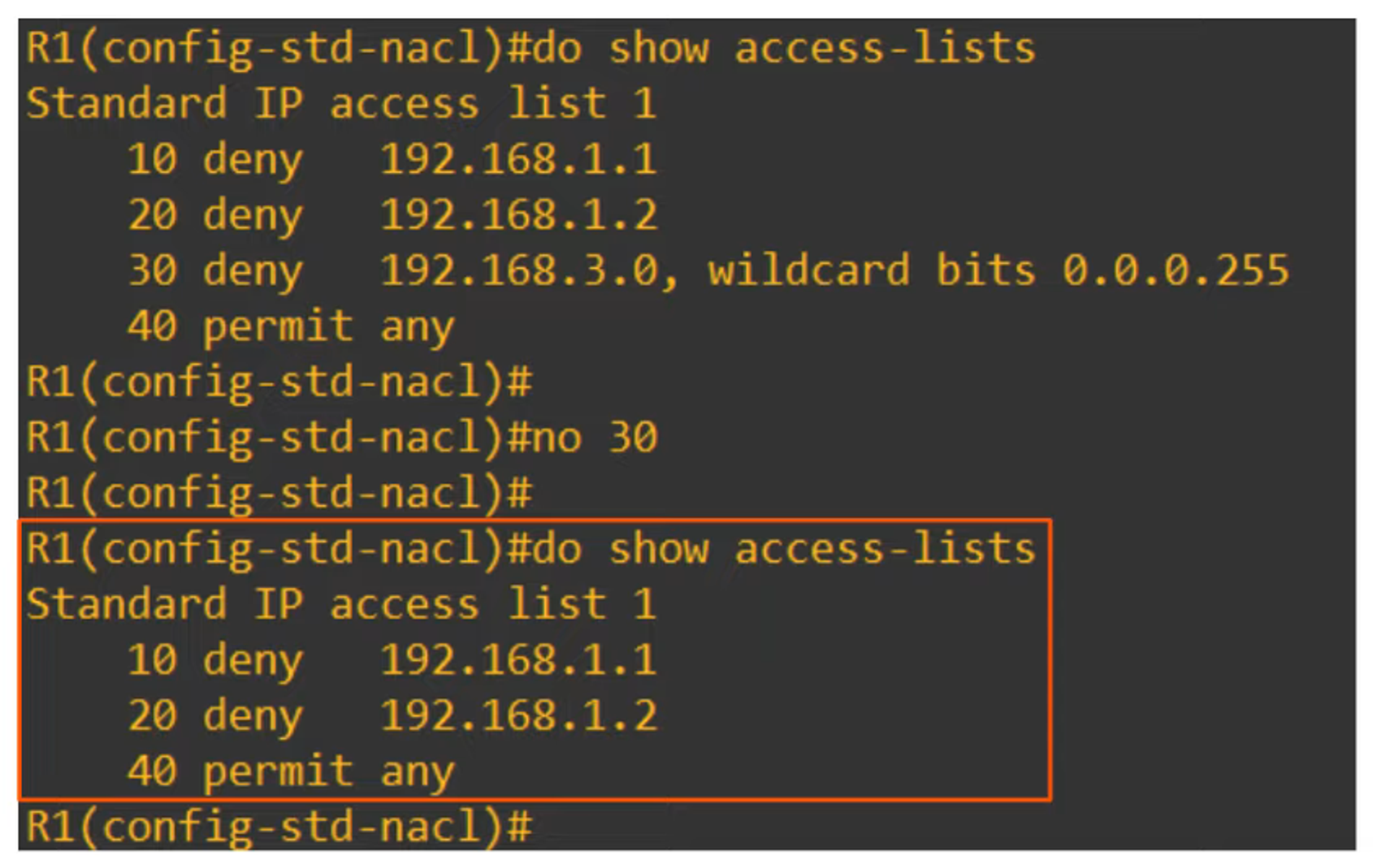
-
You can insert new entries between existing ones by specifying the sequence number.
Resequencing ACLs
Resequencing ACL entries helps to organize and edit them more easily. The command used is:
R1(config)# ip access-list resequence <acl-id> <starting-seq-num> <increment>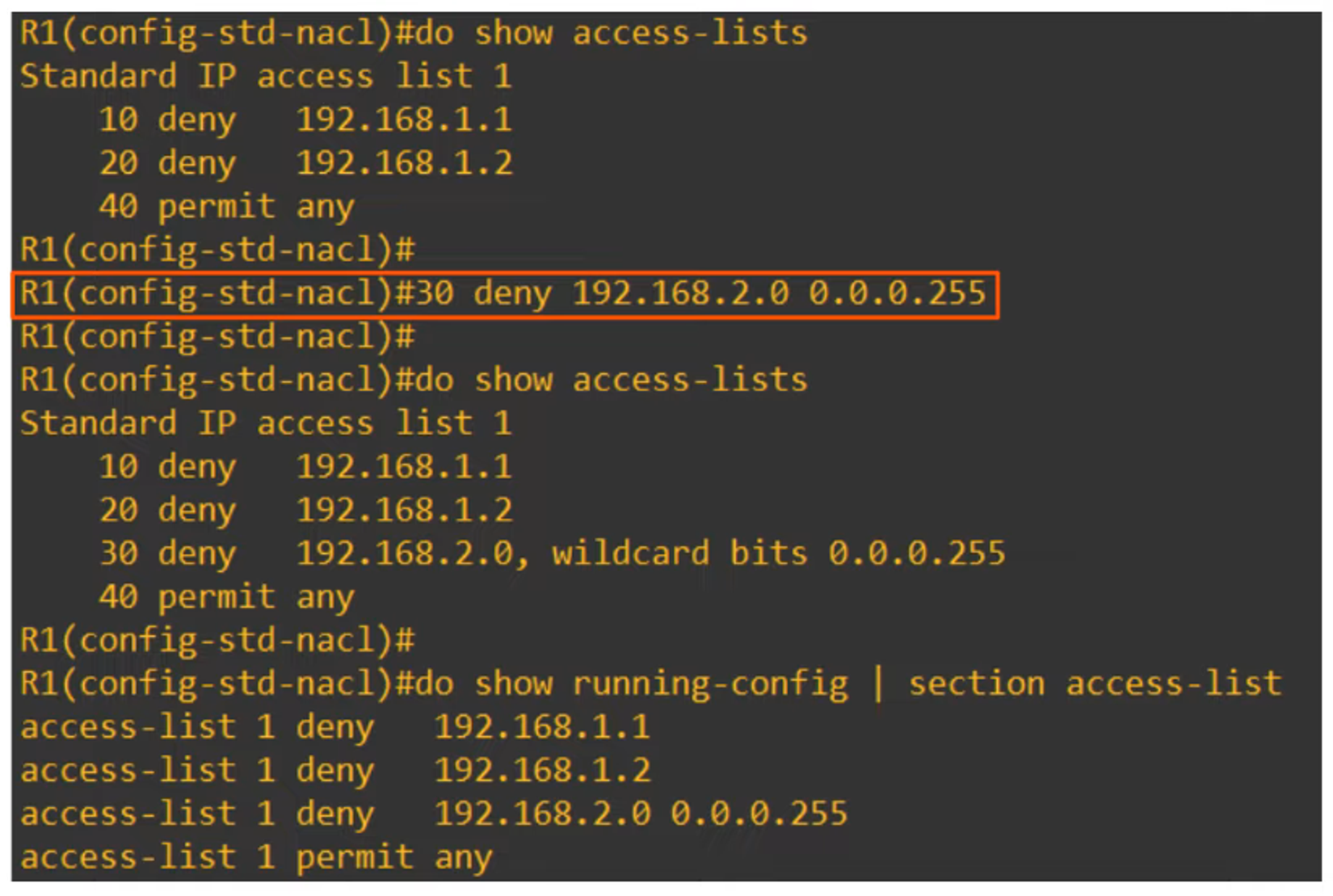
Extended Numbered and Named ACLs
Extended ACLs function similarly to Standard ACLs, but they offer more precision by allowing traffic matching based on additional parameters. These ACLs can be numbered or named, just like standard ACLs.
Extended Numbered ACLs
Numbered Extended ACLs use the following ranges:
- 100-199
- 2000-2699
Like standard ACLs, they are processed top to bottom, but they can match based on more specific criteria such as Layer 4 protocols (TCP/UDP ports), source, and destination addresses.
Extended Named ACLs
- Numbered ACL example:
R1(config)# access-list <number> {permit|deny} <protocol> <src-ip> <dest-ip>- Named ACL example:
R1(config)# ip access-list extended <name | number>
R1(config-ext-nacl)# <seq-num> {permit|deny} <protocol> <src-ip> <dest-ip>
Matching Protocols in Extended ACLs
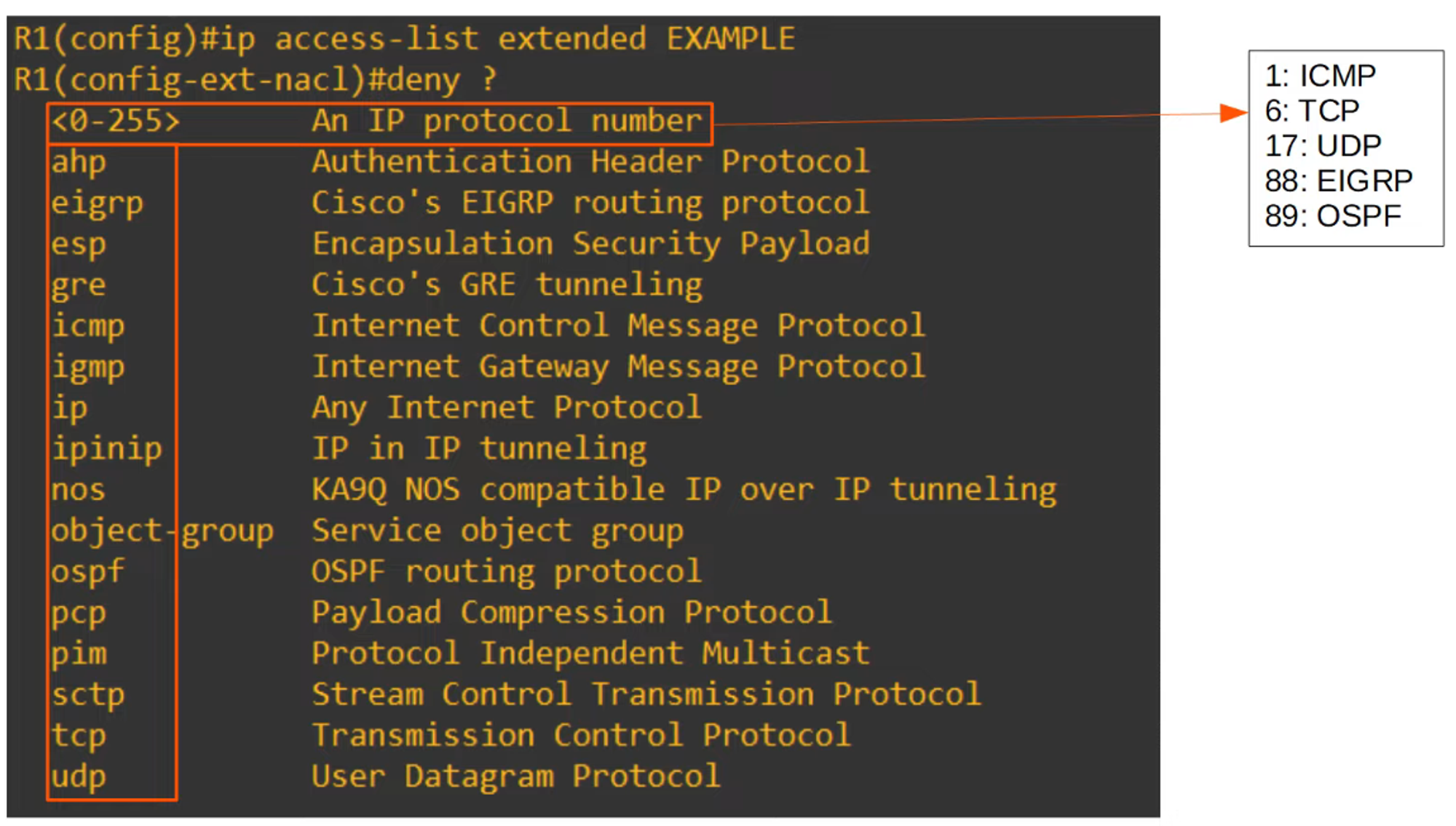
Extended ACLs allow you to match traffic based on the protocol used. Below are some common protocols and their IP protocol numbers (as used in the IPv4 header):
- ICMP: 1
- TCP: 6
- UDP: 17
- EIGRP: 88
- OSPF: 89
Matching Source and Destination IP Addresses
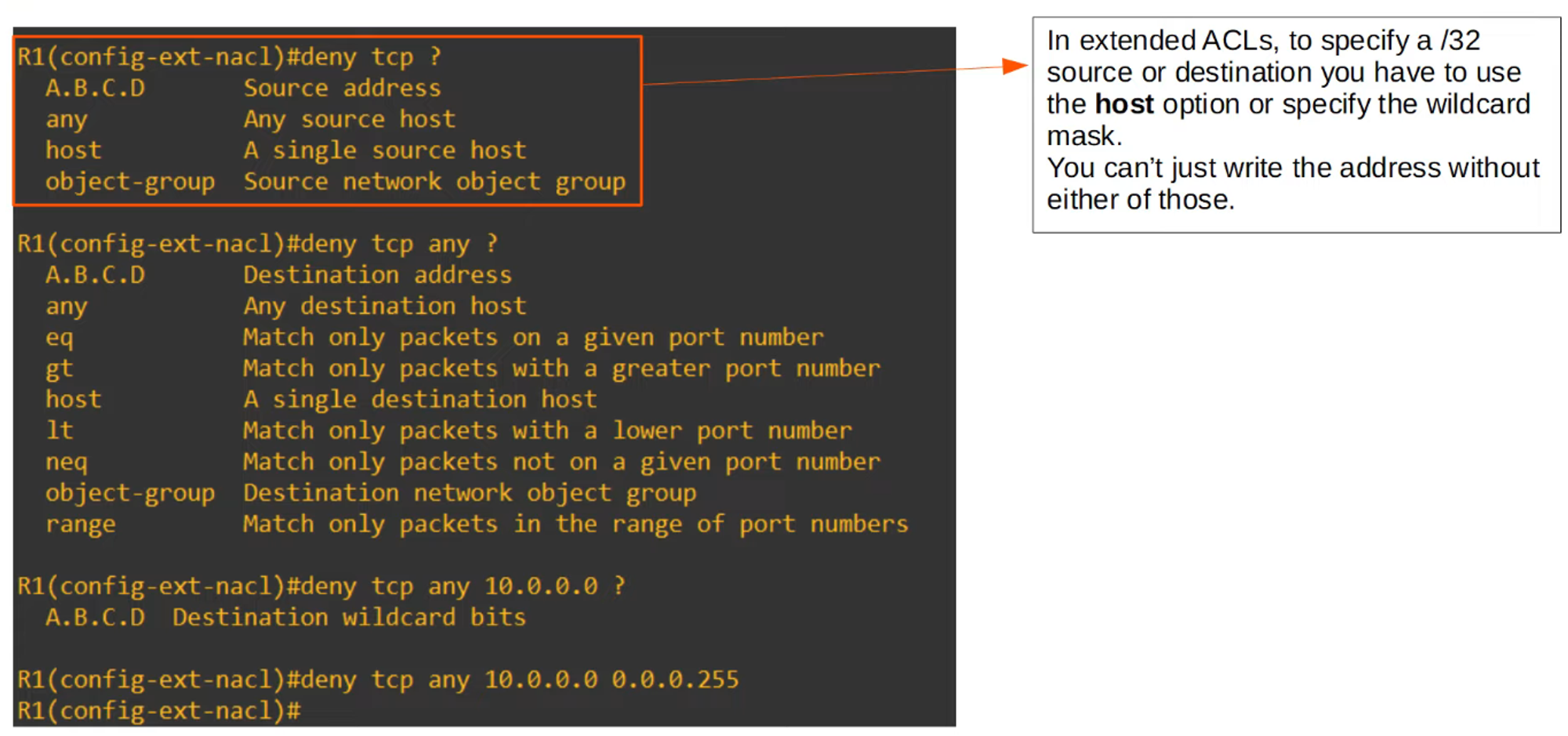
In extended ACLs, you can specify source and destination IP addresses for finer control over traffic. For instance:
R1(config-ext-nacl)# deny tcp any 10.0.0.0 0.0.0.255This command denies all packets encapsulating a TCP segment from any source to the destination 10.0.0.0/24.
Practice Questions
1. Allow All Traffic:
R1(config-ext-nacl)# permit ip any any(Note: “ip” means all protocols.)
2. Block UDP Traffic from a Specific Network to a Host:
R1(config-ext-nacl)# deny udp 10.0.0.0 0.0.255.255 host 192.168.1.13. Block ICMP (ping) Requests from One Host to a Network:
R1(config-ext-nacl)# deny icmp host 172.16.1.1 192.168.0.0 0.0.0.255Matching TCP/UDP Port Numbers
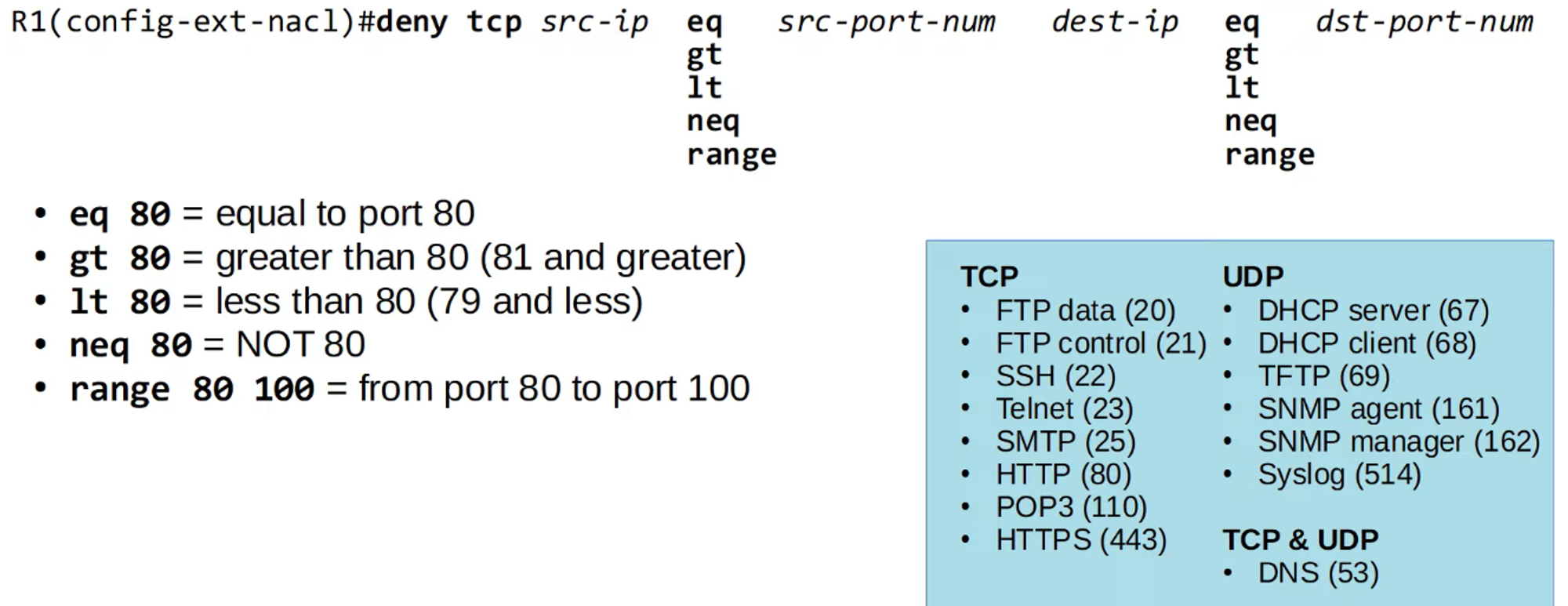
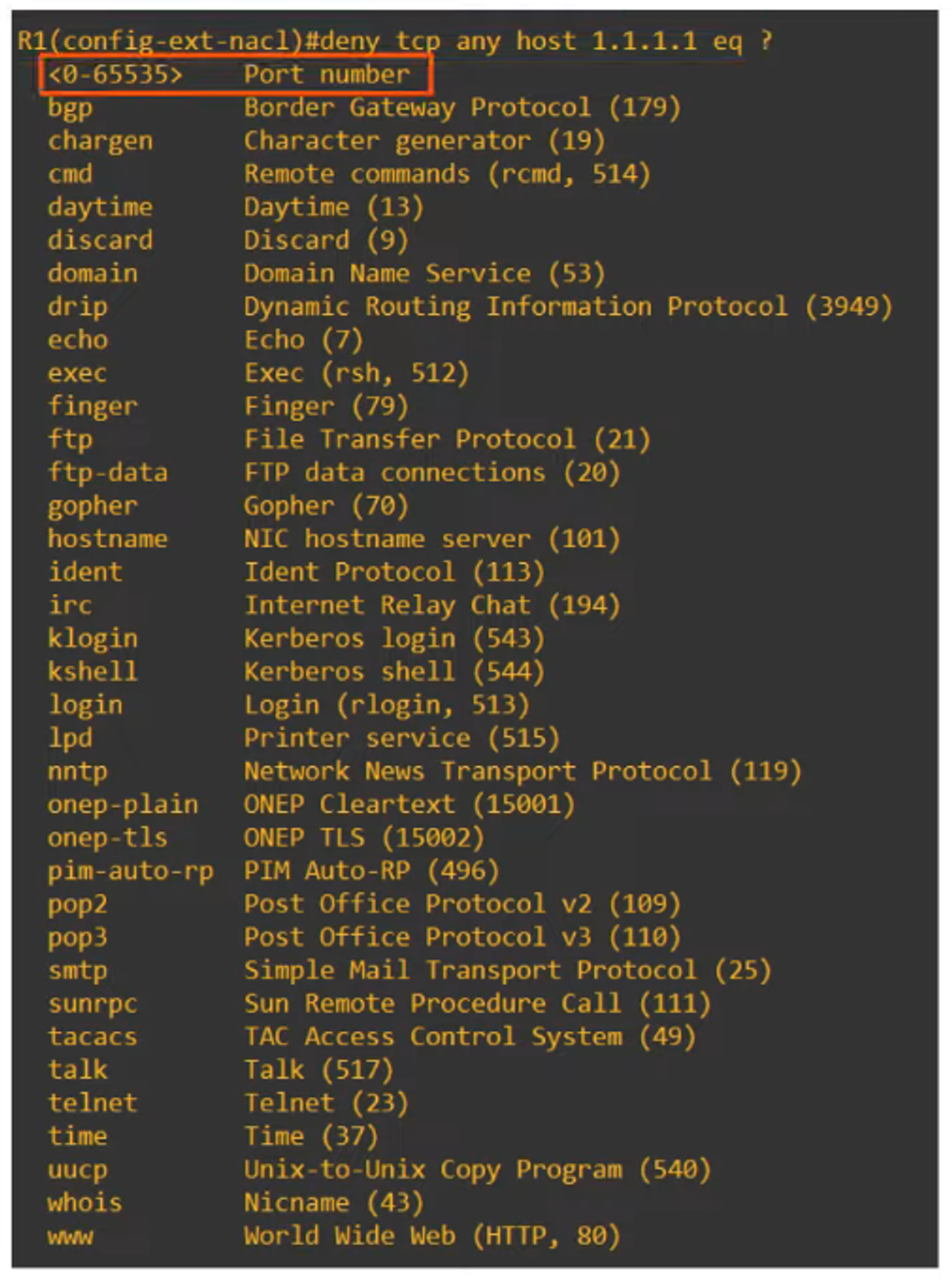
When configuring extended ACLs, you can optionally specify source and/or destination port numbers for protocols like TCP and UDP. These are defined using comparators such as:
- eq: equal to
- gt: greater than
- lt: less than
- neq: not equal to
- range: range of ports
You can either specify the port number directly or use the well-known service names (like HTTP, FTP).
For example:
R1(config-ext-nacl)# permit tcp 10.0.0.0 0.0.255.255 host 2.2.2.2 eq 443This allows traffic from the 10.0.0.0/16 network to access the server at 2.2.2.2 using HTTPS (port 443).
Practice Questions 2
1. Allow HTTPS Traffic:
R1(config-ext-nacl)# permit tcp 10.0.0.0 0.0.255.255 host 2.2.2.2 eq 4432. Deny Access for Hosts with Specific Source UDP Ports:
R1(config-ext-nacl)# deny udp any range 20000 30000 host 3.3.3.33. Permit Traffic with TCP Source Ports Greater than 9999:
R1(config-ext-nacl)# permit tcp 172.16.1.0 0.0.0.255 gt 9999 host 4.4.4.4 neq 23Extended ACL Example for Network Scenarios
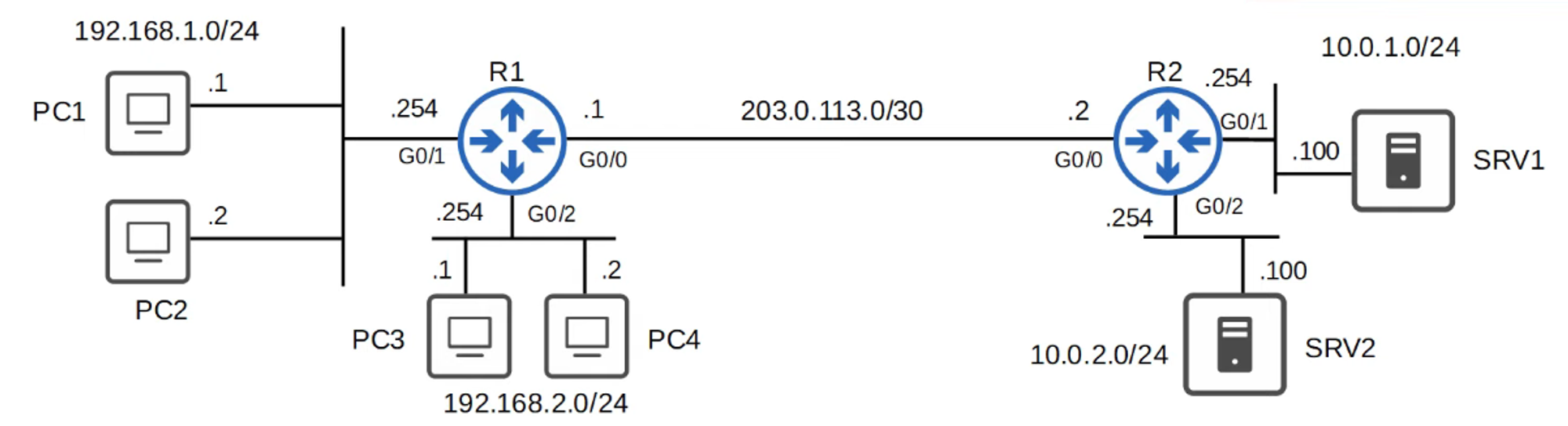
Scenario Requirements:
- Hosts in 192.168.1.0/24 must be denied HTTPS access to SRV1.
- Hosts in 192.168.2.0/24 must be denied access to 10.0.2.0/24.
- Neither 192.168.1.0/24 nor 192.168.2.0/24 should be able to ping 10.0.1.0/24 or 10.0.2.0/24.
Extended ACL #1 (Applied to R1 G0/1 Inbound):
R1(config)# ip access-list extended HTTP_SRV1
R1(config-ext-nacl)# deny tcp 192.168.1.0 0.0.0.255 host 10.0.1.100 eq 443
R1(config-ext-nacl)# permit ip any any
R1(config-if)# ip access-group HTTP_SRV1 in
Extended ACL #2 (Applied to R1 G0/2 Inbound):
R1(config)# ip access-list extended BLOCK_10.0.2.0
R1(config-ext-nacl)# deny ip 192.168.2.0 0.0.0.255 10.0.2.0 0.0.0.255
R1(config-ext-nacl)# permit ip any any
R1(config-if)# ip access-group BLOCK_10.0.2.0 in
Extended ACL #3 (Applied to R1 G0/0 Outbound):
R1(config)# ip access-list extended BLOCK_ICMP
R1(config-ext-nacl)# deny icmp 192.168.1.0 0.0.0.255 10.0.1.0 0.0.0.255
R1(config-ext-nacl)# deny icmp 192.168.1.0 0.0.0.255 10.0.2.0 0.0.0.255
R1(config-ext-nacl)# deny icmp 192.168.2.0 0.0.0.255 10.0.1.0 0.0.0.255
R1(config-ext-nacl)# permit ip any any
R1(config-if)# ip access-group BLOCK_ICMP out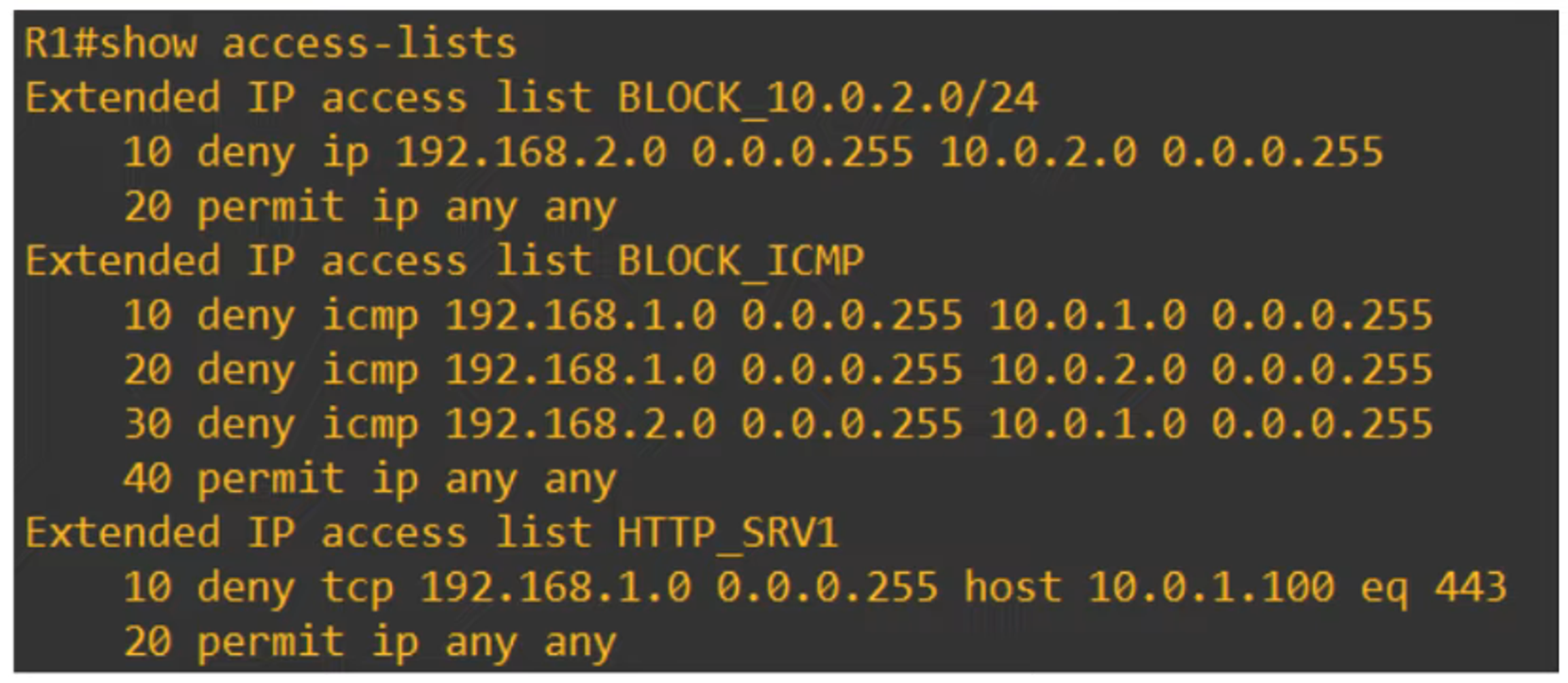
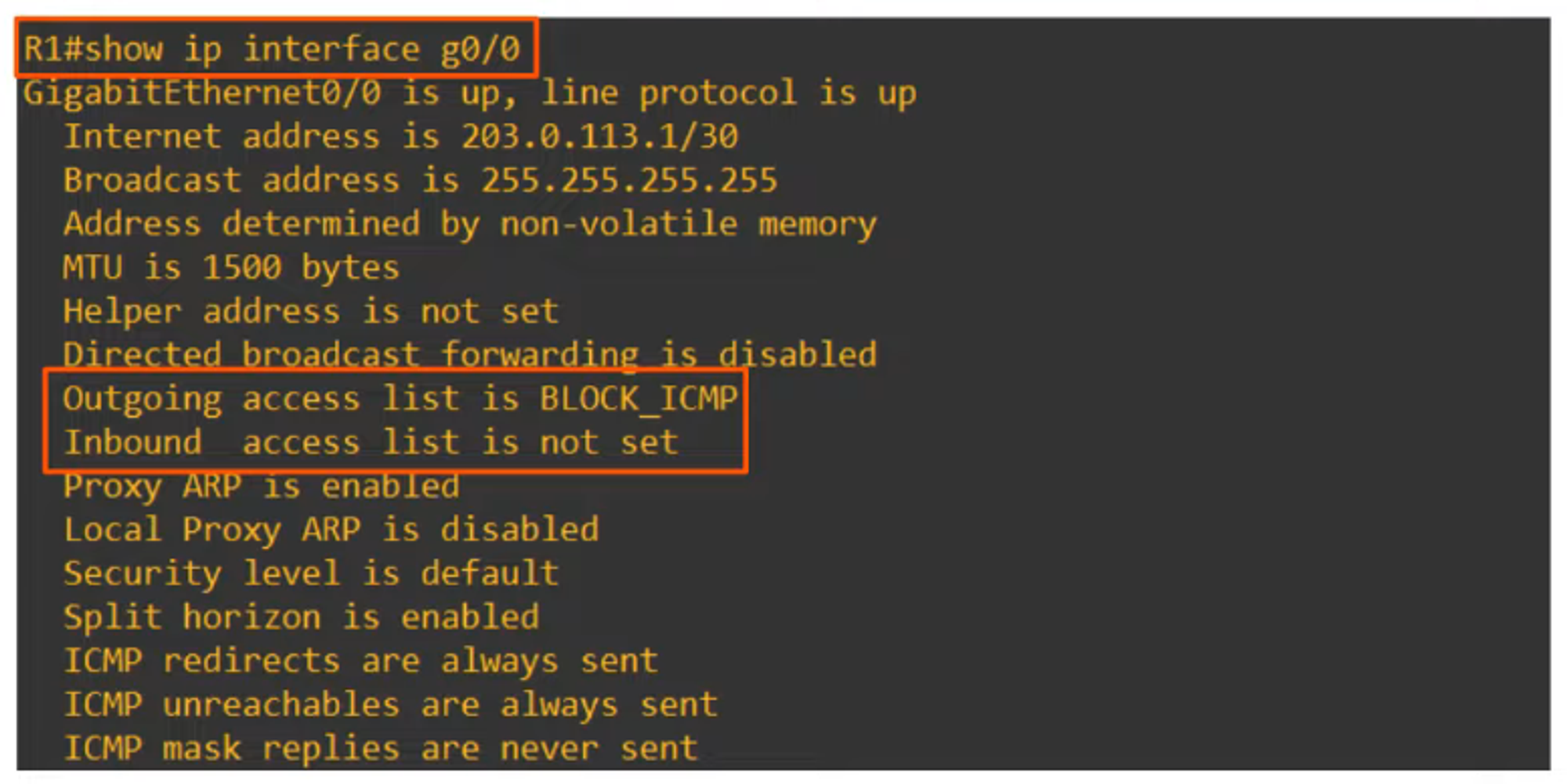
Verifying Applied ACLs
To check which ACLs are applied to an interface, use the command:
R1# show ip interface