What are ACLs?
Access Control Lists (ACLs) are essential tools in networking, particularly for managing traffic flow and enhancing security. In the context of network security, ACLs serve as packet filters, instructing routers on whether to allow or deny specific traffic based on various criteria.
Key Characteristics of ACLs:
-
ACLs can filter traffic based on:
- Source/Destination IP addresses
- Source/Destination Layer 4 ports (e.g., TCP/UDP ports)
- Other parameters like protocol types
-
Throughout Day 34 and Day 35, the focus will be on ACLs from a security perspective.
How ACLs Work
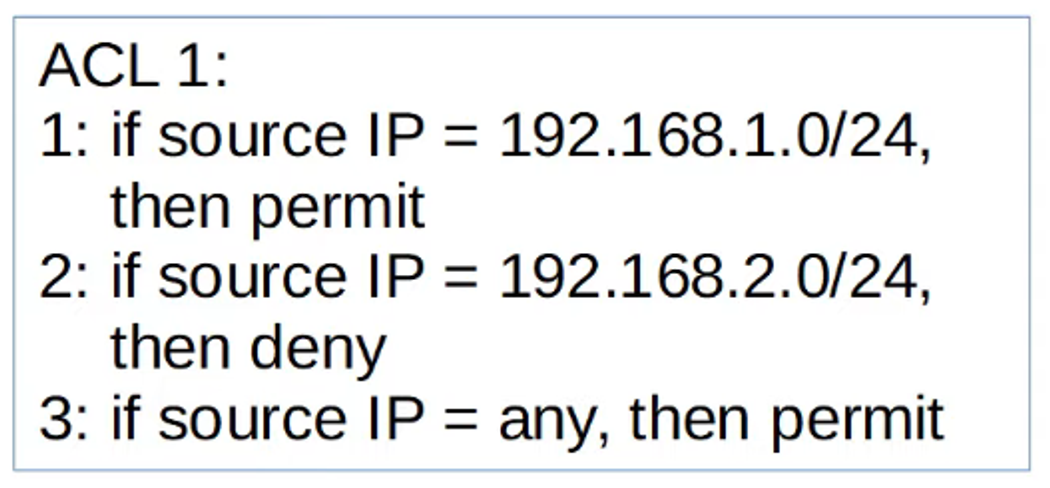
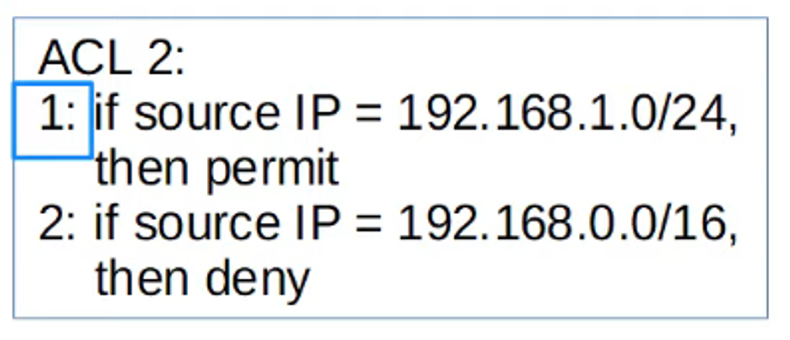
An ACL consists of an ordered list of Access Control Entries (ACEs). When a packet is evaluated by the router, it is checked against the ACEs one by one, from top to bottom. Once a match is found, the corresponding action (permit or deny) is applied, and no further ACEs are processed.
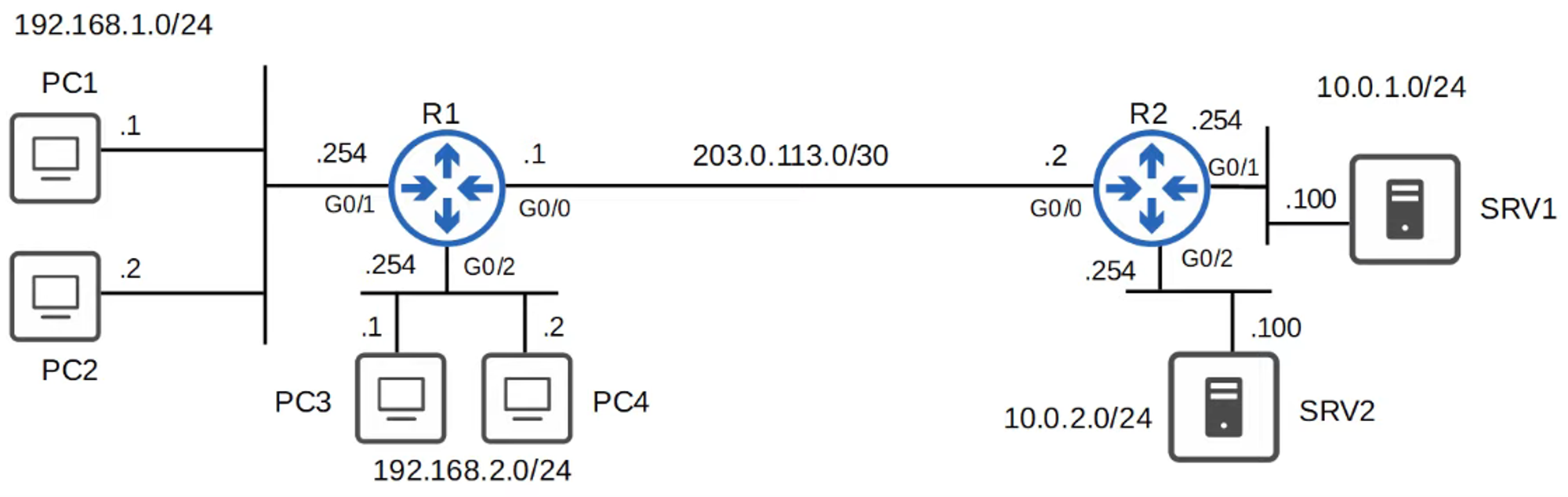
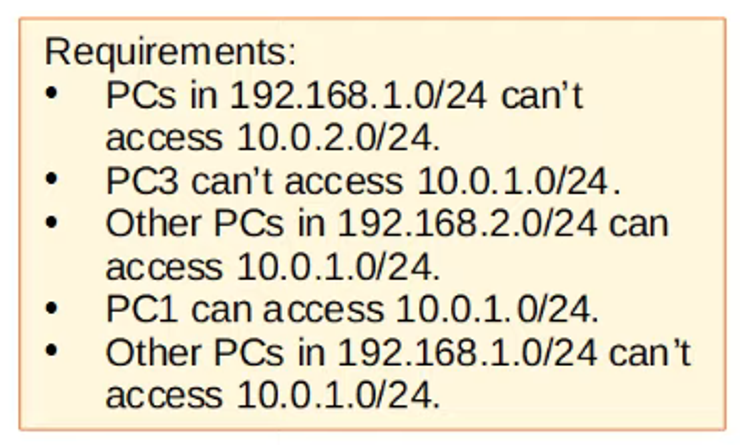
Example Requirement:
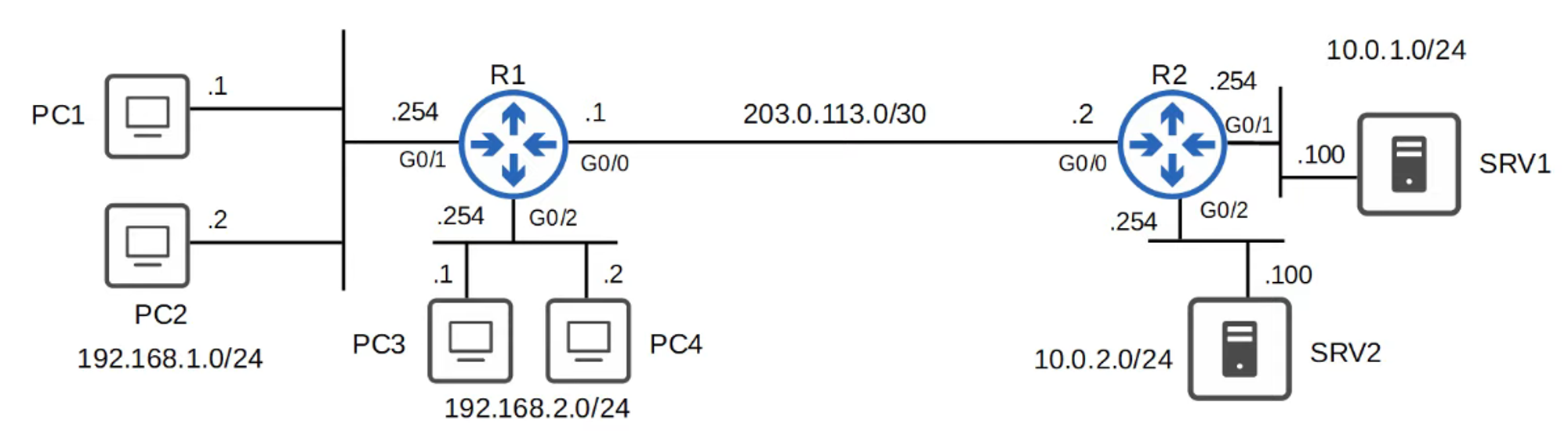
- Hosts in the
192.168.1.0/24network should have access to the10.0.1.0/24network. - Hosts in the
192.168.2.0/24network should not have access to the10.0.1.0/24network.
Configuring ACLs
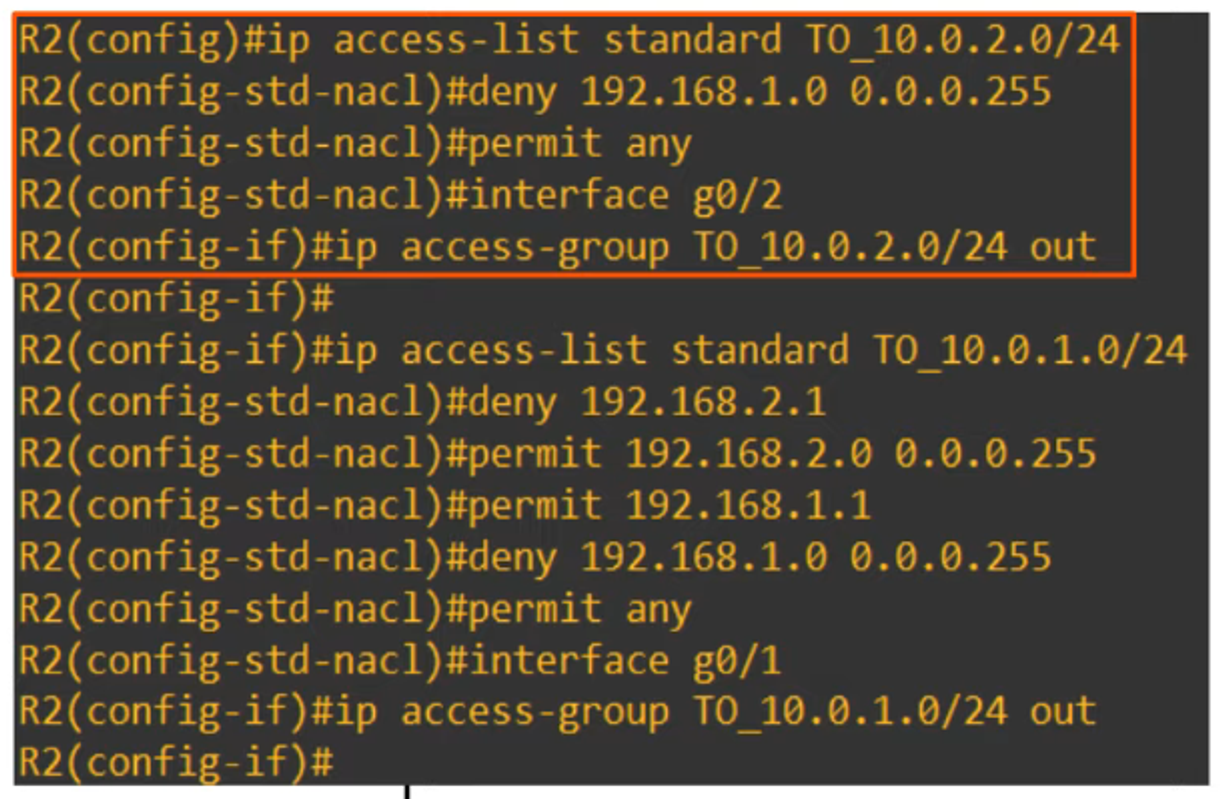
ACLs are configured globally on the router in Global Configuration Mode. However, defining an ACL does not make it active until it is applied to an interface.
Key points:
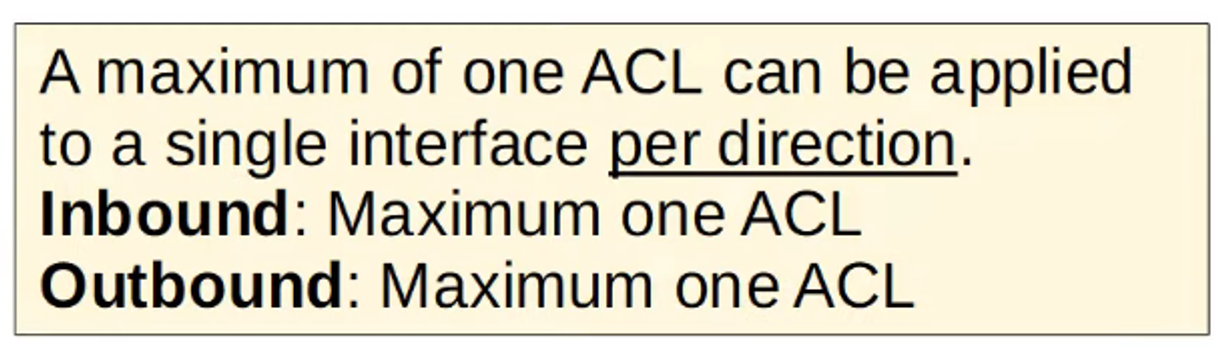
- ACLs can be applied either inbound (before the traffic enters the router) or outbound (before the traffic leaves the router).
- When a packet is compared to an ACL, if it matches an ACE, the router performs the action defined (permit or deny) and stops evaluating further entries.
Implicit Deny
At the end of every ACL, there is an implicit deny rule. This means that if a packet does not match any of the ACEs in the list, it will be automatically denied.
Key Takeaway:
- If a packet fails to match any ACE, the implicit deny at the end will reject the traffic.
ACL Types
ACLs can be categorized into different types. For now, the focus is on Standard Numbered ACLs and Standard Named ACLs.
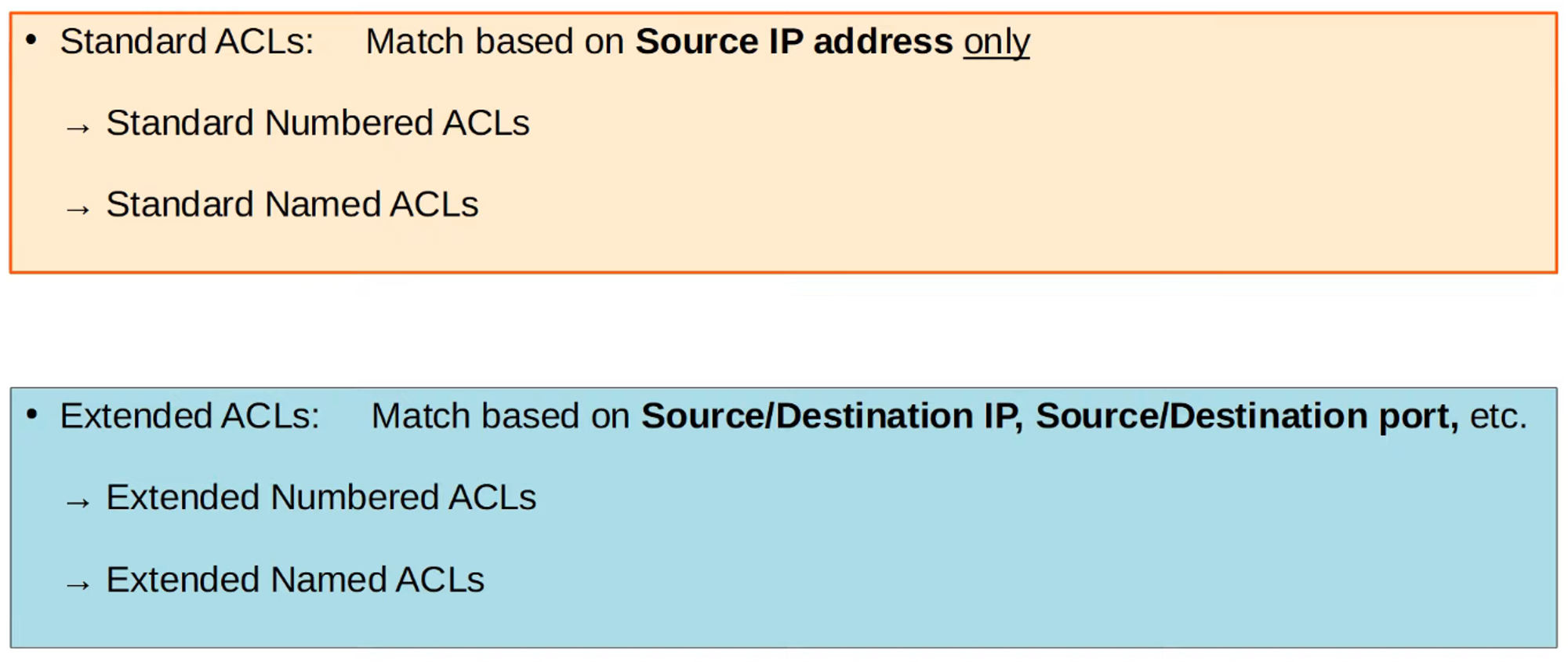
Figure 4: Overview of ACL Types
Standard Numbered ACLs
Standard Numbered ACLs filter traffic based solely on the source IP address. They are identified by a number. For example, ACL 1, ACL 2, etc.
Key Numbering Ranges:
- Standard ACLs can use numbers from 1-99 and 1300-1999.
Basic Command Syntax:
To configure a Standard Numbered ACL:
R1(config)# access-list *number* {deny | permit} *source-IP wildcard-mask*
Example Configurations:
-
Denying a specific host:
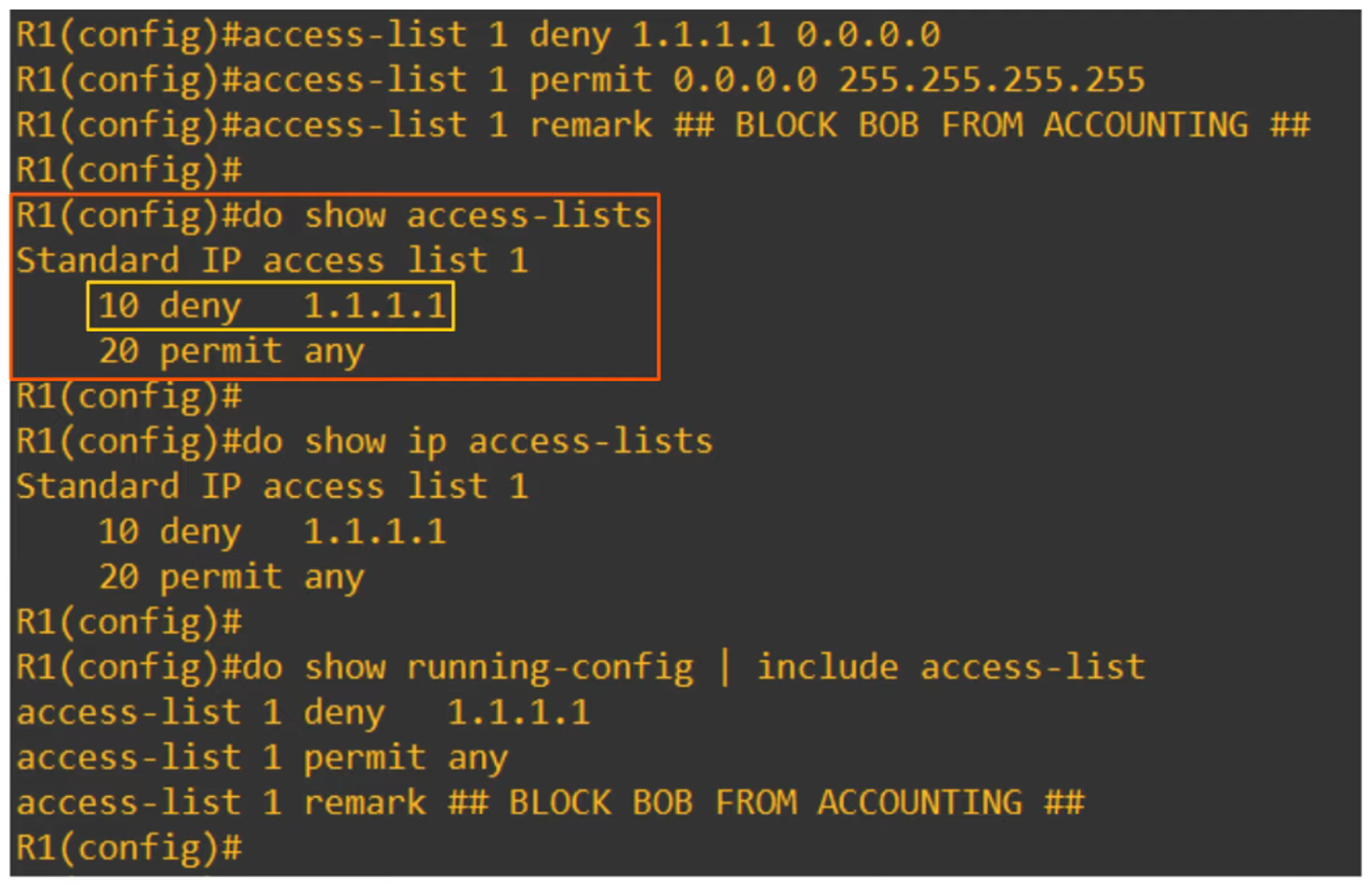
R1(config)# access-list 1 deny 1.1.1.1 0.0.0.0This denies traffic from
1.1.1.1. Alternatively, you can use:R1(config)# access-list 1 deny host 1.1.1.1 -
Permitting all traffic:
R1(config)# access-list 1 permit anyor
R1(config)# access-list 1 permit 0.0.0.0 255.255.255.255 -
Adding a remark (comment):
R1(config)# access-list 1 remark ## BLOCK BOB FROM ACCOUNTING ##
Applying an ACL to an Interface
After configuring an ACL, it must be applied to an interface using the following command:
R1(config-if)# ip access-group *number* {in | out}
For example, applying the rule on G0/2 interface outbound:
R1(config-if)# ip access-group 1 out
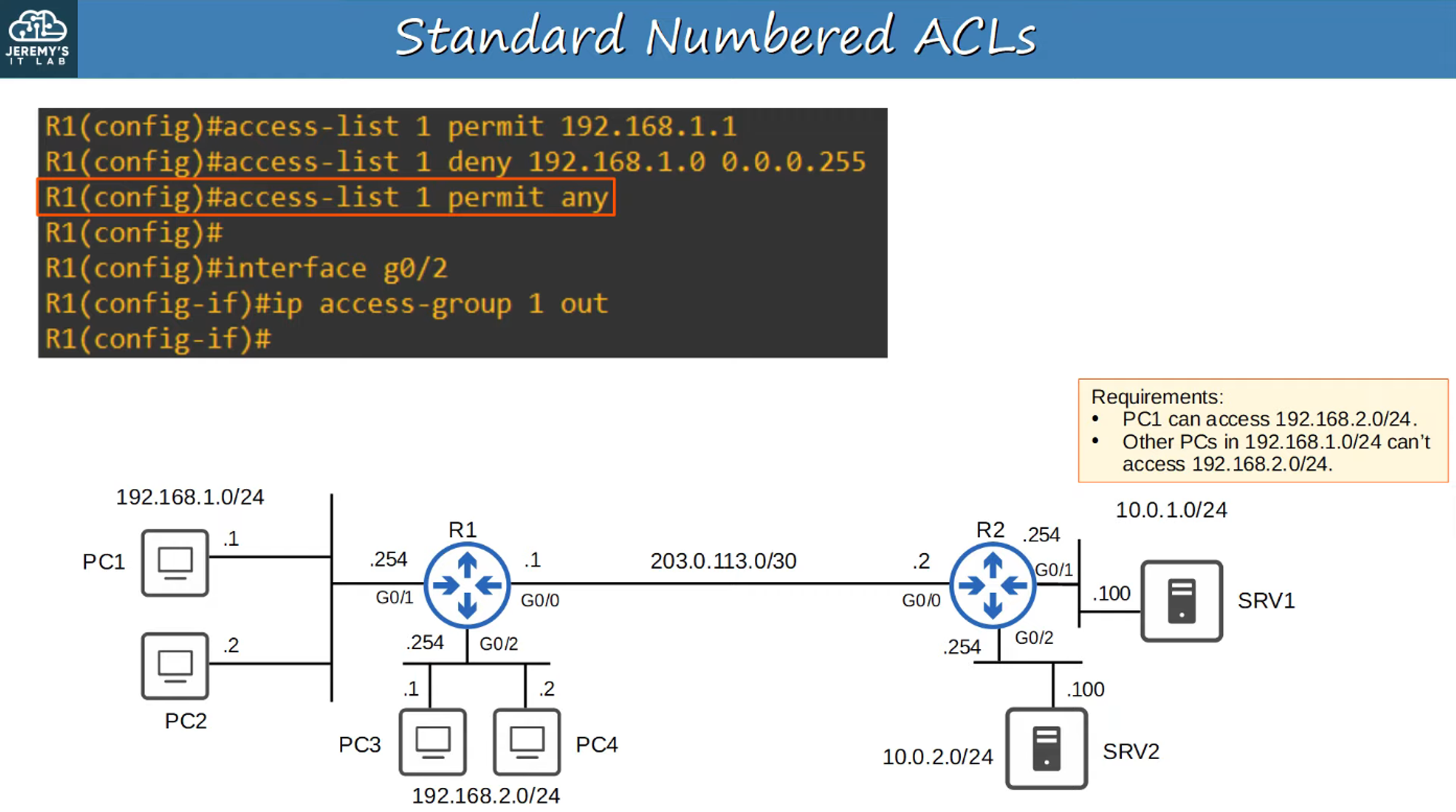
Why Apply Standard ACLs Close to the Destination?
Standard ACLs should be applied as close to the destination as possible. This minimizes unnecessary traffic filtering earlier in the network and allows traffic to be evaluated closer to its final destination.
Standard Named ACLs
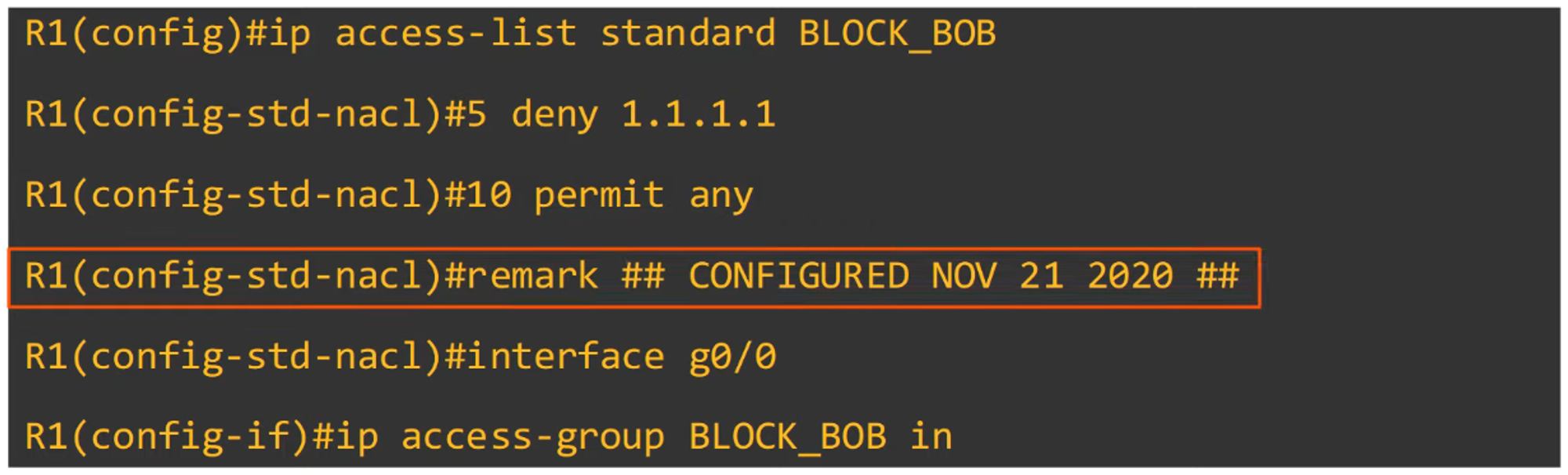
Named ACLs allow you to assign a descriptive name to the ACL, instead of using a number. This helps in managing and identifying ACLs more effectively.
Configuration Steps:
-
Enter Standard Named ACL Configuration Mode:
R1(config)# ip access-list standard *acl-name* -
Configure individual entries within that mode:
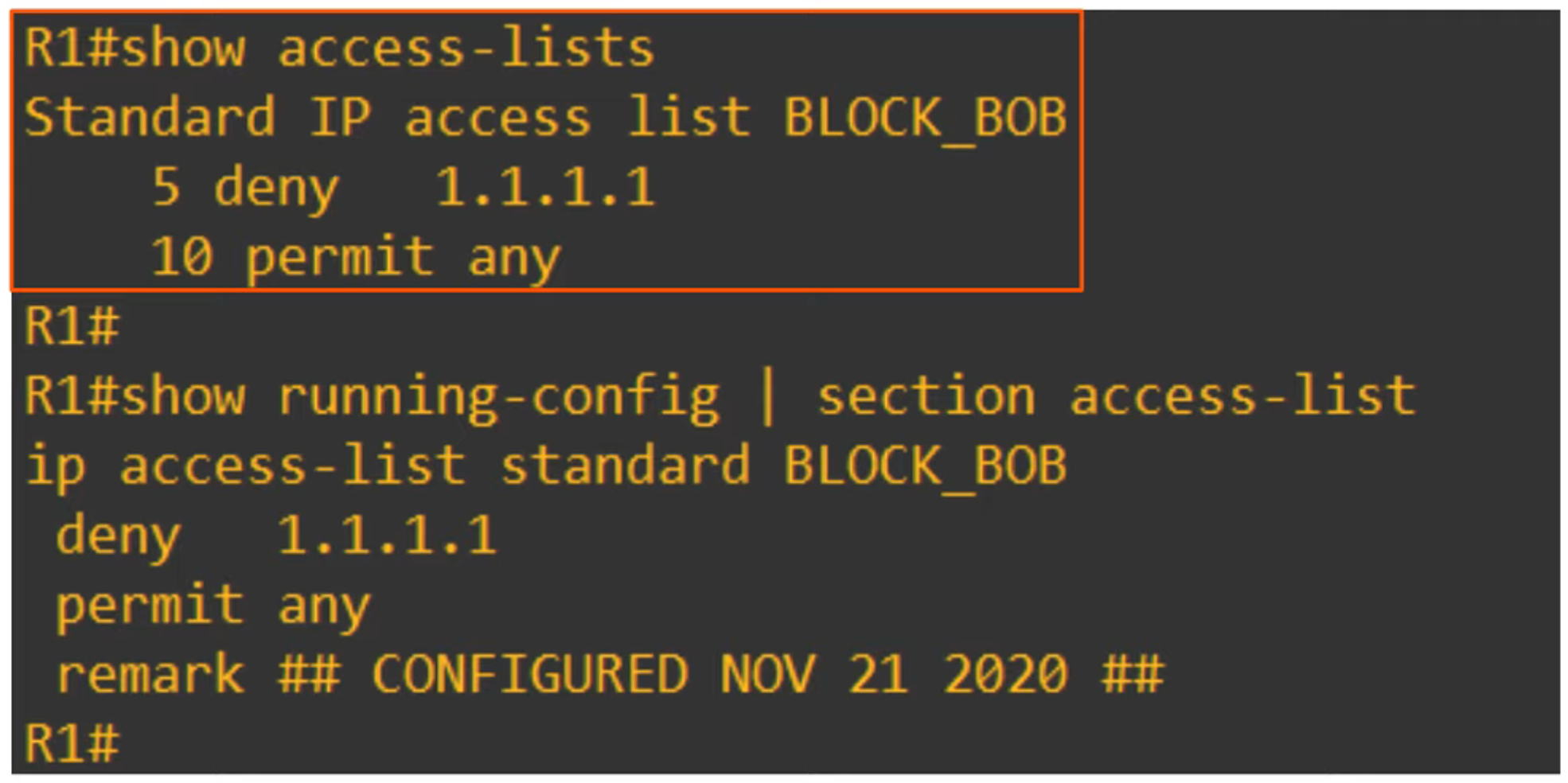
R1(config-std-nacl)# [*entry-number*] {deny | permit} *source-IP wildcard-mask*
Example:
-
Denying traffic from a specific host:
R1(config-std-nacl)# 10 deny host 1.1.1.1 -
Permitting traffic from any source:
R1(config-std-nacl)# 20 permit any
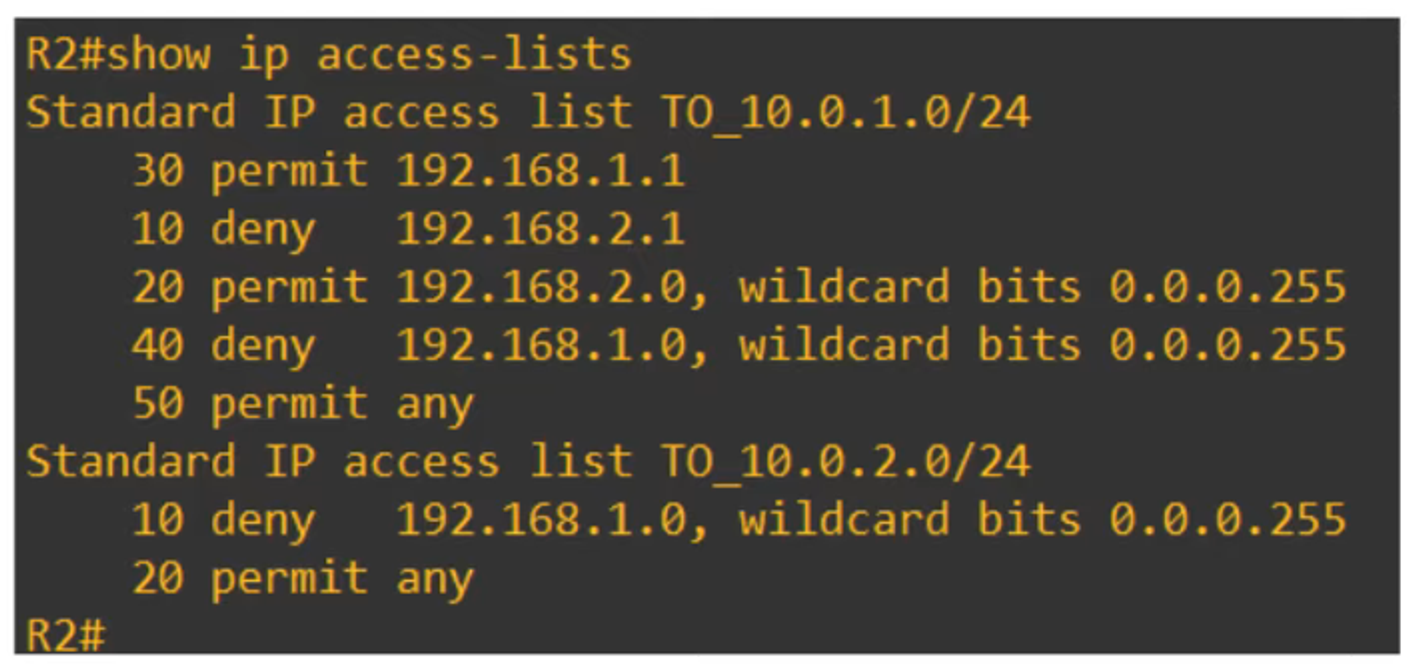
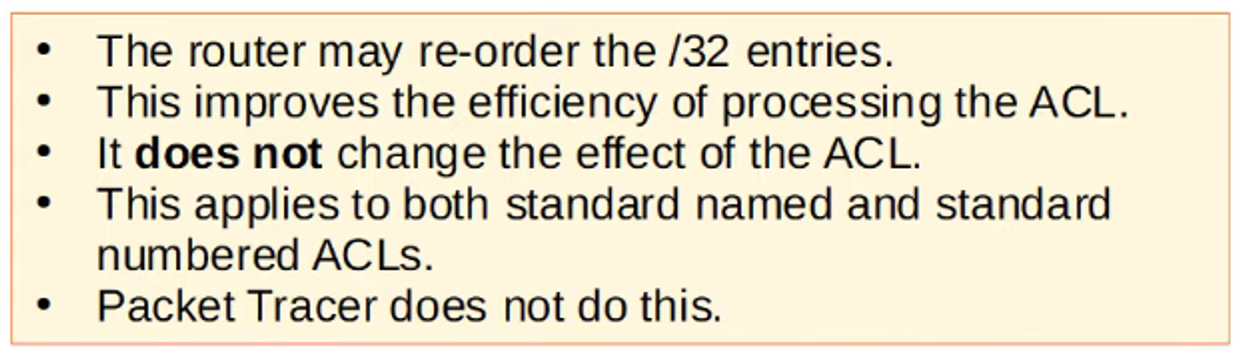
Viewing and Reordering ACLs
When viewing an ACL’s configuration, you might notice that the entries may be reordered based on their sequence numbers. This happens on some platforms or tools (like Cisco Packet Tracer), which might not reorder the entries automatically.