IPv6 Address Configuration (EUI-64)
Extended Unique Identifier (EUI-64) is a method used to convert a 48-bit MAC address into a 64-bit interface identifier. This identifier then becomes the “host portion” of a /64 IPv6 address.
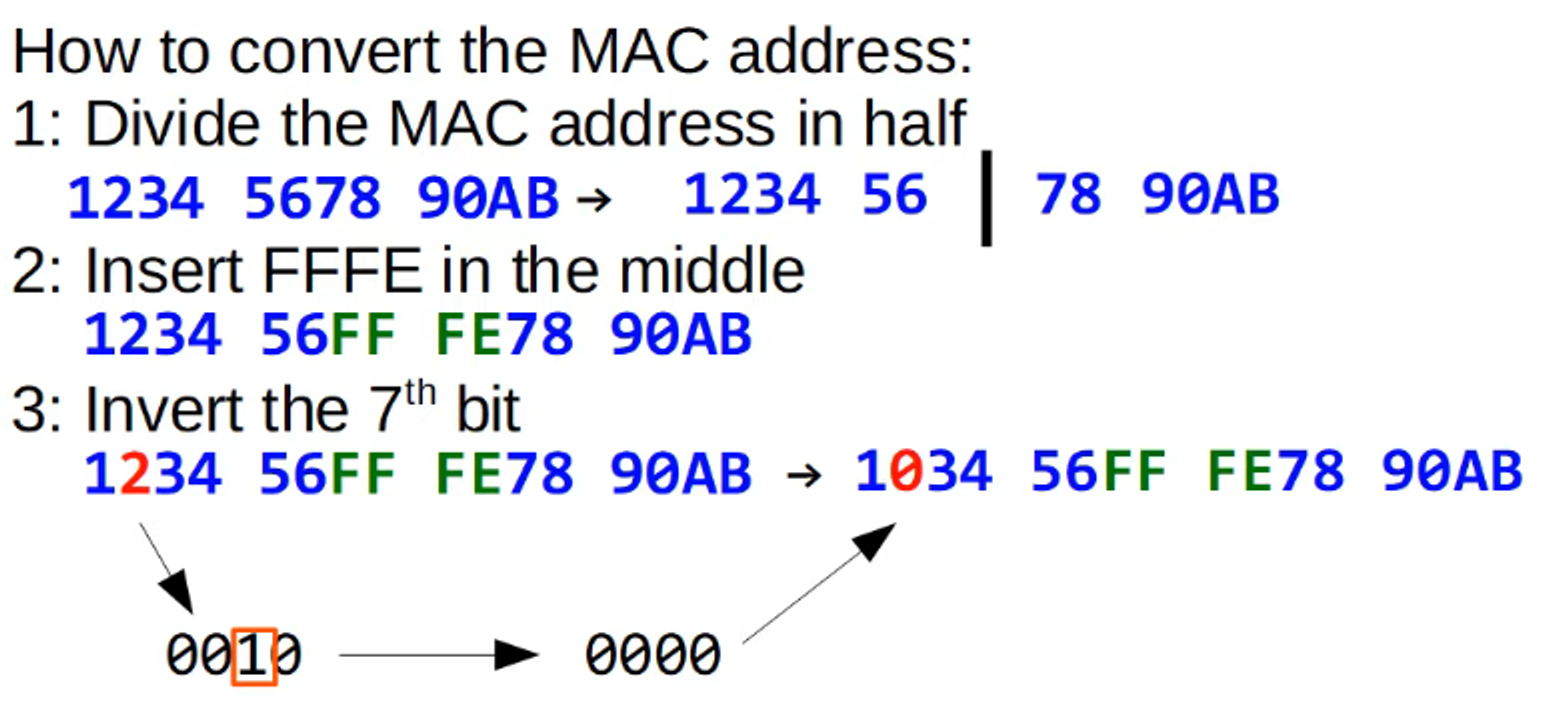
EUI-64 Conversion Example:
- Given MAC address:
782B CBAC 0867 - Split and insert
FF FE:782B CBFF FEAC 0867 - Invert the 7th bit of the first byte (
8becomesAin hex):7A2B CBFF FEAC 0867
Resulting EUI-64 Interface Identifier: 7A2B CBFF FEAC 0867
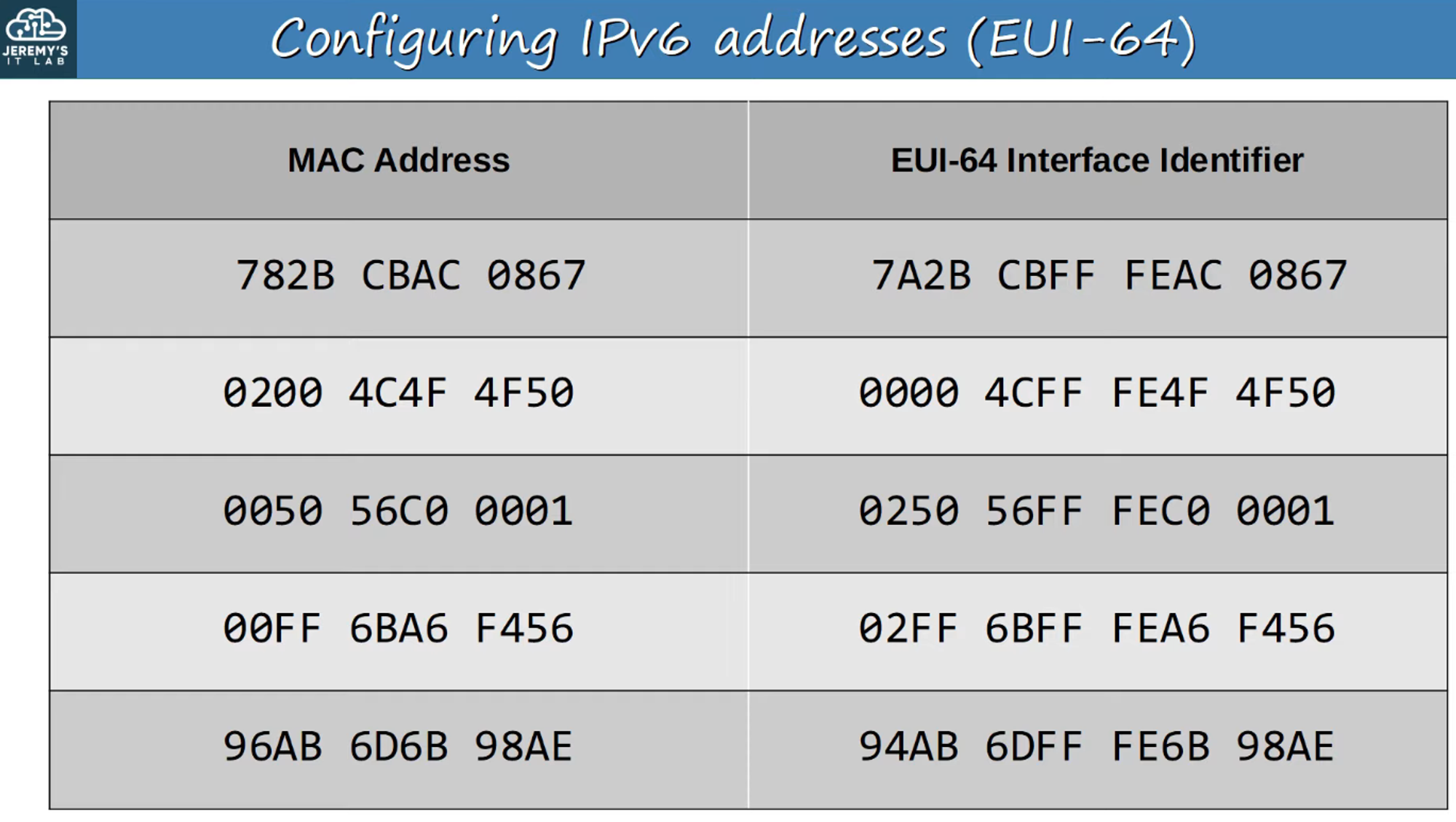
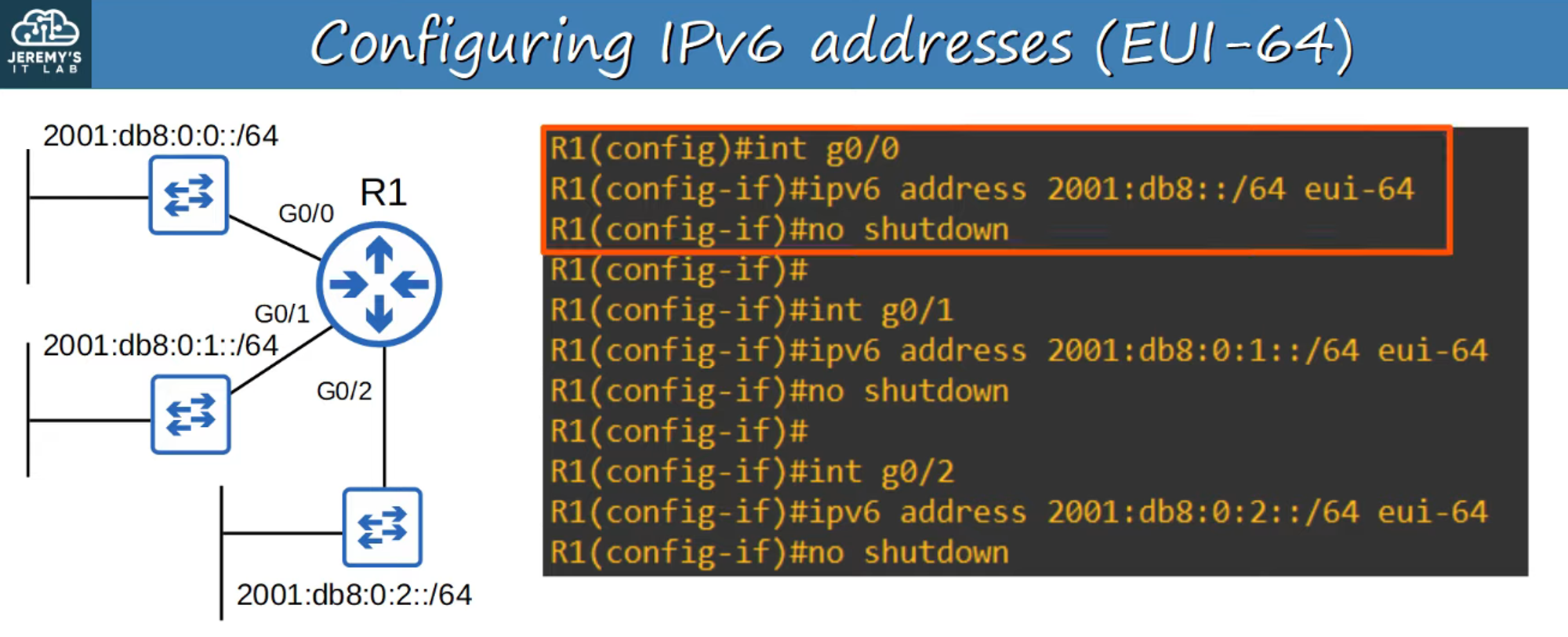
Configuring IPv6 Addresses with EUI-64
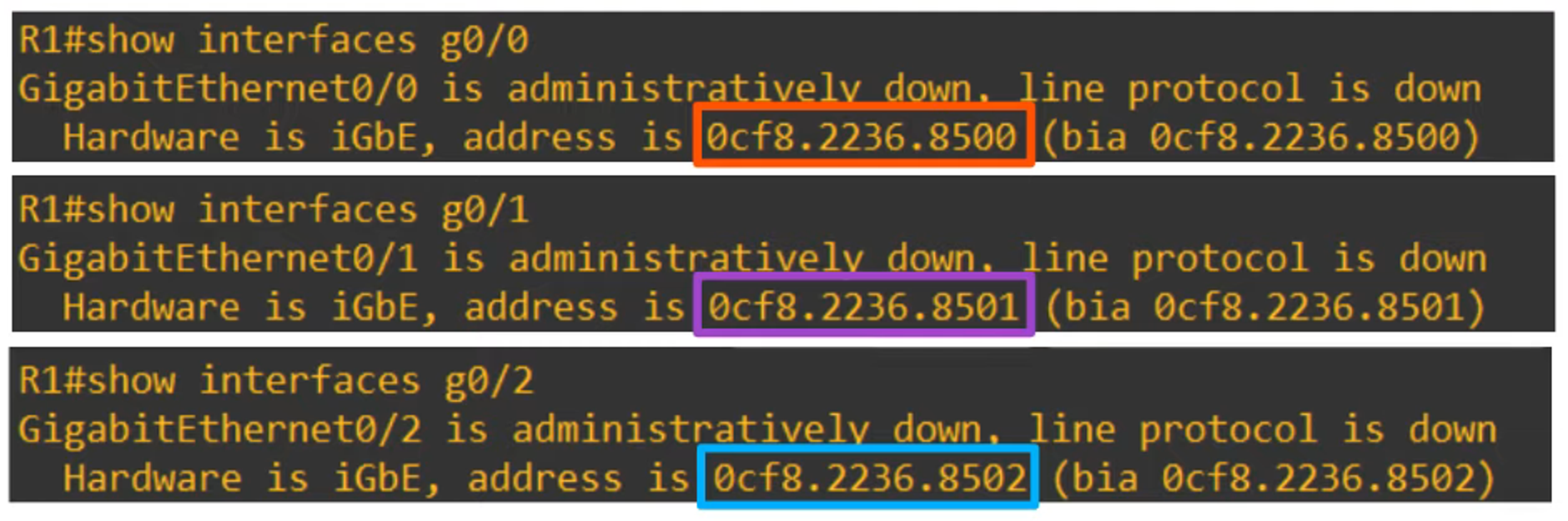
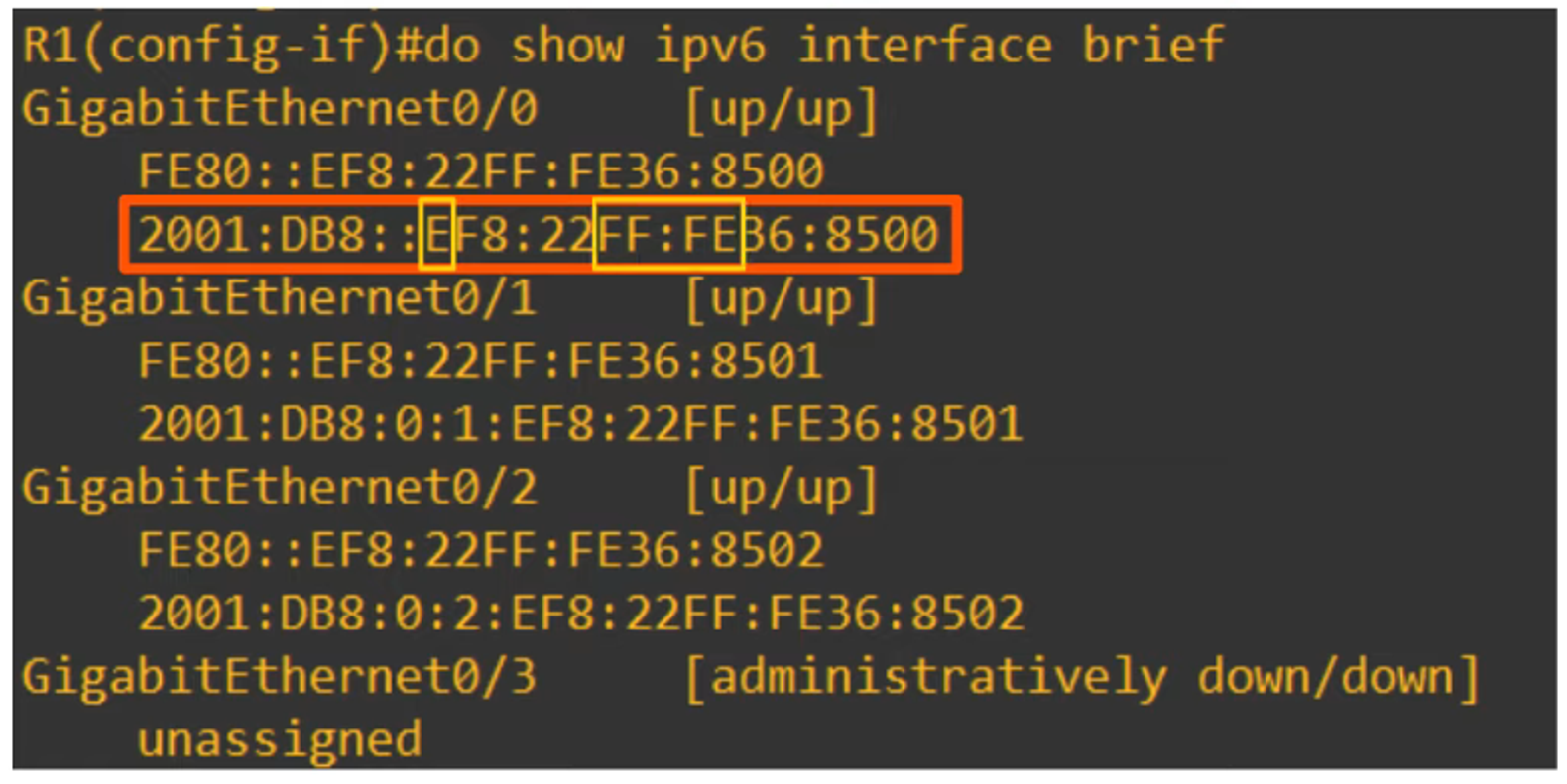
When configuring IPv6 addresses using EUI-64, the MAC address undergoes the process outlined above to form the interface identifier. This identifier is then combined with the network prefix to create the full IPv6 address.
- Example: Notice how the “E” in the “2001:DB8…” address changes to “C” due to the 7th bit being flipped (from
1110to1100).
Why Invert the 7th Bit?
MAC addresses are categorized into two types:
- Universally Administered Address (UAA):
- Uniquely assigned by the manufacturer.
- Locally Administered Address (LAA):
- Manually assigned by an admin or protocol. It doesn’t need to be globally unique.
The 7th bit of the MAC address, known as the Universal/Local (U/L) bit, helps identify whether the MAC address is UAA or LAA:
- U/L bit = 0: UAA
- U/L bit = 1: LAA
In IPv6 EUI-64, this meaning is reversed:
- U/L bit = 0: MAC address is an LAA.
- U/L bit = 1: MAC address is a UAA.
IPv6 Address Types
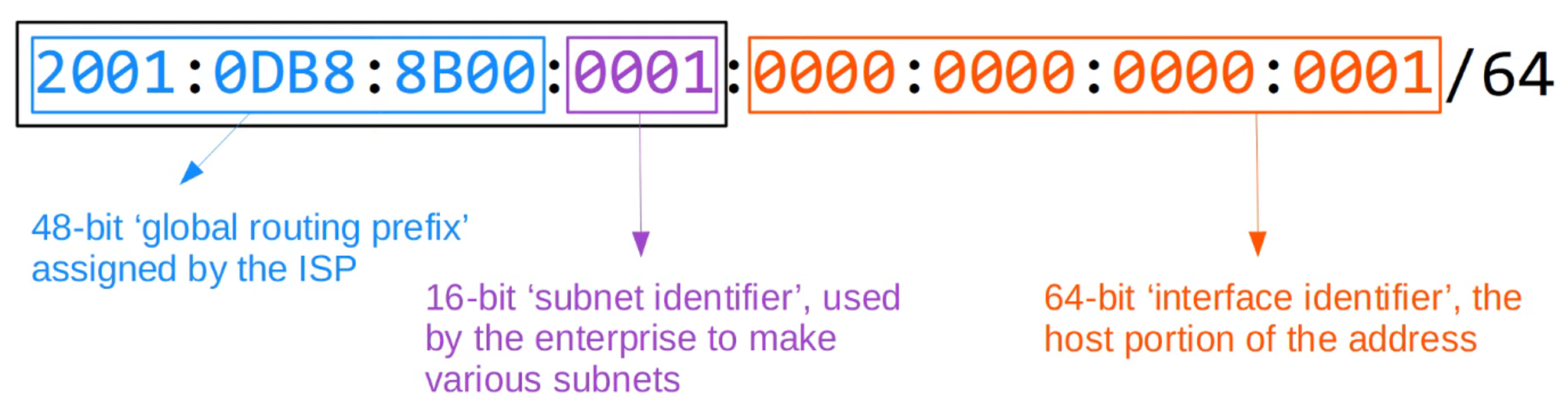
1) Global Unicast Addresses
- Public IPv6 addresses that can be used over the internet. They must be registered and globally unique.
- Initially defined within the 2000::/3 block but now includes all addresses not reserved for other purposes.
2) Unique Local Addresses
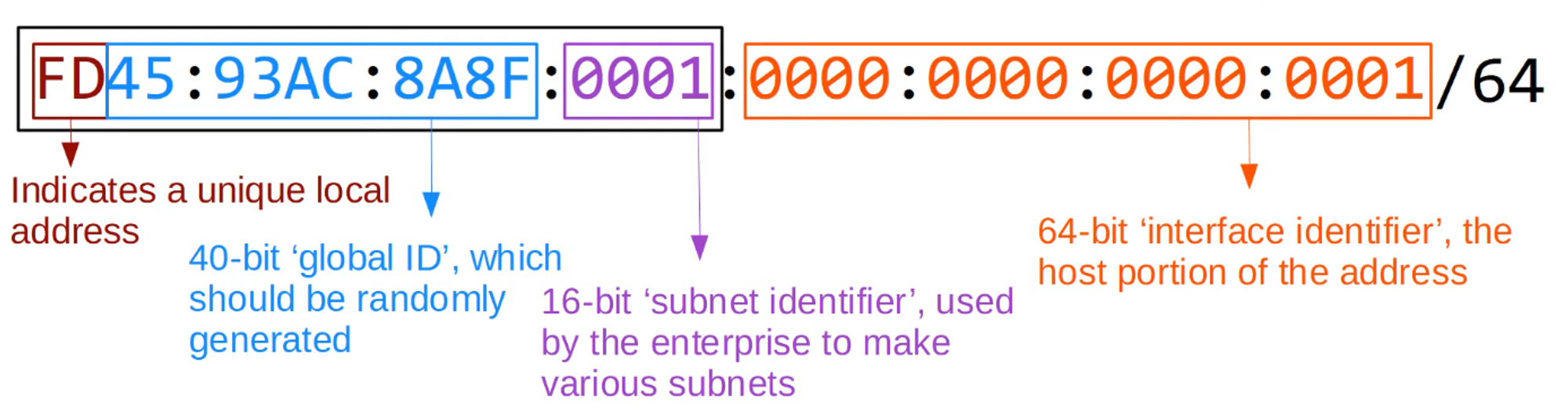
- Private IPv6 addresses for internal network use. These do not need to be registered or globally unique and cannot be routed over the internet.
- Uses the FC00::/7 block, with the first two digits now required to be
FDdue to an update.
3) Link-Local Addresses
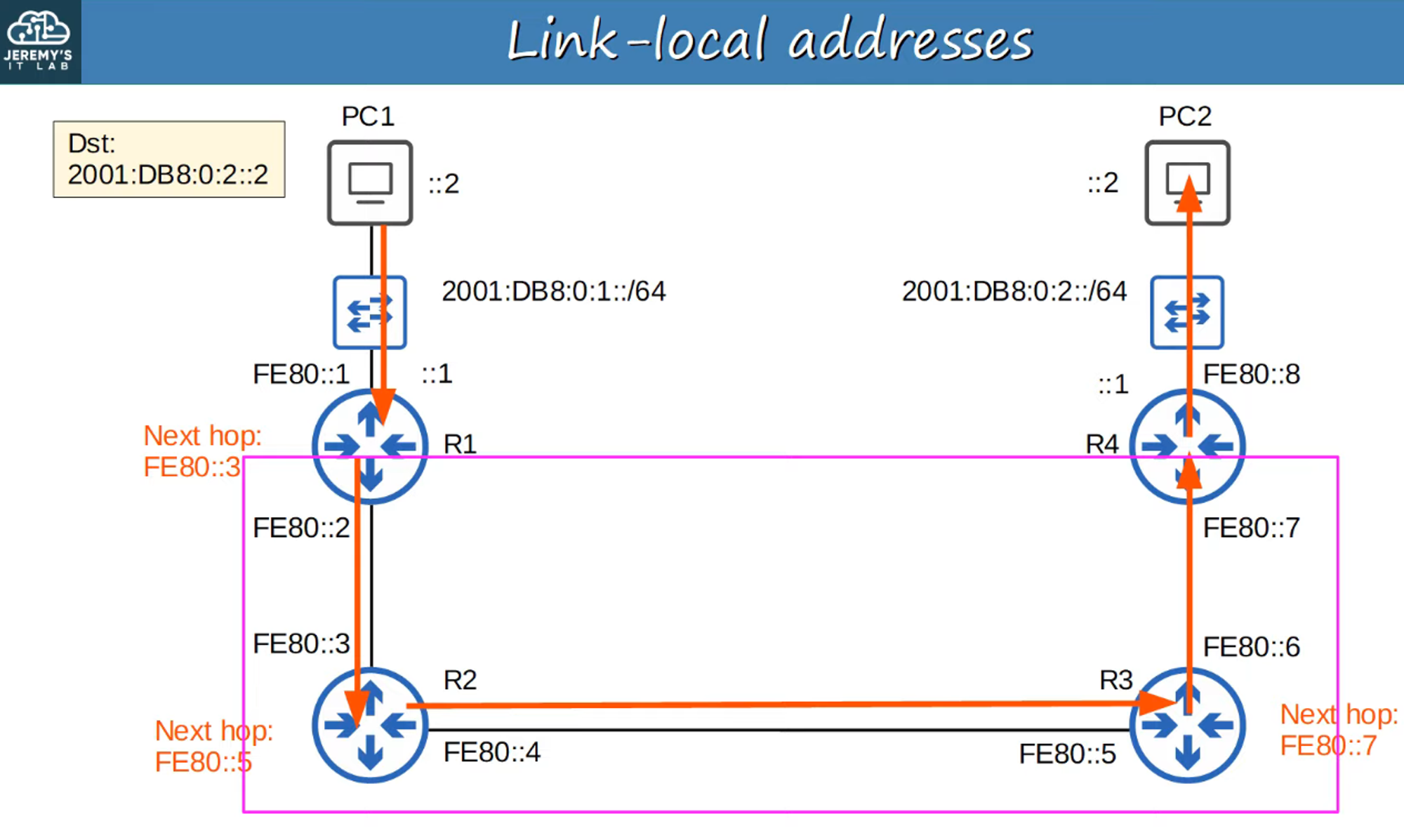
- Automatically generated on IPv6-enabled interfaces, using the FE80::/10 block. These addresses are confined to a single link (subnet) and are not routable.
- Commonly used for:
- Routing protocol peerings (e.g., OSPFv3).
- Next-hop address for static routes.
- Neighbor Discovery Protocol (NDP).
4) Multicast Addresses
- Multicast allows a single source to send data to multiple destinations in a group. IPv6 uses FF00::/8 for multicast addresses, and unlike IPv4, IPv6 does not use broadcast addresses.
- You must know the multicast addresses for each router type, as IPv6 and IPv4 addresses share the same last digit.
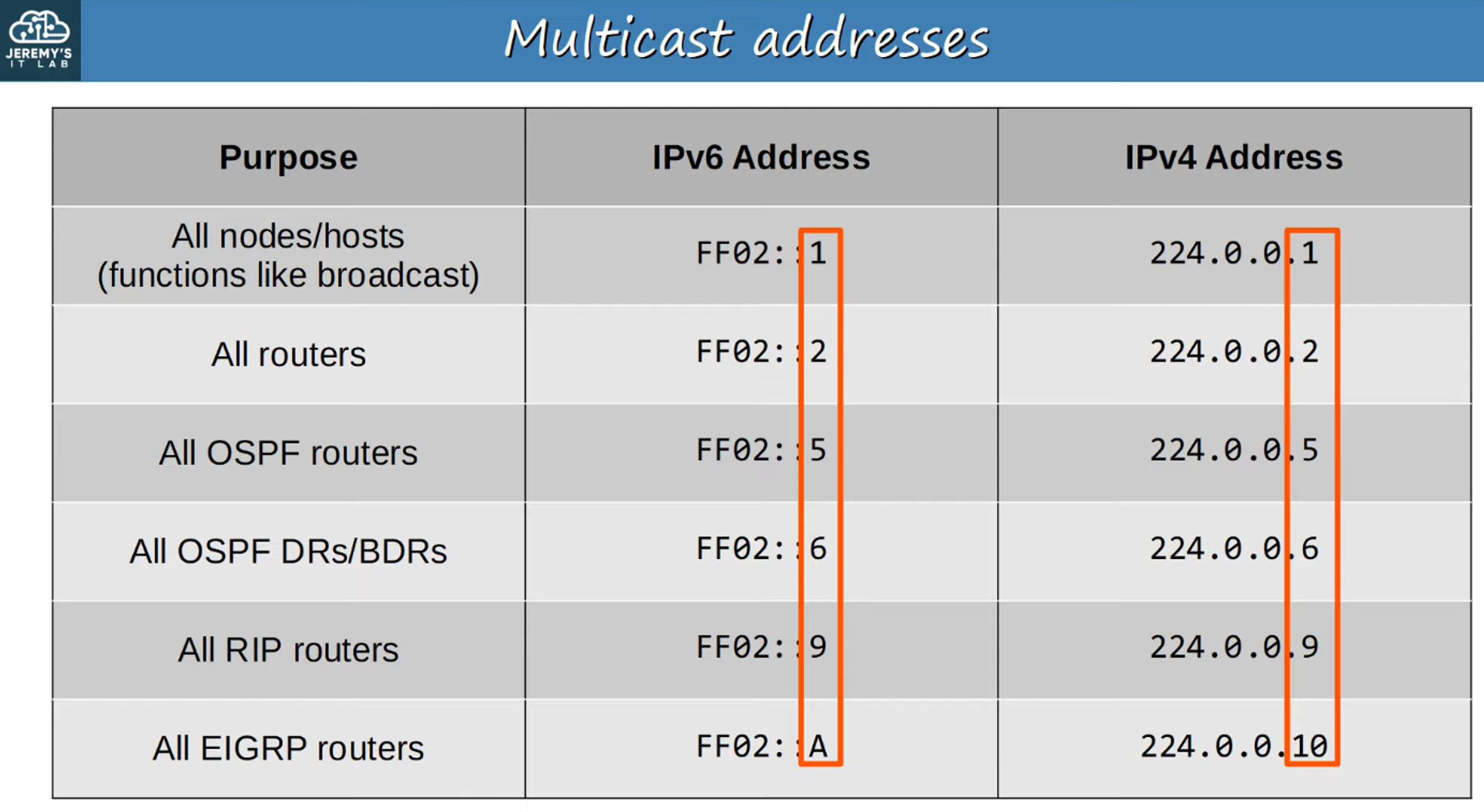
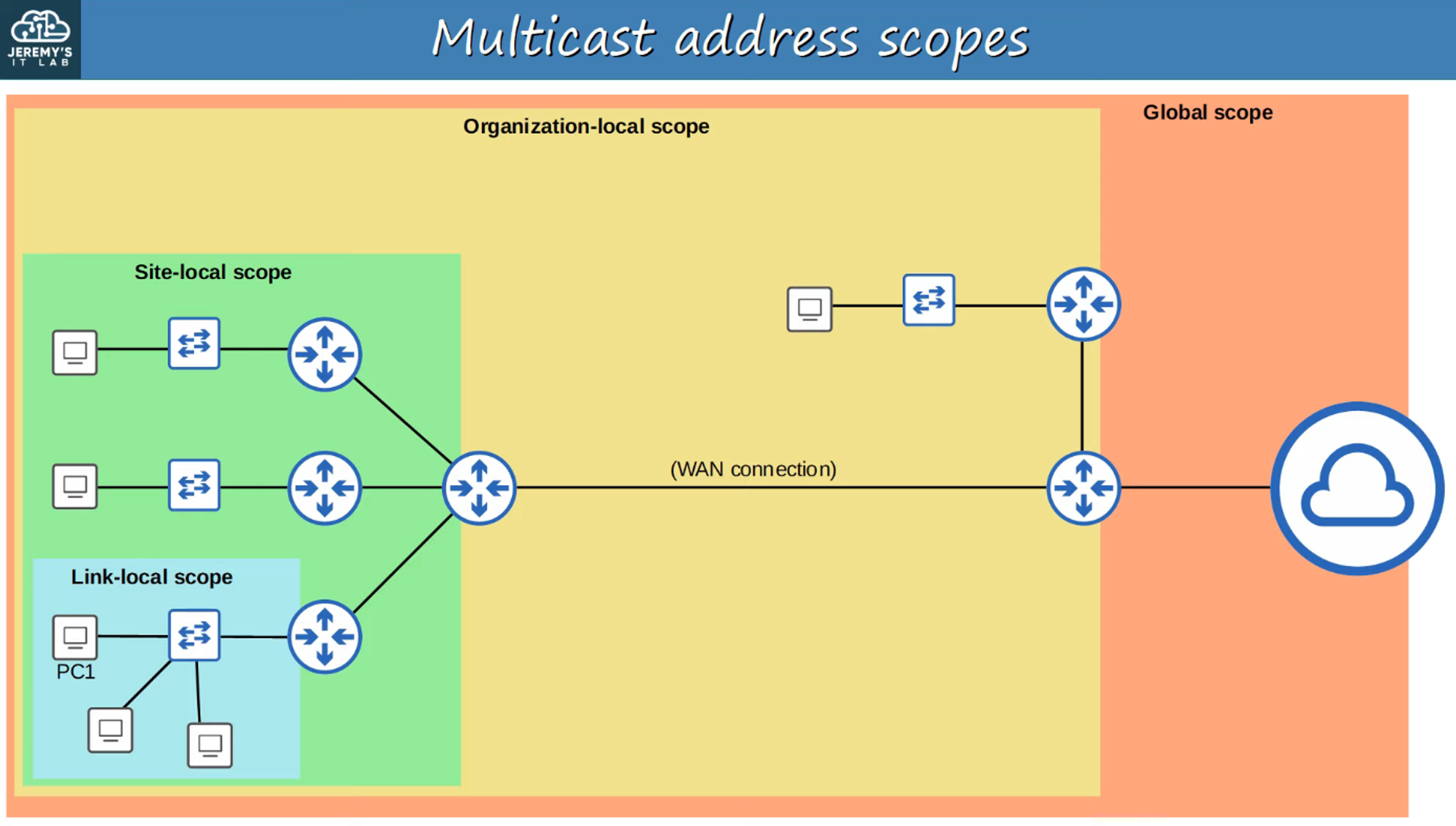
IPv6 Multicast Scope Types:
- Interface-Local (FF01): Packet stays within the local device.
- Link-Local (FF02): Packet remains within the local subnet.
- Site-Local (FF05): Packet can be routed within a single physical location.
- Organization-Local (FF08): Packet can be routed within an entire organization.
- Global (FF0E): Packet can be routed over the internet.
5) Anycast Address
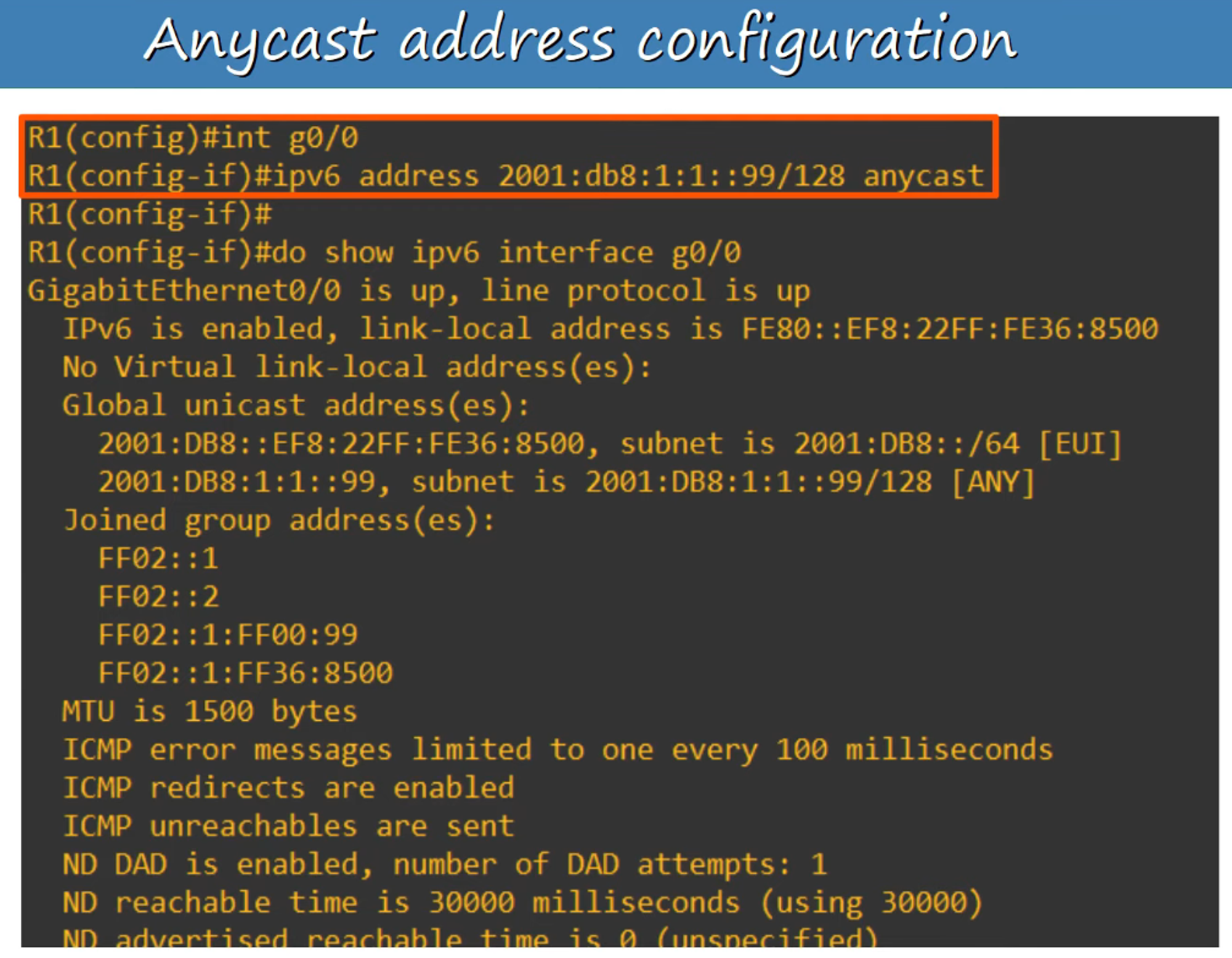
- Anycast is a feature where multiple routers are configured with the same IPv6 address. The routing protocol directs packets to the nearest router configured with that address based on the routing metric.
- Anycast addresses do not have a specific range; instead, a regular unicast address is designated as an anycast address.
Example Command: R1(config-if)# ipv6 address 2000:db8:1:1::99/128 anycast
6) Other IPv6 Addresses
- :: Address: The unspecified IPv6 address, used when a device doesn’t yet know its own address. IPv6 default routes are configured to
::/0(equivalent to IPv4’s 0.0.0.0). - ::1 Address: The loopback address, used to test the protocol stack on the local device (equivalent to IPv4’s 127.0.0.1).