Purpose of FHRPs
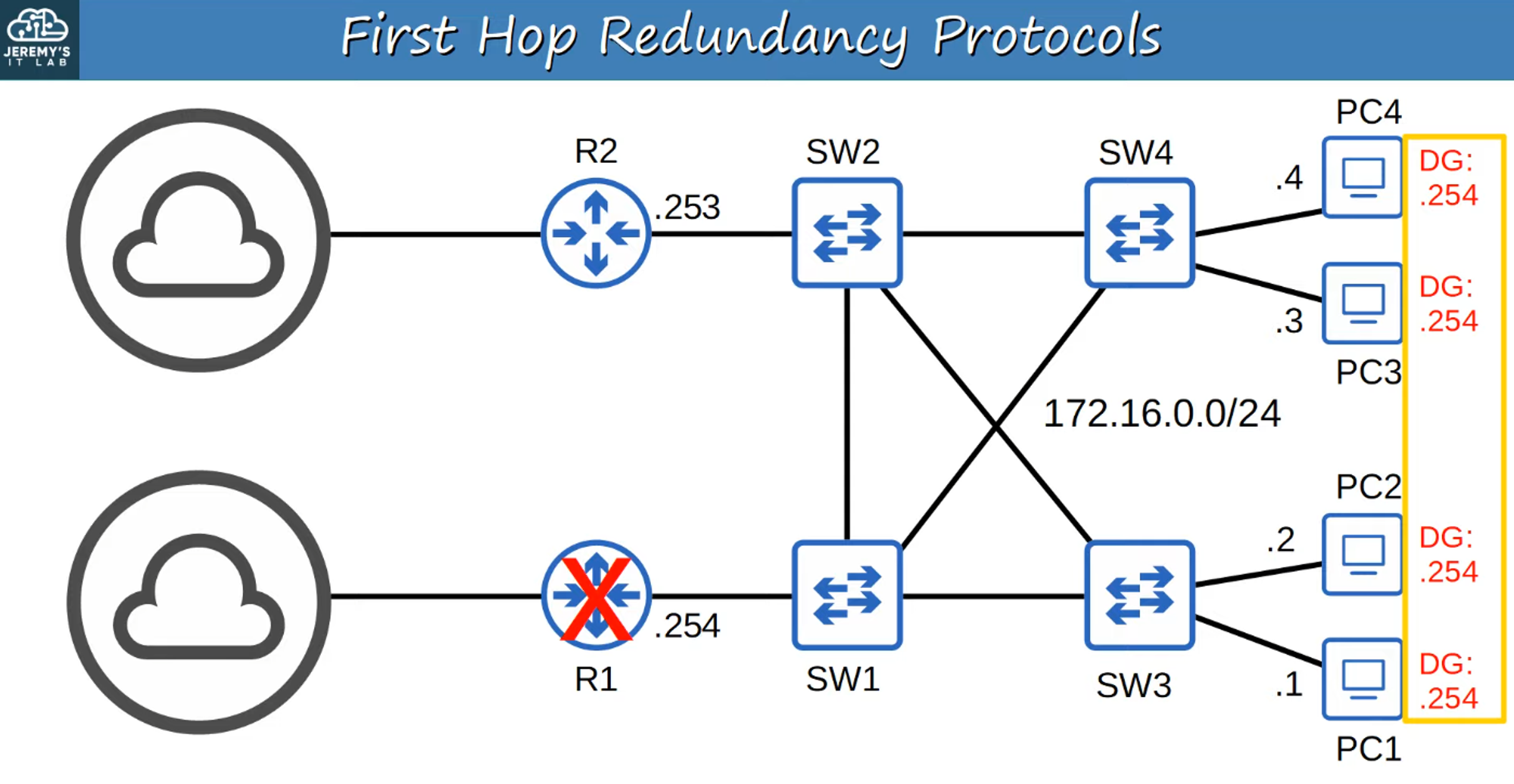
- Problem: What happens if the configured Default Gateway for network hosts goes down? Routed traffic will be disrupted.
- Solution: FHRPs ensure that traffic can be rerouted to a functional gateway (like R2) when the primary gateway fails.
What is FHRP?
- Definition: A computer networking protocol designed to protect the default gateway on a subnet by allowing multiple routers to provide backup for that address.
- Function: In case of failure of the active router, a backup router takes over, usually within seconds.
How FHRP Works
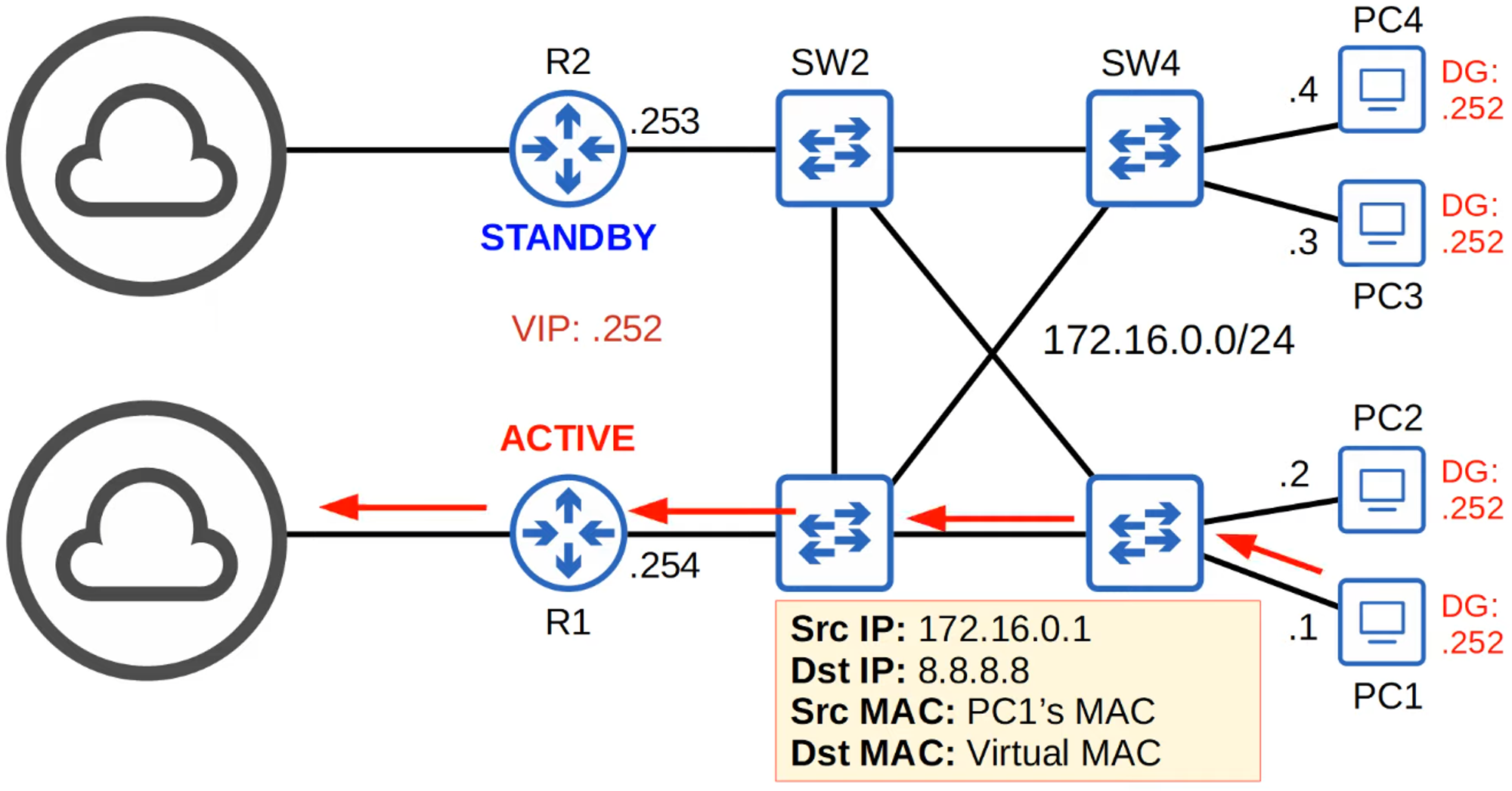
- Shared Virtual IP (VIP): Two or more routers share a Virtual IP address (VIP), which is used by hosts as the default gateway IP.
- Communication: Routers send “Hello” messages to each other. One router is Active, and the other(s) are Standby.
- Traffic Flow:
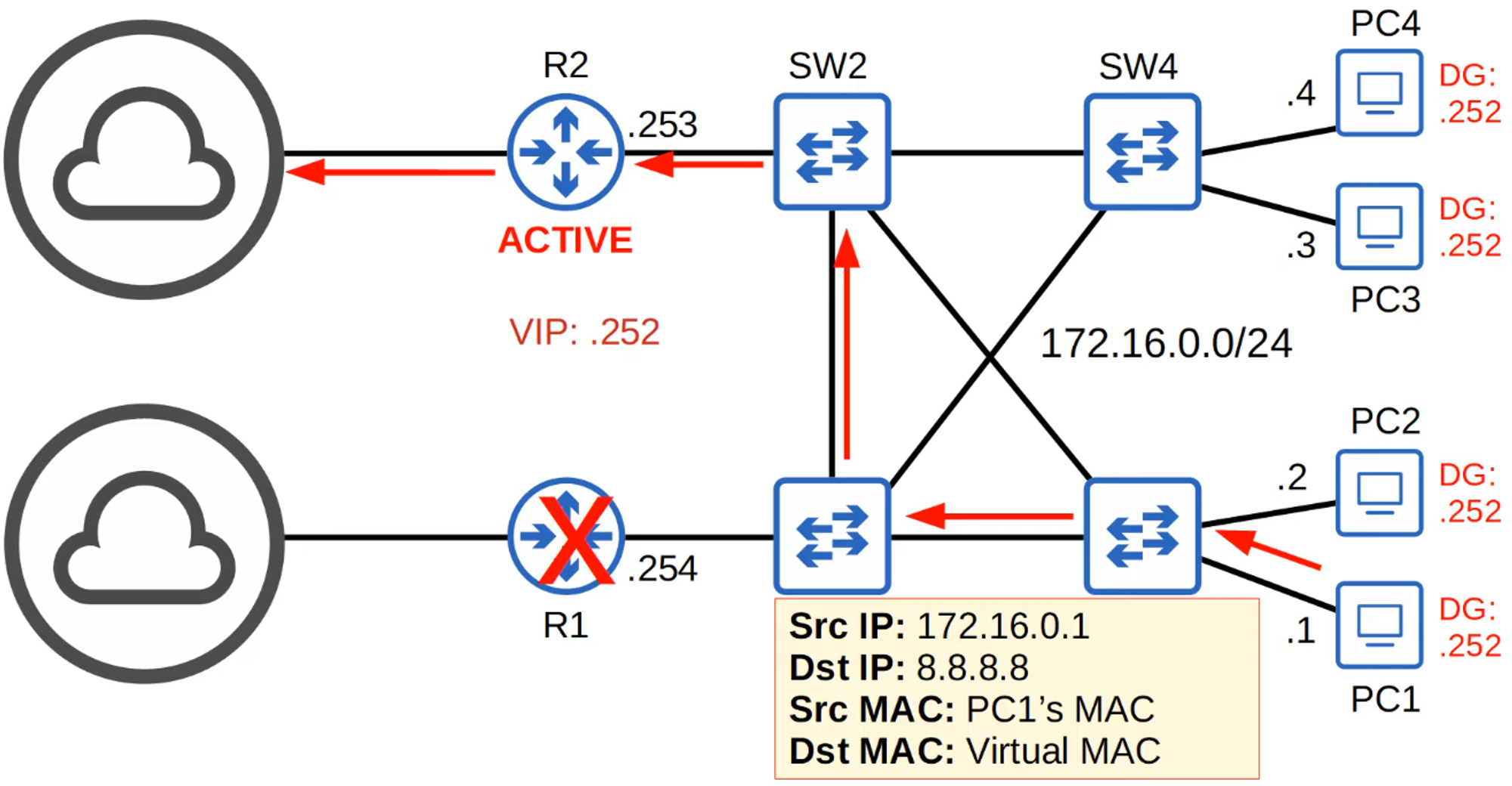
- When a host sends traffic outside the network, it first sends an ARP Request to the VIP to get its MAC address.
- The Active Router responds with a Virtual MAC address.
- The host then sends traffic to the outside network using:
- Source IP: Host IP
- Destination IP: External IP
- Source MAC: Host MAC
- Destination MAC: Gateway VIP MAC
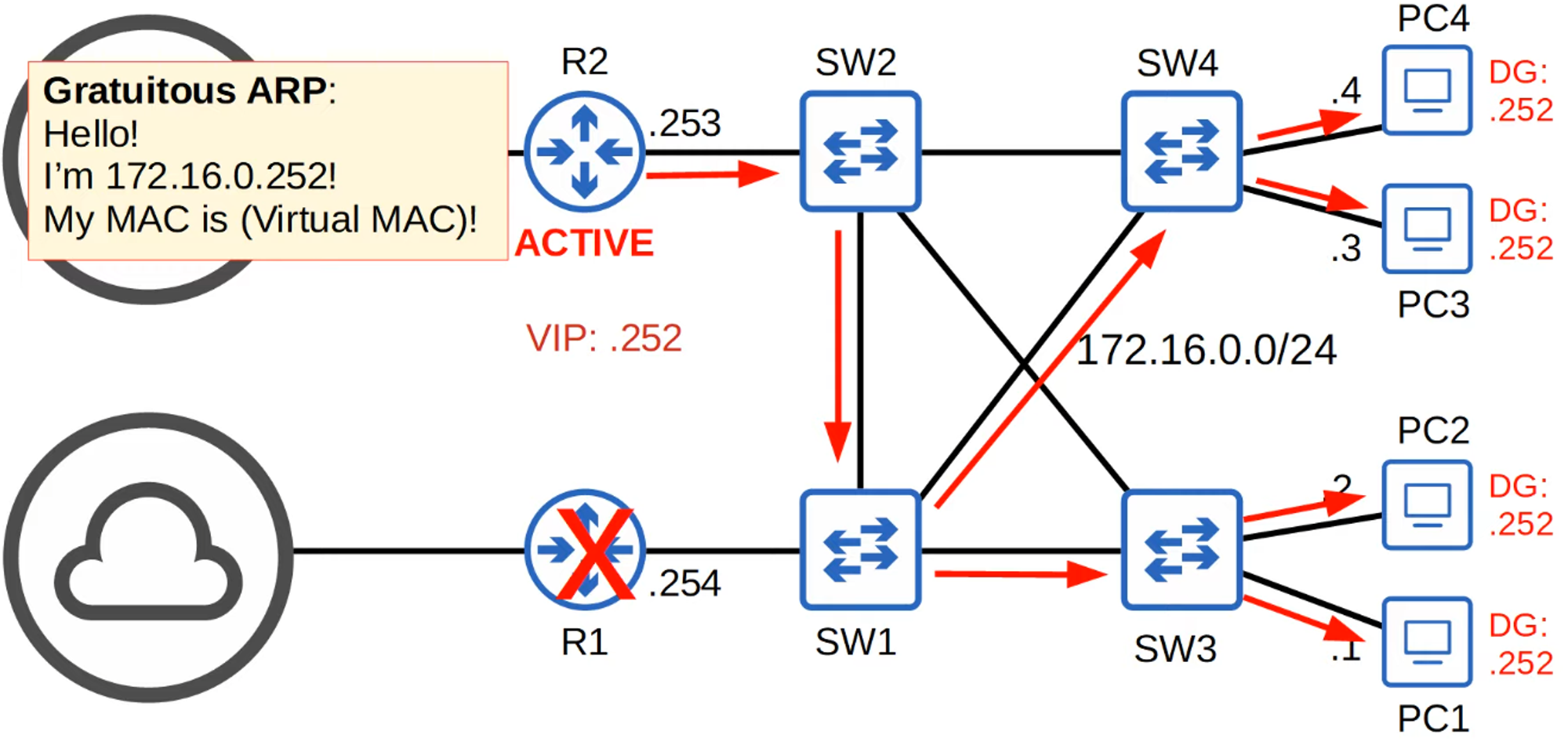
- Failover: If the active router (R1) goes down, the standby router (R2) takes over after detecting the absence of “Hello” messages from R1.
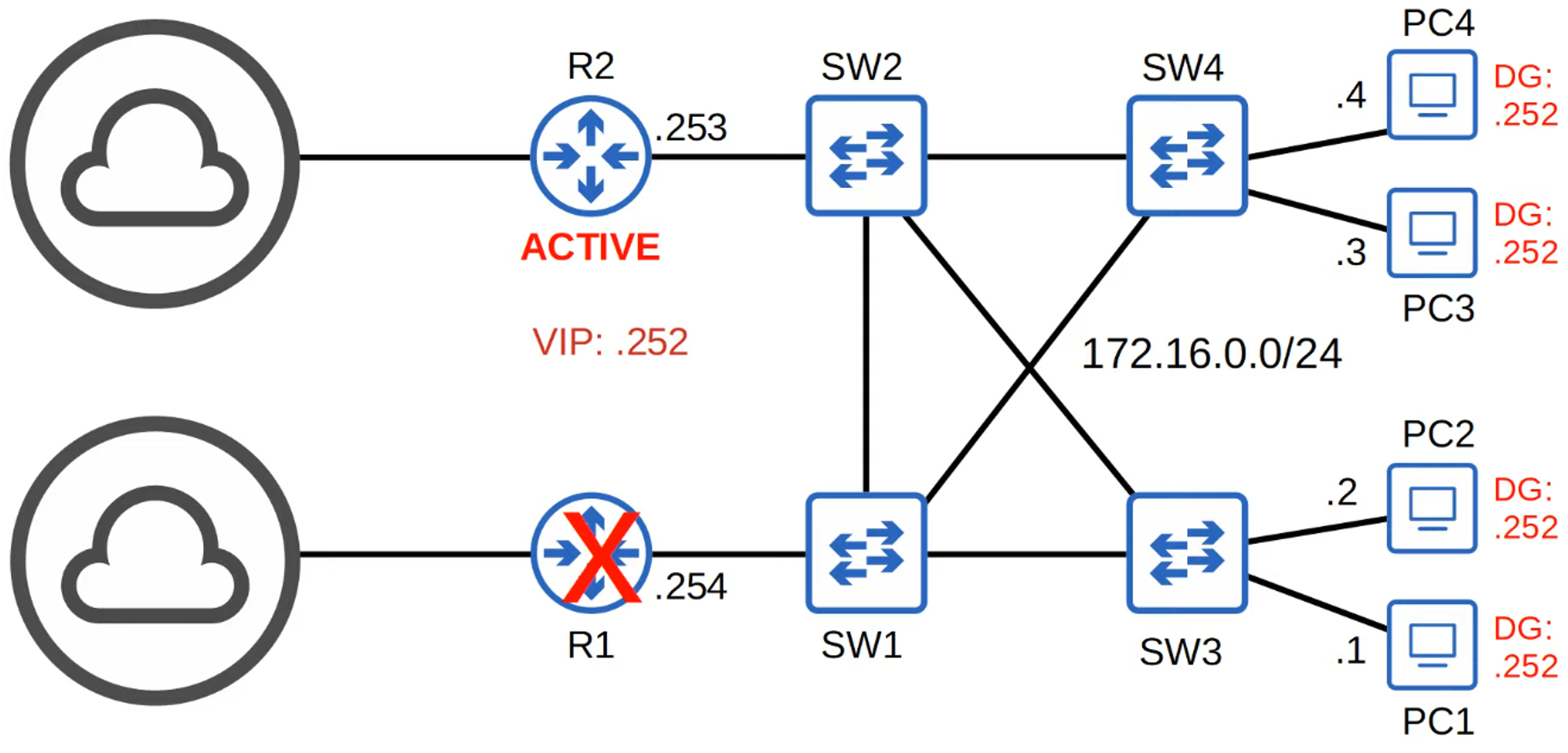
- Gratuitous ARP:
- The new active router (R2) sends a Gratuitous ARP to update switches.
- Gratuitous ARP: An unsolicited ARP reply sent via broadcast (FFFF.FFFF.FFFF), different from the usual unicast ARP reply.
What Happens When R1 Comes Back Online?
- Role: R1 becomes the Standby Router.
- Active Router: R2 remains the Active Router.
- Non-preemptive Behavior: FHRPs are typically non-preemptive, meaning the current active router will not give up its role even if the original active router comes back online.
- Preemption: This setting can be changed to allow R1 to preempt R2 and take back its active role.
Types of FHRPs
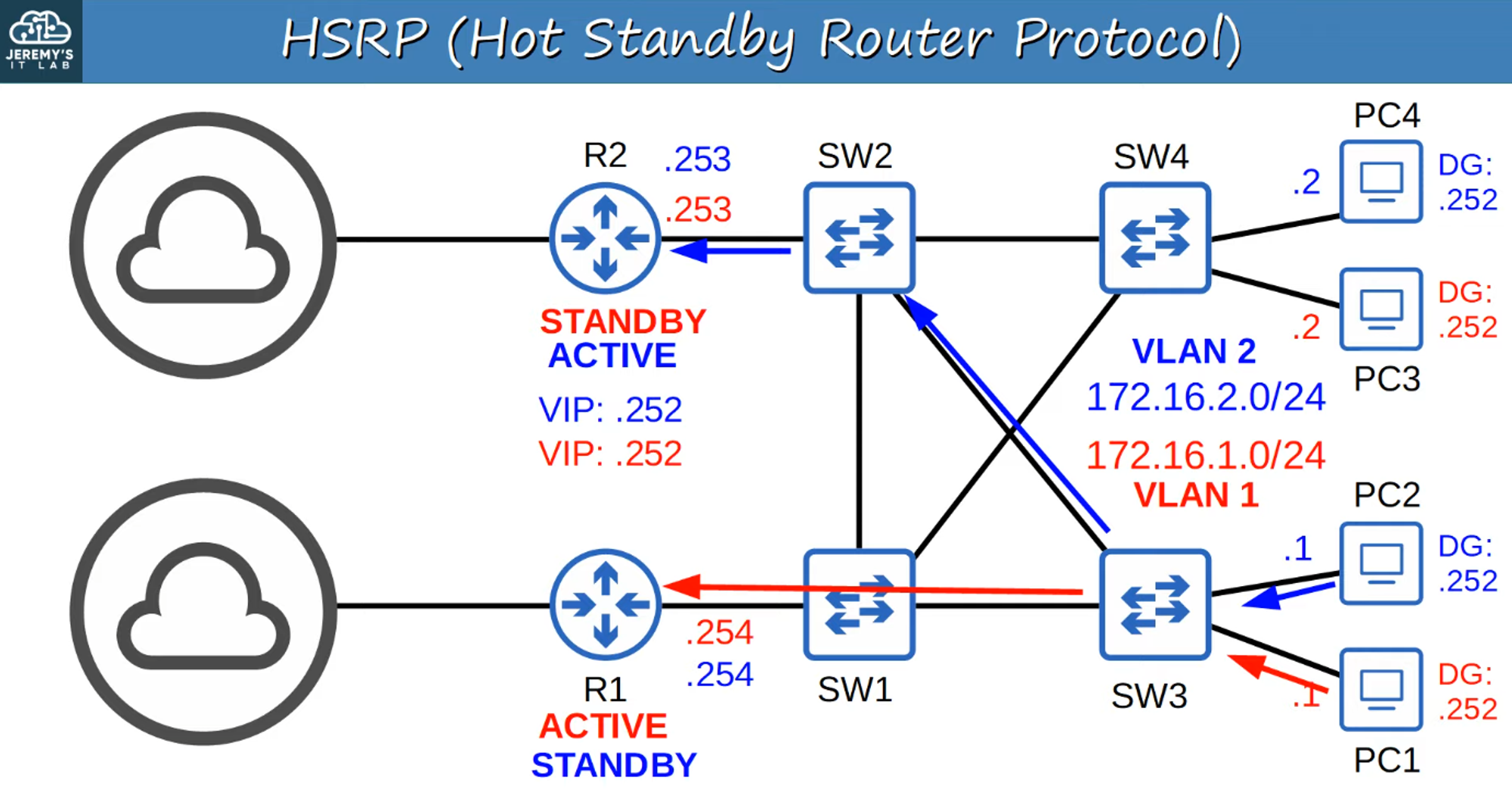
1. HSRP (Hot Standby Router Protocol)
- Type: Cisco proprietary
- Roles: Active and Standby routers
- Versions:
- Version 1
- Version 2: Adds IPv6 support and increases the number of groups that can be configured.
- Multicast IPv4 Addresses:
- v1: 224.0.0.2
- v2: 224.0.0.102
- Virtual MAC Addresses:
- v1: 0000.0c07.acXX (XX = HSRP Group Number)
- v2: 0000.0c9f.fXXX (XXX = HSRP Group Number)
- Load Balancing: Different active routers can be configured for each subnet/VLAN.
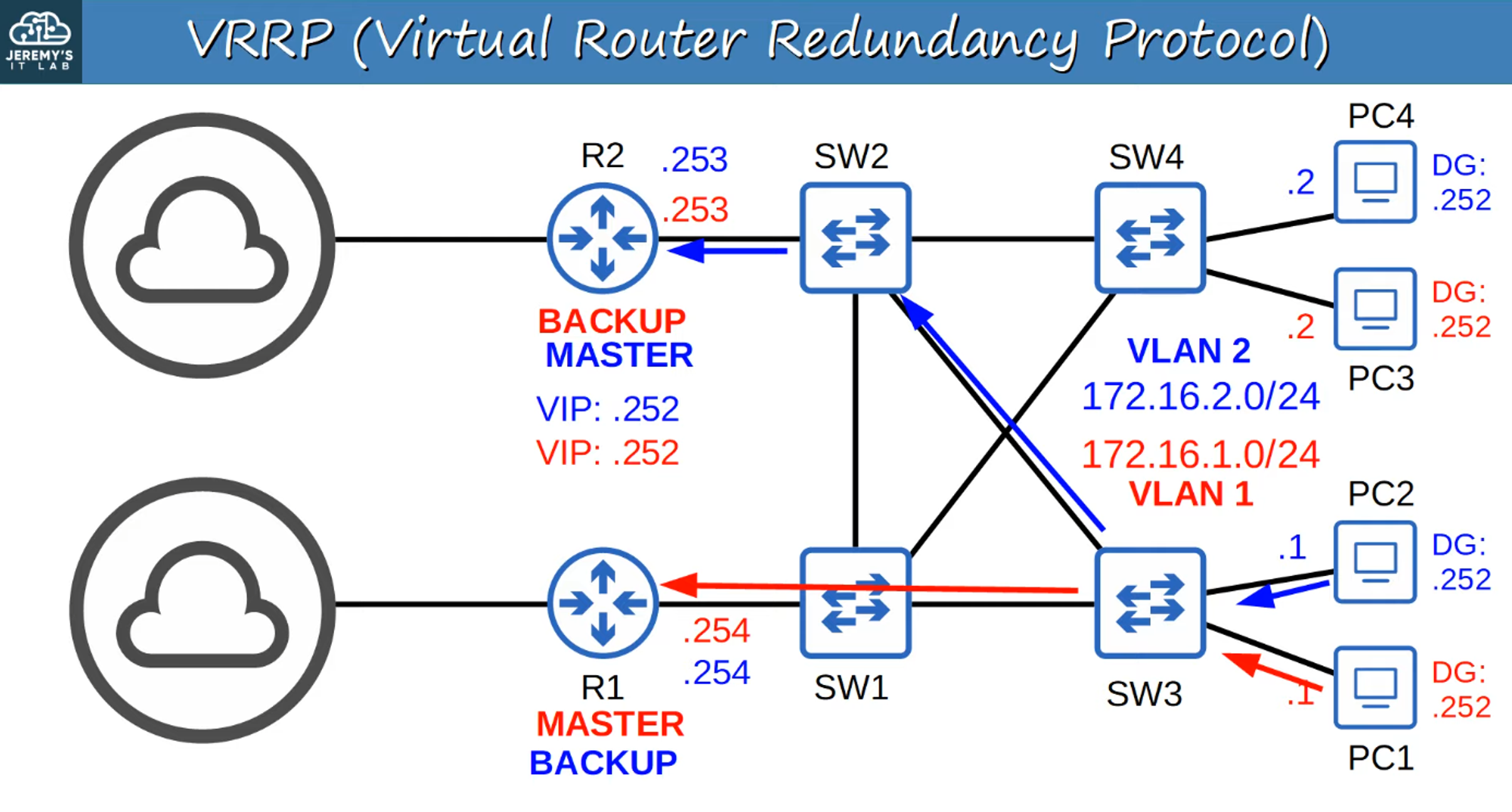
2. VRRP (Virtual Router Redundancy Protocol)
- Type: Open Standard
- Roles: Master and Backup routers
- Multicast IPv4 Address: 224.0.0.18
- Virtual MAC Address: 0000.5e00.01XX (XX = VRRP Group Number)
- For group numbers > 99, convert to HEX (e.g., 200 = “c8” in HEX, so the MAC would be 0000.5e00.01c8).
- Load Balancing: Different master routers can be configured for each subnet/VLAN.
3. GLBP (Gateway Load Balancing Protocol)
- Type: Cisco proprietary
- Function: Load balances among multiple routers within a single subnet.
- Roles:
- AVG (Active Virtual Gateway): Elected leader.
- AVFs (Active Virtual Forwarders): Up to four, assigned by the AVG (the AVG can also be an AVF).
- Each AVF acts as the default gateway for a portion of the hosts in the subnet.
- Multicast IPv4 Address: 224.0.0.102
- Virtual MAC Address: 0007.b400.XXYY (XX = GLBP Group Number, YY = AVF Number)
FHRP Comparison Chart
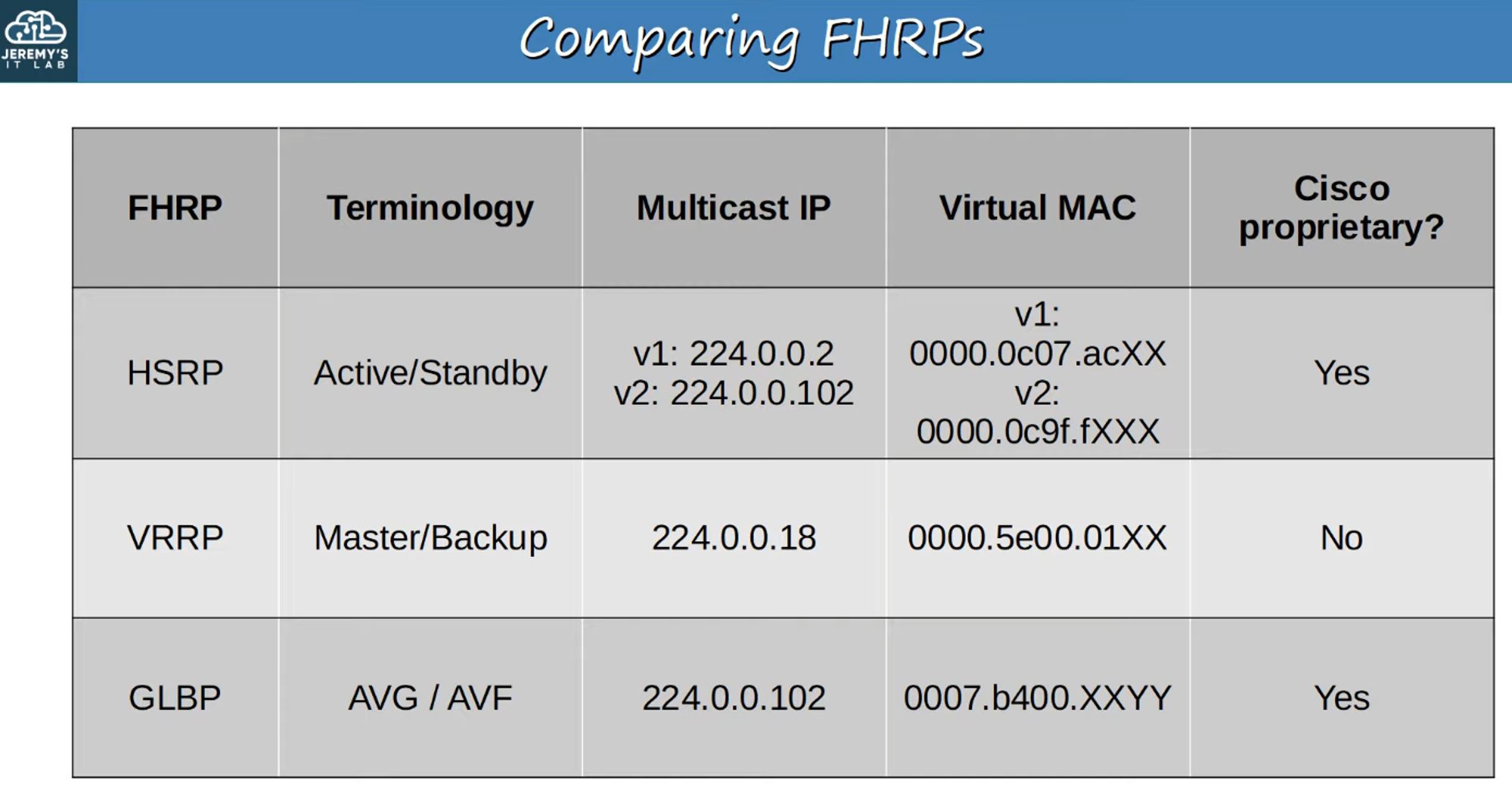
Memorize this chart to understand the differences between the various FHRPs.
Basic HSRP Configuration
R1 Configuration:
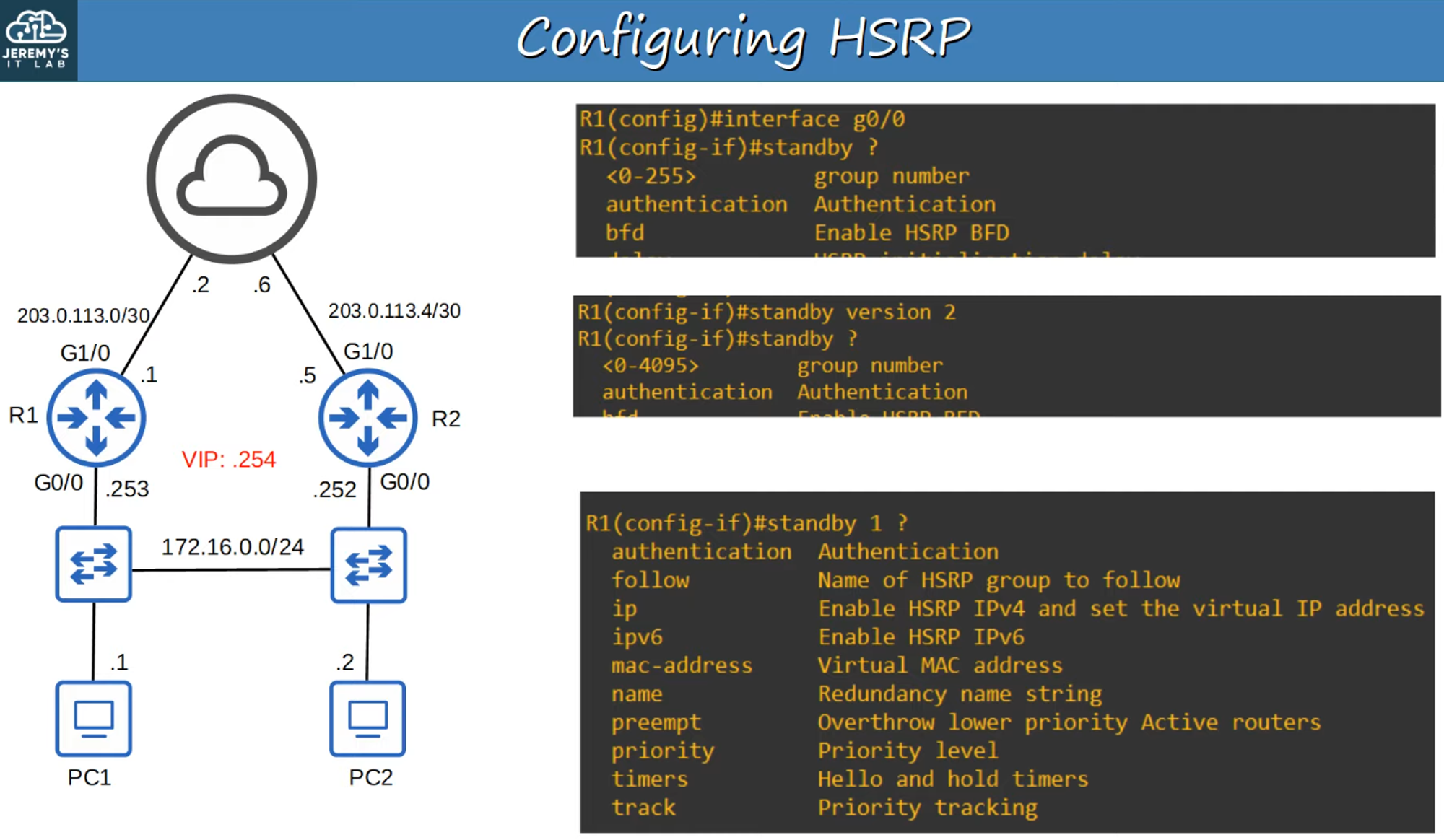
Note: The group number must match on all routers being configured in a given subnet.
R2 Configuration:
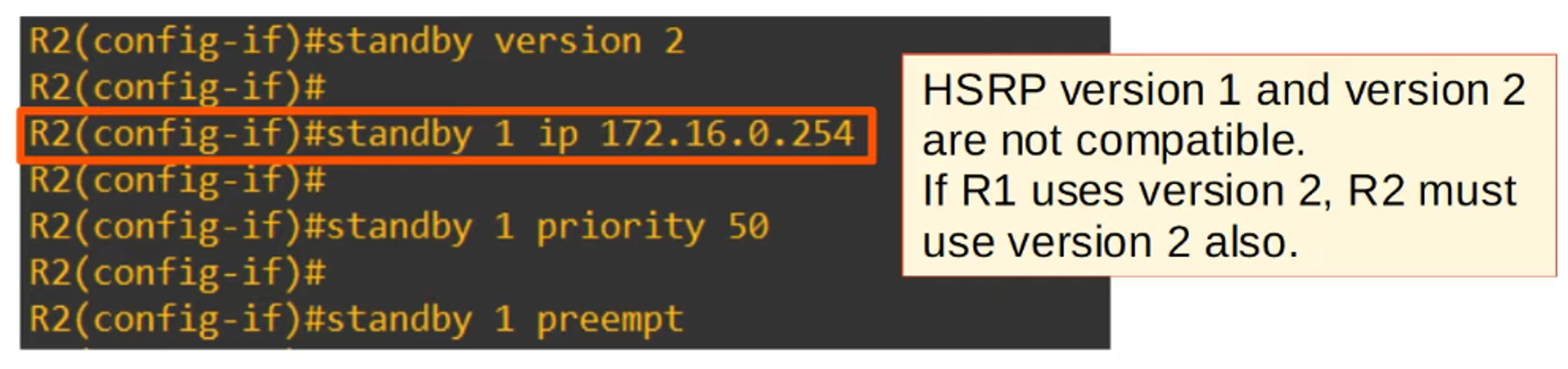
Note: HSRP versions are not cross-compatible. All routers must use the same HSRP version.
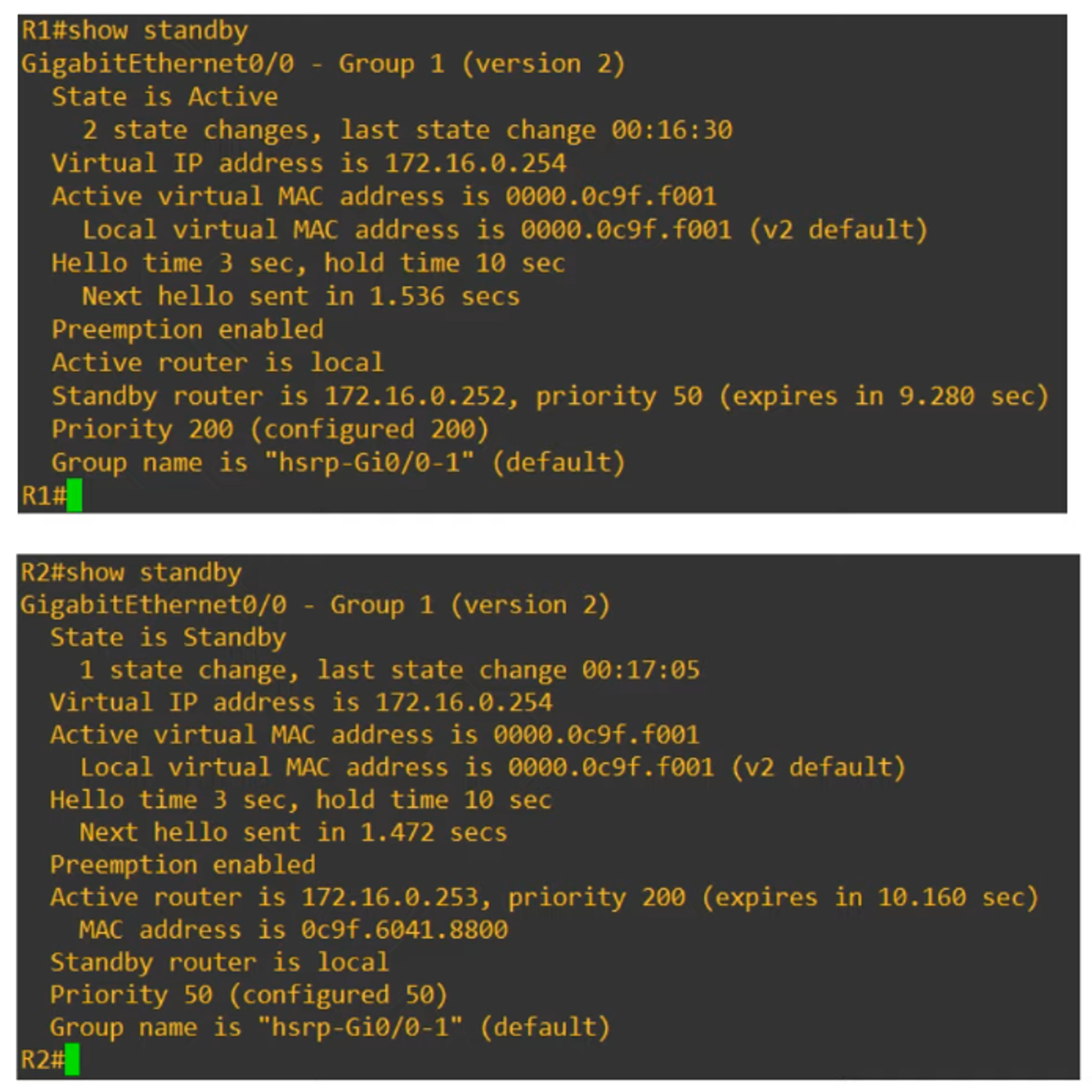
Output of the show standby Command: