Link State Routing Protocols
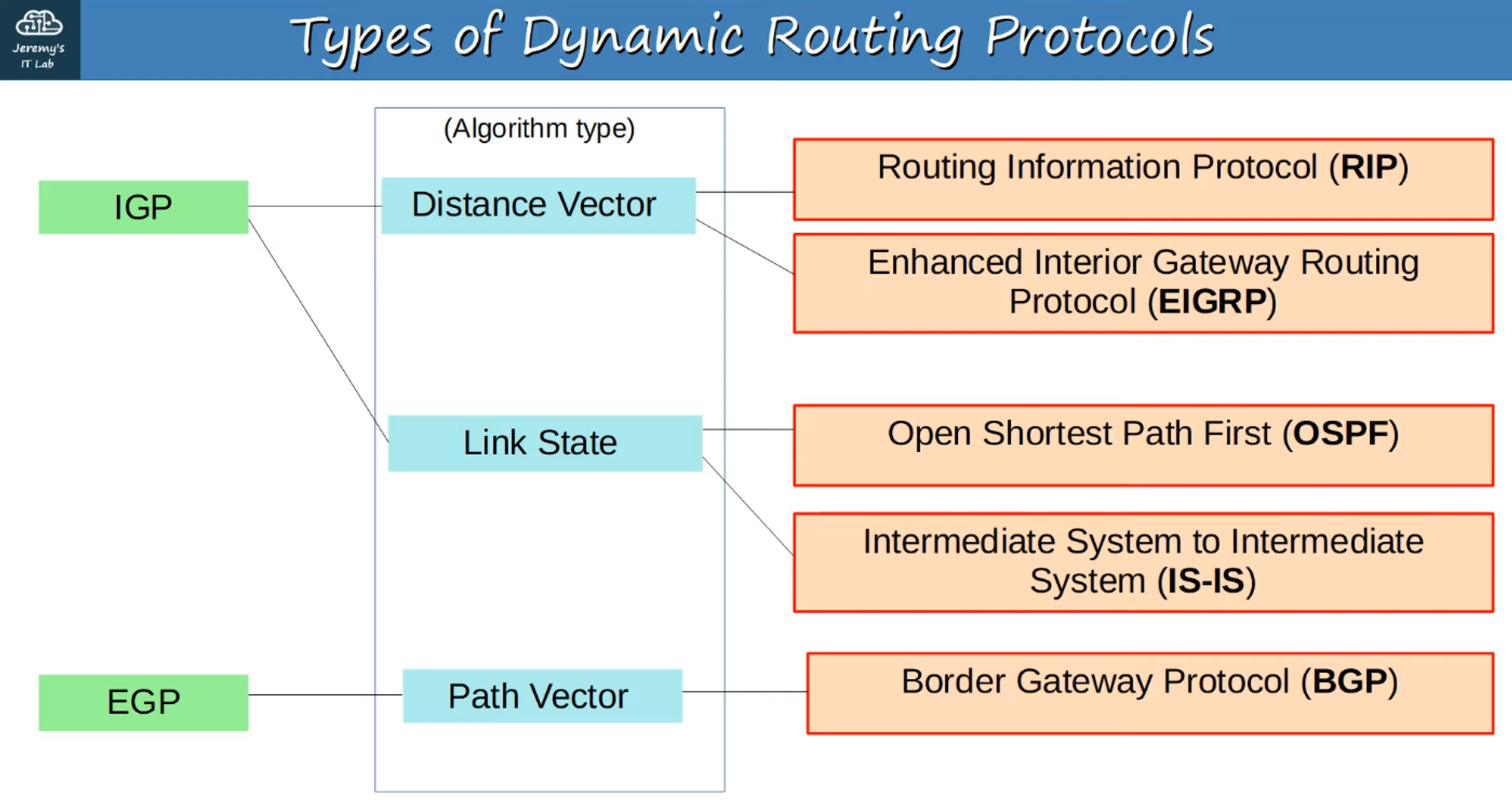
- Concept: In a link-state routing protocol, each router creates a connectivity map of the network.
- Process:
- Routers advertise information about their interfaces (connected networks) to their neighbors.
- These advertisements are propagated to all routers in the network.
- Each router uses this shared information to independently calculate the best routes to each destination.
- Resource Usage: Link-state protocols use more resources (CPU and memory) because more information is shared.
- Advantage: Link-state protocols react faster to network changes compared to distance-vector protocols.
Basic OSPF Operations
-
OSPF: Stands for Open Shortest Path First.
-
Algorithm: Uses the Shortest Path First (SPF) algorithm, also known as Dijkstra’s Algorithm (developed by Dutch computer scientist Edsger Dijkstra).
-
Versions:
- OSPFv1 (1989): Obsolete.
- OSPFv2 (1998): Used for IPv4.
- OSPFv3 (2008): Used for IPv6 (can also be used for IPv4, though OSPFv2 is more common for IPv4).
-
LSAs (Link State Advertisements): Routers store network information in LSAs, which are organized in a structure called the Link State Database (LSDB).
-
Flooding LSAs: Routers flood LSAs throughout the OSPF area until all routers develop the same map of the network (LSDB).
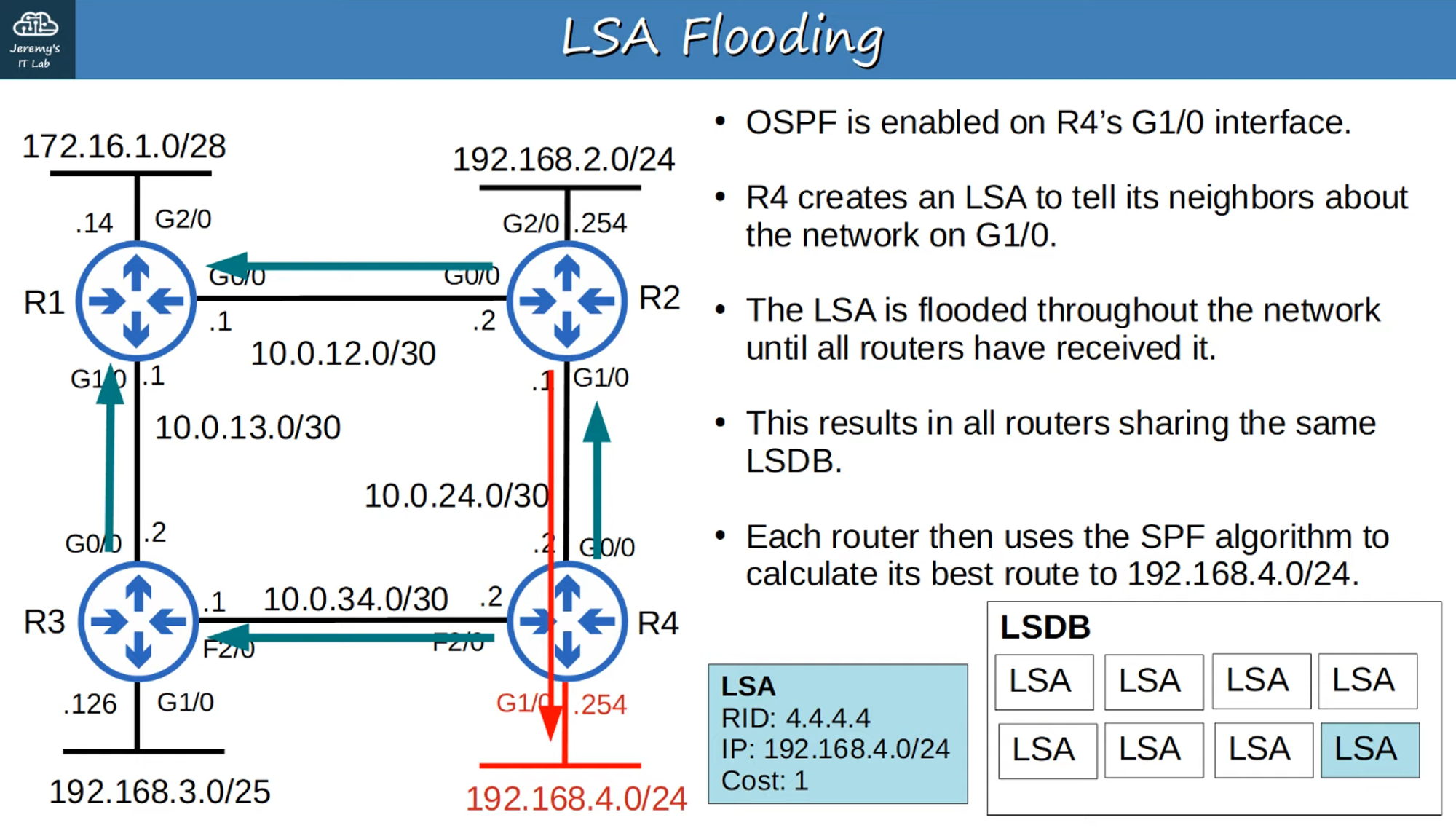
💡 Note: LSAs have an aging timer of 30 minutes. LSAs are re-flooded when the timer expires.
OSPF: Three Main Steps
- Become Neighbors: Establish neighbor relationships with other routers on the same network segment.
- Exchange LSAs: Share LSAs with neighbor routers.
- Calculate Best Routes: Use the LSDB to calculate the best routes to each destination and insert them into the routing table.
OSPF Areas
- Purpose of Areas:
- OSPF uses areas to divide the network and optimize routing efficiency.
- Small networks can operate as a single area without issues.
- Large networks may suffer performance degradation if configured as a single area, due to:
- Longer SPF calculation times.
- Higher CPU usage on routers.
- Larger LSDBs consuming more memory.
- Increased LSA flooding and SPF recalculations due to small network changes.
- Solution: By dividing a large OSPF network into smaller areas, you can avoid these issues (similar to how VLANs help manage broadcast domains).
What is an OSPF Area?
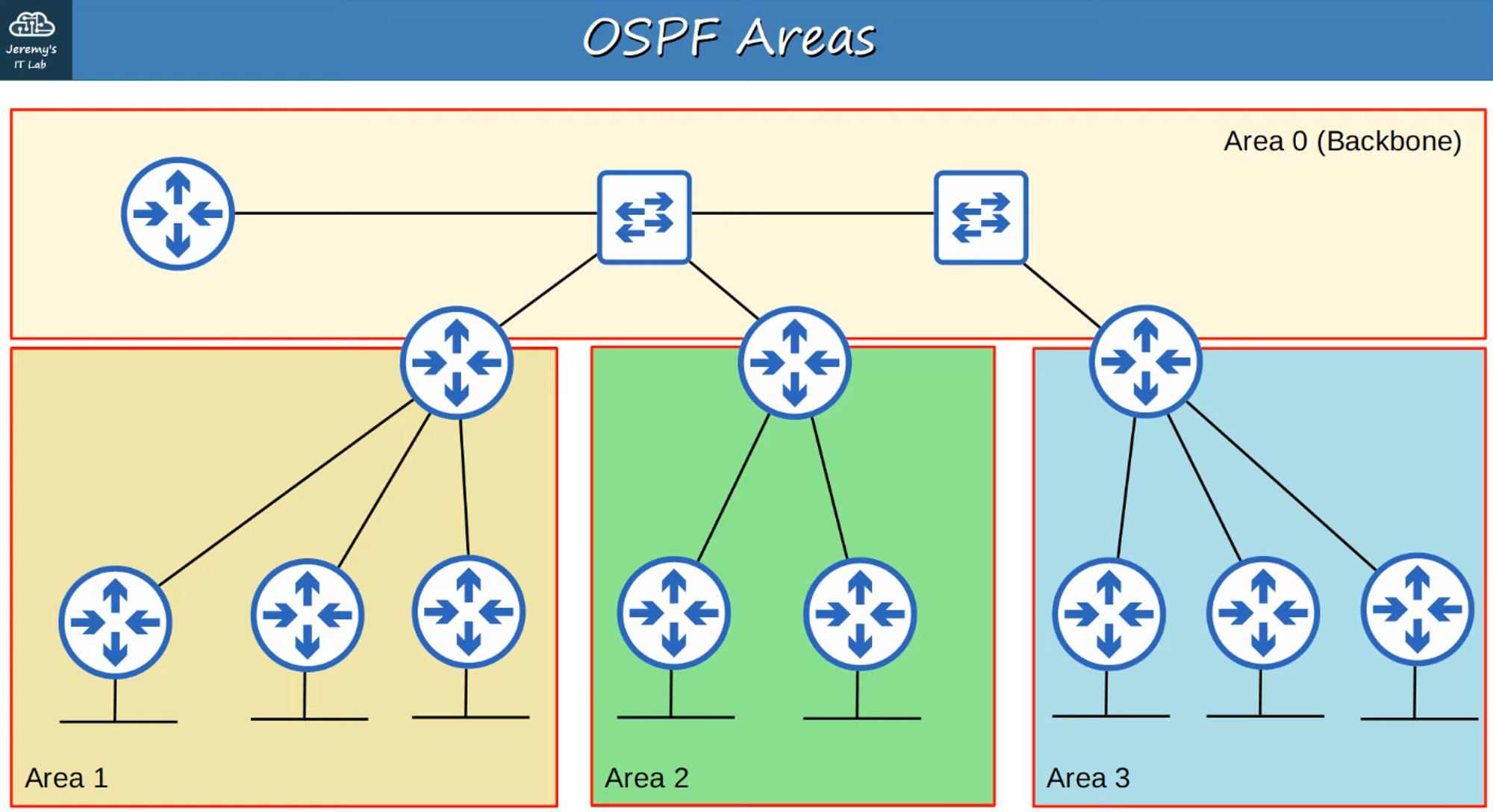
- Area: A set of routers and links that share the same LSDB.
- Backbone Area (Area 0): The central area that all other areas must connect to.
- Router Types:
- Internal Routers: Routers with all interfaces in the same area.
- Area Border Routers (ABRs): Routers with interfaces in multiple areas.
- Note: ABRs maintain a separate LSDB for each area they connect to.
- Best Practice: Connect an ABR to a maximum of two areas to avoid overburdening the router.
- Backbone Routers: Routers connected to the Backbone Area (Area 0).
- Route Types:
- Intra-Area Route: A route to a destination within the same OSPF area.
- Inter-Area Route: A route to a destination in a different OSPF area.
OSPF Rules
- Contiguity: OSPF areas should be contiguous (no split areas).
- Backbone Connection: All OSPF areas must have at least one ABR connected to the Backbone Area.
- Interface Subnet: OSPF interfaces in the same subnet must be in the same area.
Basic OSPF Configuration
OSPF Area 0 Configuration
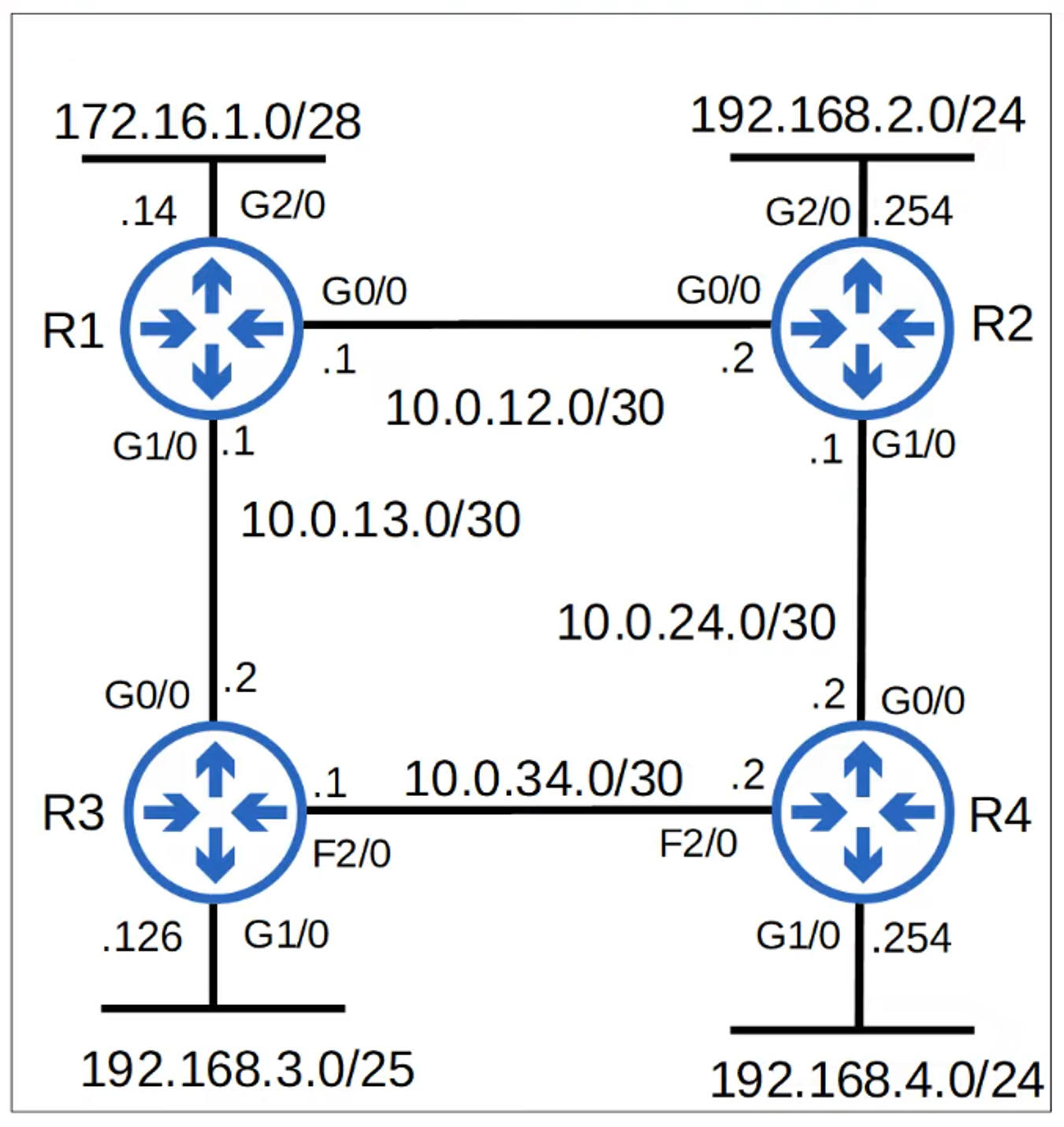
OSPF Commands
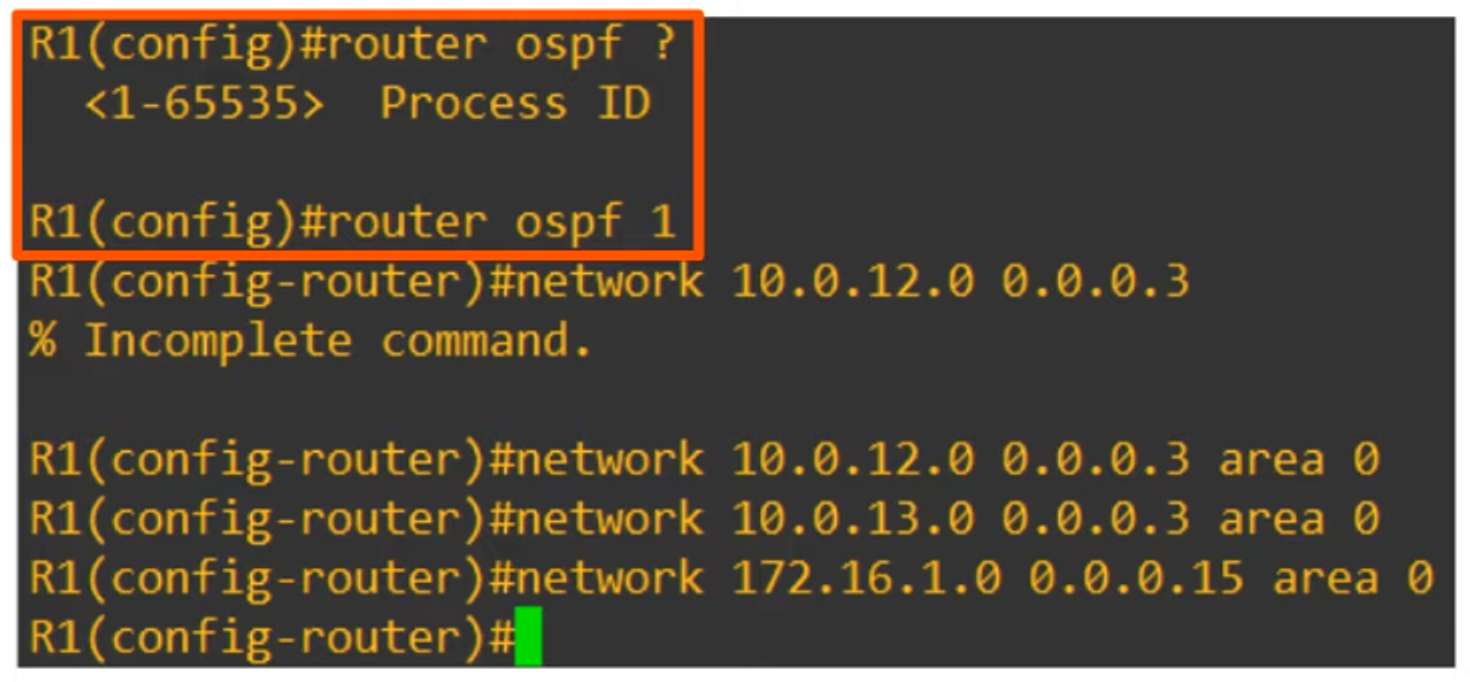
- Process ID: The OSPF Process ID is locally significant. Routers with different Process IDs can still become OSPF neighbors.
- Network Command: The “network” command requires you to specify the area (e.g., “area 0”).
- Single-Area OSPF: For the CCNA exam, focus on configuring single-area OSPF (Area 0).
Function of the Network Command
- The “network” command tells OSPF to:
- Look for any interfaces with an IP address within the specified range.
- Activate OSPF on those interfaces and assign them to the specified area.
- Attempt to establish OSPF neighbor relationships with other OSPF-enabled routers.
Passive Interface Command

- The “passive-interface” command stops OSPF from sending hello messages out of a specific interface.
- However, the router will continue to advertise the subnet on that interface via LSAs.
- Best Practice: Always use the passive-interface command on interfaces that do not have any OSPF neighbors.
Useful Commands and Outputs
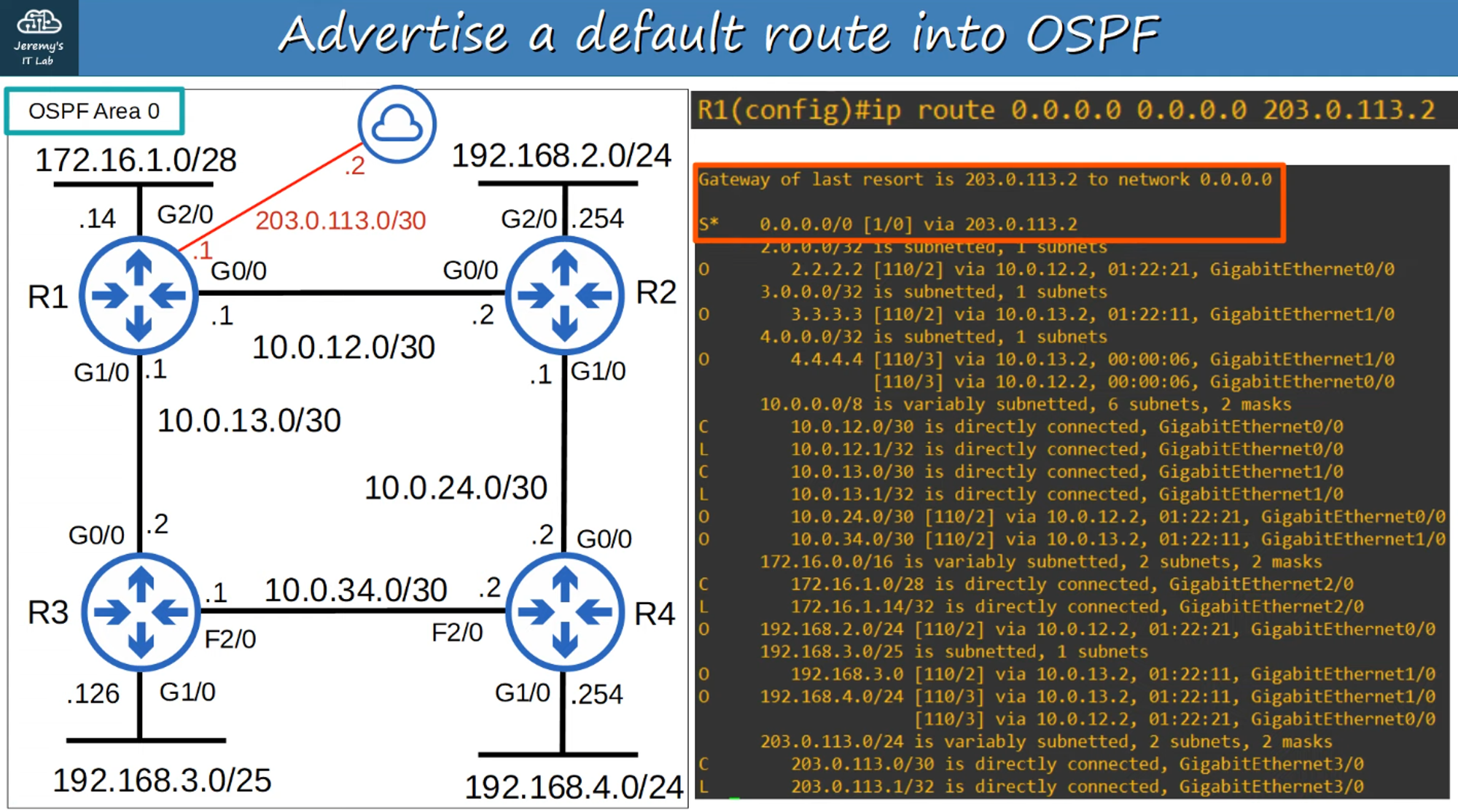
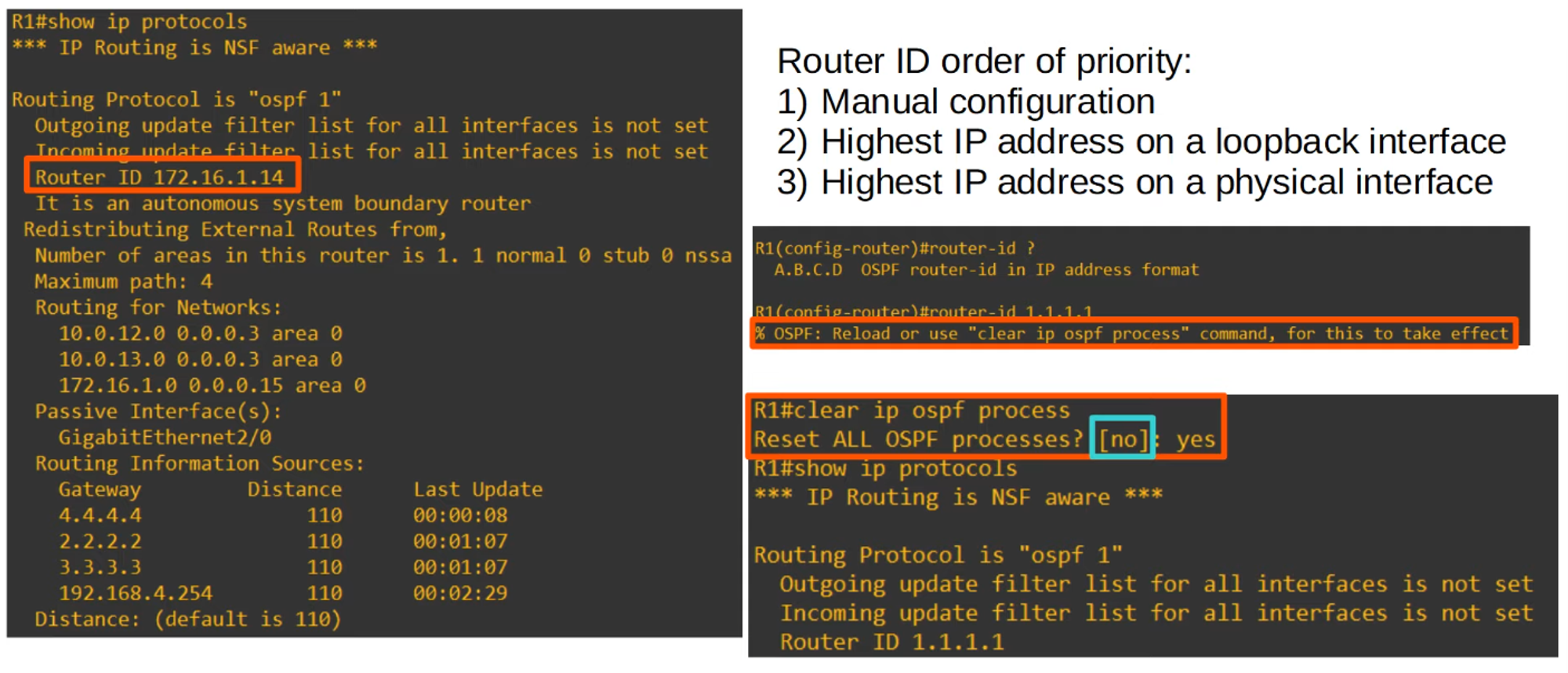
- Default Settings: Note the “no” in square brackets; this indicates the default choice.
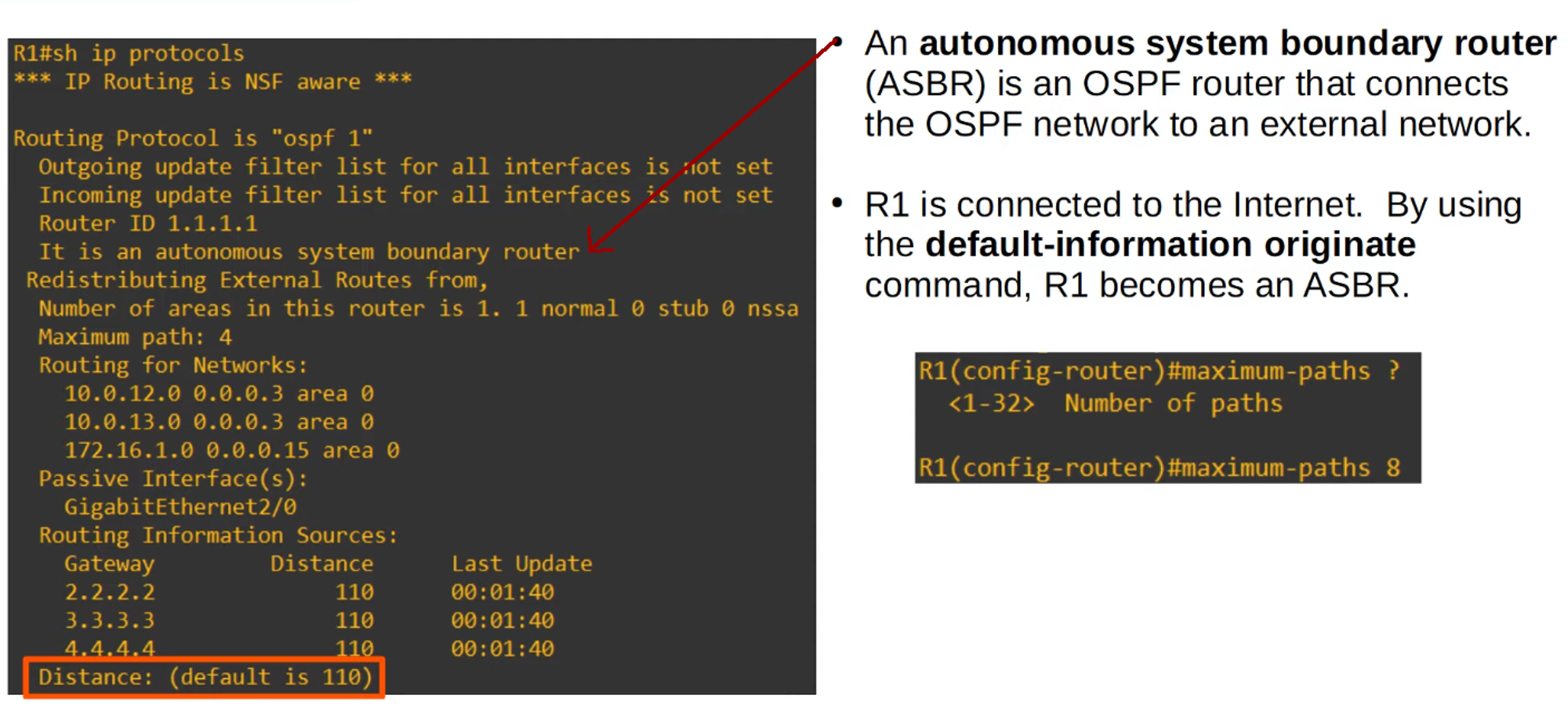
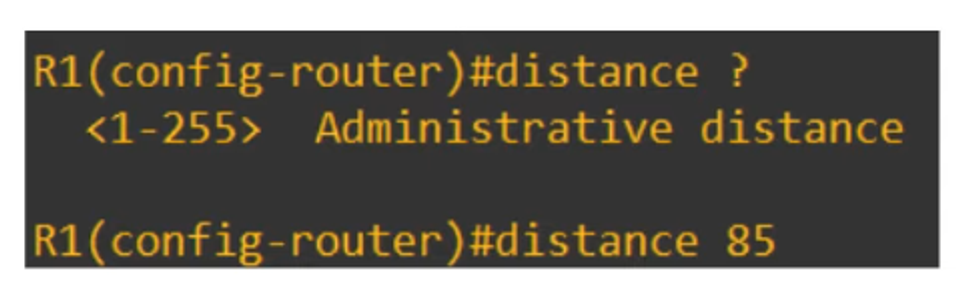
- Administrative Distance: The default Administrative Distance (AD) for OSPF is 110 but can be changed using the “distance” command.