What is a LAN?
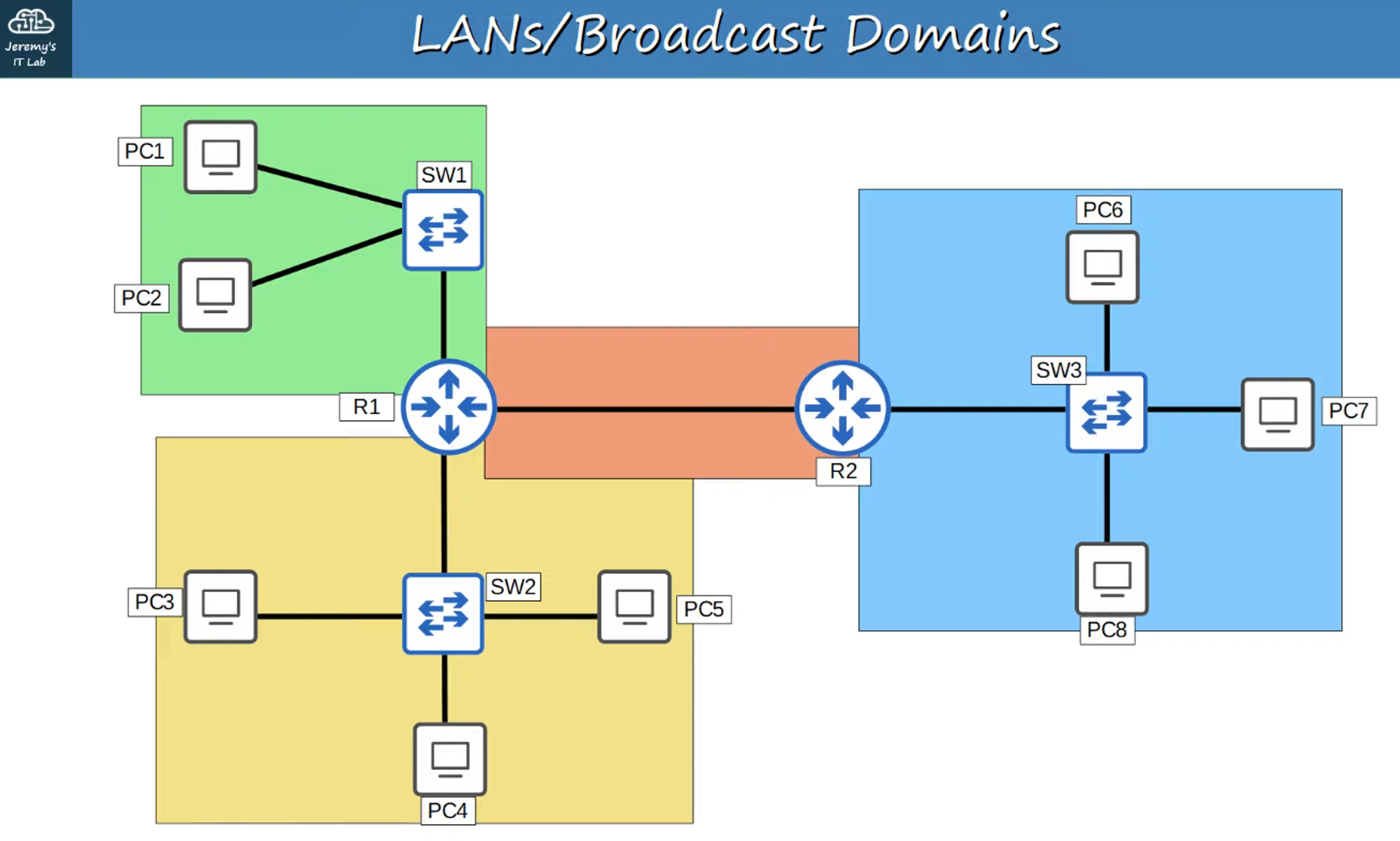
A LAN (Local Area Network) is a single broadcast domain, meaning it includes all devices that can receive broadcasts from any device within that domain.
Broadcast Domains
A Broadcast Domain is a group of devices that will receive a broadcast frame (Destination MAC: FFFF.FFFF.FFFF) sent by any member of the group.
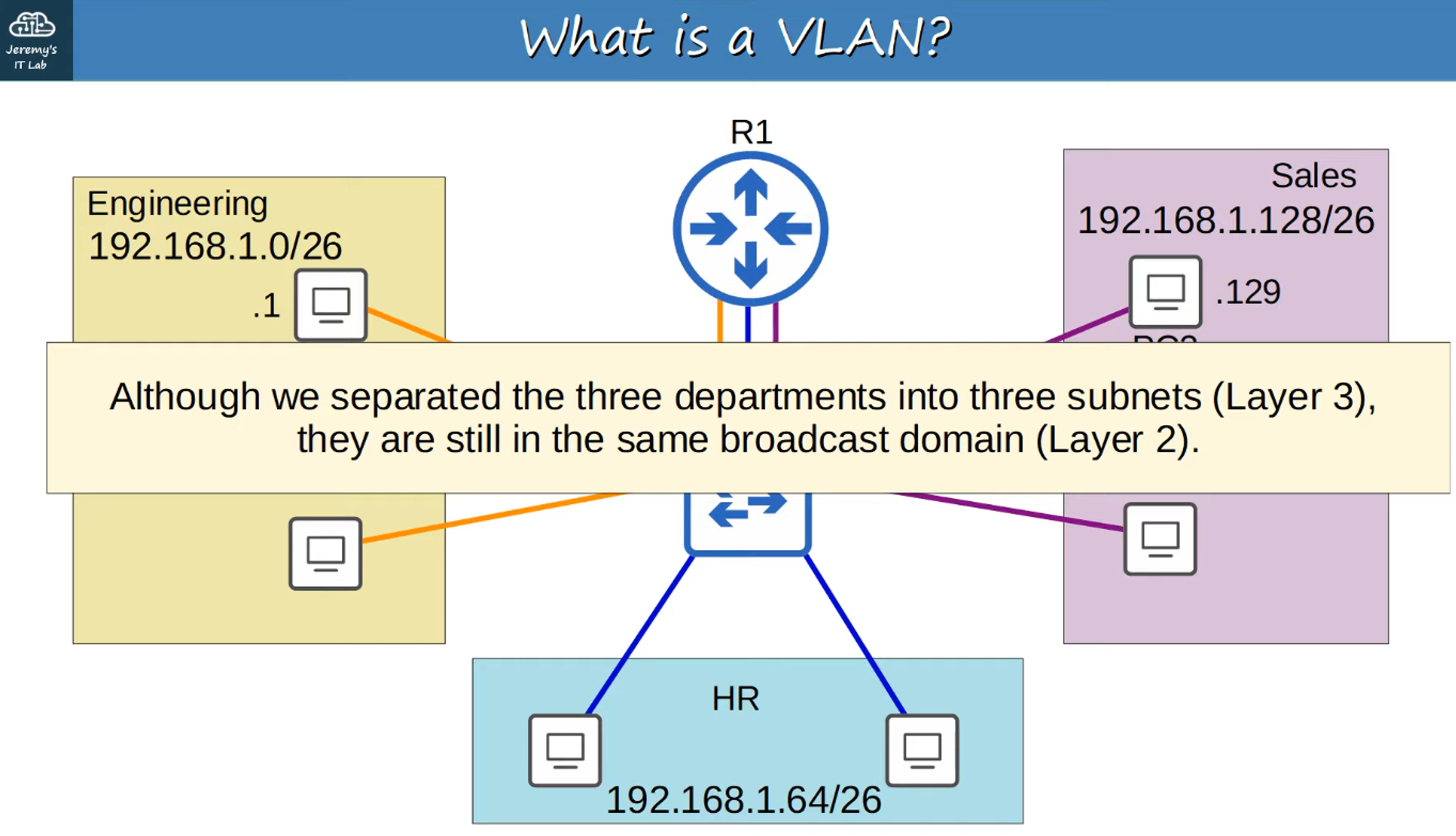
Example: LAN with Four Broadcast Domains (192.168.1.0/24)
Performance Considerations
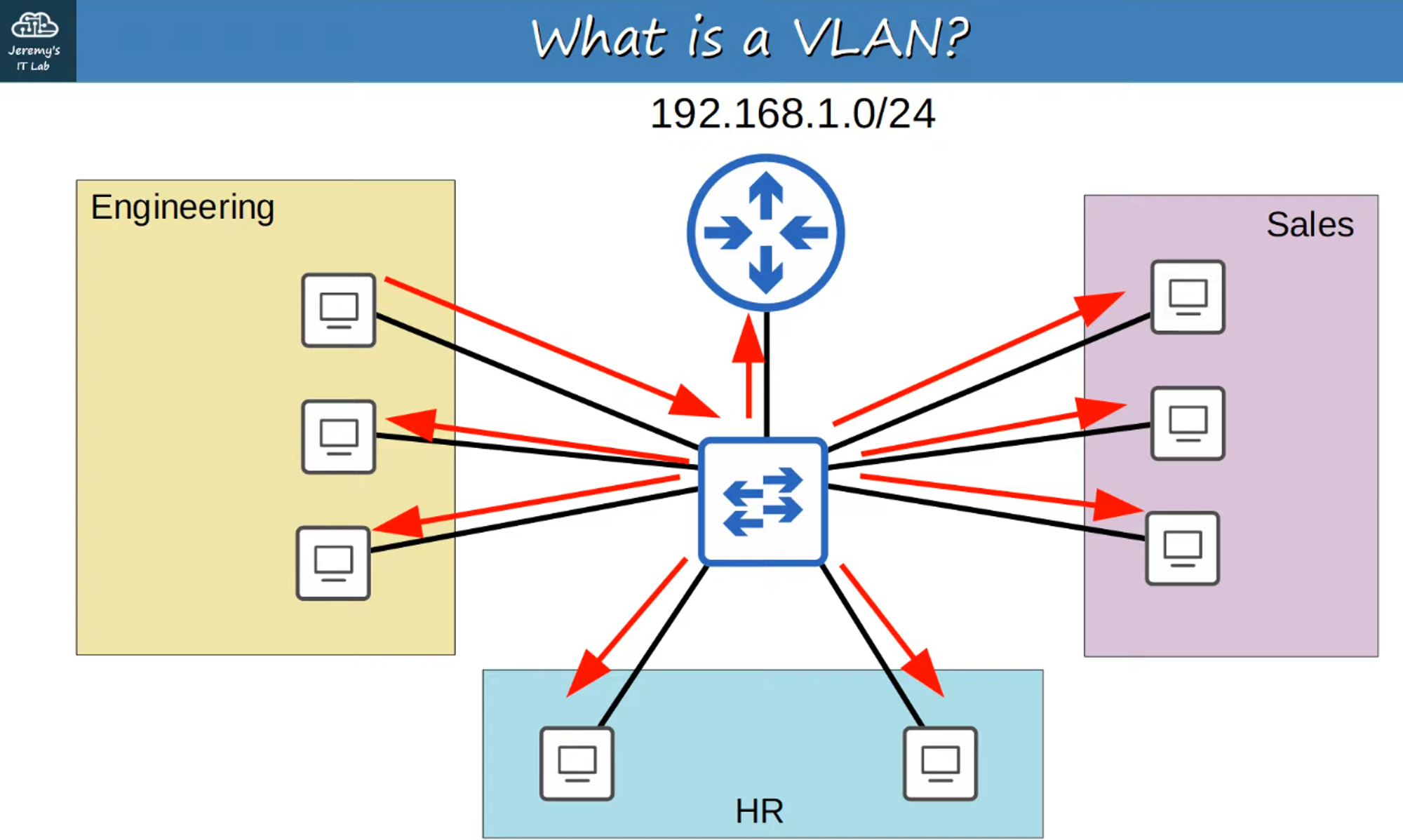
Excessive unnecessary broadcast traffic can significantly reduce network performance.
Broadcast Traffic Impact
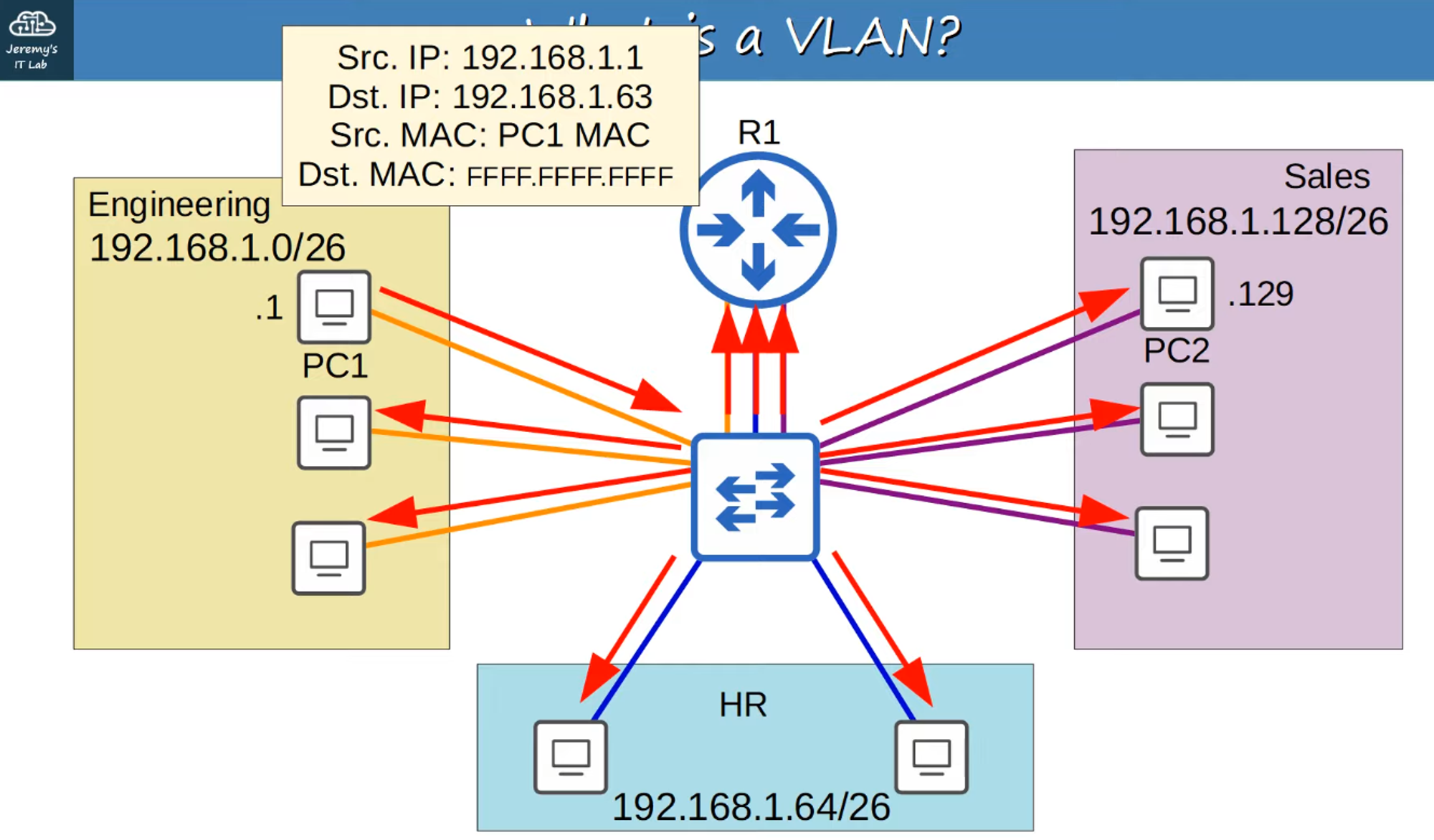
Flooding a network with broadcast frames can cause congestion, affecting all connected subnets.
Security Implications
Even within the same office, it’s essential to control who has access to specific resources. While security policies can be applied on a router or firewall, in a single LAN, PCs can communicate directly without passing through these security devices. As a result, those security policies might not be effective.
What is a VLAN?
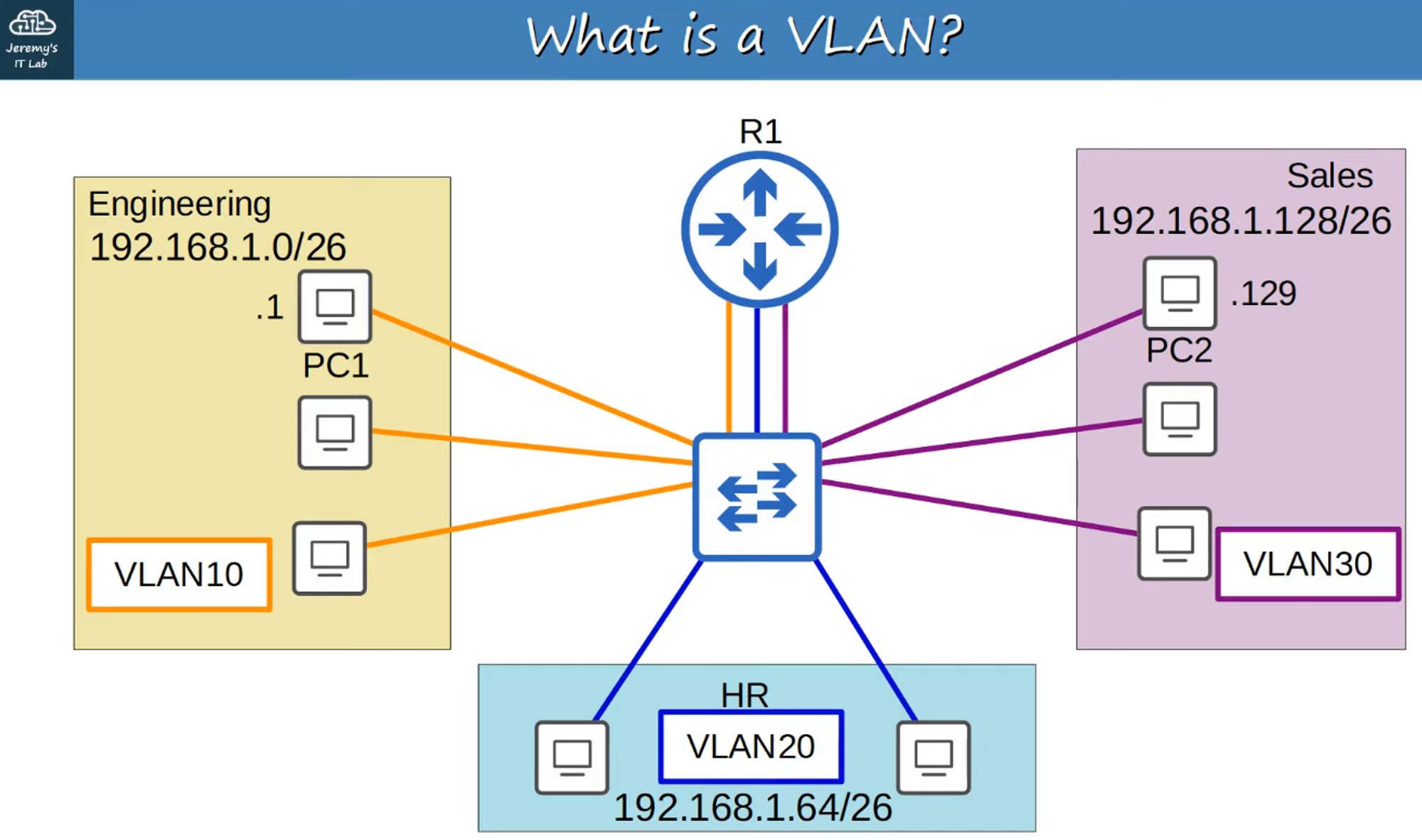
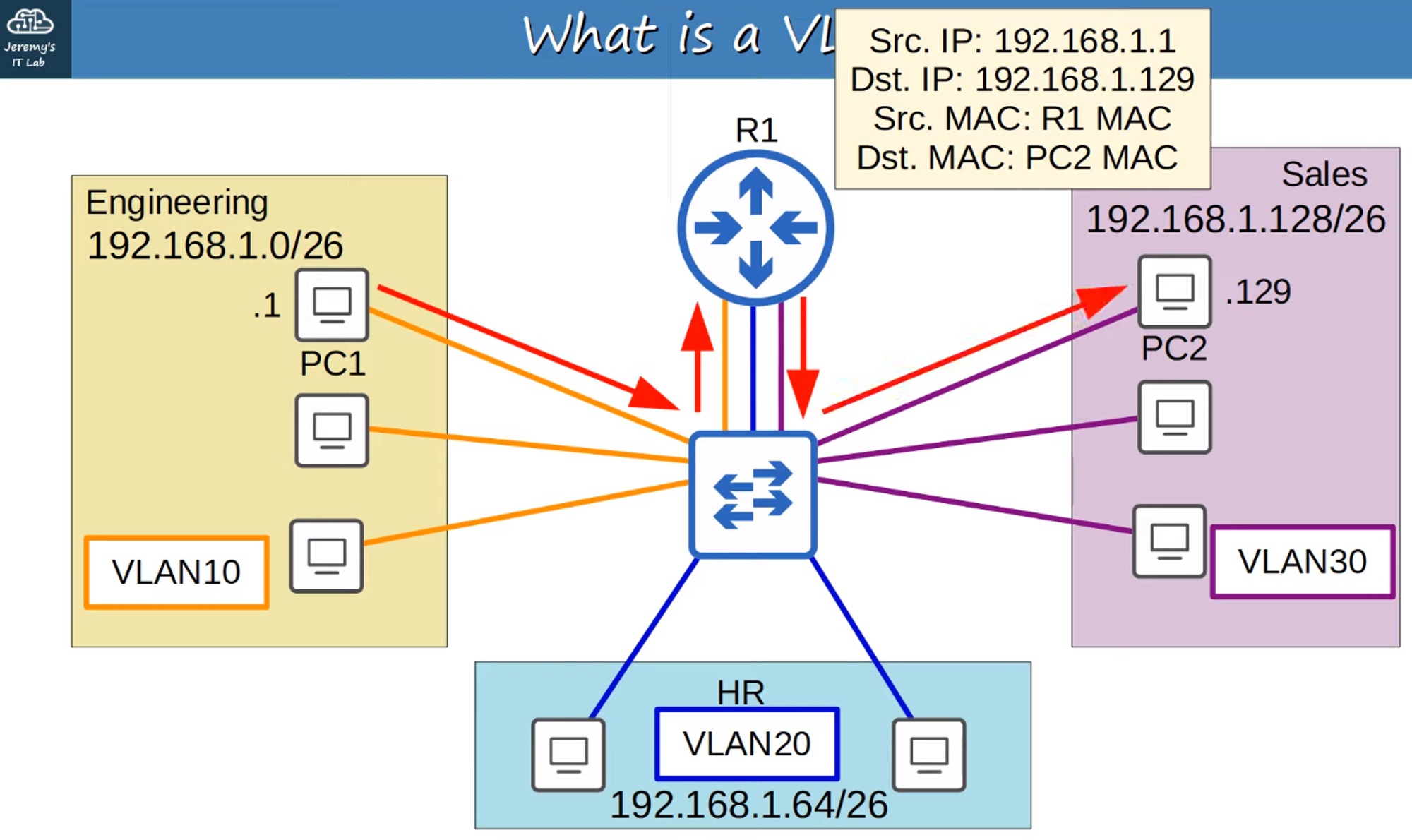
A VLAN (Virtual Local Area Network) is a method to logically separate end-hosts at Layer 2.
Key Features of VLANs:
- Logical Separation: VLANs logically separate hosts at Layer 2, independent of their physical location.
- Configuration on Switches: VLANs are configured on Layer 2 switches, on a per-interface basis.
- Interface Assignment: Any end host connected to an interface that belongs to a VLAN becomes part of that VLAN.
Purpose of VLANs
1. Network Performance
- Reduction of Unnecessary Broadcasts: VLANs help reduce unnecessary broadcast traffic, preventing network congestion and improving overall performance.
2. Network Security
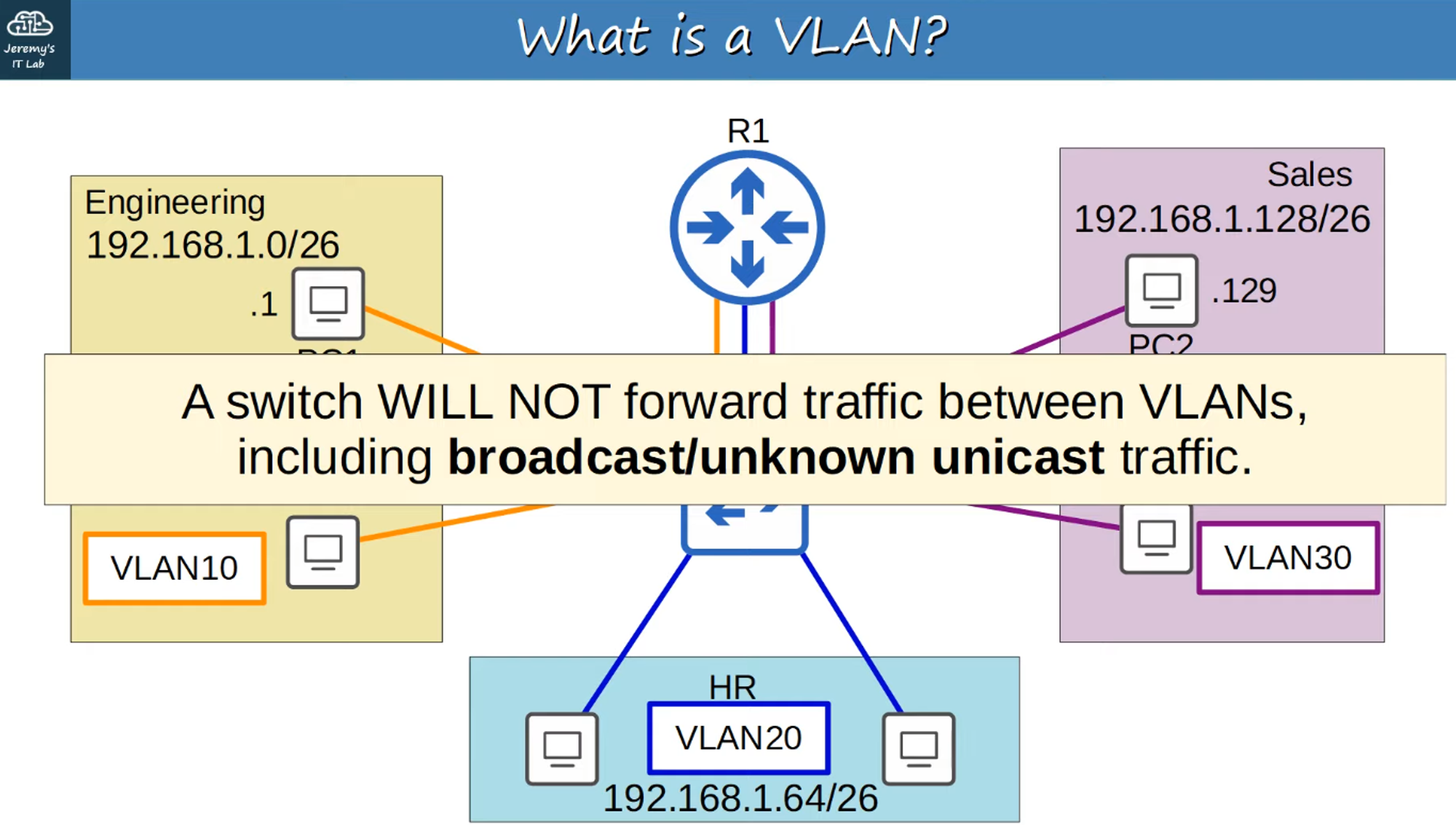
- Enhanced Security: VLANs limit broadcast and unknown unicast traffic, which also improves security by ensuring that messages are not received by devices outside of the VLAN.
VLAN Traffic Management
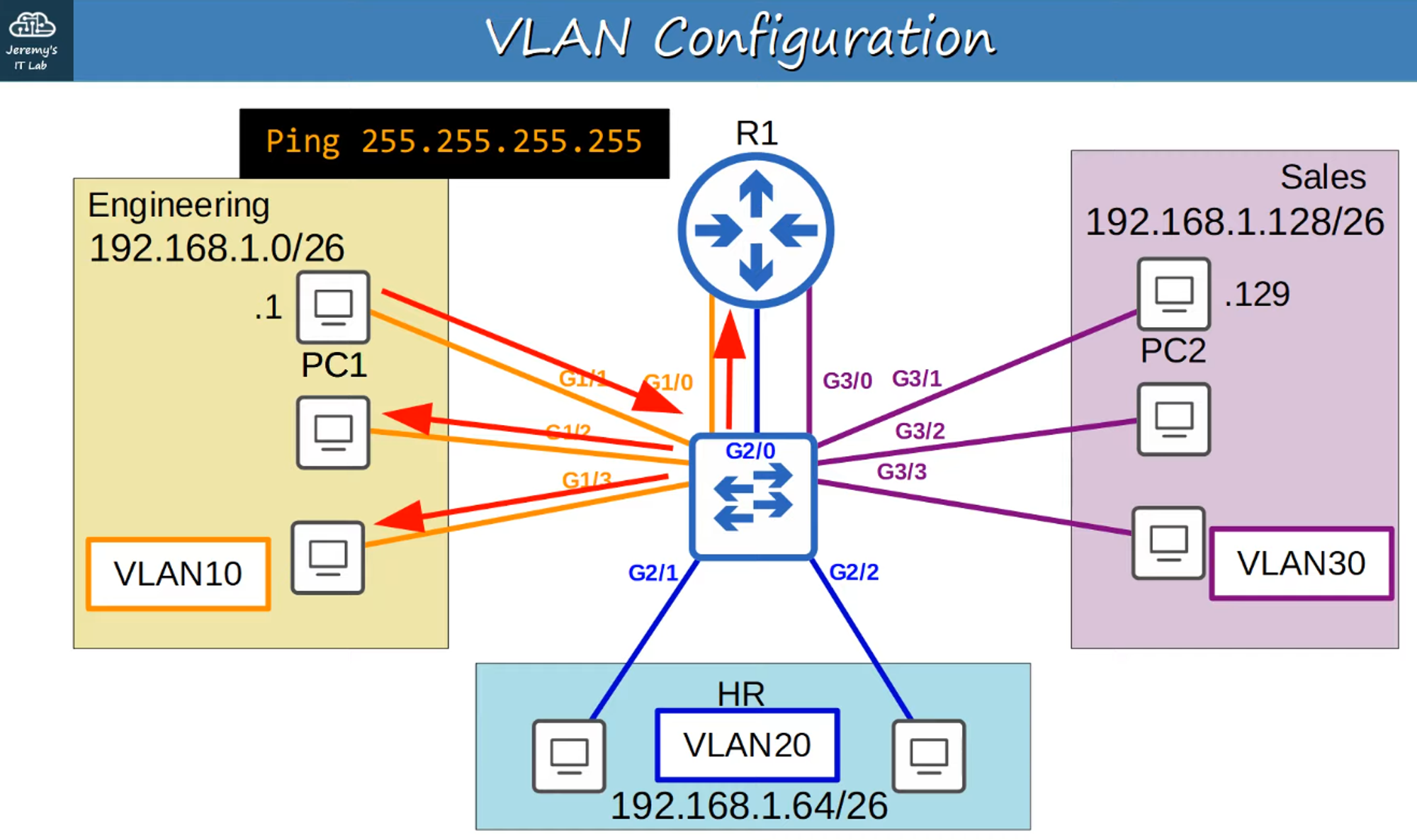
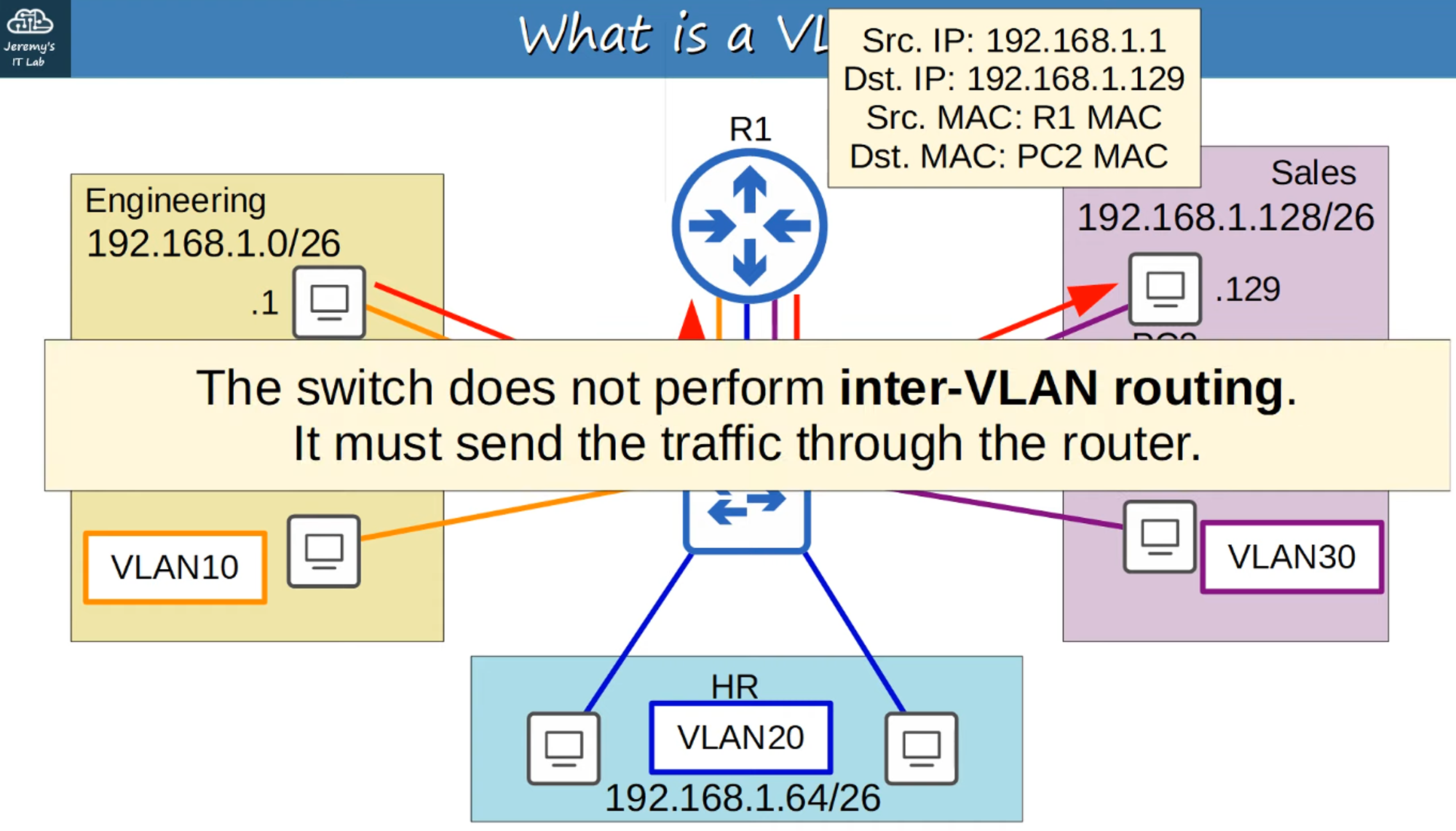
Switches do not forward traffic directly between hosts in different VLANs. For communication between different VLANs, the traffic must be routed.
Routing Between VLANs
Traffic between VLANs is routed through a device like a router (R1 in this case).
Configuring VLANs on Cisco Switches
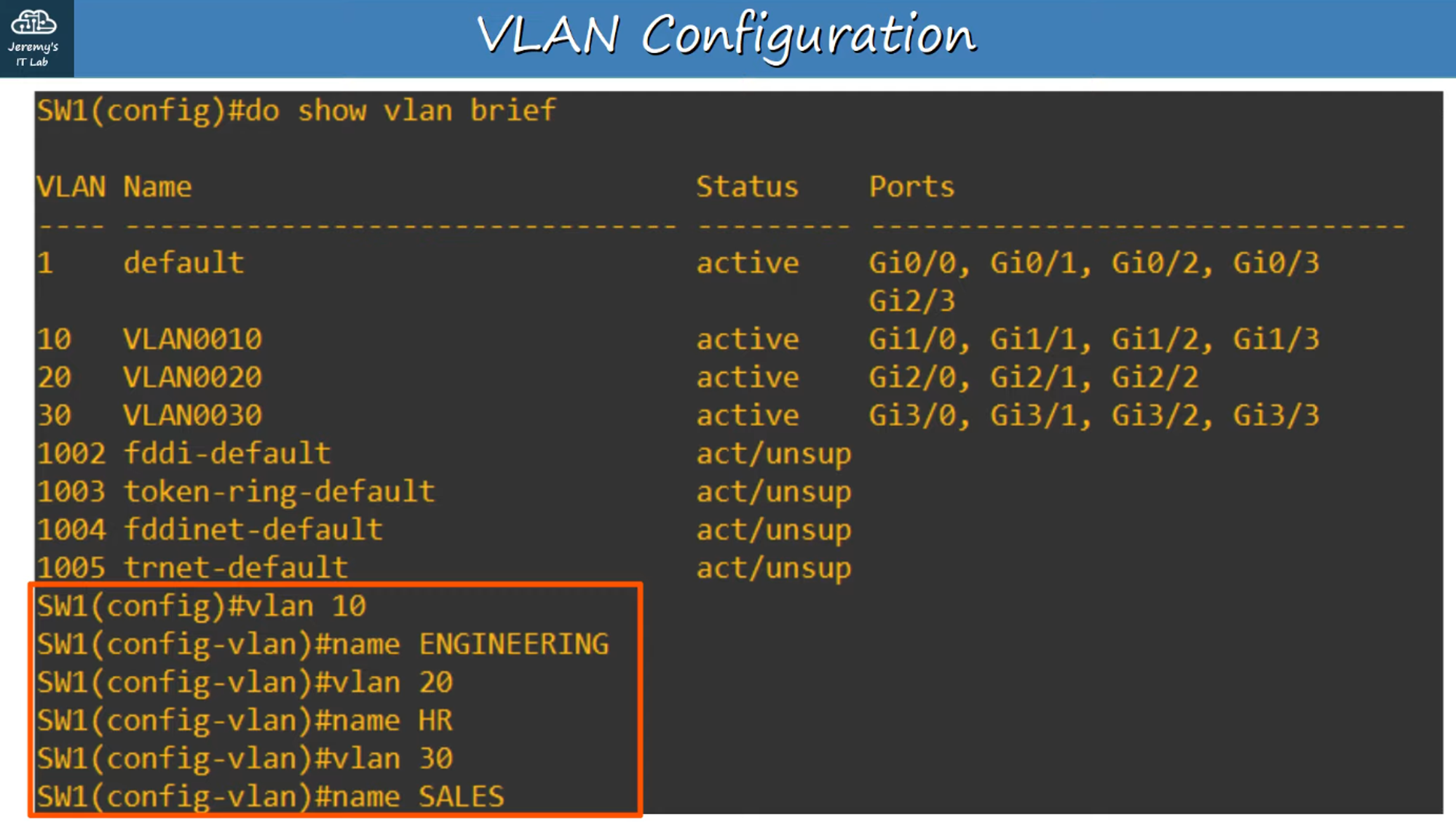
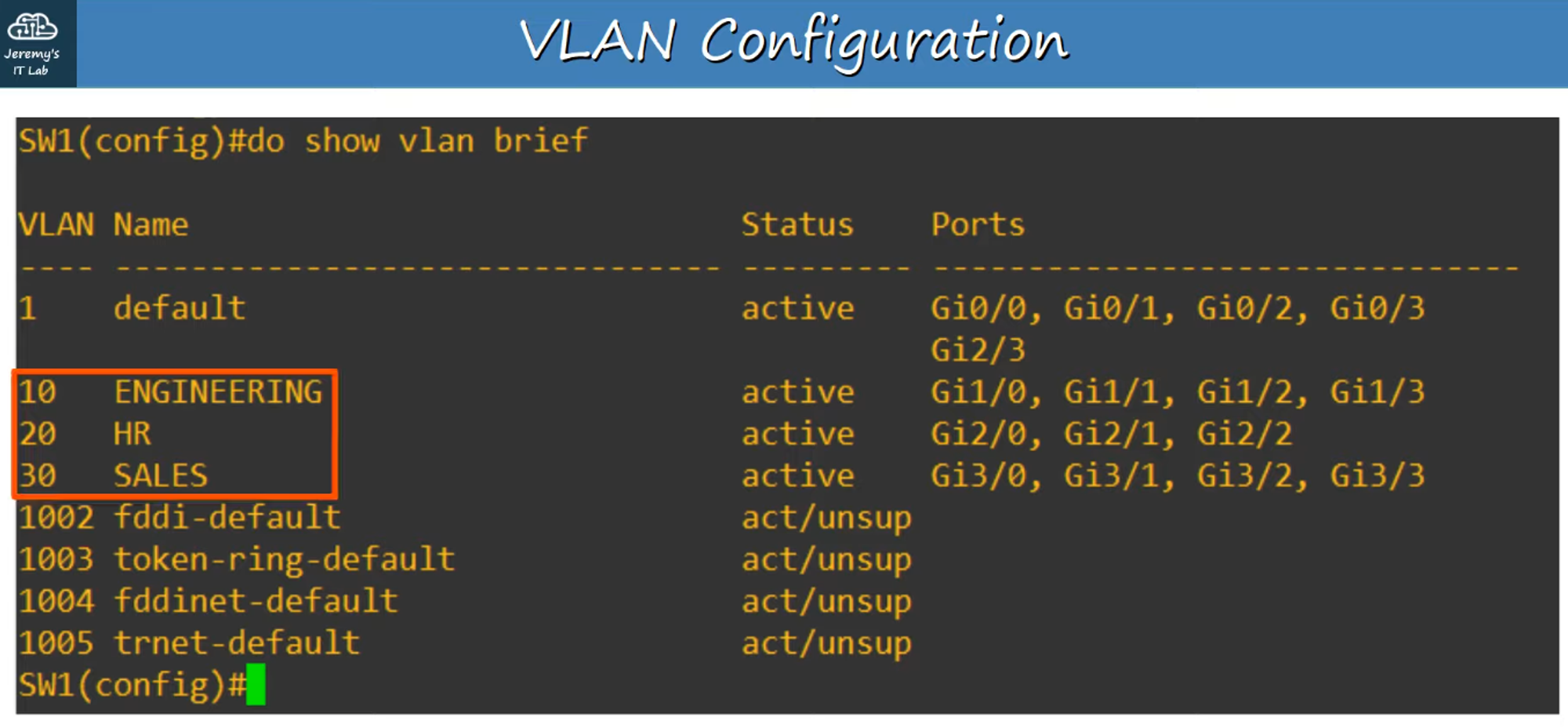
To view VLAN configurations on a switch, use the #show vlan brief command. This command shows which VLANs exist on the switch and which interfaces are assigned to each VLAN.
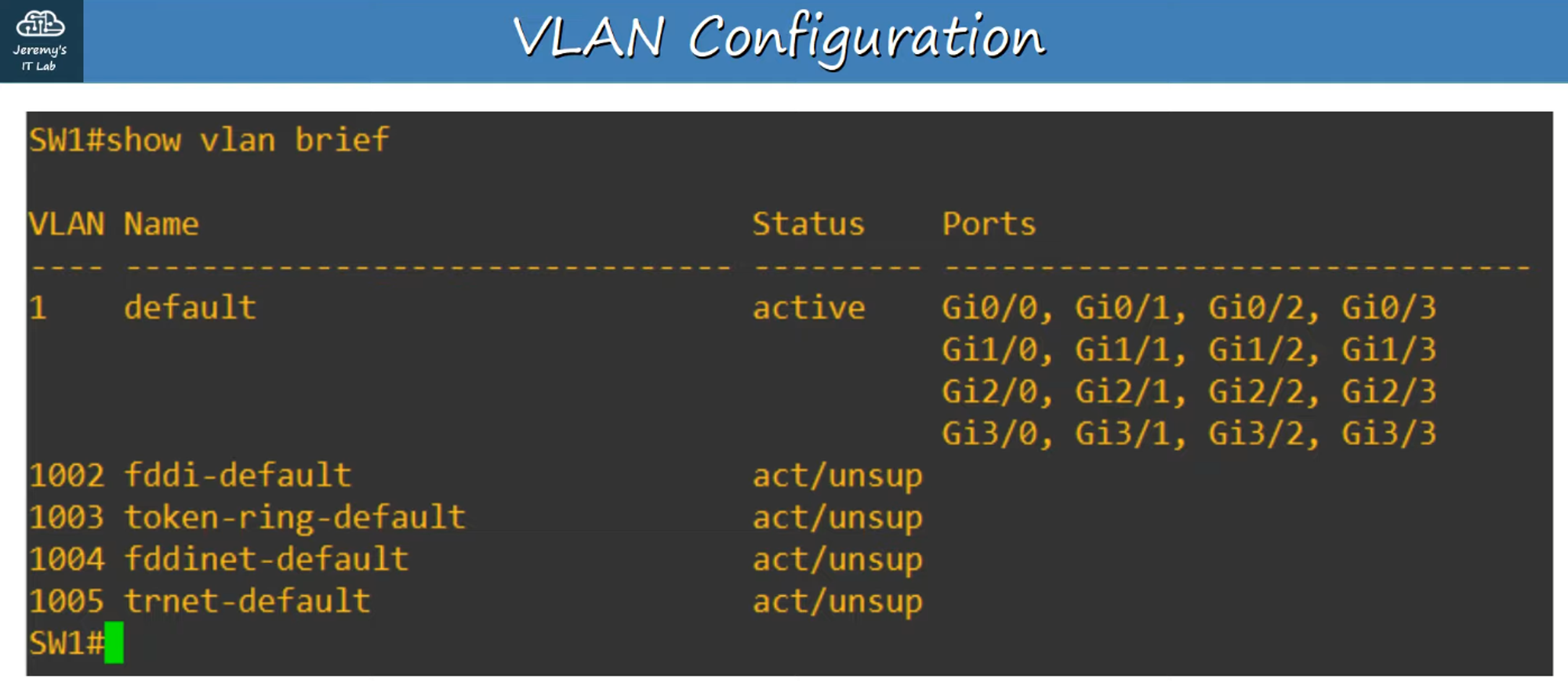
- Default VLANs: VLANs 1 (DEFAULT) and 1002-1005 exist by default and cannot be deleted.
Assigning Interfaces to a VLAN
Step-by-Step Configuration:
-
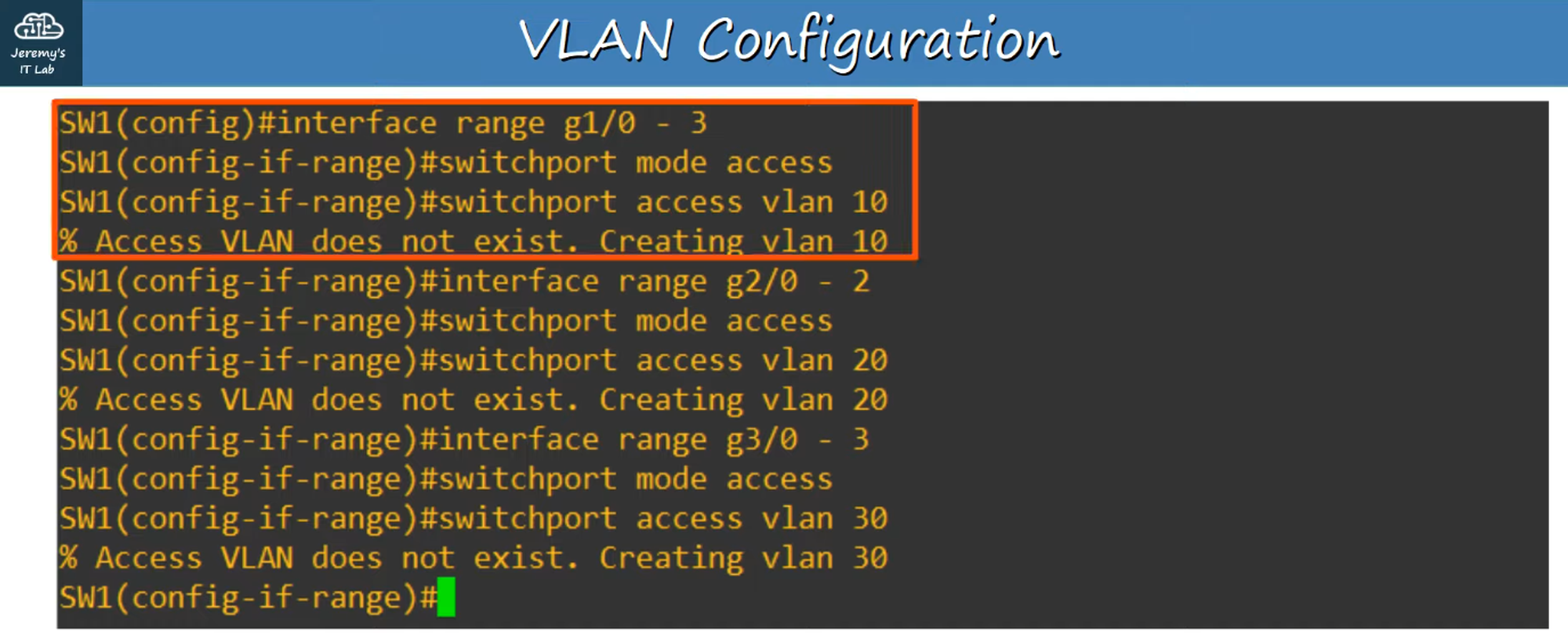
Select Interfaces:
- Use the
interface rangecommand to select multiple interfaces simultaneously.
- Use the
-
Set as Access Port:
- Use the
switchport mode accesscommand to configure the interface as an Access Port.
- Use the
What is an Access Port?
- An Access Port is a switch port that belongs to a single VLAN and typically connects to end hosts, like PCs.
- Trunk Ports: Switchports that carry traffic for multiple VLANs are called Trunk Ports (more on Trunk Ports in the next chapter).
- Assign VLAN:
- Use the
switchport access vlan <#>command to assign a VLAN to the selected port.
- Use the
-
Creating and Naming VLANs:
- Use
#vlan <#>to enter Configuration Mode for a specific VLAN (this also creates the VLAN). - Use
#name <name>to name your VLAN.
- Use
-
Verification:
- To check your VLAN configuration, use
#show vlan brief.
- To check your VLAN configuration, use
Testing VLAN Configuration
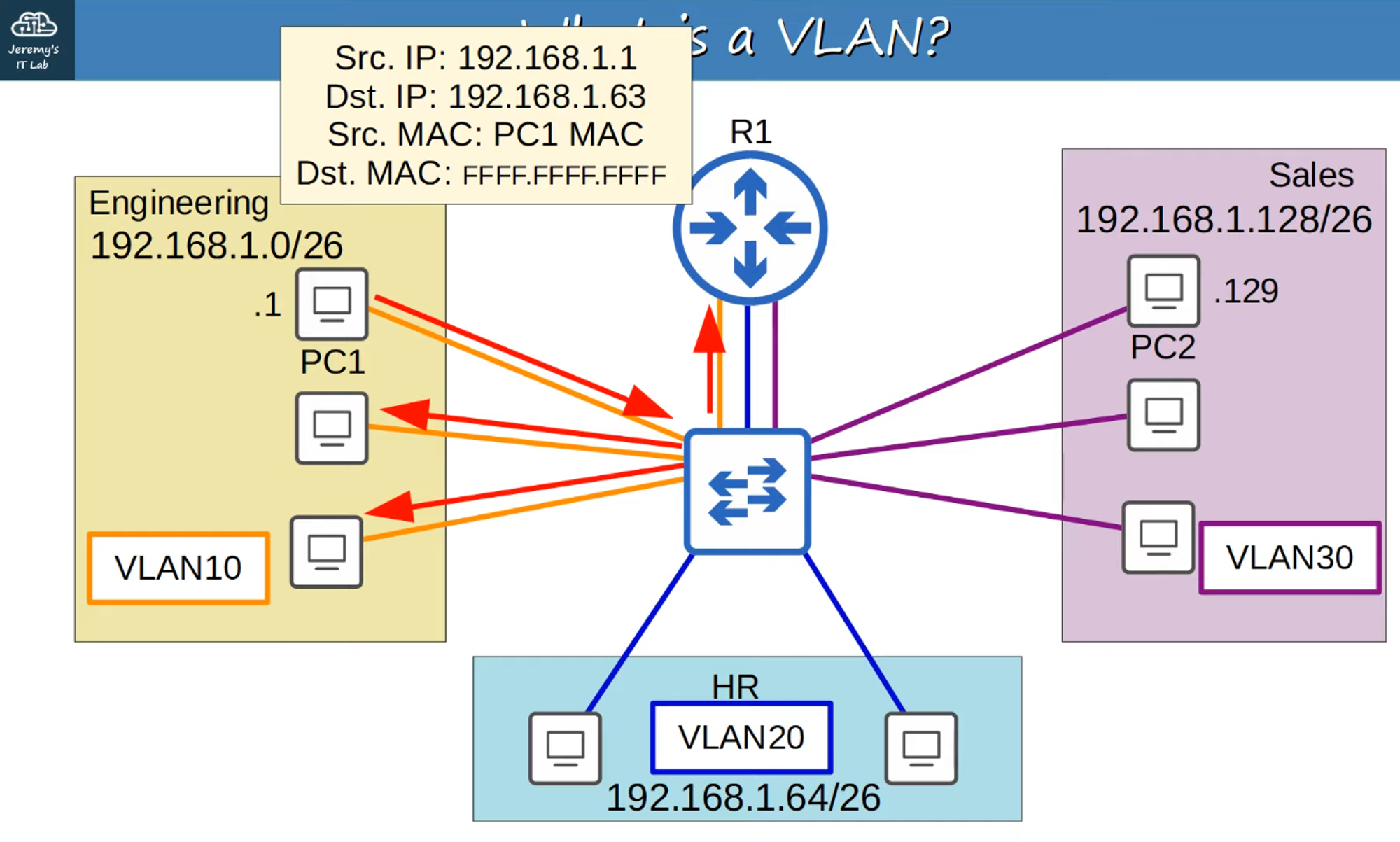
For example, when testing VLAN 10, you can send a ping from PC1 using the broadcast address 255.255.255.255 (FFFF:FFFF:FFFF). This will flood broadcast packets to Router R1 and VLAN 10 hosts only, ensuring that the traffic is contained within the VLAN.